Trouble with Pivot Point stuck at Cursor (SOLVED) [TY!]

Forum Archive Trouble with Pivot Point stuck at Cursor (SOLVED) [TY!]

Viewing 4 posts - 1 through 4 (of 4 total)
  • Author
    Posts
  • #19034
    Aldo Caliz
    Participant

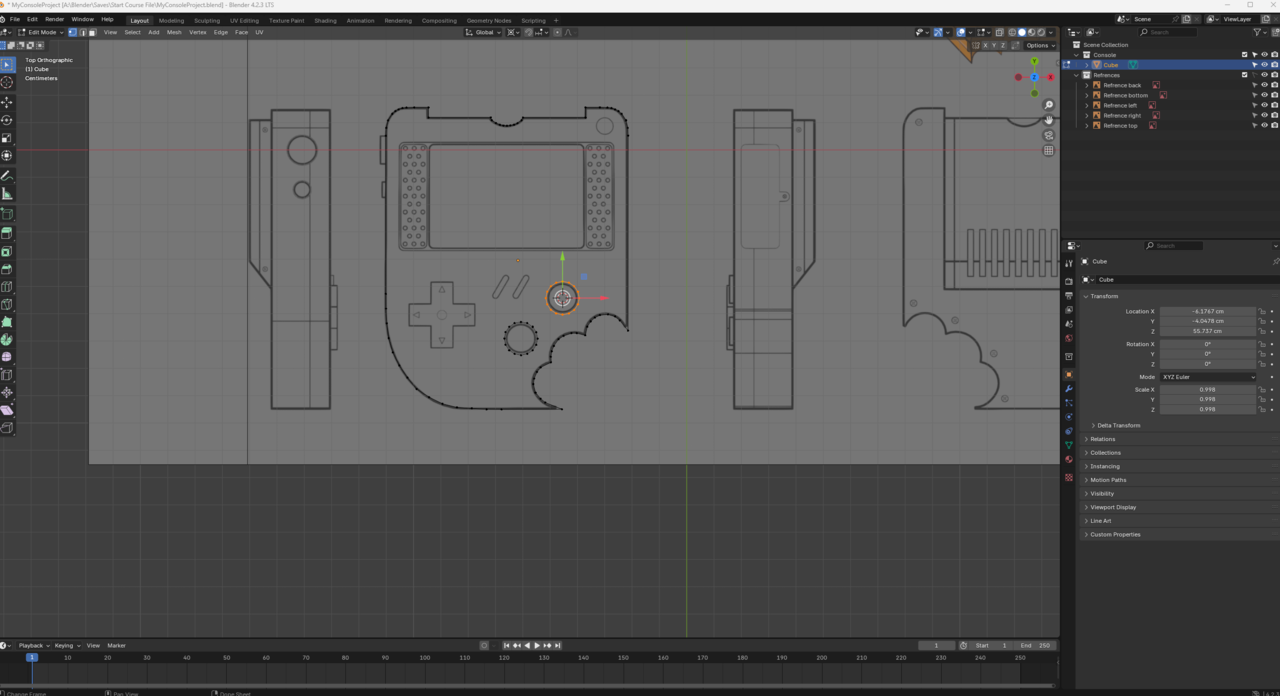
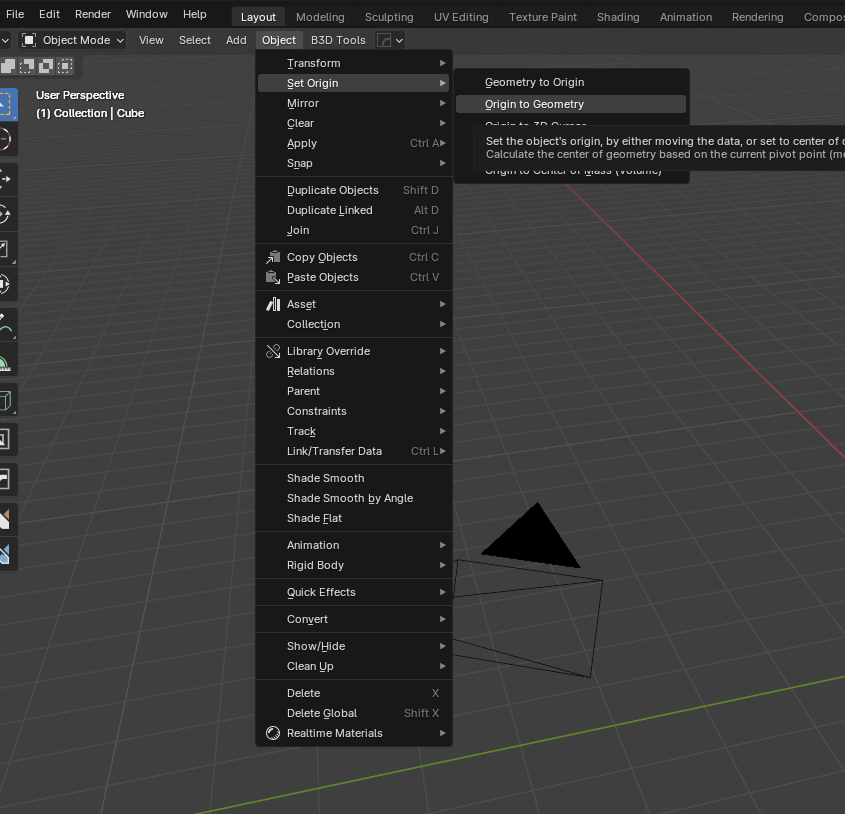
      When I tried to scale the circle for the button, I saw that it was scaling it from the cursor (the round life-saver-looking thing) at the world origin center (image 1). I could get by by setting the cursor to the selected object (Image 2). However, I just want the pivot point to show up in the middle of the object that I’m working with like it normally should, not the whole cursor if that makes sense. I’m not sure what button I pressed or setting I clicked that made changes to it. 

      16779f1ea1418ca5.png

      b30951b75ce2f462.png

      #90623
      Leo
      Participant

        I don’t know if I can quite follow you. You can set the Origin Point every object via the following menu 

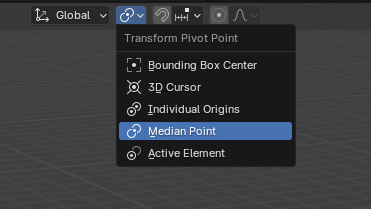
        You can set the 3D Cursor using SHIFT + S (which you have already done). Above the viewport there is another option where you can set the pivot point (see img). The pivot point is a kind of “anchor point”, when you scale or rotate your object, the scaling/rotation is taken from this point. You can also open the “Pivot Point PieMenu” with the “ . “ button.

        Maybe it will help you 

        #90624
        Omar Domenech
        Participant

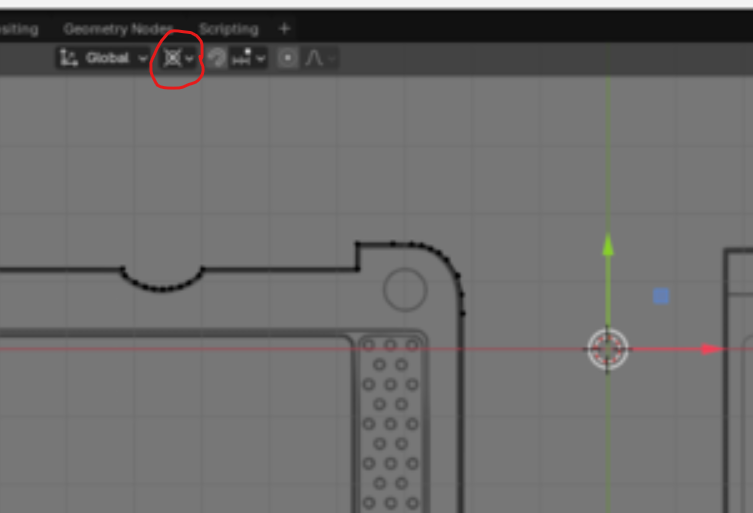
          Yeah you have the pivot set to the 3D cursor, you can see it in your screenshot:

          Cursor.png

          So the transform gizmo will be wherever the 3D cursor is. If you want it to be at he middle of your selection, you can se tit to bounding box center or Median point as Leo says. 

          #90625
          Aldo Caliz
          Participant

            Leo and Omar, if you happen to read this, thank you so much! I completely looked over that setting. 

          Viewing 4 posts - 1 through 4 (of 4 total)
          • The topic ‘Trouble with Pivot Point stuck at Cursor (SOLVED) [TY!]’ is closed to new replies.