Is this stretching of the texture?

Forum Archive Is this stretching of the texture?

  • This topic has 10 replies, 4 voices, and was last updated 2 years ago by coyo.
Viewing 11 posts - 1 through 11 (of 11 total)
  • Author
    Posts
  • #18523

    Hello,

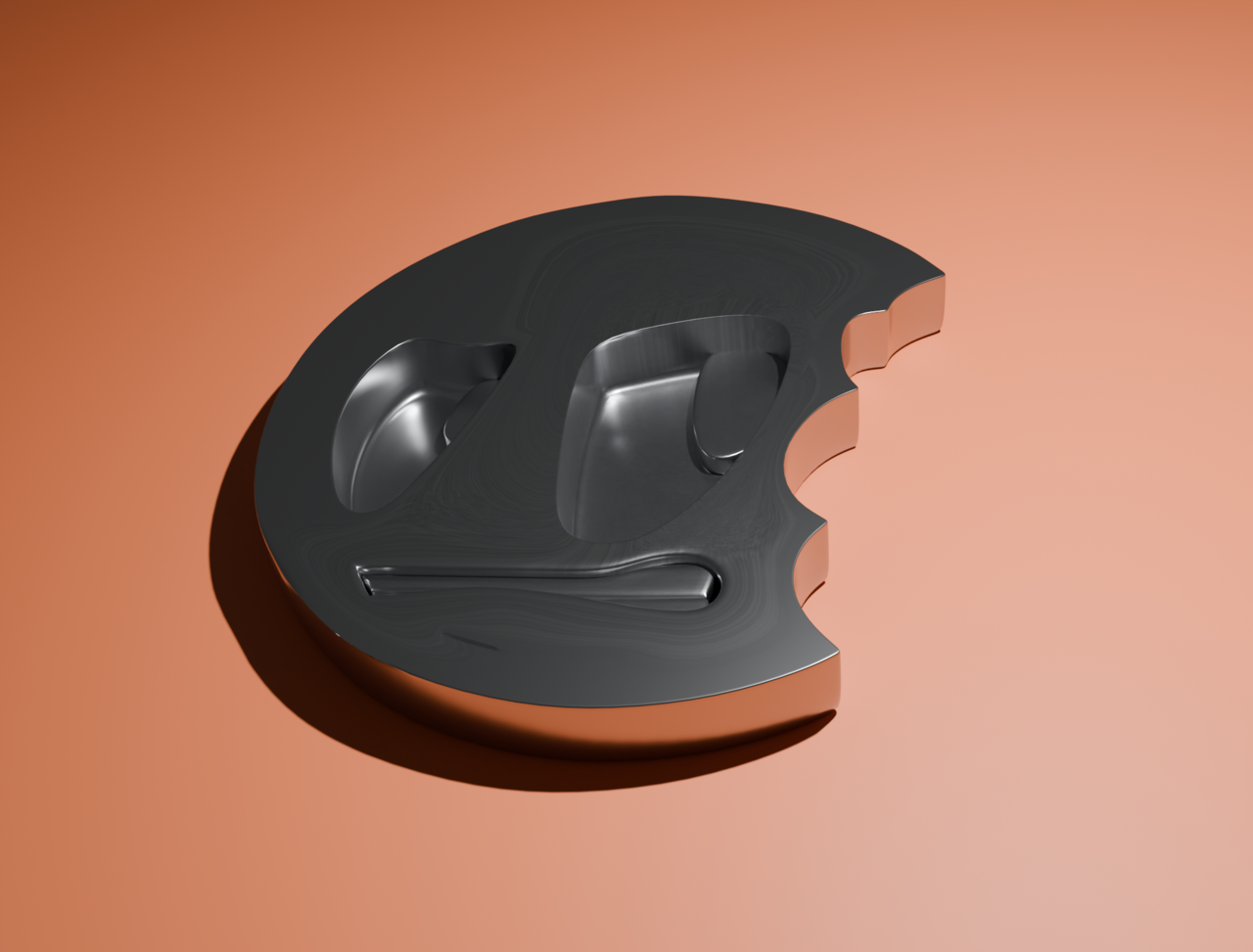
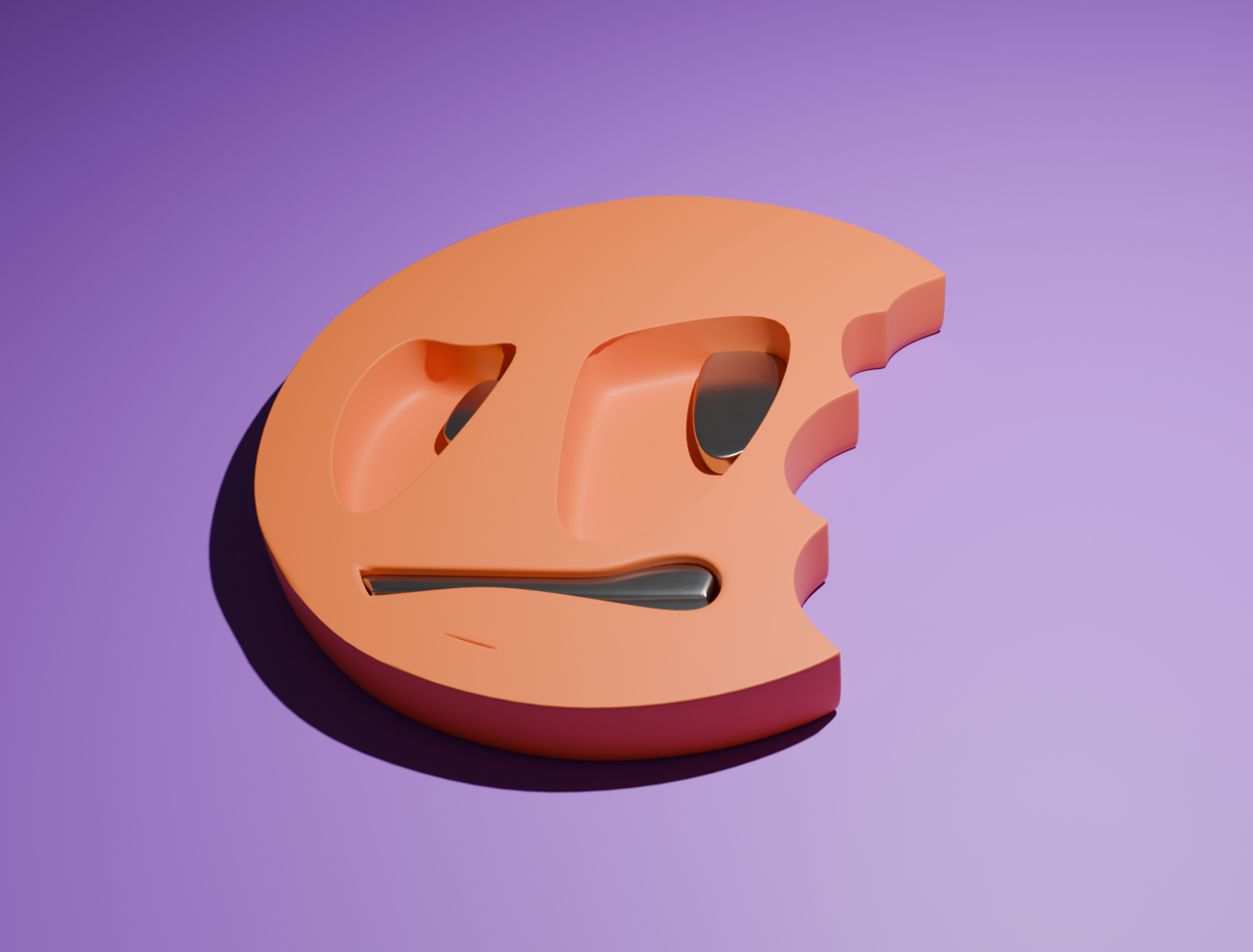
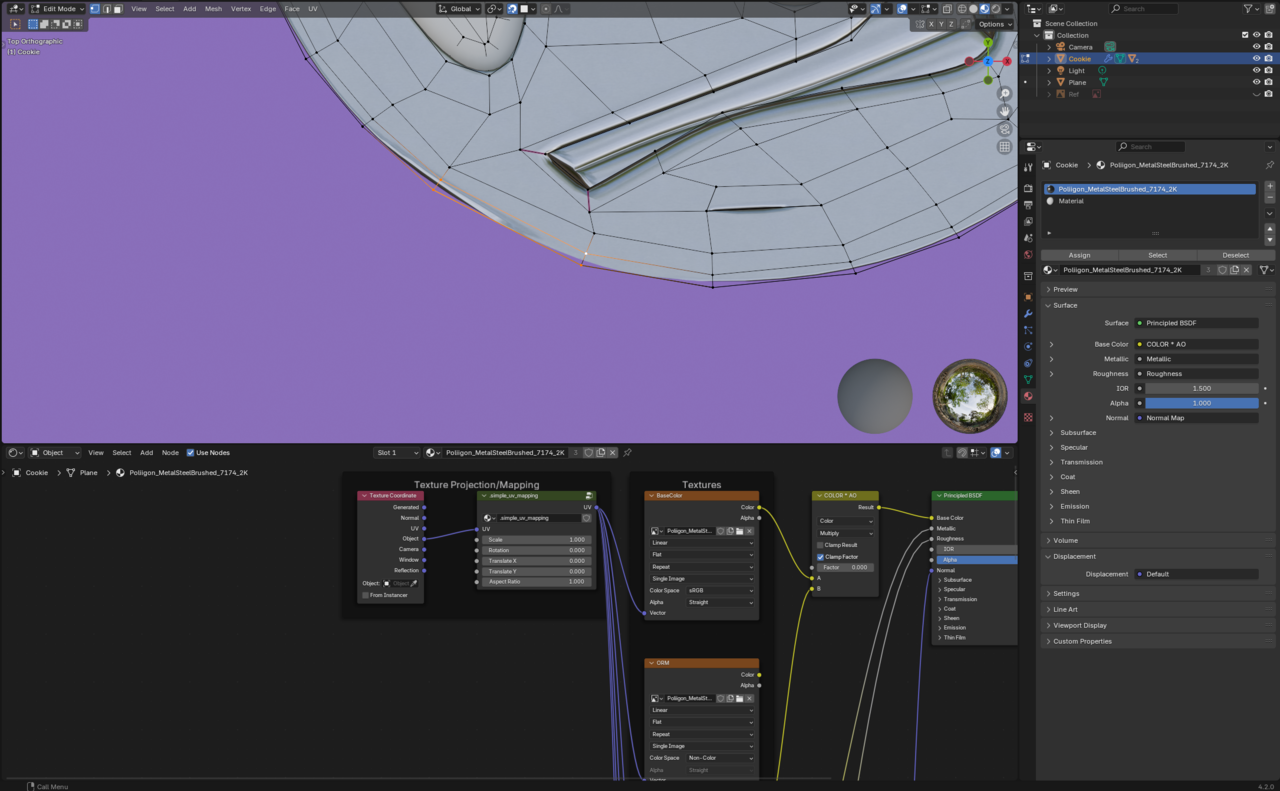
    So I tried to put metal texture from polligon.com on my cookie logo and it looks weird. Is this because of my topology or because I didn’t adjust the texture nodes. This effect doesn’t happen when I use principled BSDF with a simple colour. I also have some problems with the circle on the down left it looks weird but the vertex seems to follow the rest of the circle. 

    #88454

    cookie1.pngcookie2.png

    #88455
    Martin Bergwerf
    Participant

      Hi Adrian,

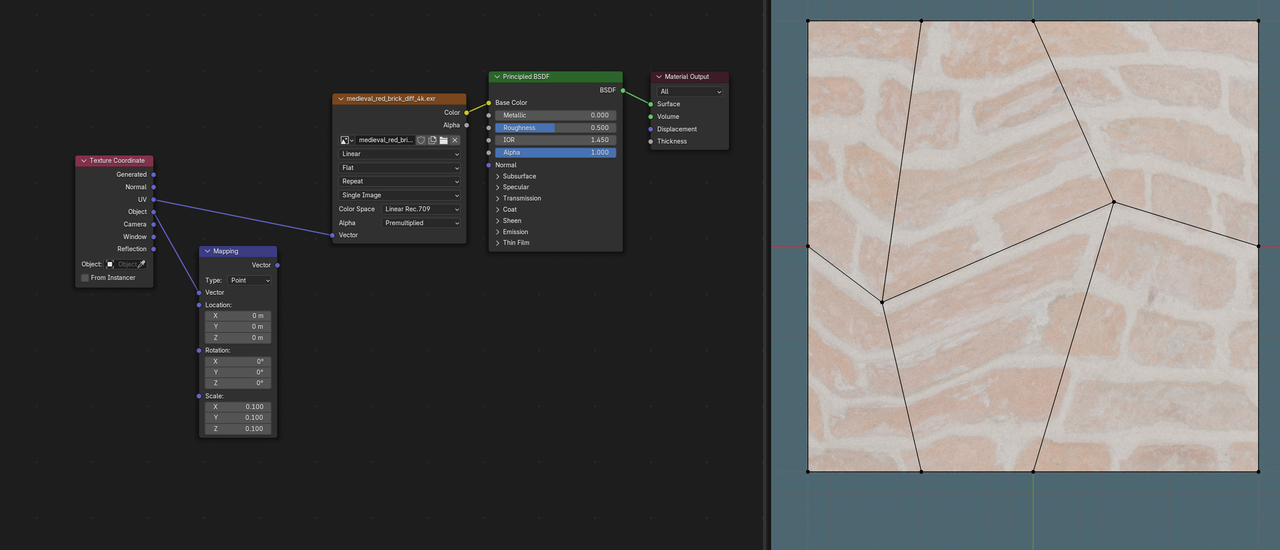
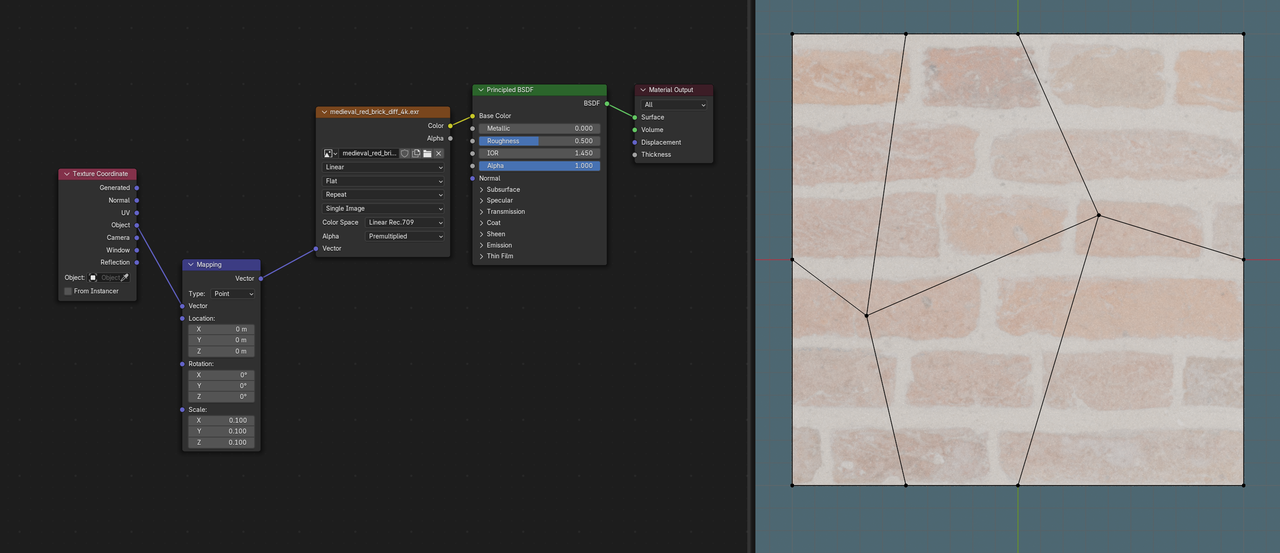
      I’m guessing a bit here, but if you use an Image Texture Node (for the metal Texture), it uses UV Coordinates by default and if you started with a Plane, that has UVs and by adding more Vertices, you got distorted UV’s, hence the stretching. If you’d use Object Coordinates instead, there shouldn’t be any stretching, no matter what your Topology looks like. (If this is way above your head, wait for the Materials, Shading and Texturing Fundamentals.)

      There is indeed a problem with the lower left side, which can be seen clearly in the shadow of the Images, where there is a flat side to the circle:
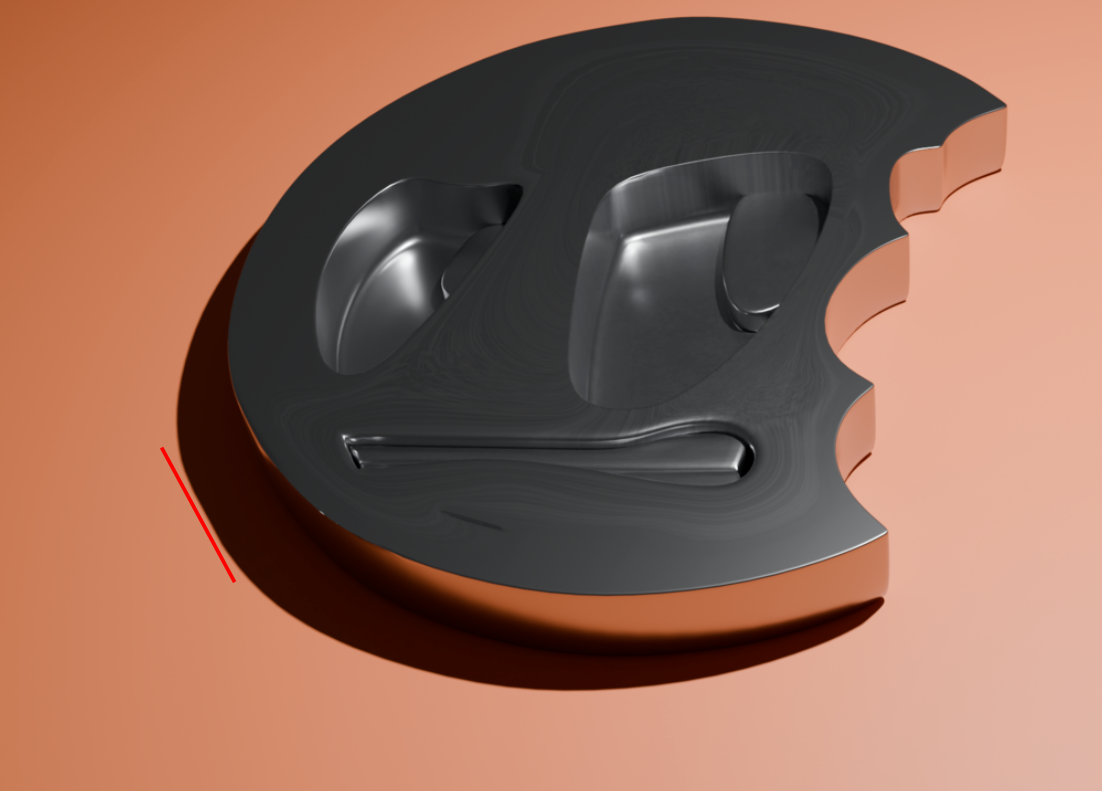

      Cookie.png

      #88456
      Martin Bergwerf
      Participant

        So, as demonstration.

        UV Texture Coordinates:

        Texture_01.png

        versus Object Texture Coordinates:

        Texture_02.png

        #88457
        Omar Domenech
        Participant

          Yes as Martin says, it’s all about UV’s. I don’t know if you have gotten to that part yet, but in the texturing course, be it in the new by Ewa or the previous one by JL, you’ll learn all about UV’s and textures space and coordinates and stuff. It’s a dense subject, but basically the metal material from Poliigon is probably set in a way that your object has not been set to use. So you need to UV unwrap it or change something in the material. But that’ll be something for later when you’re into textures and shading. 

          #88458

          Hey Martin and Omar,

          Exactly what you said it used UV instead of object node, when I connected it to the object it fixed itself.
          So I’m guessing I’ll learn about the difference between the two further in the course.

          Do you have any idea why this edge is messed up? Is it because the quads I use from this selected area onwards are longer than before? I’m guessing this could cause it since Johnathan mentioned that he was trying to even out the length of these outer loops in the course.

          Thank you very much !

          024-08-20 164239.png

          #88459

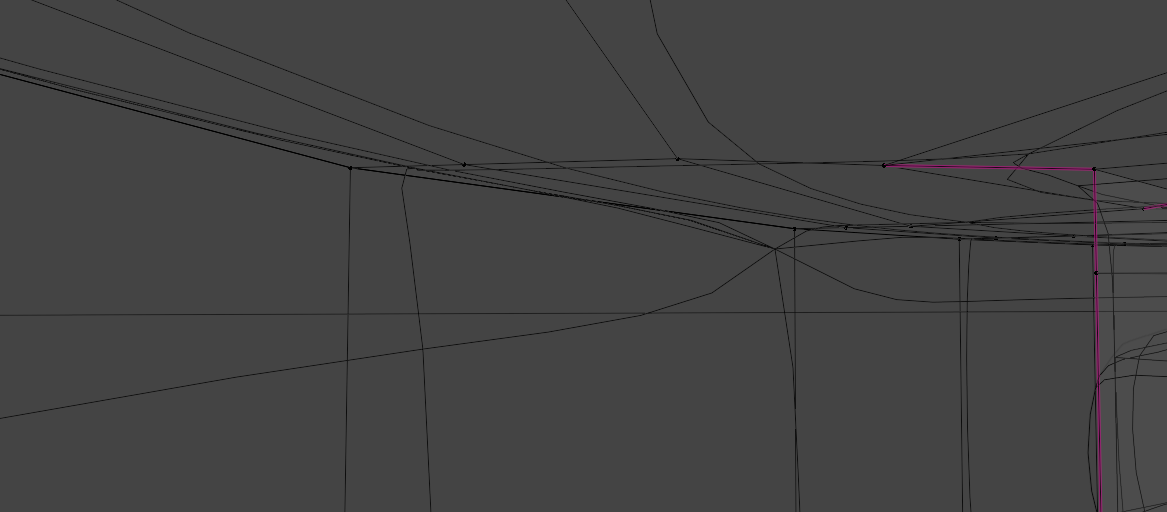
          There is this connection of something there in the place of the artifact but there is no vertex there, I don’t know what causes it – can’t select it.024-08-20 165646.png

          #88460
          Martin Bergwerf
          Participant

            Hi Adrian, that’s a classic 😉

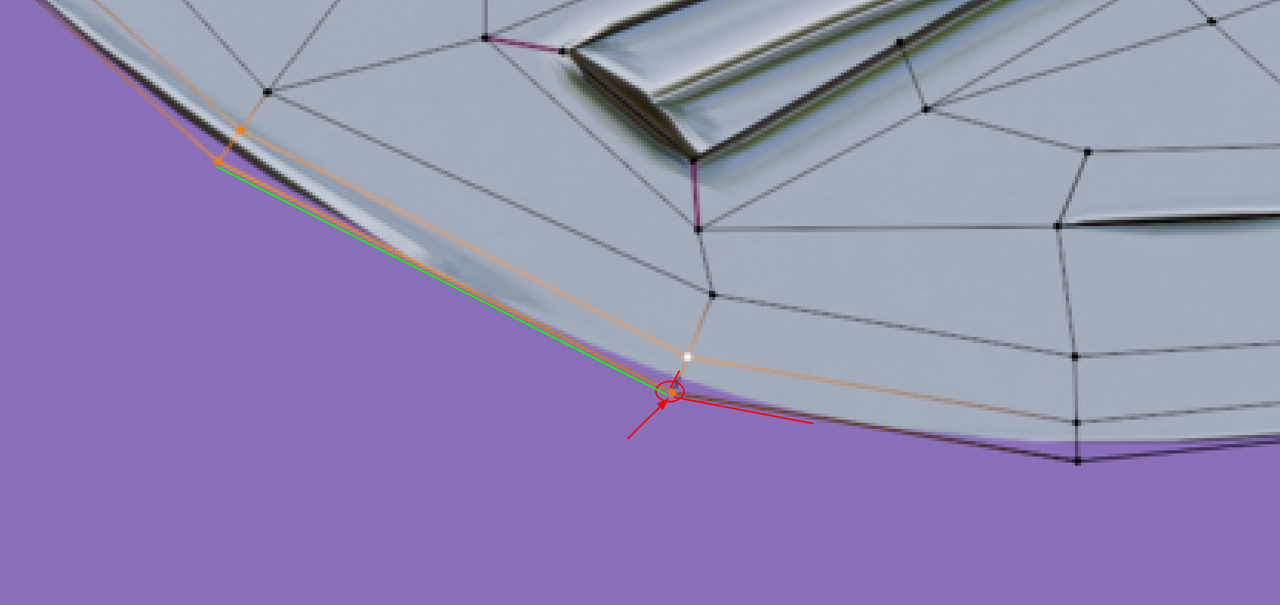
            There are 2 (or more) Vertices ‘on top of each other’; look at how the Selected Vertex connects only to its left neighbor (green line):

            Double Vertices.png

            To solve this, Select all Vertices (with A) and the M > Merge > By Distance.

            #88461
            Omar Domenech
            Participant

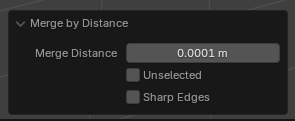
              It can also happen that they are not that very close to one another and when you try to merge by distance, nothing happens. If that is the case, remember you can adjust the merge threshold on the Last Operation window. That would be the Merge Distance value:

              e-Disctance-Last.png

              #88462

              Thank you very much for your time guys!,
               A —> M —-> by distance solved the issue. 😀
               It’s funny cause I tried to move some of these vertices by G to check if there are 2 there but they seemed to be single there. 

              #88463
              coyo
              Participant

                @marcadrian – re: both verts moving with G. It’s possible you had/have proportional editing on but the circle of influence set as small as possible. Been there, done that. 😀

              Viewing 11 posts - 1 through 11 (of 11 total)
              • The topic ‘Is this stretching of the texture?’ is closed to new replies.