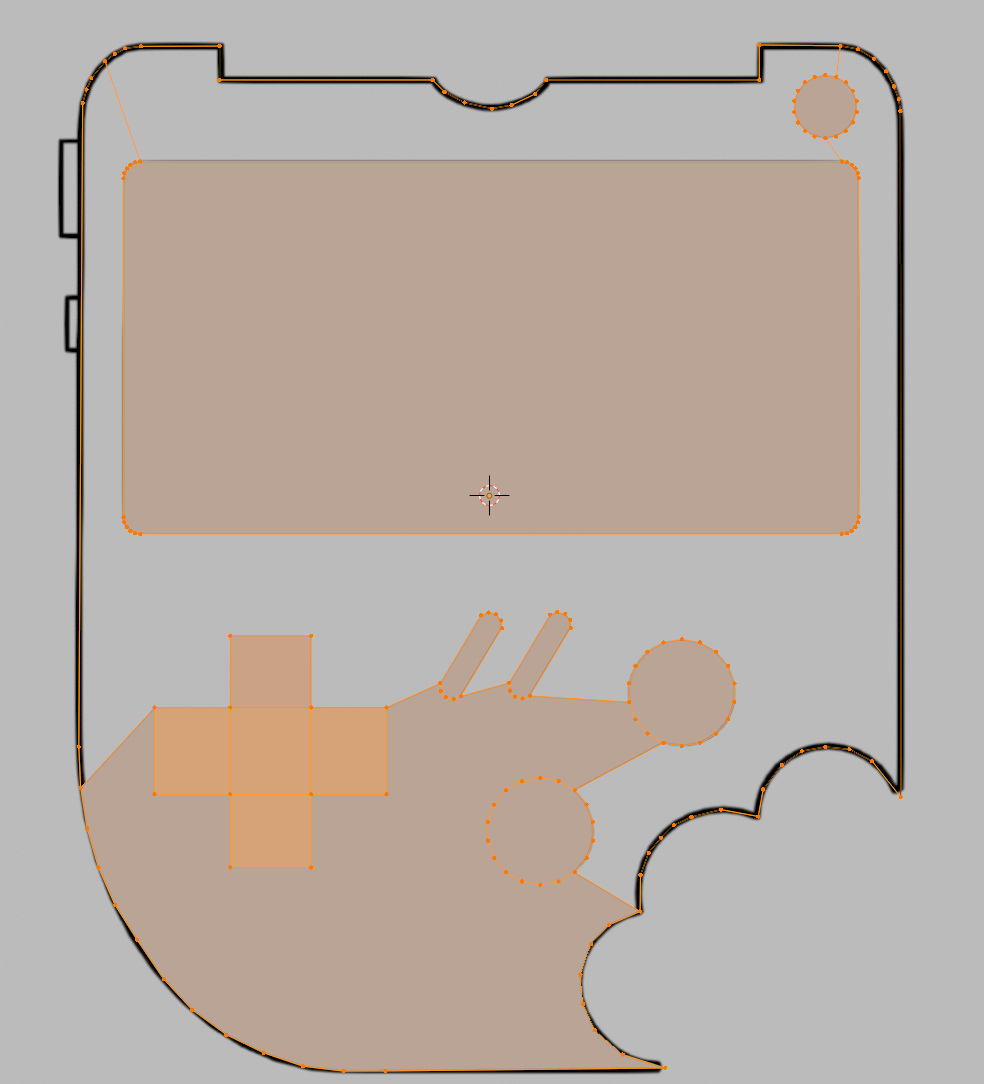
I have managed to do the first fill, but when i try and do the second fill it does not work, the vertices overlap and it is really messy, this is what i have before it messed up
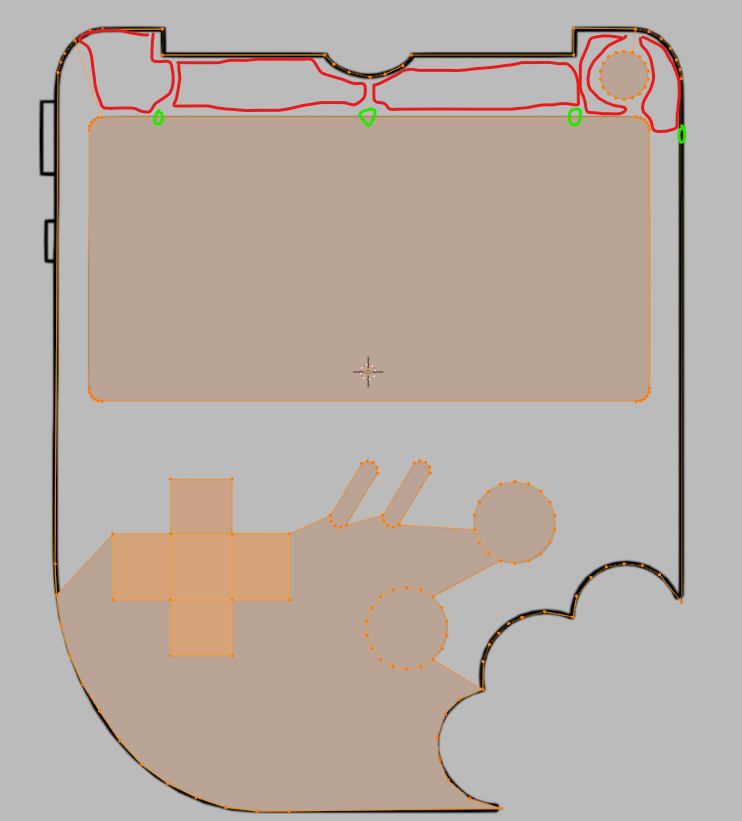
Try to do it in small stages. Don’t make big selections that Blender will have a hard time figuring out what to fill, just select a couple of vertices and F to fill that, then other couple of vertices, F to fill those and so on and so forth until you have the whole thing filled.
You can for example add new vertices where the stretch is too long (green circles are new vertices and red areas the fill with a face) That way you keep it localized and avoid overlaps.
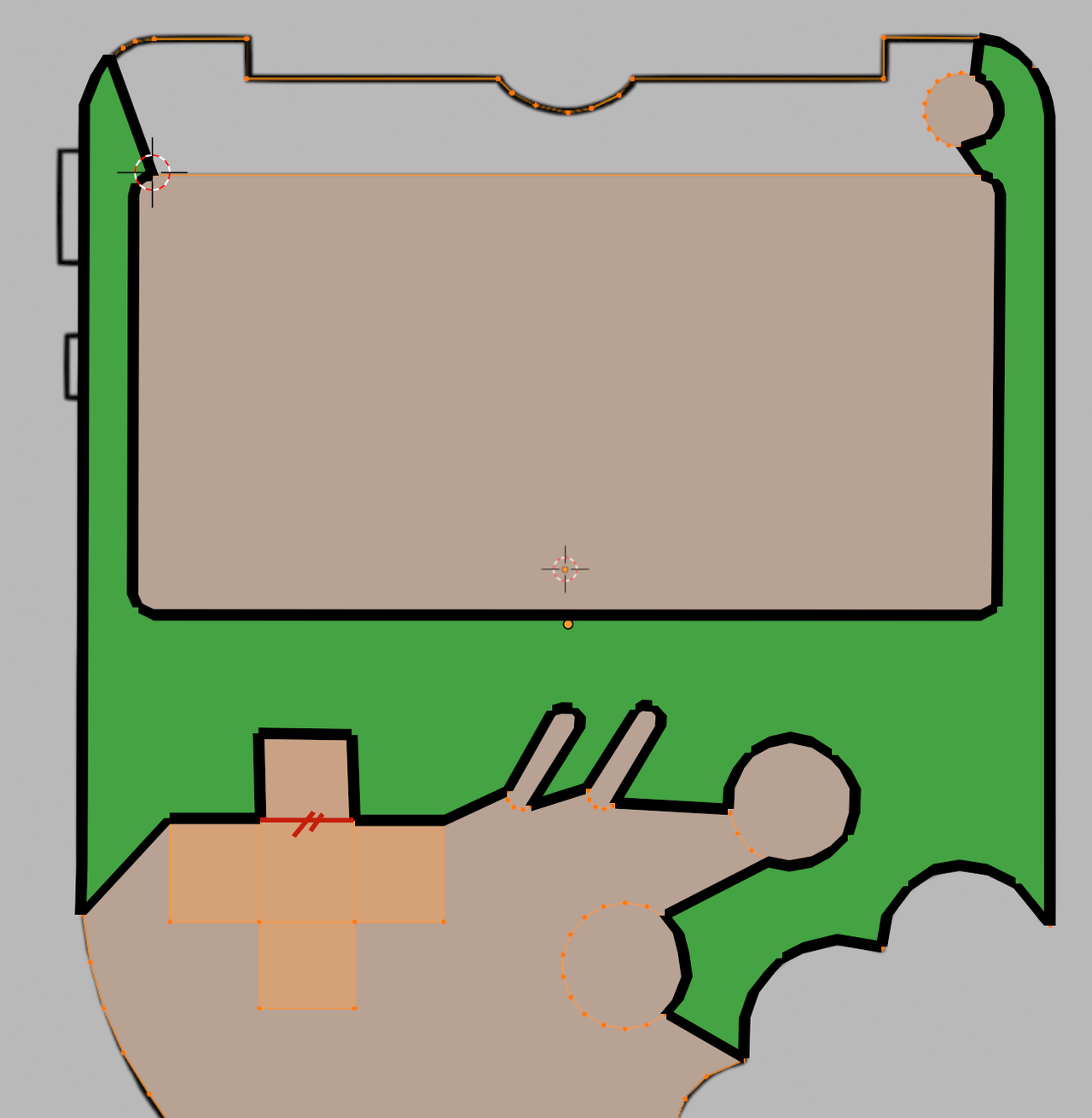
Also, make sure that your Selection is correct, so to fill in this green area, only select these Edges:
And you need to be in Edge Select Mode here, to avoid inadvertently selecting that red Edge.
And it looks like your D-pad already has overlapping Faces, so you might need to go back a few steps (just Delete Faces in Face Select Mode and then start over, Filling).
So the bottom section looks incorrect, The vertices and edges highlighted in red should not be selected when filling this section. I would advice using edge select mode as a beginner, because vertex select mode will select unintentional edges by selecting both vertices of an edge.

.