Blender Animation Player Zoom

Forum Archive Blender Animation Player Zoom

Viewing 10 posts - 1 through 10 (of 10 total)
  • Author
    Posts
  • #18263
    Nathi Tappan
    Participant

      Hi there,

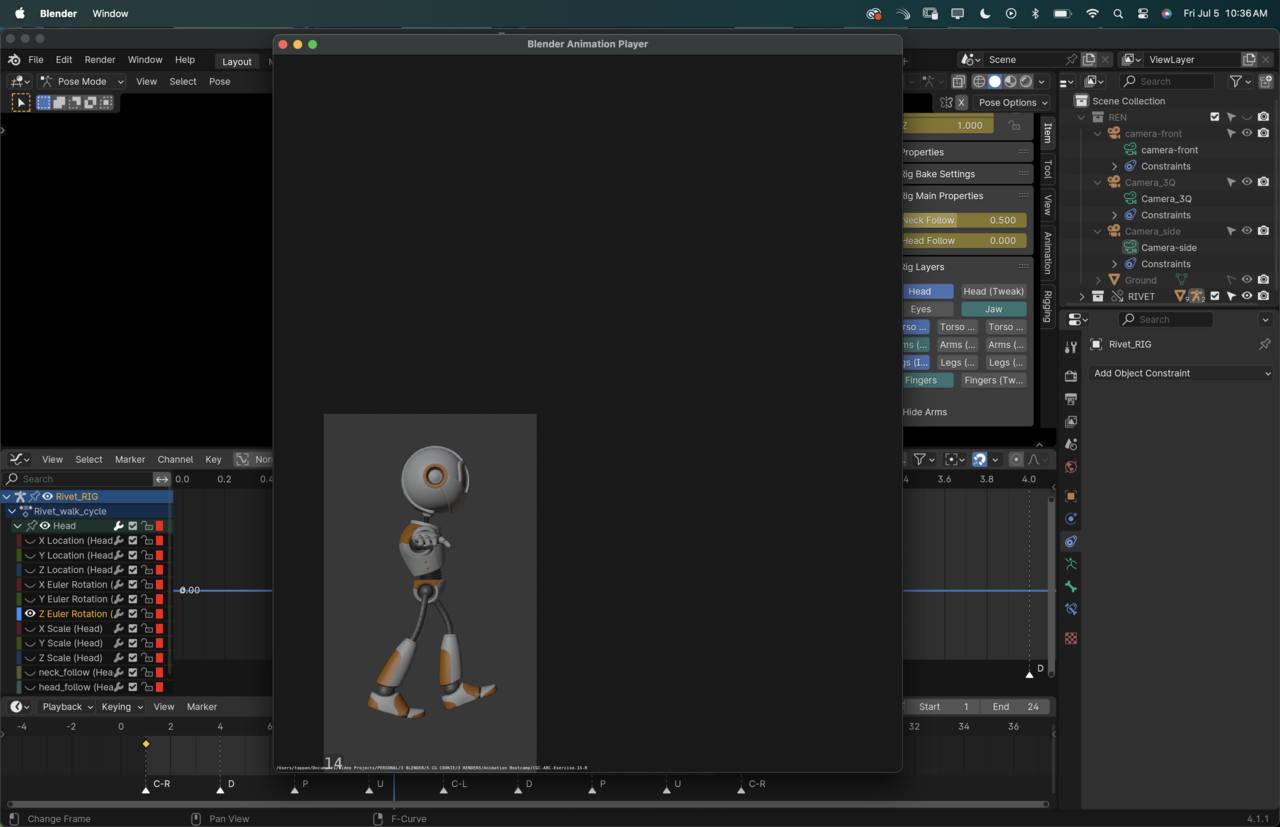
      I’m a little stumped on this one. My Animation player is stuck on this size no matter what I do, regardless on how big I make the window, the rendered animation does not change in size.

      I tried clearing render regions, and honestly pretty much every option on the view menu. Does anyone know what am I missing?

      The animation player has a lot better features for checking the small details than opening the rendered file on the quicktime player.

      Let me know! Thanks!

      #87237
      Nathi Tappan
      Participant

        5 at 10.36.01 AM.png

        #87238
        Martin Bergwerf
        Participant

          Hi Nathalia,

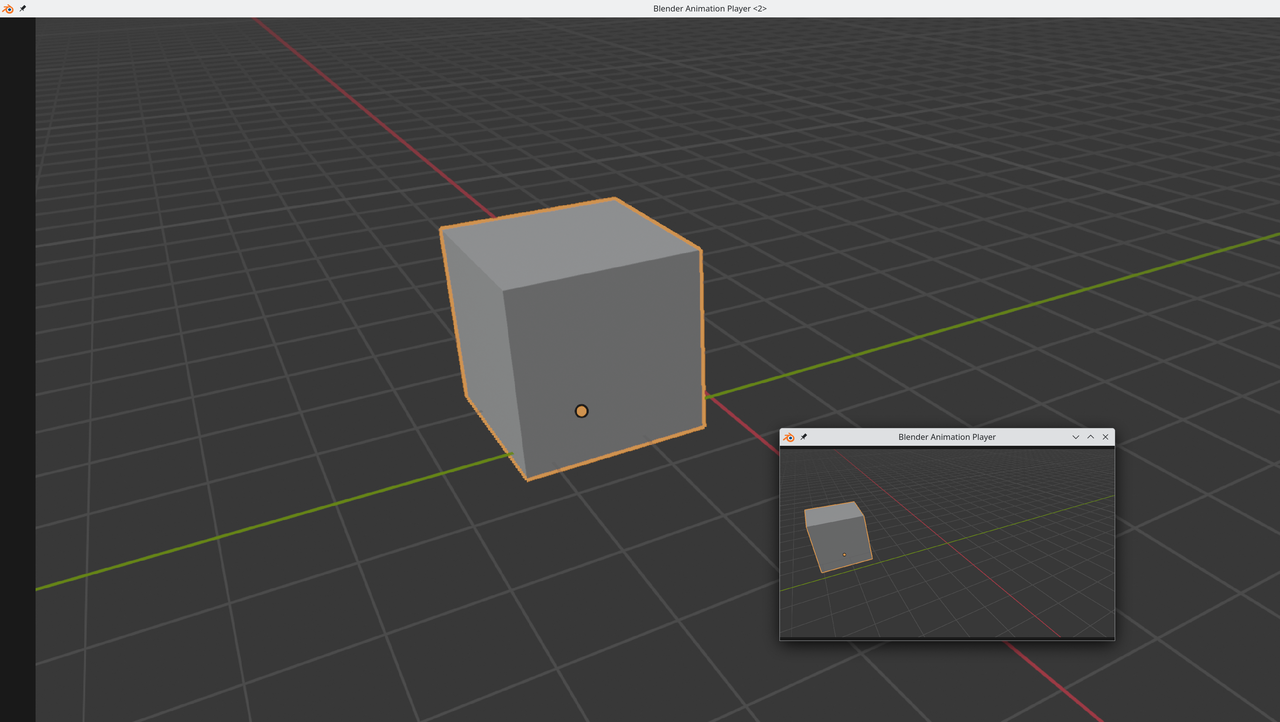
          I don’t seem to have that problem (I’m on Linux):

          mation Player_01.png

          #87239
          Omar Domenech
          Participant

            Could that be a render region preview problem? You know the little box you draw with the red intermittent line. Check to see if you have to clear it. 

            #87240
            Dwayne Savage
            Participant

              Ctrl+Numpad Minus and Ctrl+Numpad Plus zooms in and out. Make sure to use the CTRL or CMD(since it looks like you’re on a mac) if you use just numpad plus/minus you will speed up slowdown the framerate. Holding shift key down will show frame rate in bottom left corner along with filename. I like to use I sometimes just to see play cursor in the player. you can also use the arrow keys to go frame by frame. left and right is 1 frame and up and down is 10 frames. Shift+Left/Right is start and end. You can also use LMB drag to scrub thru it. 

              #87241
              Nathi Tappan
              Participant

                Thanks guys! Yeah, I’ve checked the render region, and zooming in and out works to increase the window size but it still doesn’t fill in the window.

                Maybe Martin is right and it is about having a different operating system. Oh well. Thanks for helping me figure out a couple alternatives for troubleshooting!

                #87242
                Martin Bergwerf
                Participant

                  Maybe Wayne @waylow knows…he used to be on a Mac for a long time.

                  #87243
                  Wayne Dixon
                  Participant

                    Hi Nathi,
                    yeah it’s been a while since I’ve used Mac, but to me this looks like it’s rendering to the size of the camera.
                    Because we are doing a triple view, the cameras have a weird resolution.  This might not be playing nicely with Macintosh.

                    CTRL Numpad plus will zoom in
                    But try resetting the render resolution to 1920×1080 and seeing if that makes a difference to the playblast.

                    If you have a spare 4 mins – have you seen me being an idiot in this video?
                    It might help.
                    https://www.youtube.com/watch?v=rrtAD2s1qA0

                    #87244
                    Dwayne Savage
                    Participant

                      Wow @waylow I didn’t know about F, Shift+F, P, or that you could select a frame rate directly. Thanks for the video. 

                      #87245
                      Nathi Tappan
                      Participant

                        Very interesting! Love the video, thanks for sharing Wayne. And yep, the camera resolution did the trick. Weird mac quirk but now I know it is not me! yay!

                      Viewing 10 posts - 1 through 10 (of 10 total)
                      • The topic ‘Blender Animation Player Zoom’ is closed to new replies.