I am lost little bit about the logic for using Miror between the ´Layout´and ´Sculpting´views(((

Forum Archive I am lost little bit about the logic for using Miror between the ´Layout´and ´Sculpting´views(((

Viewing 12 posts - 1 through 12 (of 12 total)
  • Author
    Posts
  • #18050
    Mikhail Bakhrakh
    Participant

      Hi! Could you please explain strange logic for me:

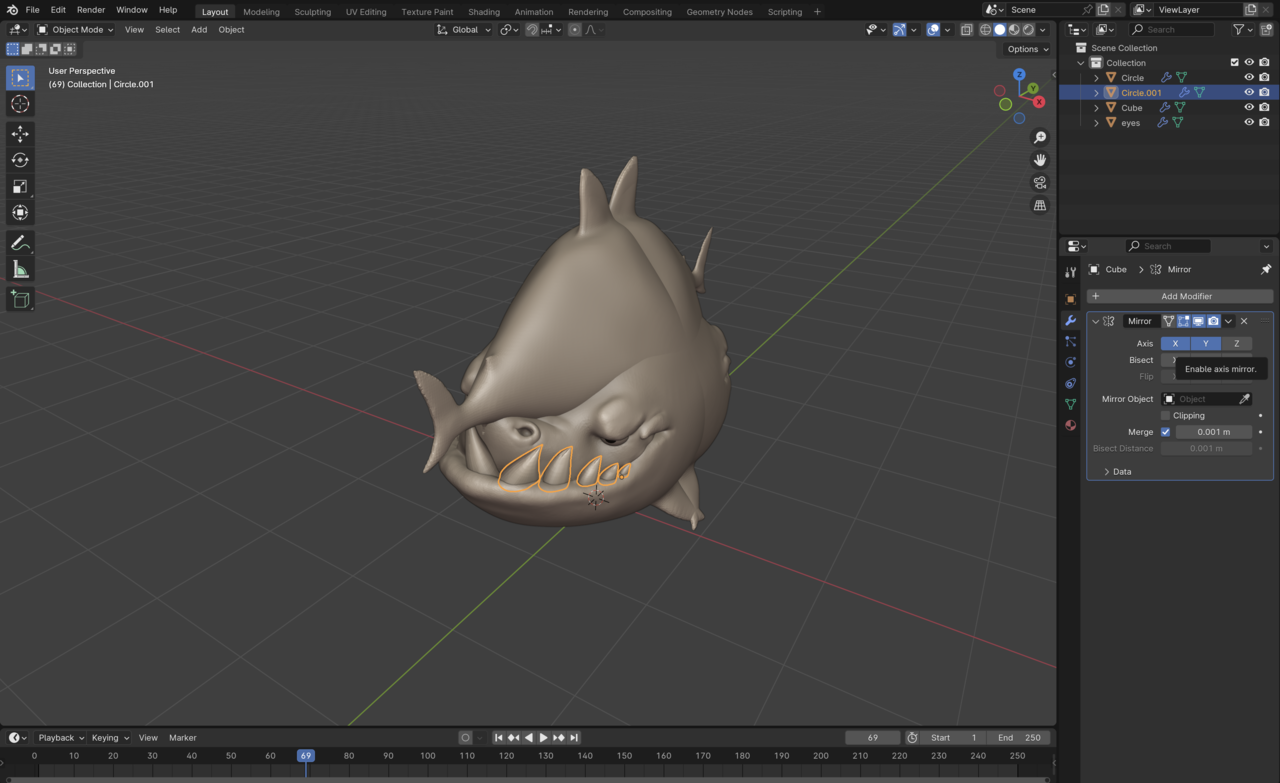
      1. I selected the ´Layout´view and Object mode -> click on Teeths and click Add ´Mirror´-> nothing. Click Y-Z axis within Mirro modifier -> the whole Shark mirrored even I have not selected it.

      2. I selected the ´Sculpting´view and object mode -> everything works just perfecT!!

      BUT this video contains the Layout view to make Mirror action and for Kent it works 🙁 do not understand….

      Thanks!

      #86412
      Martin Bergwerf
      Participant

        That sounds really weird Mikhail.

        Could you upload a few Screenhots of your UI, showing the two different Workspaces?

        #86413
        Adrian Bellworthy
        Participant

          The mirror is based open the object origins position.
          If the origin is in the centre of the mesh the mirror will work, but the mirrored object is in the same position.
          Did you join all the teeth (except the middle one) into one object with CTRL+J?
          Did you apply the rotation, scale and location as Kent does in the video?

          #86414
          Mikhail Bakhrakh
          Participant

            sure ‘ everything is the same in both modes, teeths joined for sure

            #86415
            Mikhail Bakhrakh
            Participant

              here are the screenshots

              1 screen – applied Mirror in LAyout + Y axis added that leads to whole shark mirroring instead of selected teeth object5 a las 12.15.09.png

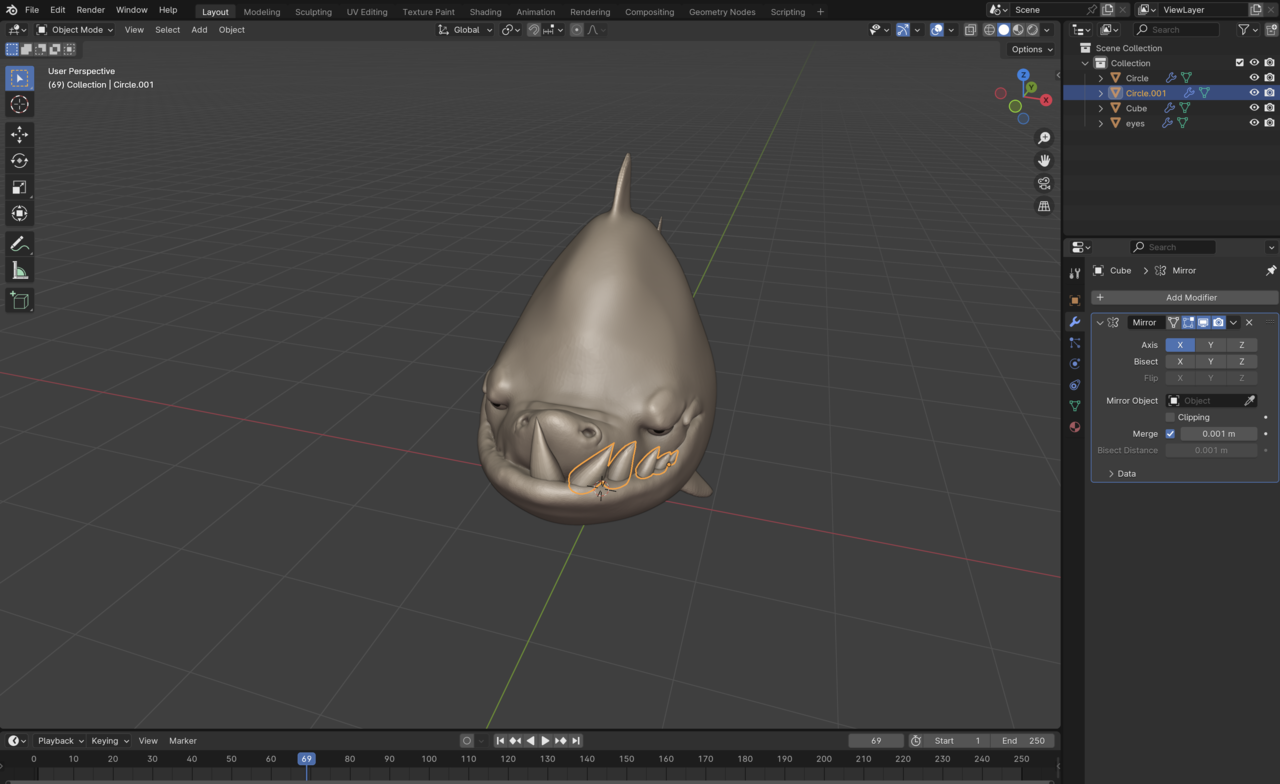
              2 screen – layout mode selected and Mirror mod selected – zero effect.5 a las 12.13.34.png

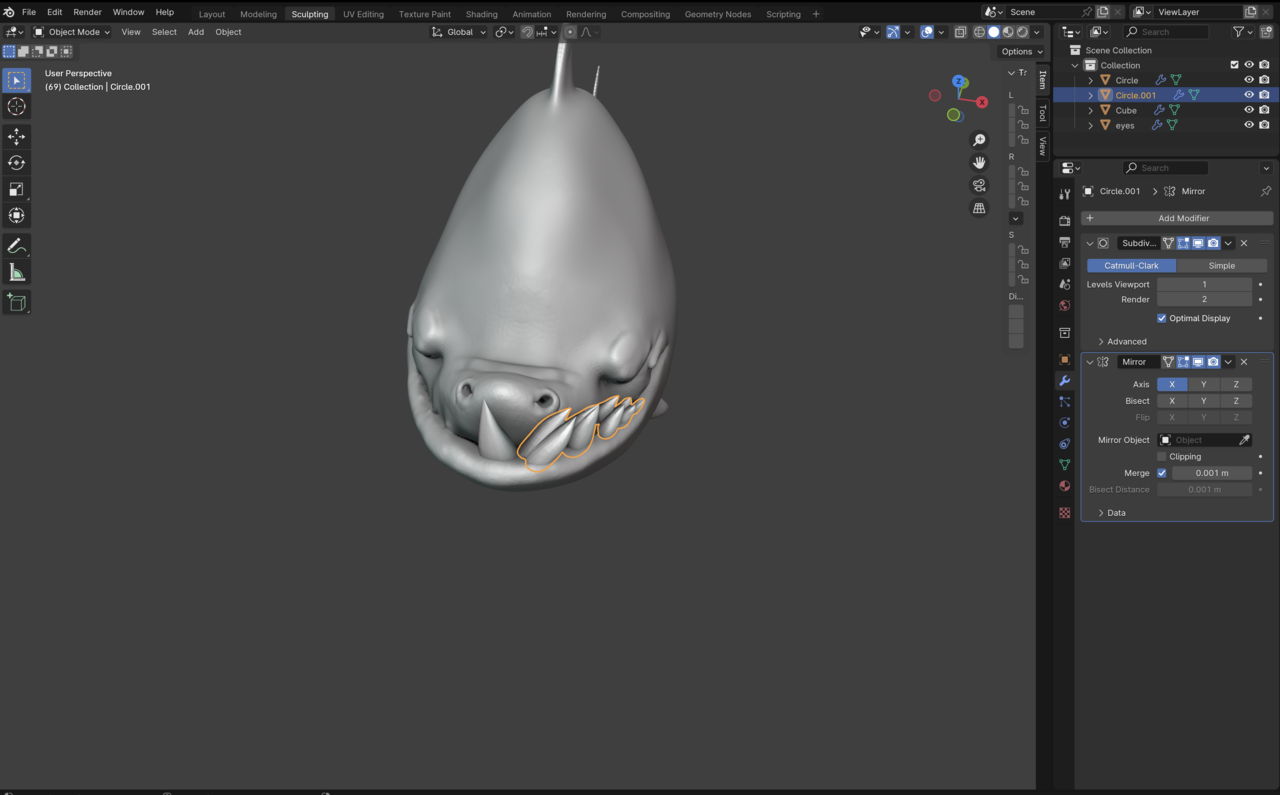
              3 screen – sculpting space selected and Mirror mod make the deal.5 a las 12.14.11.png

              #86416
              Adrian Bellworthy
              Participant

                I don’t know what you have done…
                But look at your properties panel, your missing some tabs. It should be the same as the sculpting workspace.
                Do you have any third party add-ons?

                #86417
                Martin Bergwerf
                Participant

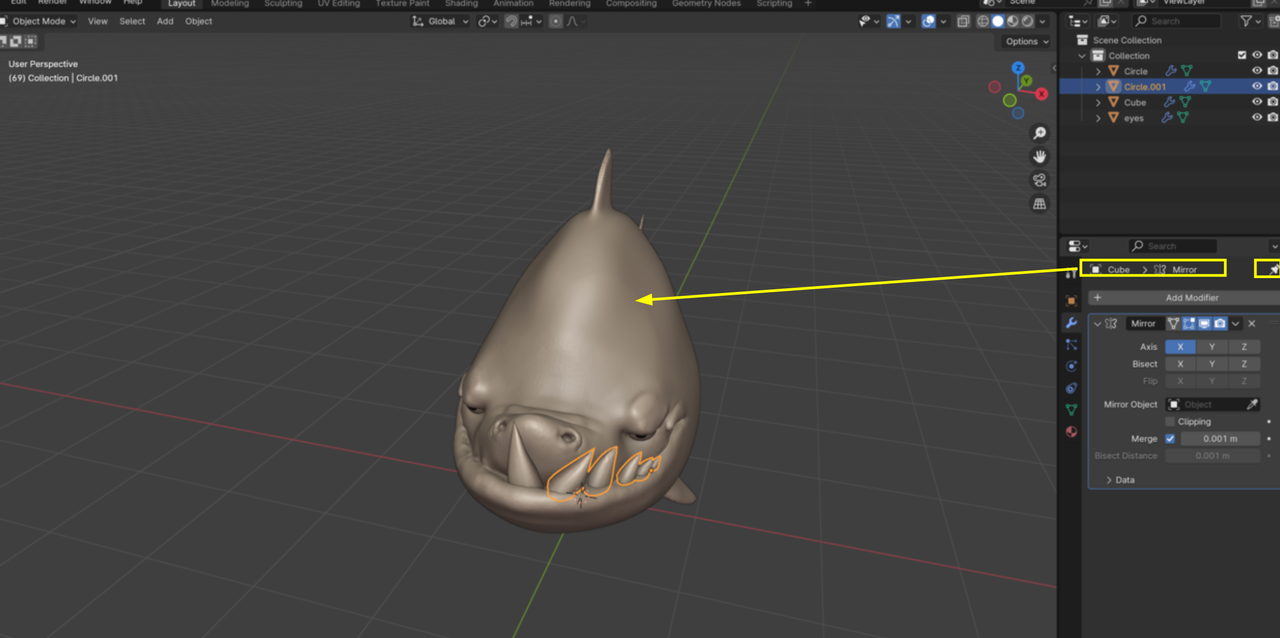
                  In the Layout, you have pinned the Properties, so the Shark (Cube) has the Mirror Modifier:

                  Shark_01.png

                  #86418
                  Mikhail Bakhrakh
                  Participant

                    I did nothing – just followed Kent´s guide) no – what are addons)) -I just a couple of days as started my Blender course and the app 🙂 

                    #86419
                    Mikhail Bakhrakh
                    Participant

                      Thanks, Martin, you solved my mystery 🙏! Such a minor thing but it broke my mind for the whole morning ===

                      #86420
                      Martin Bergwerf
                      Participant

                        So, to clarify, because of the pinning, the Selected Object can be different than what is shown in the Properties panel. This pinning is per workspace. In the Sculpting Workspace the Tab is not pinned and shows the Modifiers of the Selected Object.

                        #86421
                        Adrian Bellworthy
                        Participant

                          Nice one Spikey! I missed that little white pin. It’s not often we see that as an issue.

                          #86422
                          Omar Domenech
                          Participant

                            Applause.gif

                          Viewing 12 posts - 1 through 12 (of 12 total)
                          • The topic ‘I am lost little bit about the logic for using Miror between the ´Layout´and ´Sculpting´views(((’ is closed to new replies.