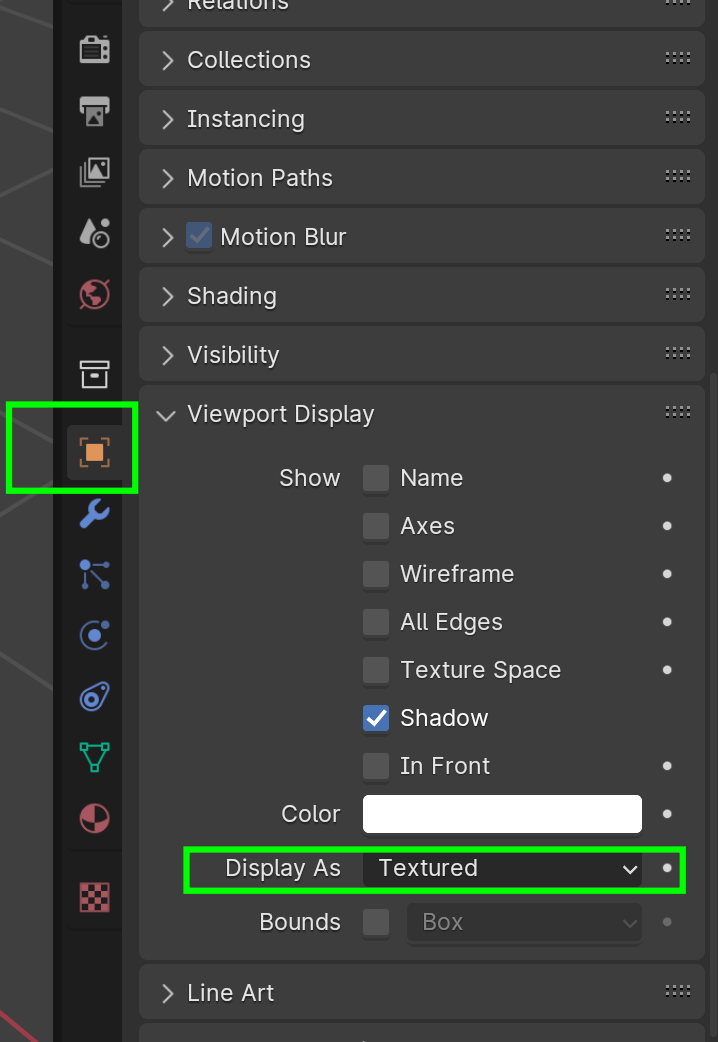
Per the title, I’m unwrapping the final object in one of the body parts. But the unwrap grid texture isn’t visible in the 3d viewport, whereas it is for everything else. It is appearing the the UV Unwrapping editor.
I can unwrap it, add seams etc.
It has the same material as everything else, so I haven’t adjusted anything in the shader editor.
When I click on different objects, I can’t see any changes in settings.
The viewport shading is set to texture (I don’t imagine that would have an affect on a single object).
I’m stuck for what might be the problem, and I don’t quite know how to google it. I could also just be forgetting something simple.
Also, I still can’t seem to insert images directly via the image insert button at the top. It tells me the image needs to be a jpg/jpeg/png ect despite it being a jpg. What’s up with that?
So here’s a link to the image – sorry if it’s low res
And another here
Let me know if I need to add any more info.
Cheers!

.