Deleting edge on laptop screen

Forum Archive Deleting edge on laptop screen

Viewing 8 posts - 1 through 8 (of 8 total)
  • Author
    Posts
  • #18002
    Blaine Jensen
    Participant

      Not sure if I’m just having one of those days or if I’m missing something here. Around 8:02 in the video Kent deletes the outer edge and inner face and then bevels the rubber ring around the screen.

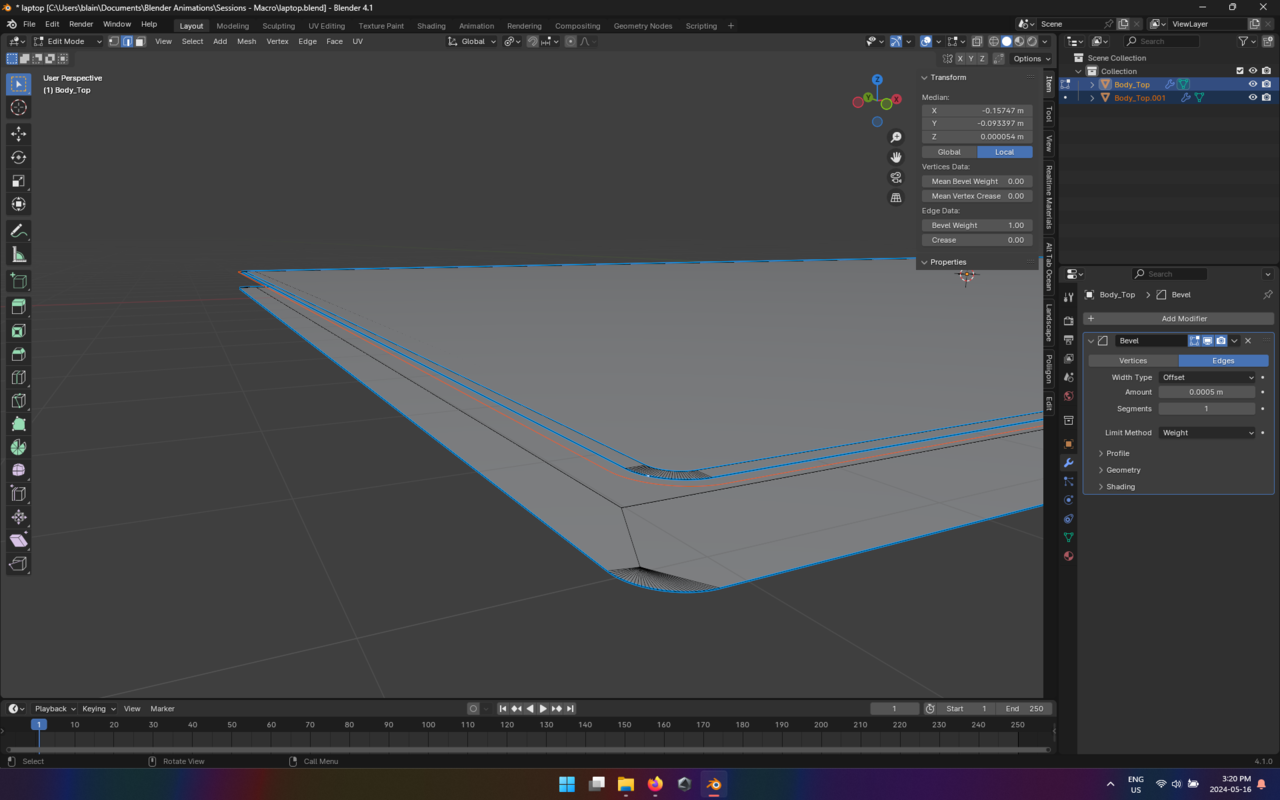
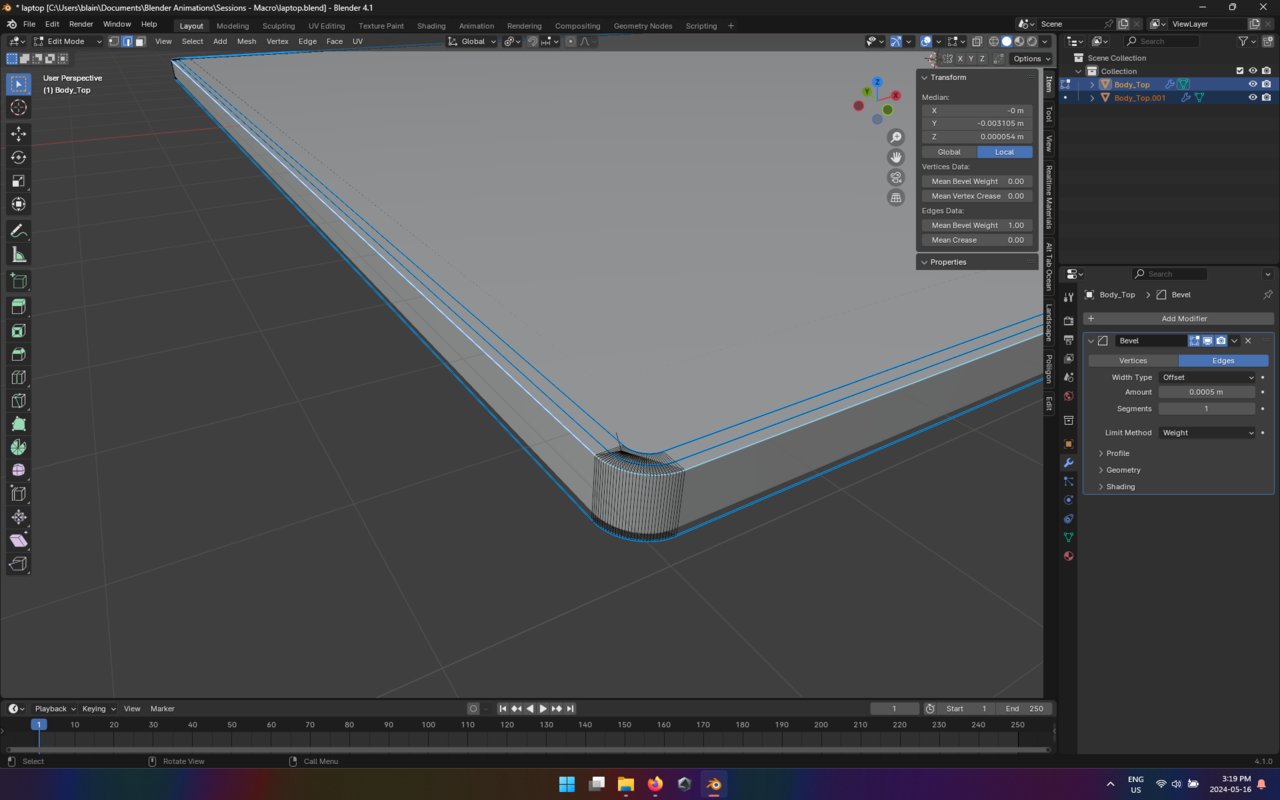
      For some reason, when I go to delete the outer ring, I lose all my side faces all the way around. I duplicated, and then inset twice. Not sure what I’m missing here.

      Thanks!

      #86178
      Dwayne Savage
      Participant

        It has been awhile since I watched this. If I remember correctly you need to choose only faces or you have to be in face select mode. Not vertex select mode. 

        #86179
        Omar Domenech
        Participant

          Can you post a couple of screenshots? Maybe even better a video screen grab? There could be a couple of things going on there and it’ll be easier to see what your geometry looks like. 

          #86180
          Blaine Jensen
          Participant

             Not sure if that helps Omar. I will do a video grab in the morning. I got frustrated and restarted figuring I messed something earlier in the modeling but then got more frustrated haha but i have an instance saved so i will reproduce the issue in the morning.

            024-05-16 152053.png024-05-16 151951.png

            #86181
            Martin Bergwerf
            Participant

              Hi Blaine @Theebline ,

              It goes a bit fast in the Video and I can understand your mistake.

              Look again from ~7:30:

              The steps are:

              Duplicate the Edge

              P > Separate > Selection

              Switch to Object Mode

              Select the duplicated Edge

              Switch to Edit Mode

              Select the whole Edge 

              F to fill with a Face 

              Inset twice….

              #86182
              Omar Domenech
              Participant

                In your screenshots it seems like the top part and the lower part are the same object, whereas in the video they are two separate objects. If you delete those vertices that you are trying to delete, it’s a natural consequence to loose the faces you are loosing, since those vertices are part of those faces. So try separating the top part of the lower part intro separate object like Kent has it on the video. You can do that with P and separate by selection.

                #86183
                Blaine Jensen
                Participant

                  Nailed it Martin. Thank you Sir. Not sure how many times I watched those 2min of video but some how I missed that he switched to object mode, He even say “lets tab back into edit”. Not sure how I missed that but, now my laptop is looking like a laptop haha.

                  Thank you!!!

                  #86184
                  Martin Bergwerf
                  Participant

                    Be sure to share the end result with us, when you’re ready!

                  Viewing 8 posts - 1 through 8 (of 8 total)
                  • The topic ‘Deleting edge on laptop screen’ is closed to new replies.