[Press Start] My render looks quite washed out.

Forum Archive [Press Start] My render looks quite washed out.

Viewing 3 posts - 1 through 3 (of 3 total)
  • Author
    Posts
  • #17983
    Thomas G
    Participant

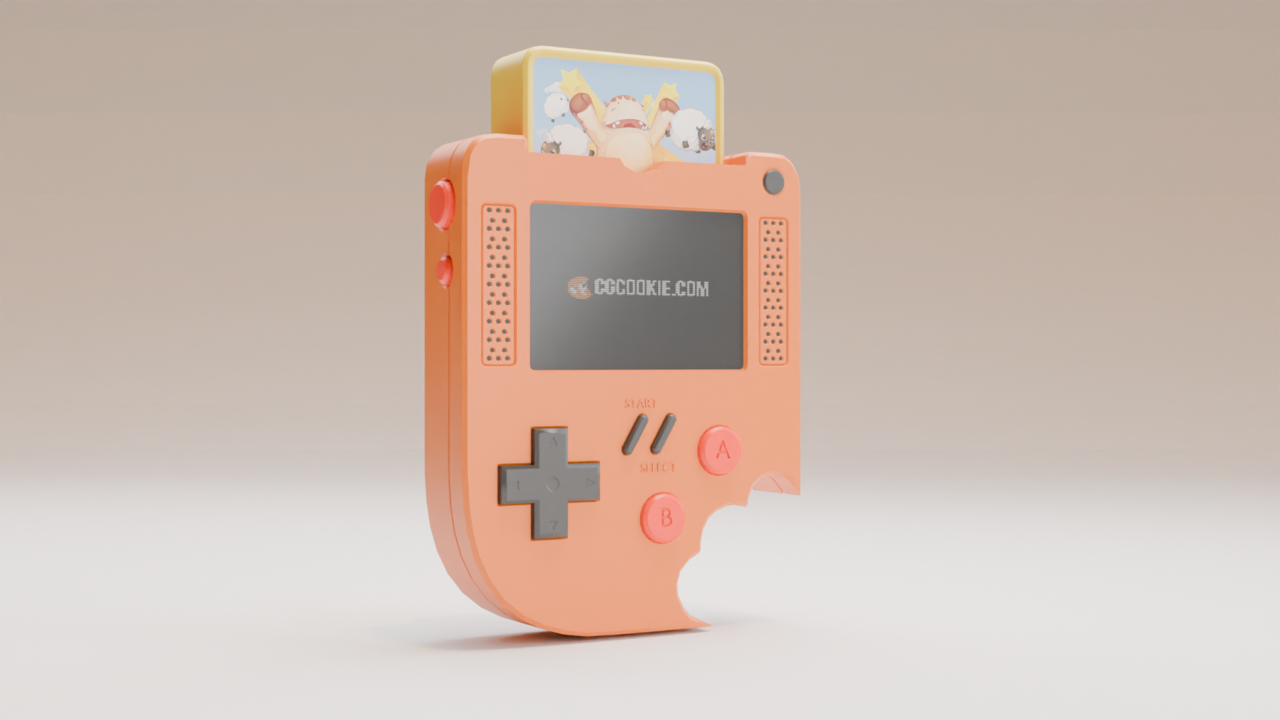
      RENDER.png

      My colour codes for the pad and everything are the exact same. So are the values for the lights and I matched the distances best I could. Any ideas why it looks like this?

      I appreciate any help you can provide.

      #86077
      Martin Bergwerf
      Participant

        Hi Thomas @flyinggoatman ,

        It’s a really bad habit to copy the values you see in a tutorial! Use your eyes to get the colors you like.

        In this case, it might be, because you are using a different Blender Version than the Course.

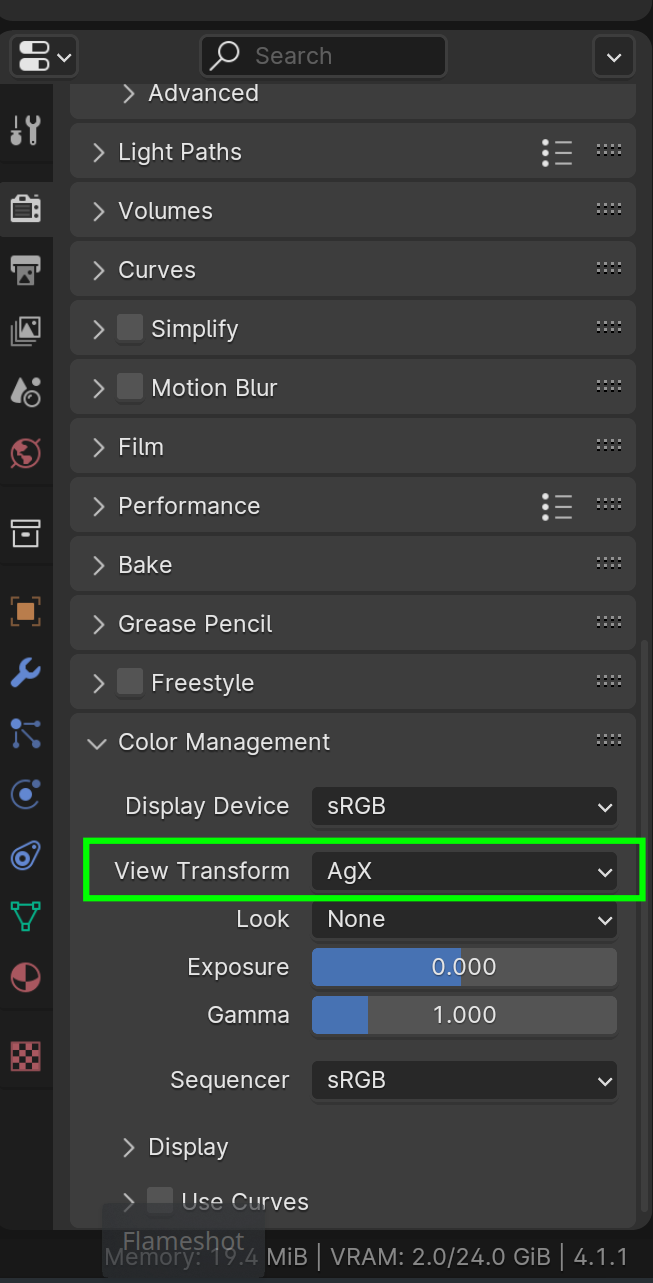
        For instance 4.1 uses AgX by default (instead of Filmic):

        Colors_01.png

        #86078
        Thomas G
        Participant

          Thank you! I only am copying values so I can see the resuits and understand how a + b = c, if that makes sense?

          Then I can come back and try to adapt the findings into my own colours and styles.

        Viewing 3 posts - 1 through 3 (of 3 total)
        • The topic ‘[Press Start] My render looks quite washed out.’ is closed to new replies.