Better way to triangulate Mesh Circle?

Forum Archive Better way to triangulate Mesh Circle?

Viewing 2 posts - 1 through 2 (of 2 total)
  • Author
    Posts
  • #17928
    Arnulfo Torres
    Participant

      This was a very interesting lesson! I feel like I have learned a lot. I was just a little bit confused as to why we would have to use such a roundabout way of triangulating the mesh circle (triangulate node or creating a cone, flattening etc.), when the mesh circle already has an option to triangulate perfectly from the center in the “Fill Type” drop down menu? It just felt simpler to me this way, but I guess the only limitation would be that you cannot add division to the circle this way if you needed them to make the shape “squishier”, but I guess there could be a way to extrude the circle along the normals to give you that same result. 

      #85823
      Adrian Bellworthy
      Participant

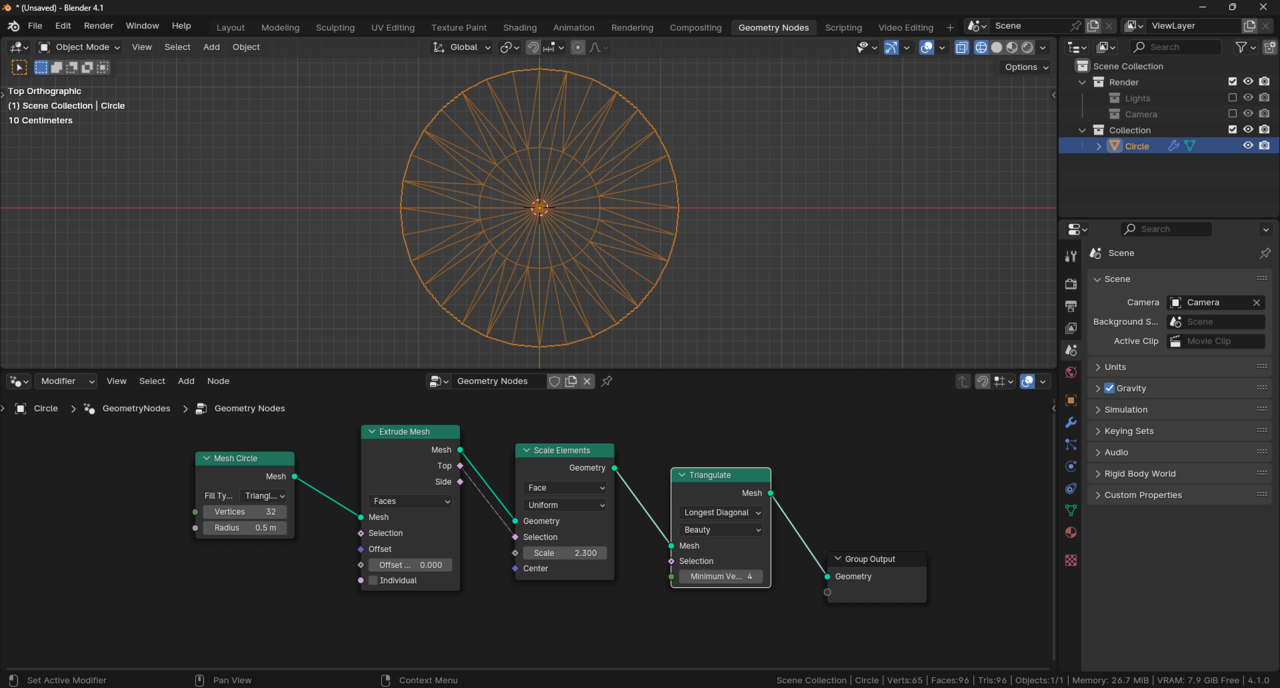
        You could extrude a triangle fan circle then triangulate, but as you mentioned the process in the lesson is a ’roundabout way’, all you are doing is creating another ’roundabout way’.

        GNodes-TriCircle.png

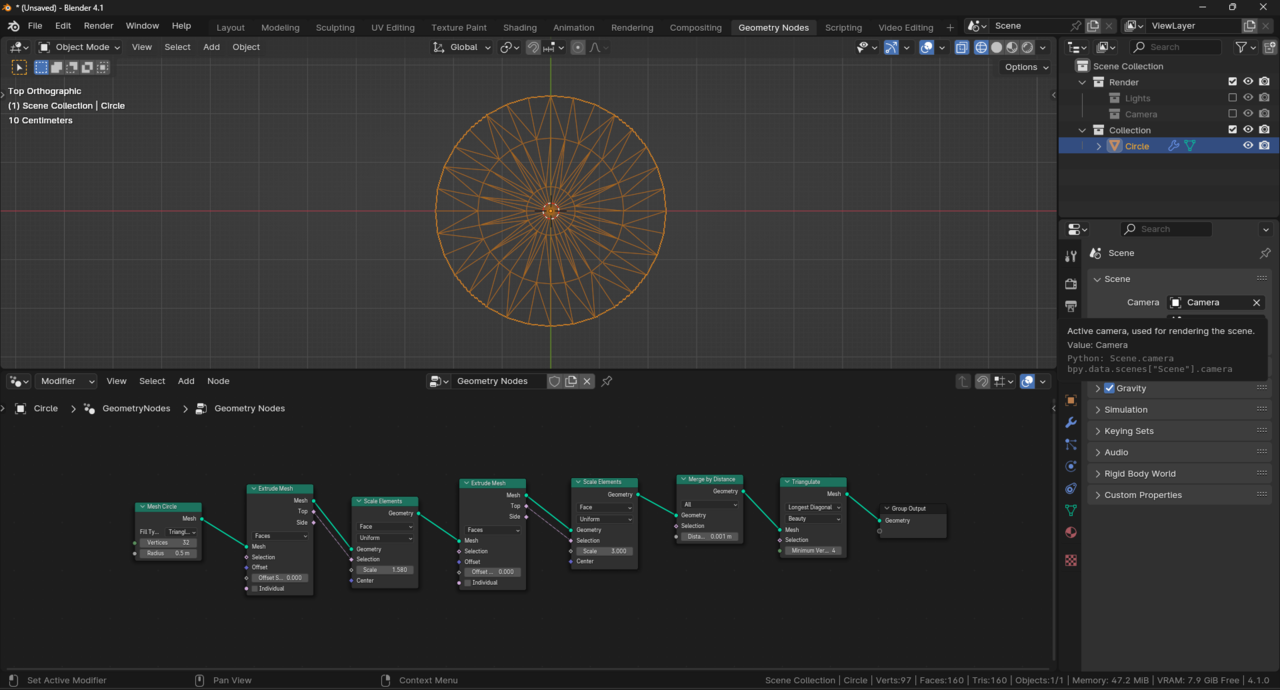
        The cone gives you the option to change the side segments, whereas the extrude and scale method below is limited without adding more and more nodes.

        des-TriCircleSeg.png

      Viewing 2 posts - 1 through 2 (of 2 total)
      • The topic ‘Better way to triangulate Mesh Circle?’ is closed to new replies.