
Scattershot creating a seam line on my models

Forum Archive Scattershot creating a seam line on my models

Viewing 4 posts - 1 through 4 (of 4 total)
  • Author
    Posts
  • #17917
    Paul Whidborne
    Participant

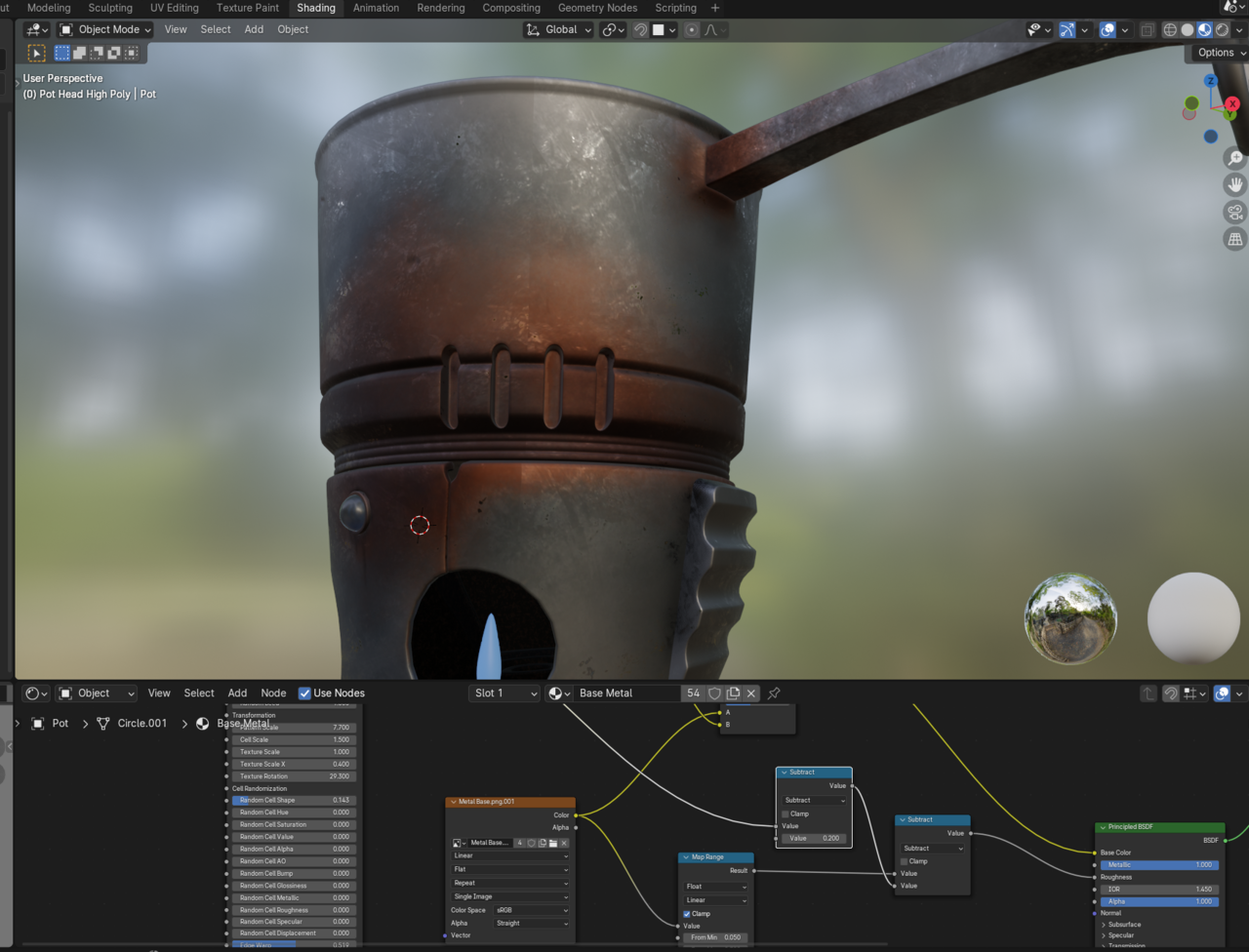
      Hi all, since adding Scattershot it appears to have created a seam line that I cannot get rid of.  Any help would be appreciated

      #85788
      Paul Whidborne
      Participant

        024-04-30 192037.png

        #85789
        Omar Domenech
        Participant

          You can try masking it out in texture paint. Put a couple of strokes along the seam. But that is weird since that is precisely what Scattershot does, get rid of the seams. But seams tend to be more noticeable with procedural patters, I don’t know if you had any since it was all mostly painting. Did you paint on the 3D model or in the 2D view image editor?

          #85790
          Paul Whidborne
          Participant

            Hi Omar,  It was because I was using a newer version of the scatter shot add-on so a lot of the things in the video has changed.  I worked out that Tri-Planer Blending hides the texture lines just like blur did on the older version.  Managed to sort it! Thank you 

          Viewing 4 posts - 1 through 4 (of 4 total)
          • The topic ‘Scattershot creating a seam line on my models’ is closed to new replies.