Gizmo

Forum Archive Gizmo

Viewing 6 posts - 1 through 6 (of 6 total)
  • Author
    Posts
  • #17614
    Paul Smith
    Participant

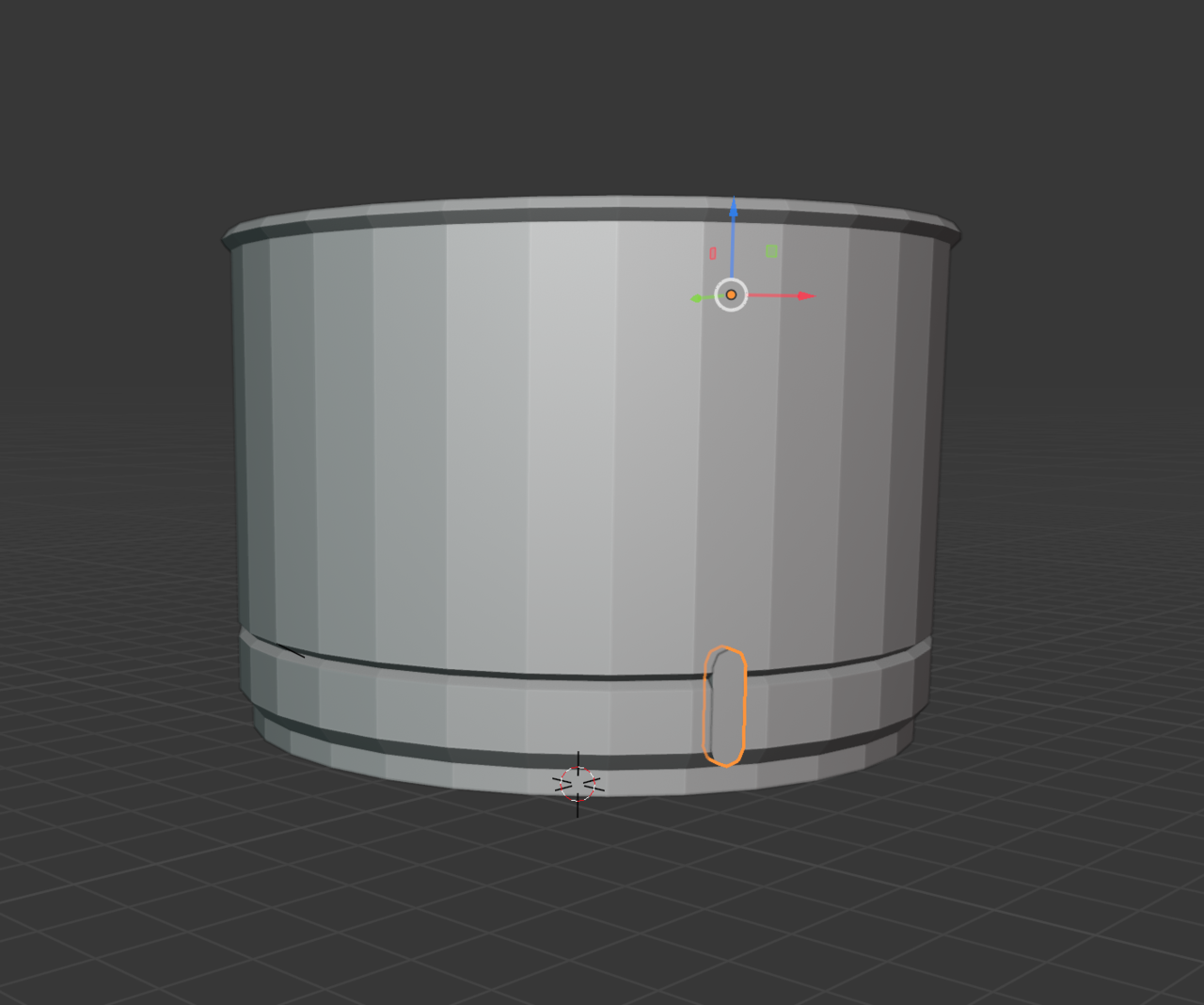
      after creating the plane and adding the modifier and scaling, my gizmo is no longer on the object I’m scaling, it works but its at a different origin, which makes scaling very difficult. Can anyone tell me how to reset it back to be with the object

      #84593
      Paul Smith
      Participant

        28 at 7.33.33 AM.png

        #84594
        Martin Bergwerf
        Participant

          The Gizmo is exactly at your Object! That orange dot is the Objects origin; where the Object is, not necessarily where the Object’s Vertices are.

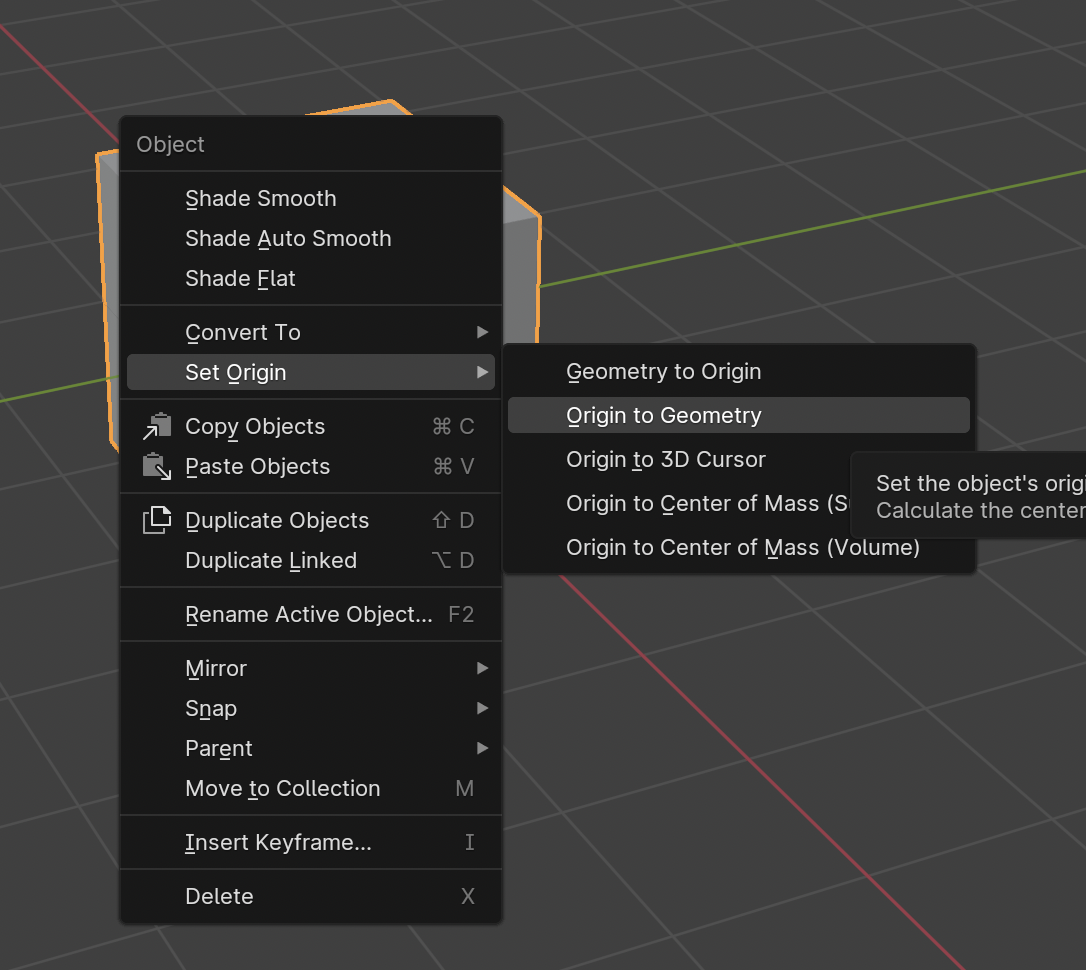
          Now, to get the Origin back to the Mesh, go to Object > Set Origin > Origin to Geometry.

          #84595
          Omar Domenech
          Participant

            You can also right click and Set Origin:

            Set-Origin.png

            #84596
            Paul Smith
            Participant

              great! easy fix. thank you.
              can you tell me why that happened? did I do something or press something for it to not have the origin and geometry aligned?

              #84597
              Omar Domenech
              Participant

                If you move an object in edit mode, the origin point gets left behind, it doesn’t move with all the geometry. When you move an object in object mode, the object origin comes along. So you probably moved things in edit mode at some point. Try it out and see for yourself.

              Viewing 6 posts - 1 through 6 (of 6 total)
              • The topic ‘Gizmo’ is closed to new replies.