Taper on the draw brush?

Forum Archive Taper on the draw brush?

Viewing 5 posts - 1 through 5 (of 5 total)
  • Author
    Posts
  • #17455
    Mauro Ornelas
    Participant

      Hi, In most painting software (Photoshop, Procreate) the brushes have taper so I can create a fadeout effect on the line (and then avoid the problem that lines seems to disappear. But I could not see any settings for this. I tried to set the pressure sensitivity on the radius instead of strength so I could try to create this effect by easing the pressure at the end. But what I see that when the pressure is really soft it actually creates a lot of dots. So I decreased the space to the minimum and the line is jagged and does not look as I would expect. Is this something we can do with Blender? 

      #83912
      Adrian Bellworthy
      Participant

        You will want pressure sensitivity on the radius enabled and probably strength also.
        Or
        You could try a different stroke method under the stoke menu. Airbrush may work better or try lowering the spacing percentage.

        #83913
        Omar Domenech
        Participant

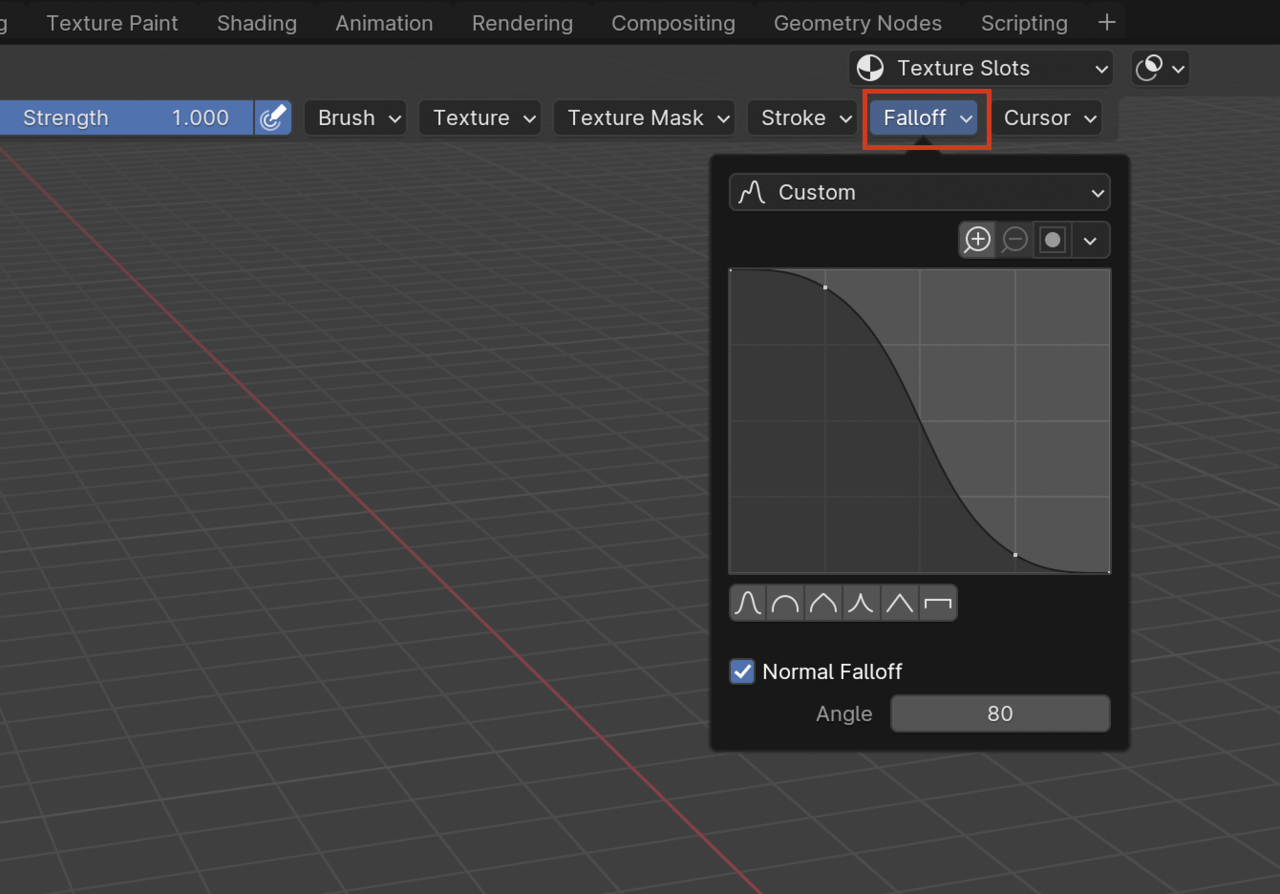
          Perhaps here in the falloff setting you can create your won custom one:

          Draw-Falloff.png

          #83914
          Mauro Ornelas
          Participant

            Hi Omar and Adrian, I think the main problem was on the resolution. I even tried to open the texture on Clip Studio, paint there (where I can clearly see the taper) and when opening on Blender there was no taper (and the result looked bad overall). To be more obvious I did this on a height map, created the map with a resolution of 512, 16bit, but still the result in Blender is bad. 

            Then I created a new map, this time 4k. Now if I enable the pressure sensitivity in both the radius and strength and set a low spacing value, I can clearly draw a line that looks more natural.
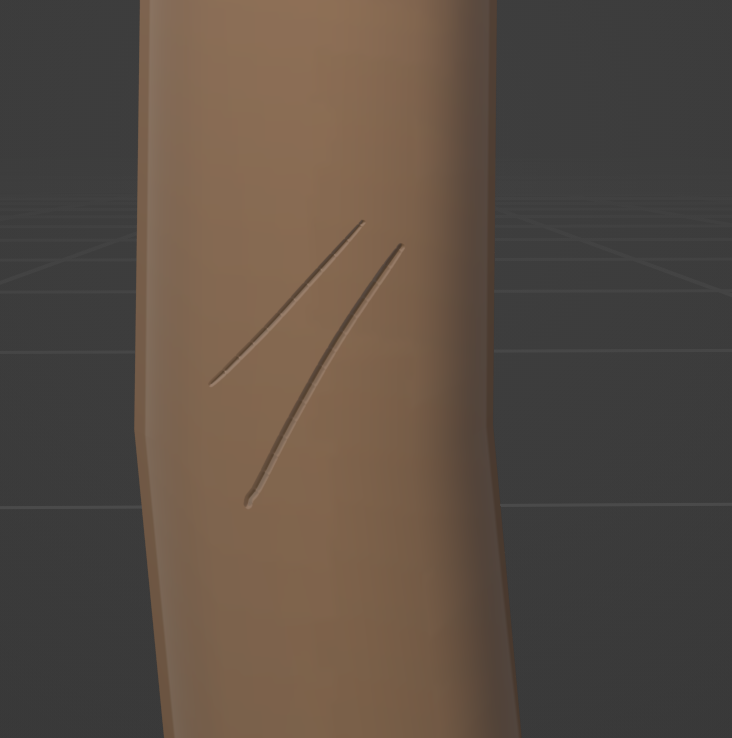
            Axe Scratches.png

            But (might not be a surprise) painting on Clip Studio (or Photoshop) gives better result:
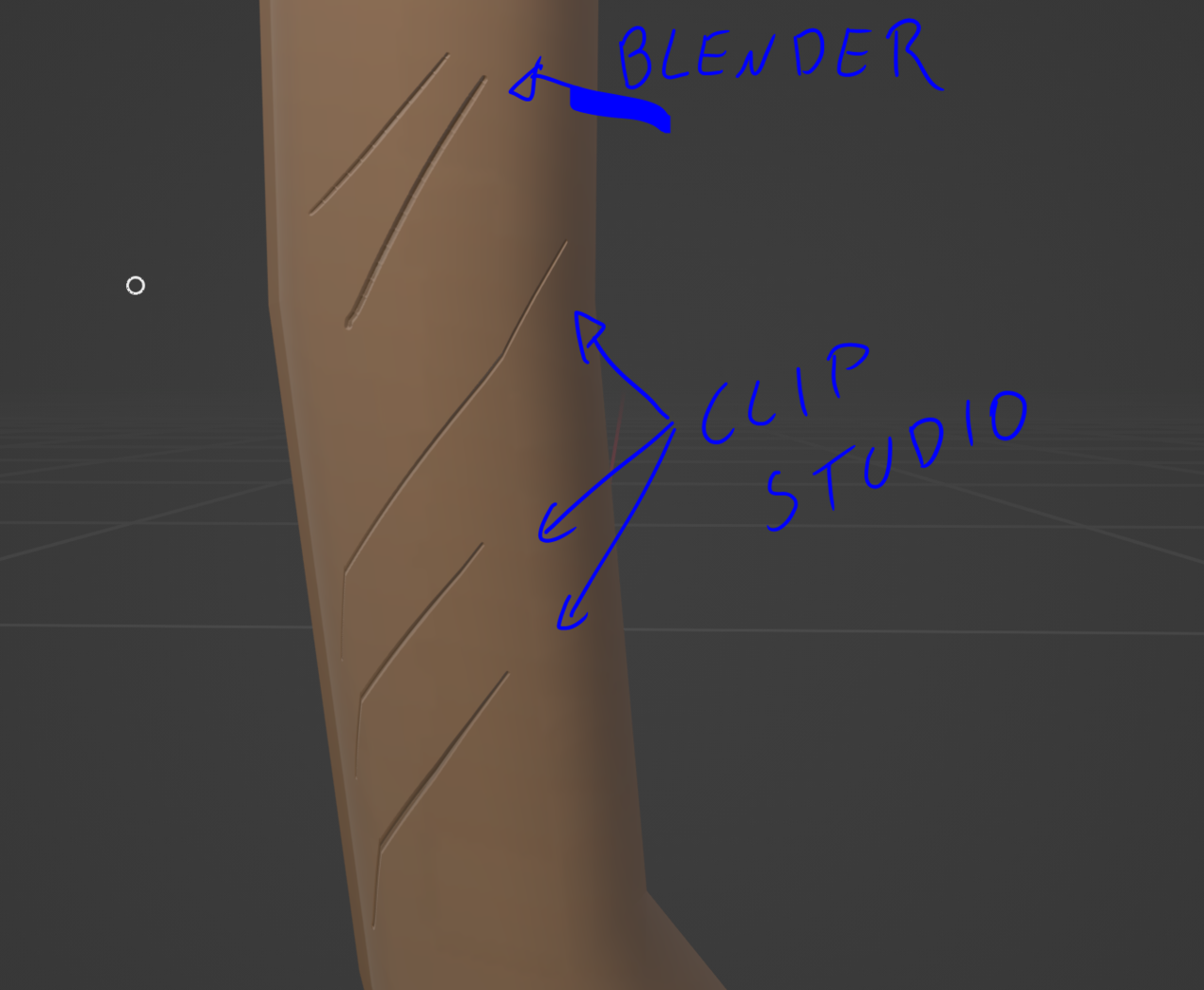
            Axe Scratches2.png

            The one done in Blender has a very small radius (2px), spacing of 1%. And I’m using in Blender a sharp custom falloff

            #83915
            Omar Domenech
            Participant

              Don’t know what clip studio is, but sounds like Blender has a limitation for the result you are after. Use clip studio for that purpose and Blender for what follows, we’re all software agnostic, which ever tool gets the job done is the tool to use. 

            Viewing 5 posts - 1 through 5 (of 5 total)
            • The topic ‘Taper on the draw brush?’ is closed to new replies.