Non-existent edges appearing upon shading smooth(auto-smooth)

Forum Archive Non-existent edges appearing upon shading smooth(auto-smooth)

Viewing 5 posts - 1 through 5 (of 5 total)
  • Author
    Posts
  • #17414
    Negetive 0
    Participant

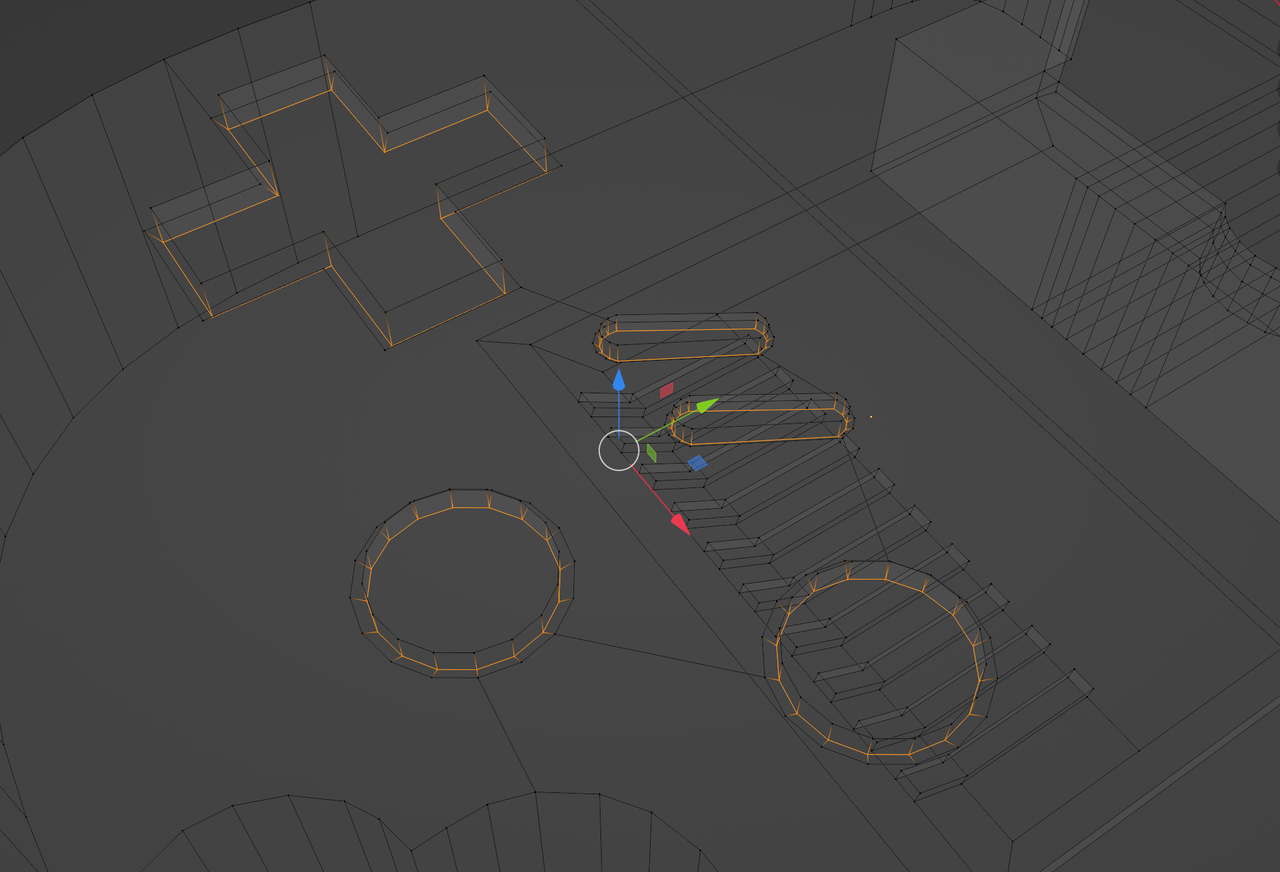
      When the shading is flat these edges do not appear but when shaded smooth with auto-smooth they appear when I go over 22 degrees, how doo I fix this?

      https://imgur.com/a/AXRAzF6

      #83758
      Adrian Bellworthy
      Participant

        It’s probably because the vertices on the flat surface are not… well… flat

        In edit mode and side view, box select the vertices that make up the flat surface and press S 0

        Another issue could be the angle of the indent for the buttons and screen
        Pushing the extruded vertices down a little more will increase the angle.

        #83759
        Martin Bergwerf
        Participant

          Keep the Auto Smooth Angle below 22°.

          You could also try to lower the inset Edges around the buttons a bit on the Z-Axis..I mean these:

          Artefacts.png

          #83760
          Omar Domenech
          Participant

            And just because well why not since it always happens, see if you have double vertices, select all and M to merge by distance.

            #83761
            Negetive 0
            Participant

              Turns out that the angle of the screen indent was too little and I just had to lower the extruded vertices a bit.

            Viewing 5 posts - 1 through 5 (of 5 total)
            • The topic ‘Non-existent edges appearing upon shading smooth(auto-smooth)’ is closed to new replies.