Struggling with bevel modifier in Blender 3.6

Forum Archive Struggling with bevel modifier in Blender 3.6

Viewing 7 posts - 1 through 7 (of 7 total)
  • Author
    Posts
  • #16988
    Charles
    Participant

      I have a problem I can’t fix or understand.

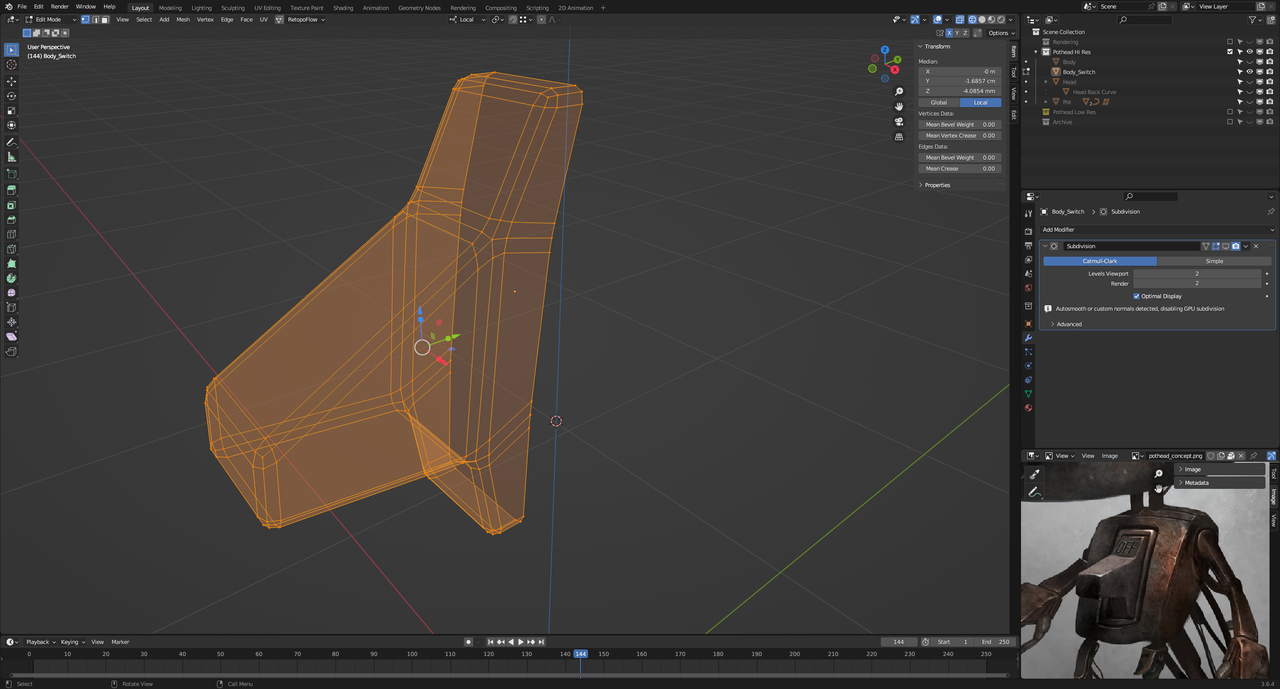
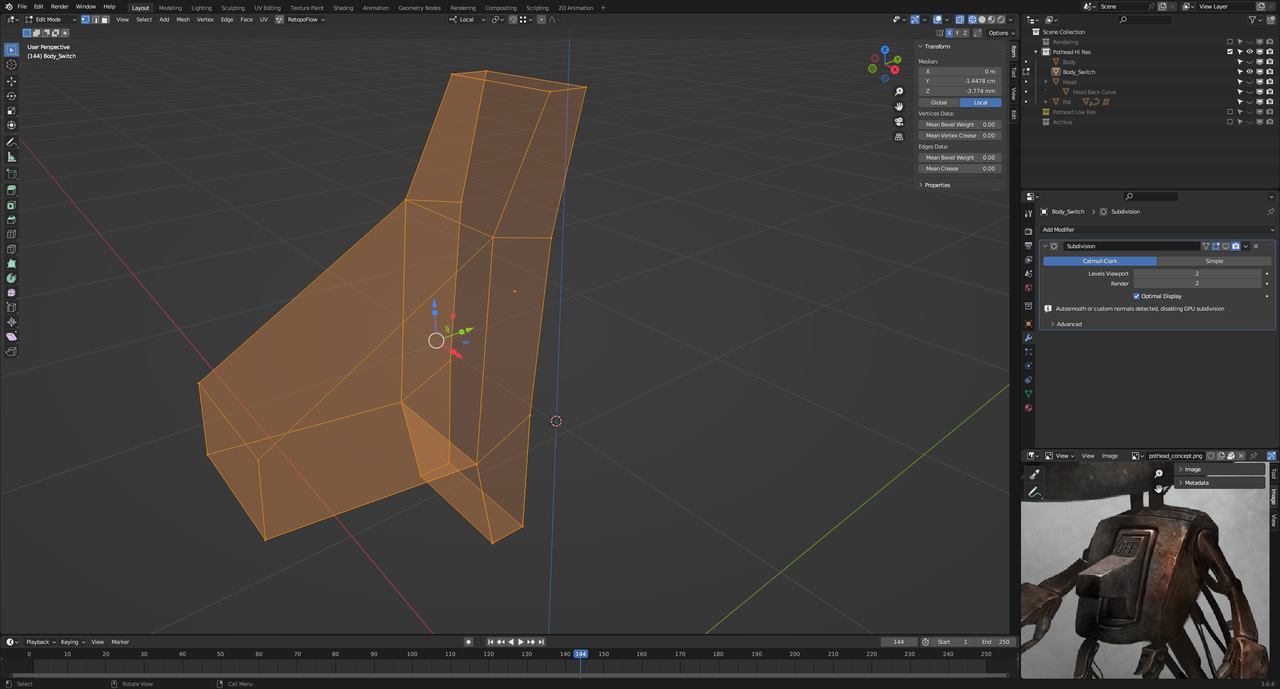
      Low poly meshowpoly wireframe.png

      Applying a bevel produces a mesh that matches with the video at 3:11

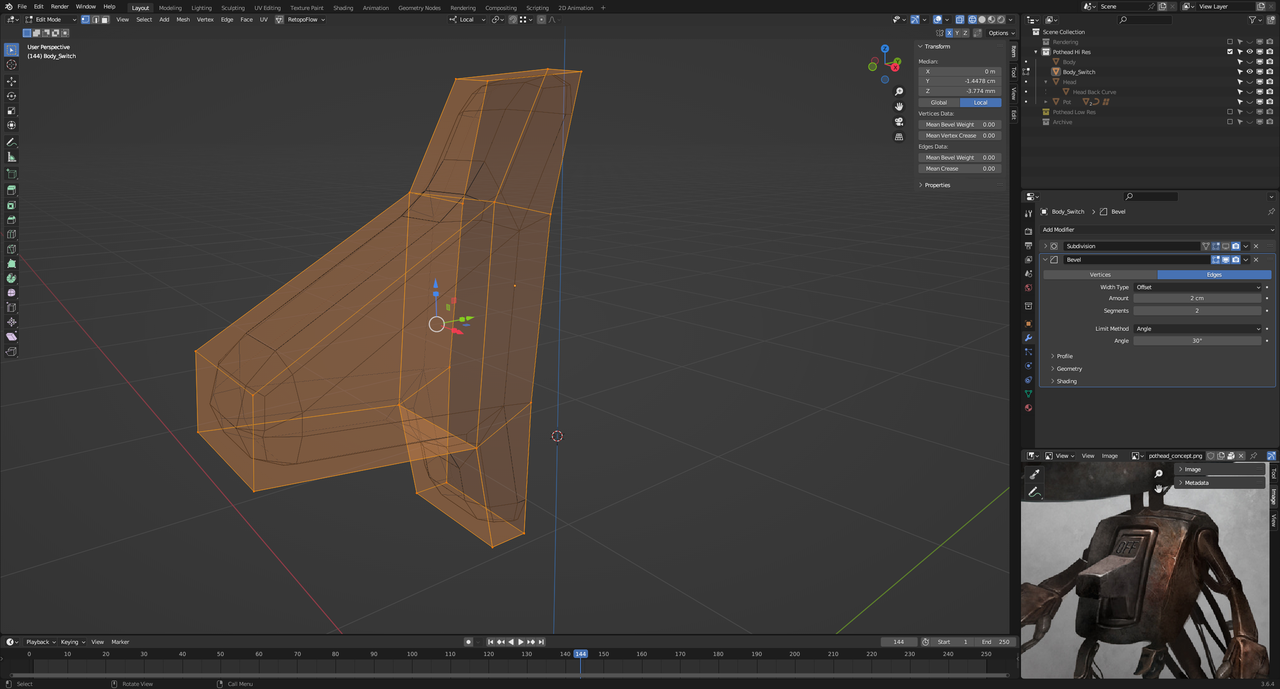
       bevel wireframe.png

      But applying the bevel modifier at 2cm as per video forms a terrible mesh

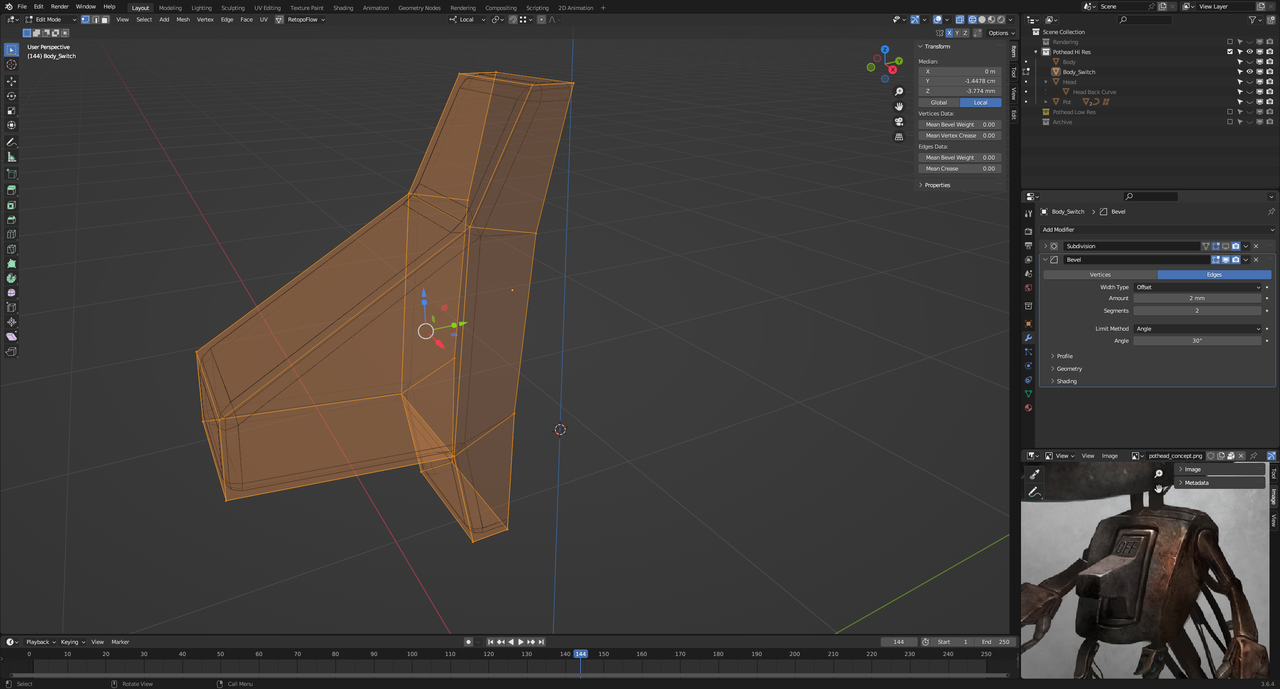
      difier wireframe.png

      If I reduce the amount to 2mm then the result is better but the mesh still terrible

      ame - amount 2mm.png

      Can anyone help explain what’s going on? I’m wondering if there’s a difference in my latest version of Blender to that used on the video

      #81746
      Martin Bergwerf
      Participant

        Hi @thehomme ,

        There is no Version difference with the Bevel Modifier.

        The Size of your Model ‘dictates’ what the Amount in the Bevel needs to be. Also make sure that your Scale is Applied (but it looks like it is in your case).

        You must realize, that in Edit Mode, you are seeing the original Mesh (orange) and also the Beveled Mesh (black) at the same time. Maybe look at it in Object Mode and with Solid Shading…

        #81747
        Omar Domenech
        Participant

          Yeah as Martin says, the amount to bevel will depend on the size of your mesh. It’s not the same to have 2 millimeters of beveling on a 210 meter size object than to have 2 millimeter of bevel on a 10 millimeter size object, on this last one the bevel would be huge and on the first one the bevel would be very tiny. So you have to judge for your object what’s the best bevel you need. Always have scale applied, so Control + A -> Apply scale and there’s a clamp overlap option on the bevel modifier that you could disable since that clamps your bevel so that the mesh doesn’t go all crazy. If it goes all crazy then get the bevel value down. 

          #81748
          Martin Bergwerf
          Participant

            And there is also the new Course on Modifiers, Lesson 2 goes over the Bevel Modifier:

            https://cgcookie.com/lessons/lesson-2-bevel-modifier

            #81749
            Charles
            Participant

              I’ve not explained myself. I’m aware of all of the above but the modified mesh with the modifier doesn’t match the standard bevel mesh or the mesh in the video. I get loads of nasty triangles. Compare the orange mesh in the 2nd pic (standard bevel) to the black mesh (bevel modified) in the 3rd pic

              I really think I’ve followed all the steps and modelled to the same scale so not sure why the amount is a tenth lower for my bevel. It works but I just don’t understand.

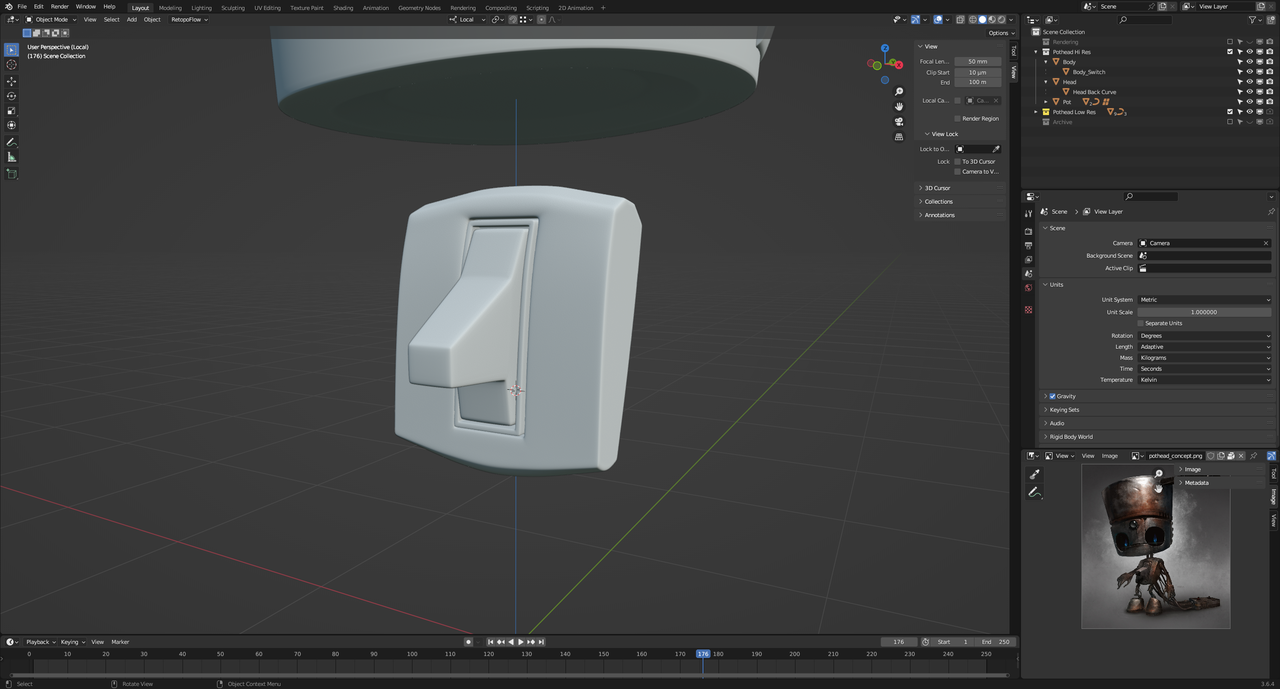
              I’ve managed to complete things by restarting – it sometimes feels a lot like riding own of those circus bicycles where the steering is reversed switch complete.png

              #81750
              Martin Bergwerf
              Participant

                Ah, I see!

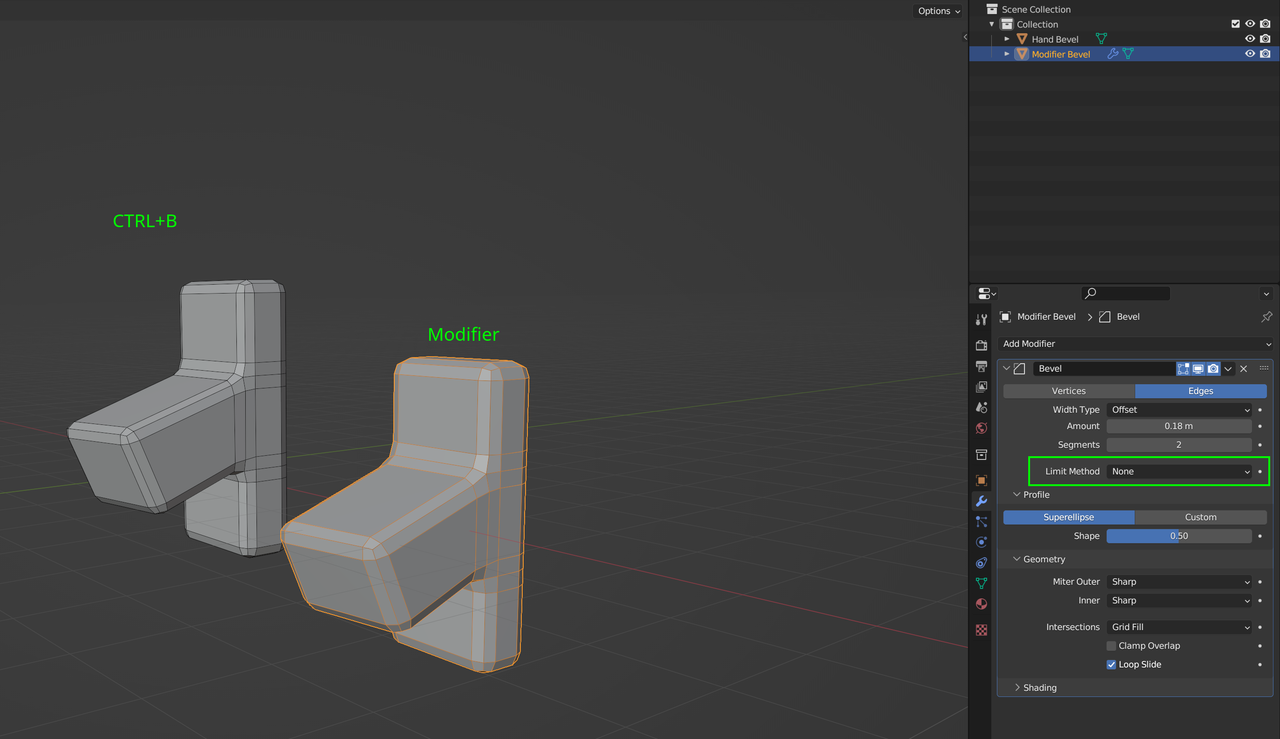
                The difference is, that with the manual Bevel, you had all Edges Selected (and thus Beveled). To get the same result with the Modifier, you need also Bevel all Edges:

                Bevel Modifier.png

                #81751
                Omar Domenech
                Participant

                  Blender will drive you crazy if you pay attention to everything it does, most things we log as quirky and move on. There’s a lot of quirky things all around, even Martin who is super smart a lot of times is like meh, Blender being Blender. So don’t be afraid to say meh yourself and move from time to time, if it looks good enough is good enough. Not to say it’s isn’t a cool objective to understand everything that goes around. 

                Viewing 7 posts - 1 through 7 (of 7 total)
                • The topic ‘Struggling with bevel modifier in Blender 3.6’ is closed to new replies.