
Bevel modifier breaks smooth?
Forum Archive › Bevel modifier breaks smooth?
- This topic has 18 replies, 7 voices, and was last updated 2 years, 10 months ago by
Martin Bergwerf.
-
AuthorPosts
-
October 2, 2023 at 11:00 pm #16933
This is driving me nuts, and the problem was hidden by the boolean modifier until I was well into the project, so I don’t know when it started.
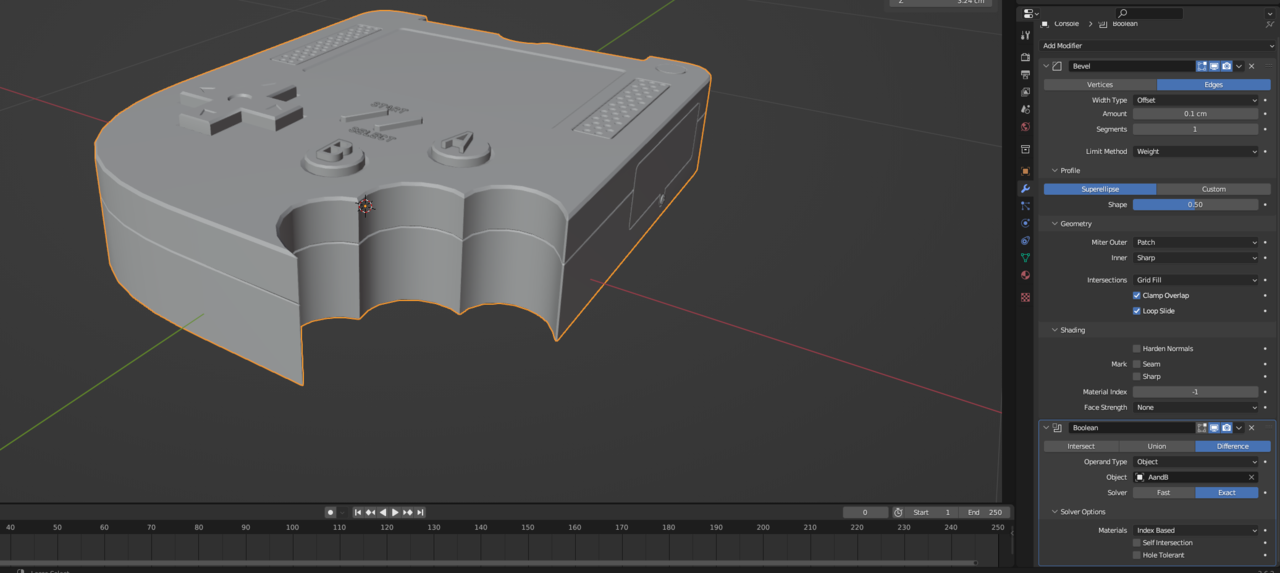
The curves in my 3 cutouts in the bottom right will not shade smooth while the bevel modifier is in place. They are not set to sharp, and no value for the auto smooth angle will make them smooth. I’ve checked that they don’t have any bevel weight. I’ve checked for duplicate geometry, and there doesn’t seem to be any. However, so long as the boolean modifier is in place beneath the bevel modifier, they end up smooth. Once I apply that modifier, they go back to flat. What could be causing this, why can’t I get these faces to shade smooth with that bevel modifier
October 2, 2023 at 11:01 pm #81493This is with the boolean activated.
This is with it disabled
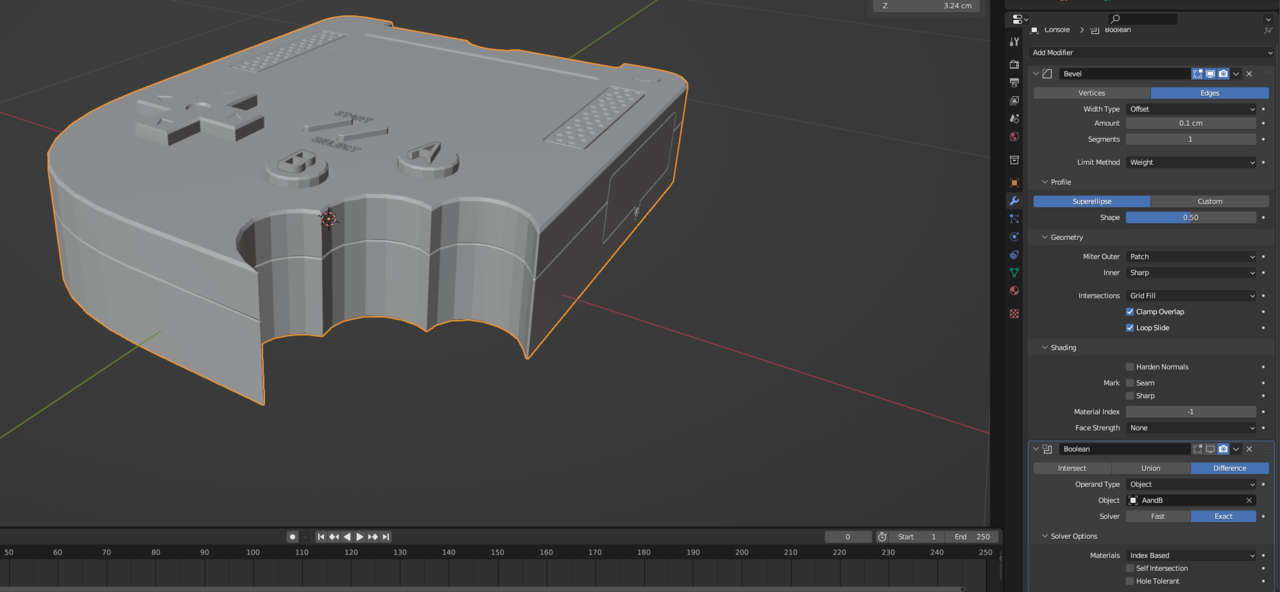 October 3, 2023 at 3:52 am #81494
Hey @generesque ,
That is probably because when you apply the Boolean modifier, the Boolean object is not set to Shade Auto Smooth.
With the console selected, right click and choose Shade Auto Smooth to fix it.October 3, 2023 at 8:34 am #81495Thanks for the suggestion. I’ve tried that, and it shades lots of things smooth, but it always excludes these faces and the faces around the buttons. It happens even when they boolean modifier is removed. i.e. it is how the mesh looks when just the bevel modifier is applied. For some reason, they boolean modifier fixes the problem, but only if it is not yet applied.
October 3, 2023 at 9:10 am #81496And changing the angle of the auto smooth doesn’t work?
October 3, 2023 at 9:11 am #81497Can you share the .blend file?
You can upload to Google Drive, Dropbox or similar and post the link here.October 3, 2023 at 9:47 am #81498…and a silly thing you could try is to set the Boolean Solver to Fast and then Apply it…Probably won’t help, but it’s simple enough to give it a chance…
October 3, 2023 at 12:22 pm #81499You have an interesting issue and sorry to chime in but it looks like you have a boolean on top of the modeled cutouts. When you disable the boolean the cutouts should disappear as the boolean should be making the cutouts so I wonder how are you using the boolean? The boolean looks like it is smoothing the modeled cutouts but if you delete the boolean and add shade smooth the console again, doesn’t it smooth out the segments? A pic showing the vertices and boolean would show how things are working better. I hope you got your answer. The model is looking great! Cheers!
October 3, 2023 at 5:55 pm #81500The boolean isn’t the problem, it actually fixes the issue. Something about having the boolean modifier with Exact mode after the bevel in the modifier stack makes the smooth work again. The images I first posted were a little unclear, because I didn’t hide the geometry for the button letters, so it wasn’t clear the boolean was disabled.
Here’s a link to the blend file: https://drive.google.com/file/d/1l2FtVvGfunowvM9RDtvnzg-GBQ-zbbZl/view?usp=sharing. It is a touch different because I finished the project, but it has the same problem. Just remove the boolean on the Console object and you will see.To be more clear, I’ve removed the boolean entirely and took some more screenshots:
Bevel modifier active, shade smooth not working:

Bevel modifier removed, shade smooth working:
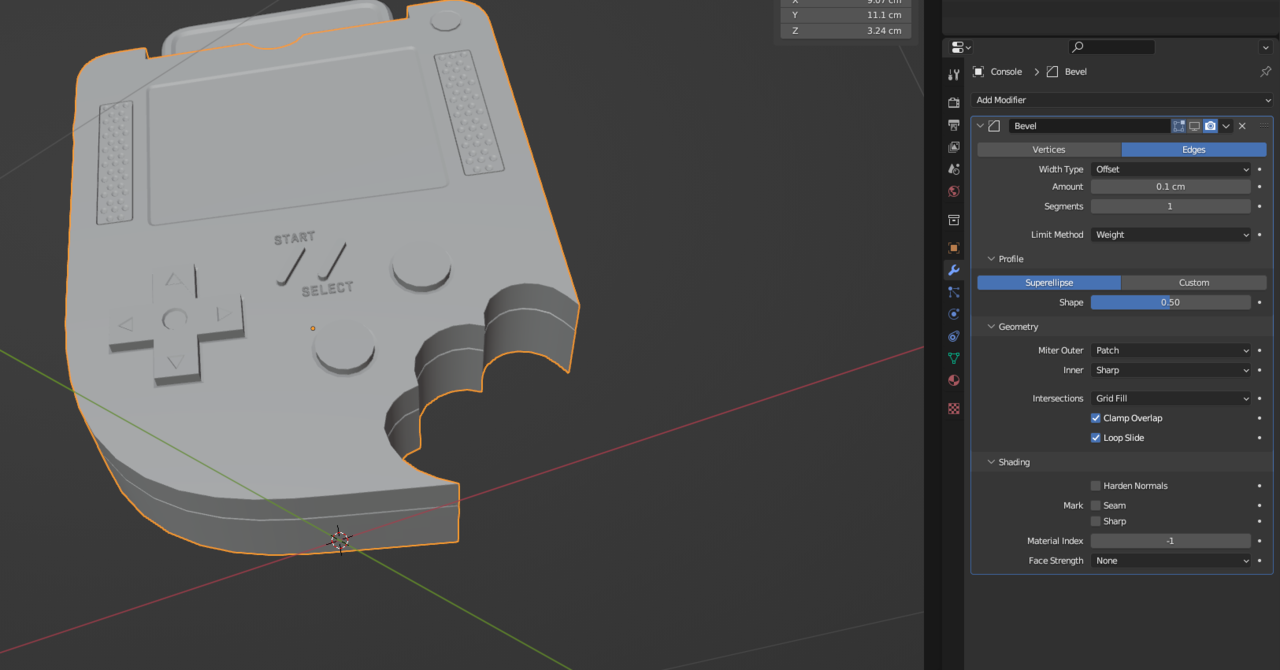
Bevel modifier active, auto smooth turned up to 180 degrees, the faces in the cutouts still aren’t smoothed:
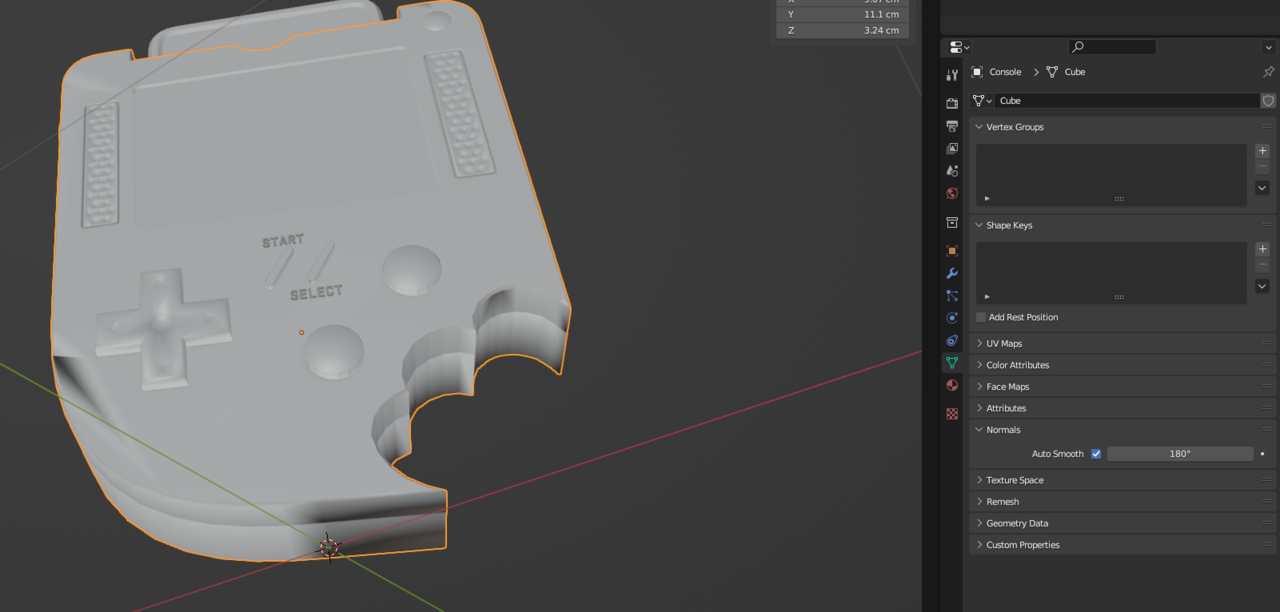
Edit Mode view showing the edges aren’t marked sharp:
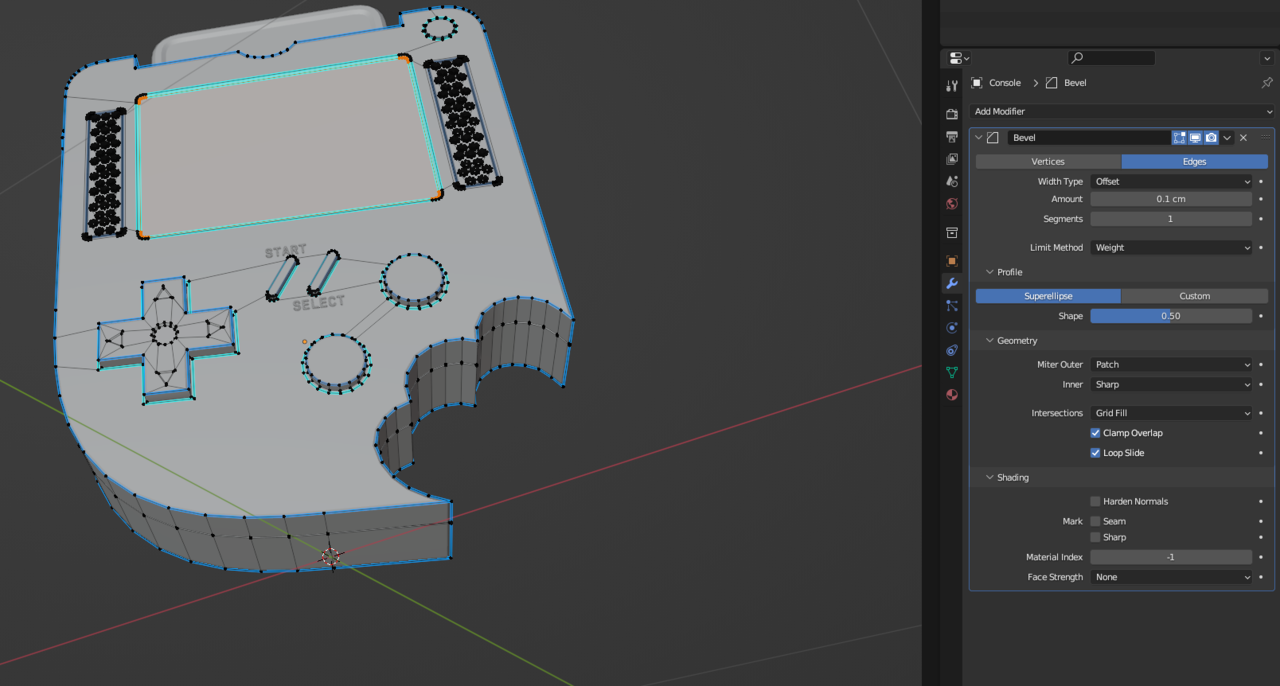
This drove me nuts for a long time. Eventually I gave up and just left the boolean modifier in the stack and finished the project, but I’d love to understand what was happening.
October 3, 2023 at 8:30 pm #81501Hi Neale,.
You got me curios so I looked at the model and don’t see the problem. The boolean in the stack is for the letters on the buttons and the segmented faces are all smooth. It’s great you figured it out and it looks good. There are a few minor issues but overall you did great. Good job. As you progress you’ll get many aha moments of why things worked the way they did and it gets frustrating at times. Enjoy the process as we all go through the WTF times. Keep up the good work and keep Blendering.
October 4, 2023 at 4:13 am #81502Hi Neale,
I don’t know what you did exactly, but the problem is that your Mesh has a bunch of so-called Zero-Faces:
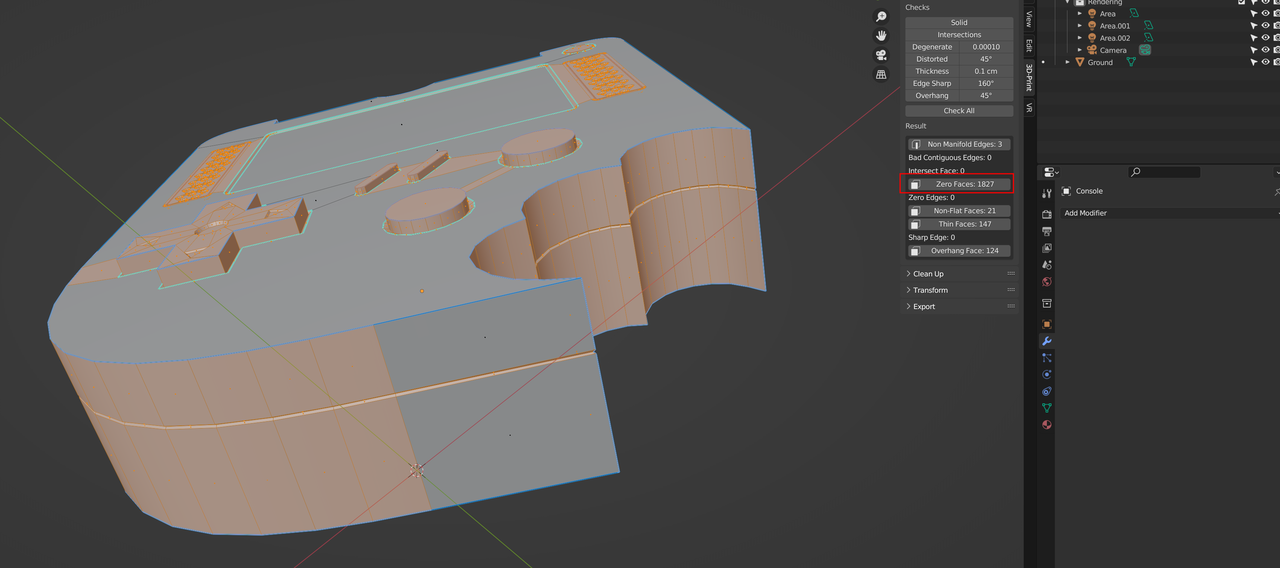
This is without the Modifiers.
But I can’t really find them and M > Merge By Distance doesn’t fix it…
When adding the Bevel Modifier and Applying it, we can actually see something I didn’t select all, obviously):
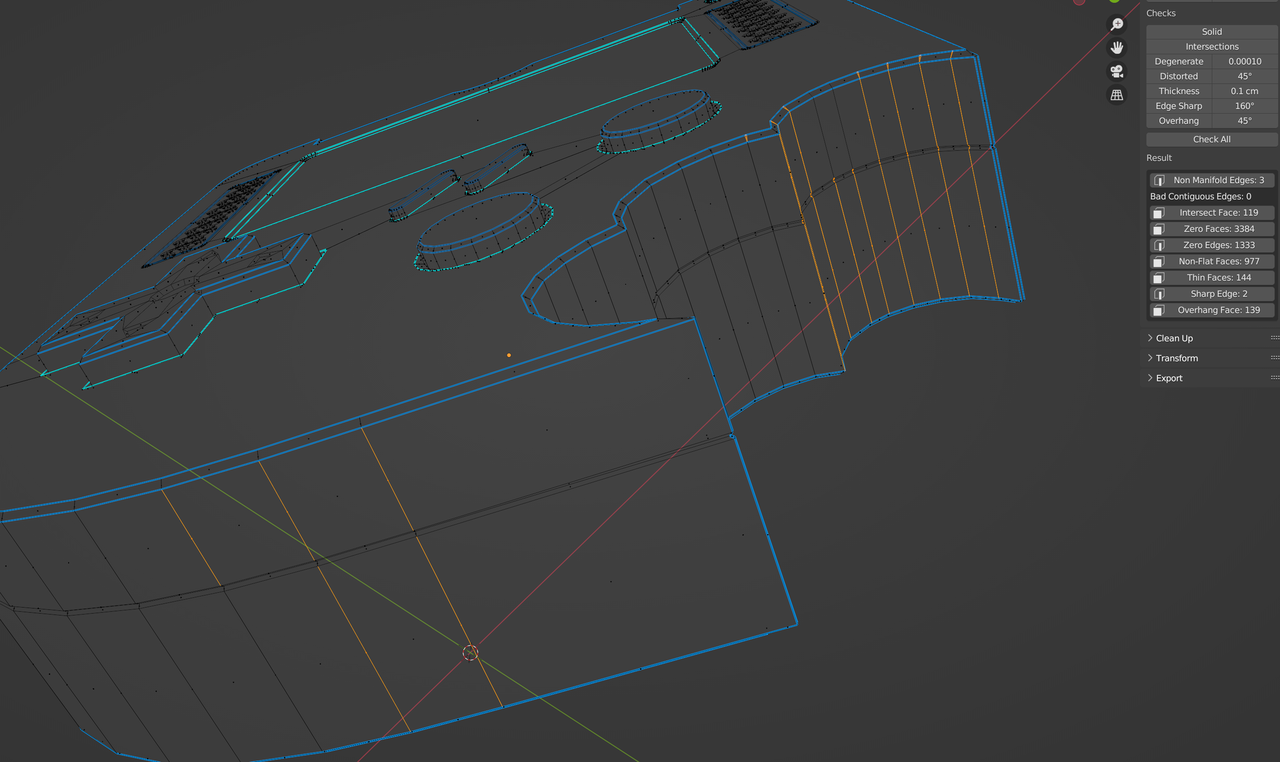
The solution to leave the Boolean Modifier in the stack works great. Alternativlely, you could Apply the Boolean and replace it with a Weld Modifier, but you have to be very careful how you set the Merge Distance then…(personally, I’d leave the Boolean.)
One more problem (that is easy to fix) is this (the 3 Non Manifold Edges):
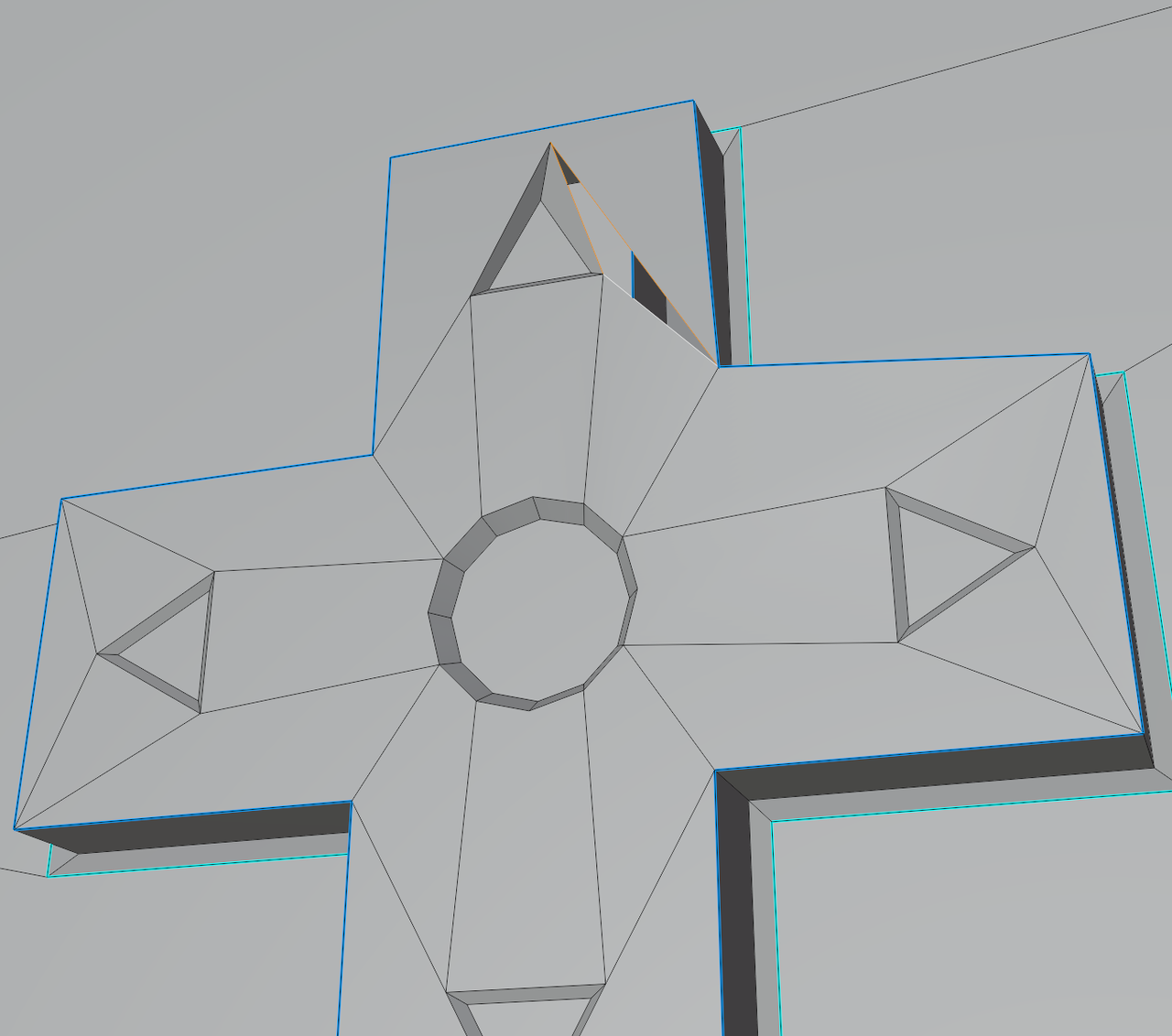 October 4, 2023 at 7:13 am #81503
Martin is that an addon you are using that checks the mesh and returns all that data?
October 4, 2023 at 9:56 am #81504Amazing, thanks for figuring this out Martin!
October 4, 2023 at 11:01 am #81505That’s the 3d Print Toolbox Addon that comes shipped with Blender, Omar
October 4, 2023 at 11:44 am #81506In the bevel modifier, turn off clamping. The beveling should go crazy. When I read Martin Bergwerf zero faces, it reminded me of a 2.93 problem where zero faces are created when using clamp. It also creates random normals. So now adjust the bevel amount until you have a nice bevel. Other option is to apply modifiers. Then in edit mode merge by distance. Exit edit mode set shading to flat then set to shade smooth. If that doesn’t work you have to goto edit mode, select all, and sorry don’t remember if it’s shift+n or shift+Ctrl+n one of those recalculates normals outside.
-
AuthorPosts


- The topic ‘Bevel modifier breaks smooth?’ is closed to new replies.