Im not being able to select any vertices, edges or faces

Forum Archive Im not being able to select any vertices, edges or faces

Viewing 15 posts - 1 through 15 (of 16 total)
  • Author
    Posts
  • #16691

    When you box select the vertices, edges or faces they become highlighted in edit mode but im not being able to box select any of them. they do select individually or if i press shift then box select. Any idea why im not being able to box select them?

    #80525
    Omar Domenech
    Participant

      That is weird, if they become highlighted that means they are selected. So if you are box selecting them and they highlight in orange or whatever color you have assigned to your UI theme, they are getting selected and then you can do any transform or operation to them. Can you post a screenshot of the problem, or better yet, a video screen grab of the thing in action.

      #80526
      Adrian Bellworthy
      Participant

        You mean you can’t left click and drag to box select?

        Do you have any 3rd party add-ons enabled?

        #80527
        #80528
        Martin Bergwerf
        Participant

          Or maybe Sana @Roxie ,

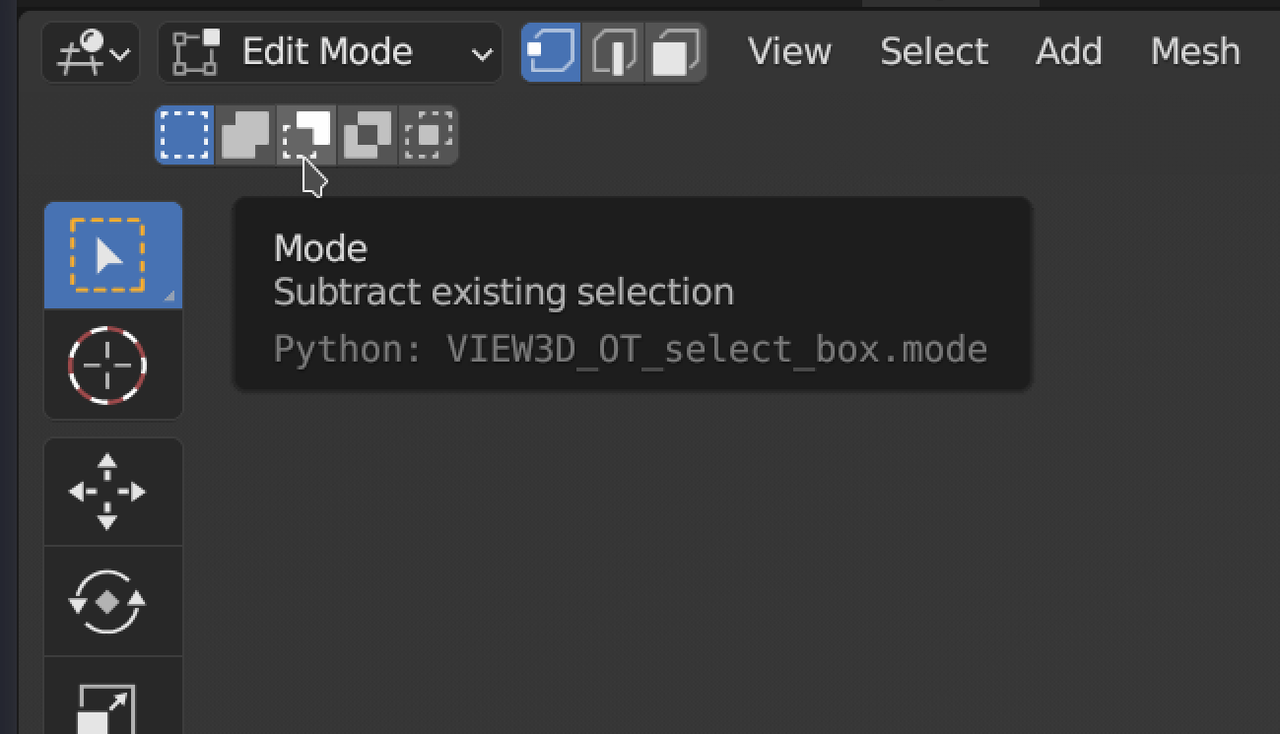
          You have the wrong Selection Mode enabled, like Subtract, for instance:

          Selecting.png

          #80529

          This area is not visible on my screen, i dont know why

          #80530
          Omar Domenech
          Participant

            Thanks for sharing the video Sana. It may be what Martin says. Also I see in the outliner you have the reference image selected. Make sure you only selected the mesh and then go into edit mode.

            #80531
            Martin Bergwerf
            Participant

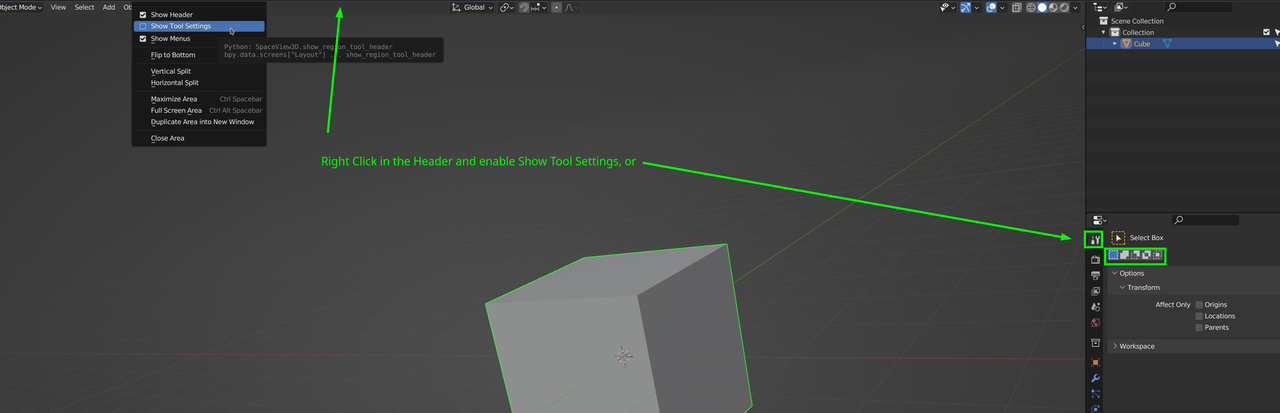
              I see that you don’t have your Tool Settings enabled in the Header:

              Tools.png

              #80532

              Yeahh that was the problem. Thank youuuu <3 Its fixed now.

              #80533

              how do i turn on the command key for angle? to press A and it holds the angle? how do i do that?

              #80534
              Omar Domenech
              Participant

                Can you give us more context please? I don’t know exactly what you mean by command key. Are you rotating? When your performing what operation are you trying an angle? The A key is for selecting all or deselecting.

                #80535

                when we’re making the cartridge and have to cut with K so we’re using knife tool but to keep the line straight we have to press A. mine doesnt work. how do i turn it on?

                #80536
                Martin Bergwerf
                Participant

                  Hi Sana,

                  the Knife Tool takes some getting used to.

                  Maybe practice on the Default Cube a bit until you get the hang of it.

                  Press K, then Enter and then you can press A to constrain to an Angle (increments of 30° by default). Pressing A more than once cycles through different options (Screen/Relative/Off/Screen…)Screen is the one you probably want here.

                  Watch the options at the bottom of the 3D Viewport:

                  Constraint.png

                  #80537

                  ohh thanks, mine says “c” gives angle constraint

                  #80538
                  Martin Bergwerf
                  Participant

                    That’s an older Blender Version then 😊…it used to be C …they changed that to A in 3.0

                  Viewing 15 posts - 1 through 15 (of 16 total)
                  • The topic ‘Im not being able to select any vertices, edges or faces’ is closed to new replies.