Proportional Editing and ACCENT GRAVE

Forum Archive Proportional Editing and ACCENT GRAVE

Viewing 4 posts - 1 through 4 (of 4 total)
  • Author
    Posts
  • #16624
    Yisrah Abrahaim
    Participant

      Where do I locate proportional editing? And where can I find the ACCENT GRAVE Key? I am looking at Trimmel’s later work with the old blender and I am unfamiliar with these keys. Are they in the new blender? Also is there a shortcut to Retopology? Or do we have to do that manually? 

      #80234
      Martin Bergwerf
      Participant

        Hi Yisrah @YAbrahaim ,

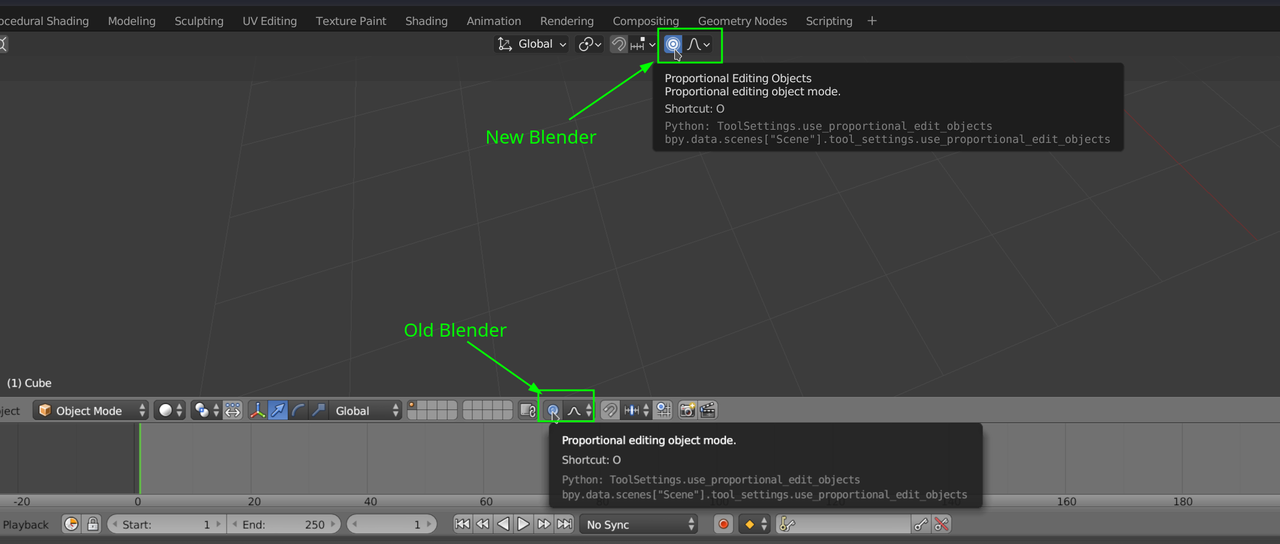
        Proportional Editing can be toggled on/off with the “O” Hotkey, or in the ‘Header’:

        rtional Edititng.png

        The Accent Grave/ Tilde Key can usually be found on the top left of your keyboard (just below the Escape Key, left of the number 1 Key,  but that depends on your keyboard, it can also be an Accent Aigu, for instance) and it is only used in ‘modern’ Blender.

        There is no (not yet at least) Retopology Mode in Vanilla Blender, but maybe you are asking about an Addon, like Retopoflow, for instance?

        #80235
        Martin Bergwerf
        Participant

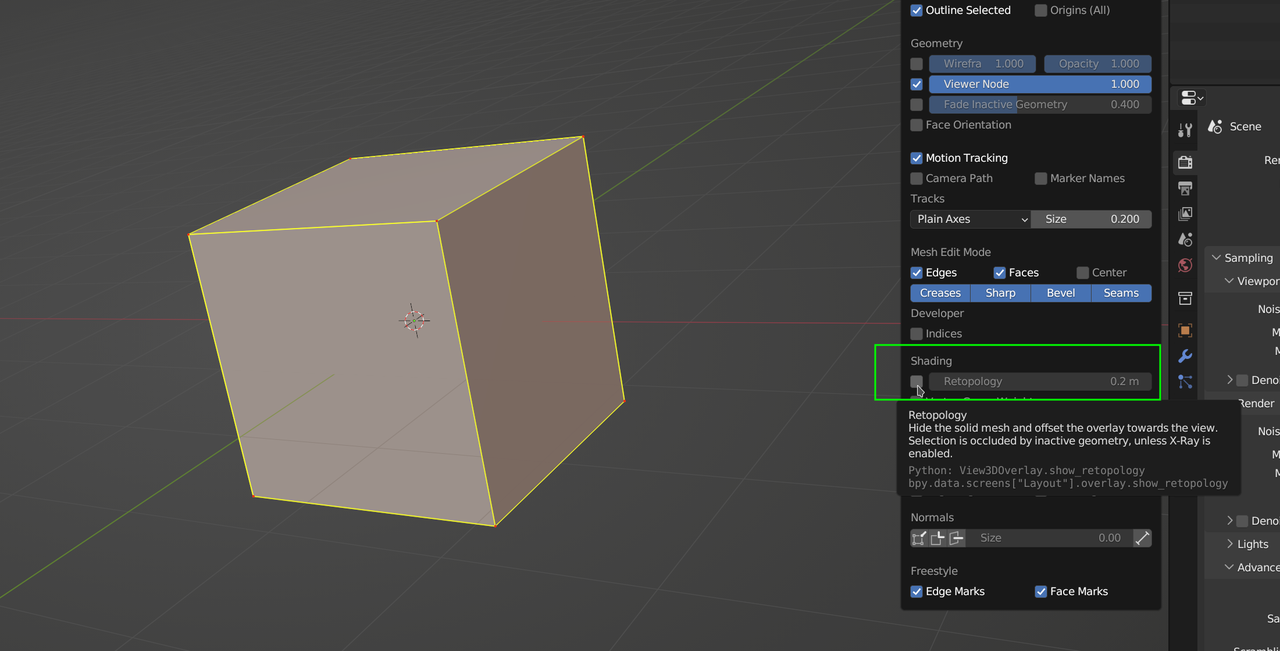
          (There is however a Retopology Overlay in Edit Mode, since Blender 3.6, but I guess that you don’t mean that:

          Retopology.png

          )

          #80236
          Yisrah Abrahaim
          Participant

            Thank you @Martin Bergwerf! Yes that is exactly what I was looking for!!

          Viewing 4 posts - 1 through 4 (of 4 total)
          • The topic ‘Proportional Editing and ACCENT GRAVE’ is closed to new replies.