
Inset Faces of Cartridge Issue
Forum Archive › Inset Faces of Cartridge Issue
- This topic has 15 replies, 4 voices, and was last updated 3 years ago by
Omar Domenech.
-
AuthorPosts
-
July 2, 2023 at 9:38 pm #16589
When I press “I” to inset,
my faces wont move at all they are just still when I try to Inset them.
July 3, 2023 at 2:03 am #80111Hi Nichos @nichosp ,
Try (A, Select All ) M > Merge > By Distance and then try Insetting again.
I don’t know if that is what’s causing the problem, but it’s a really common ‘problemsolver’.
July 3, 2023 at 7:12 am #80112You may also have one of the extra options enabled, Outset for example can leave you scratching your head. When you use a tool, you can see the extra options above or below in the Blender UI along with the hotkeys you can press to toggle them On or Off.
 July 4, 2023 at 8:37 pm #80113
Help Insetting Faces
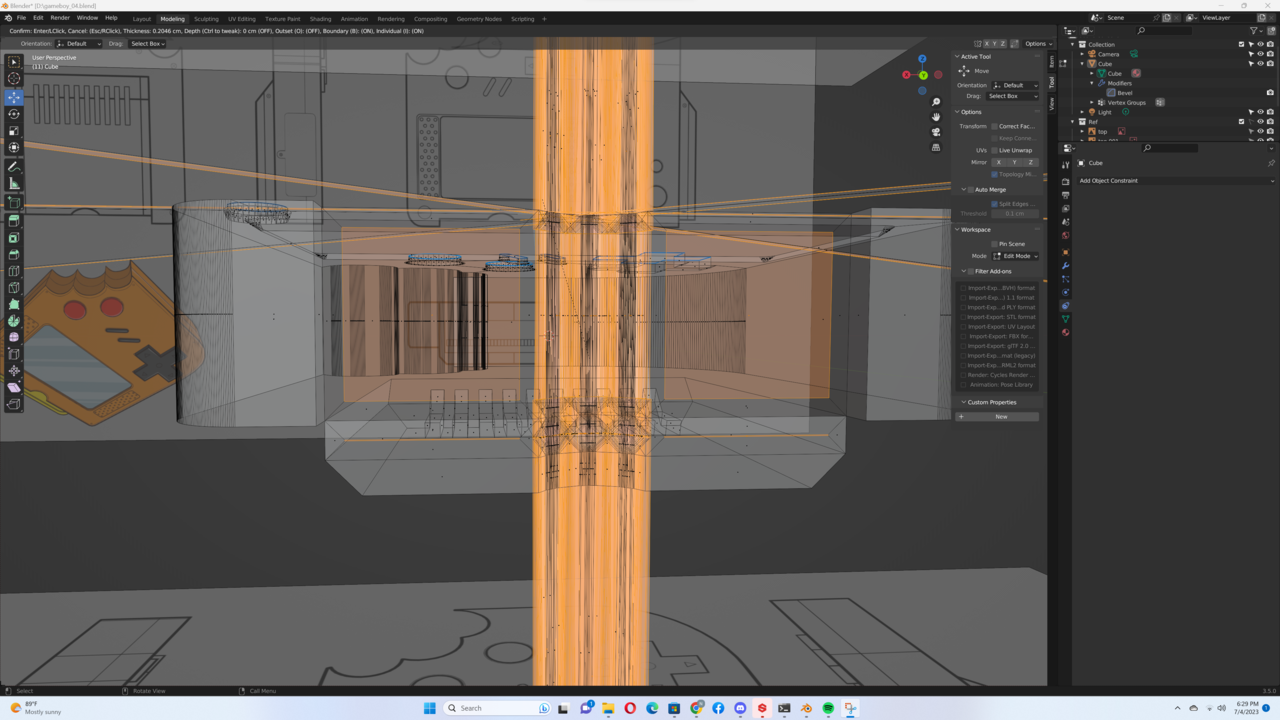
I tried the (A, Select All ) M > Merge > By Distance , its moving now but now its deforming….
 July 5, 2023 at 1:27 am #80114
Hi Nichos @nichosp ,
You have Individual on and it looks like your ‘overshooting’.
Make sure your Scale is Applied (in Object Mode: CTRL+A > Apply > Scale) and your Normals are consistent (in Edit Mode: A, SHIFT+N). Also make sure that you have the correct Faces Selected (and not more!) and then try Insetting again, carefully moving your mouse (hold SHIFT to move slower if that helps).
July 5, 2023 at 2:45 am #80115Stuck on Insetting Faces
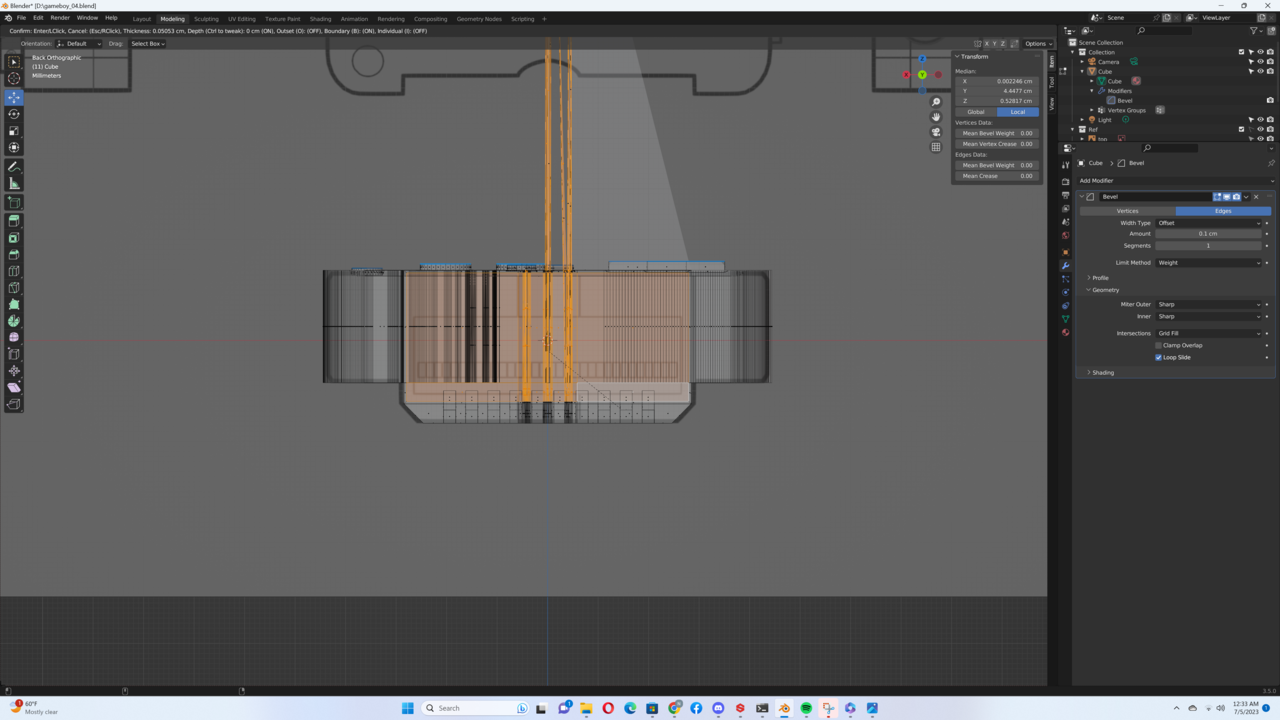
I tried everything …. and the top still wants to deform, everything else is staying in place when I inset it but just the top part wants to come a part.
 July 5, 2023 at 4:32 am #80116
Hey @nichosp ,
Could you post a link to your .blend file (via Dropbox, Googledrive or so)?
July 5, 2023 at 7:35 am #80117That is too strange, Inset doesn’t deform like that. My theory is that maybe the traveling of the mouse is too much and you’re overshoot the inset by a lot. But yes please, see if you can upload the file so we can take a look and figure out exactly what is going on.
July 5, 2023 at 3:13 pm #80118Here’s the Blend File
https://drive.google.com/file/d/1Wm_t0RMHYRCN6MxrbssStSoQwJ2HxJaR/view?usp=sharing
July 5, 2023 at 5:26 pm #80119Oh dear, you’ve made an absolute mess:
There are some Faces that definitely shouldn’t be there:
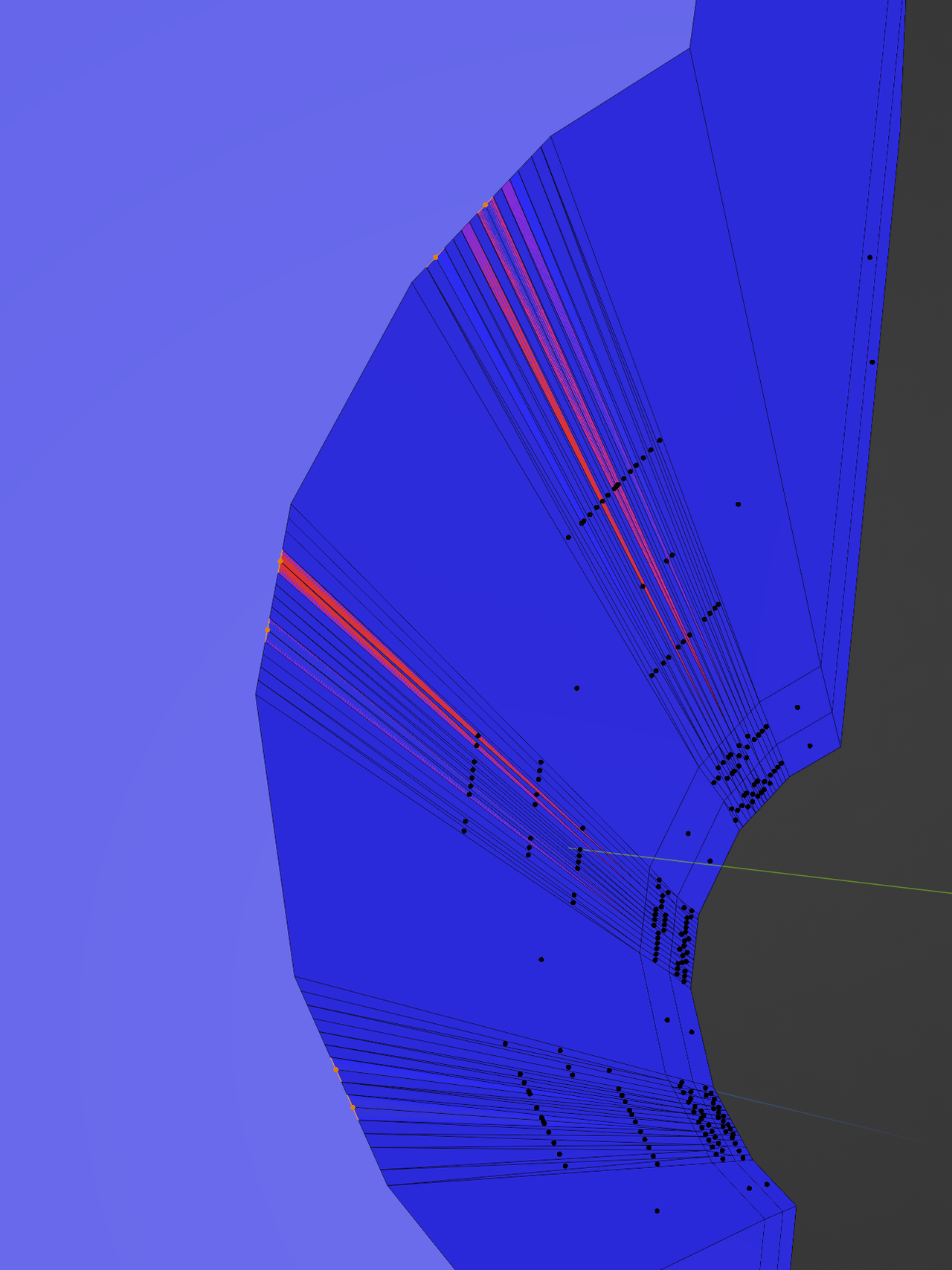
This top Face is wrongly connected:
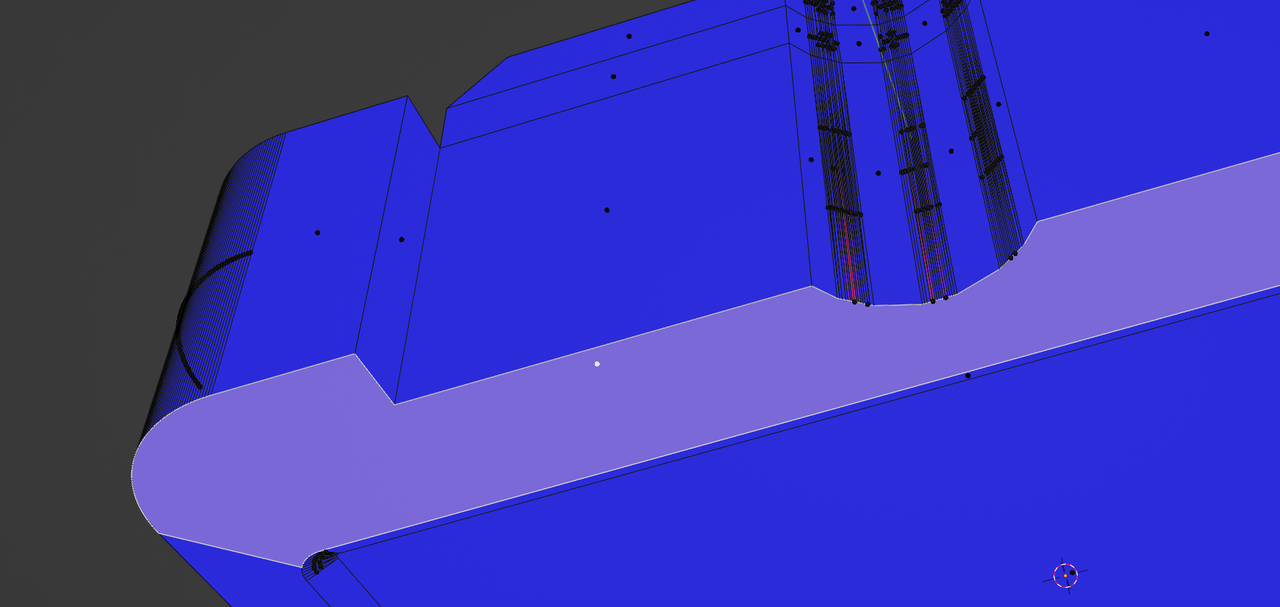
You could Delete the Vertices in that round part:
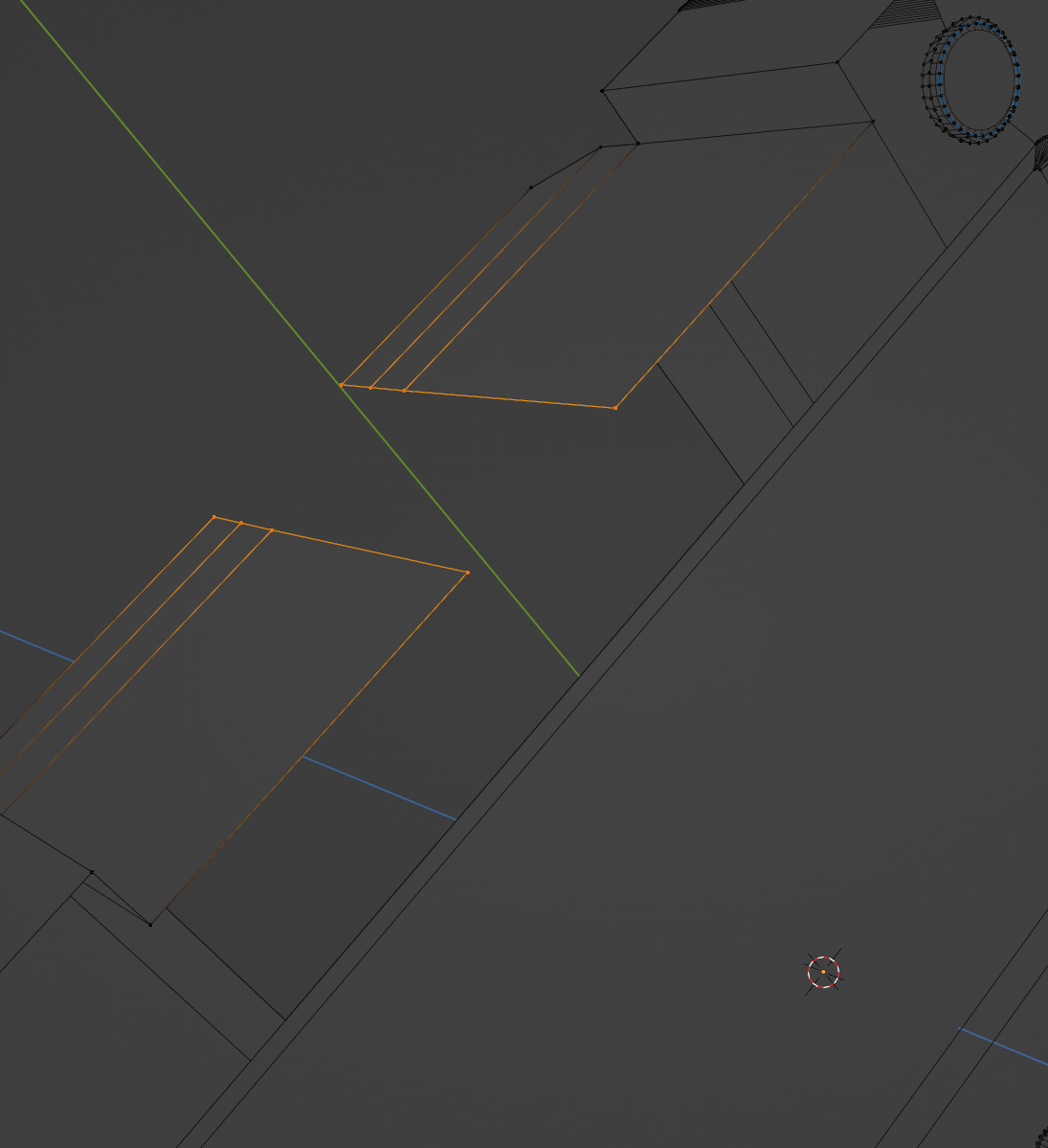
and Bridge Edge Loops and reposition the inner Vertices to match the reference, but you should also make sure that these Faces are flat:

(S, Y, 0)
and this mess should be cleaned up as well:
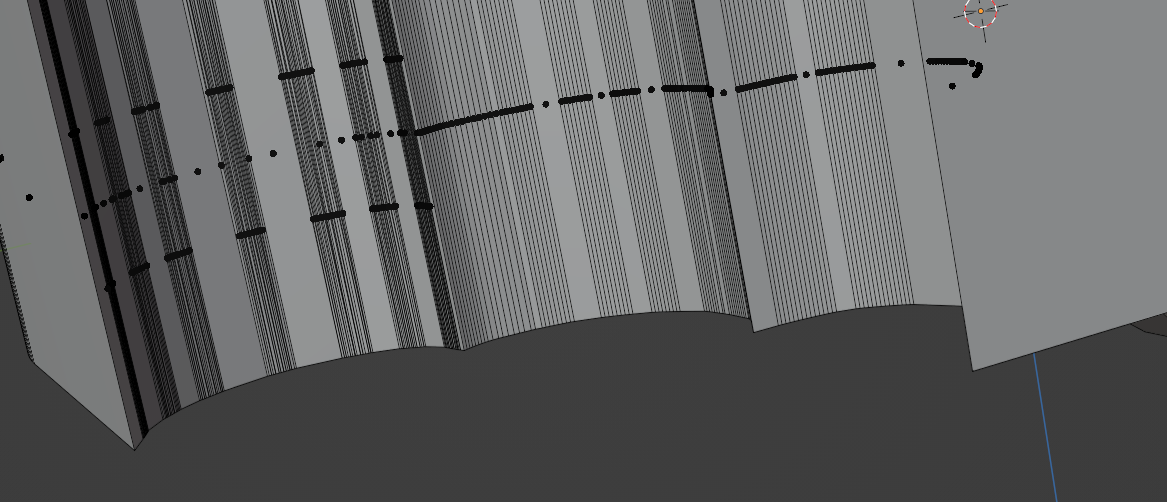
Actually all round corners have way too many Vertices and also the round Buttons…
The best advice I can give you is too start over from scratch!
July 6, 2023 at 7:09 am #80120I was going to say the same thing, you have to start over from the beginning. It is counter intuitive but trust us, the way to move forward is to go back. When you have a mesh that is beyond saying, you are going to spend triple the time trying to fix it and you’ll just get frustrated. Starting over will allow you to get to the point you were faster and you’ll gain insights and speed, your brain will start to understand where not to go before you even know it, it’s like you’ll start to see the path before you have taken the first step. So yes, starting over is the best option.
July 6, 2023 at 11:05 am #80121It’s a bit like when you drop a coffeee cup and the handle breaks off, you can glue the handle back on, buy a new coffee cup, or give up drinking coffee (amongst other possibilities, of course).
When you drop a coffee cup and it breaks into 107 pieces, you still have those three (and more) options, but glueing might not be the preferred solution then 😉
July 6, 2023 at 1:20 pm #80122Yeah, it may not be necessary to start over, but if it’s too frustrating to clean up then that can be a good option – or at least go back to a save point from before so many vertices were created. Definitely don’t be discouraged – we’ve all been there while learning!
September 3, 2023 at 2:33 am #80123Is this to many vertices ?
I’m finally starting over again….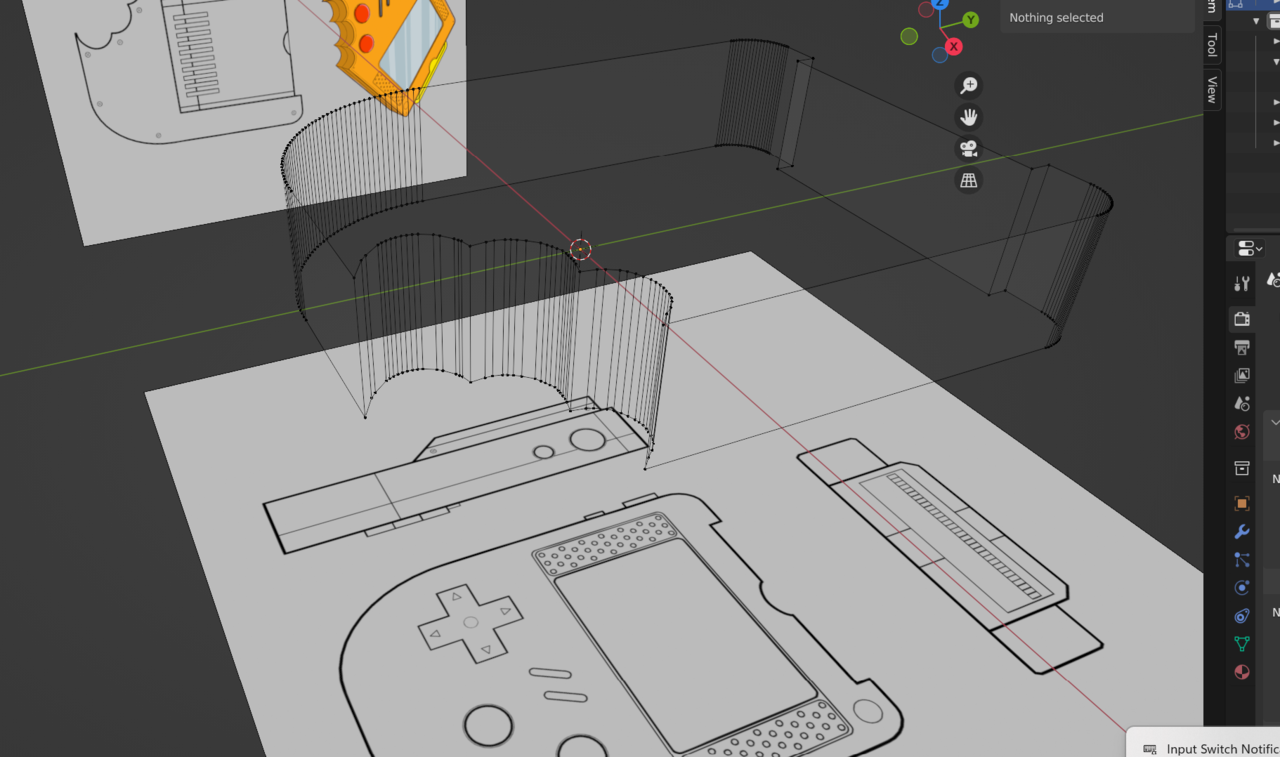 September 3, 2023 at 5:19 am #80124
Yes, that’s way too many Vertices.
-
AuthorPosts


- The topic ‘Inset Faces of Cartridge Issue’ is closed to new replies.