Shading issue

Forum Archive Shading issue

Viewing 13 posts - 1 through 13 (of 13 total)
  • Author
    Posts
  • #16470
    Roxana Moise-Dan
    Participant

      Hi,

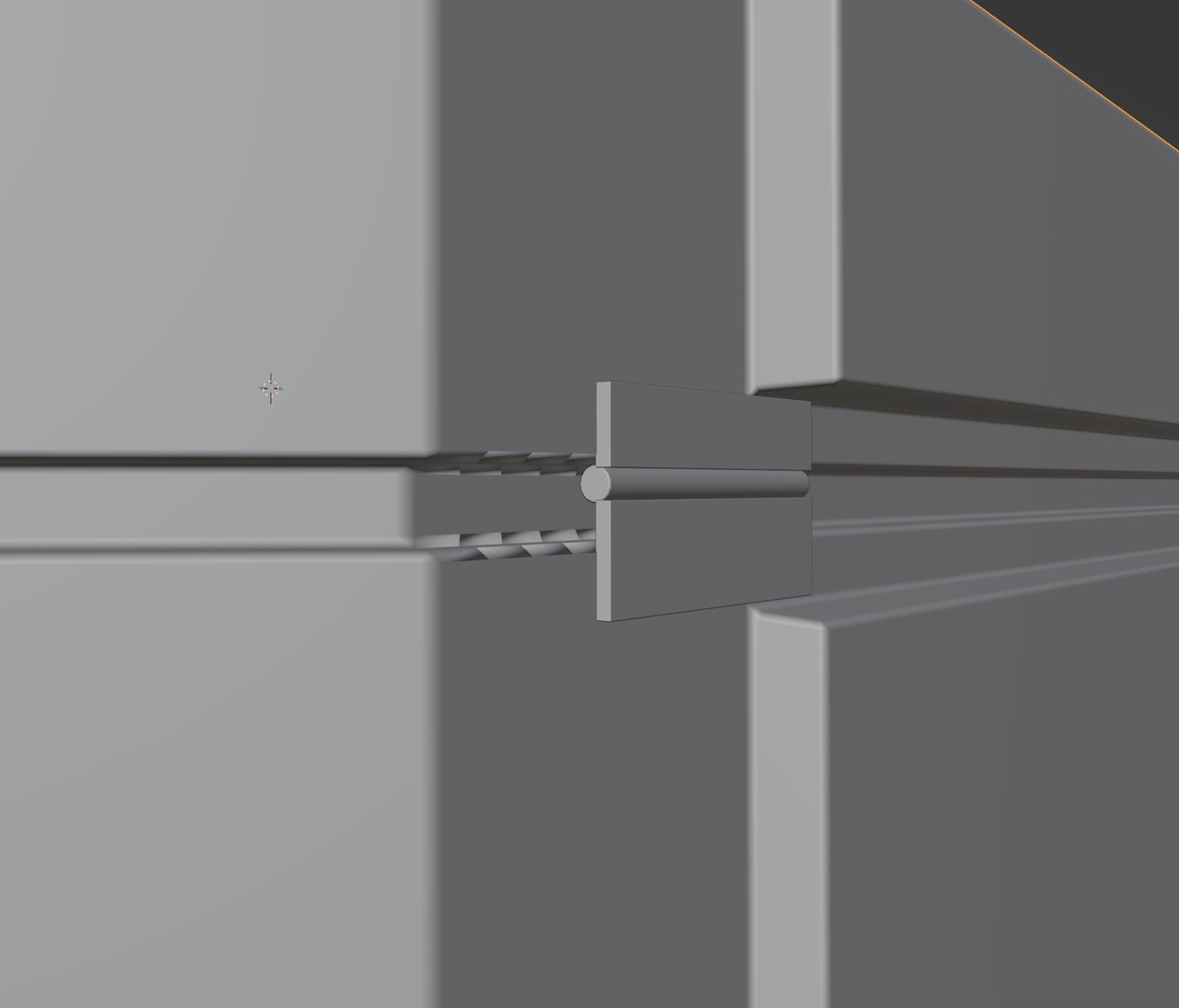
      I worked on this crate for a while, I applied the Bevel modifier and later on realised I need more edge loops. I added them a while back so I can’t CTRL+Z my way out of this, because I got these shading issues and don’t know what to do to fix them.

      I tried:

      – shading smooth and then Auto Smooth (Normals)

      – adding edge loops near those edges

      – dissolving the edges, but then I’m left with N-gons

      What would you do if you were in this situation? Thanks

      crate issues.jpg

      #79594
      Martin Bergwerf
      Participant

        Hey Roxana,

        It’s a bit hard to tell from the screenshot, but it almost looks like inconsistent Normals to me…

        Did you try the good old SHIFT+N (in Edit Mode)?

        #79595
        Roxana Moise-Dan
        Participant

          Hey, Martin. Yes, I did. Forgot to mention it.

          It’s something to do with the Bevel modifier, because when I G slide those edges, the shading issue is gone. But of course I’m left with no Bevel.

          #79596
          Martin Bergwerf
          Participant

            Can you provide a link to your .blend, please?

            #79597
            Roxana Moise-Dan
            Participant

              yes, thanks! file

              #79598
              Martin Bergwerf
              Participant

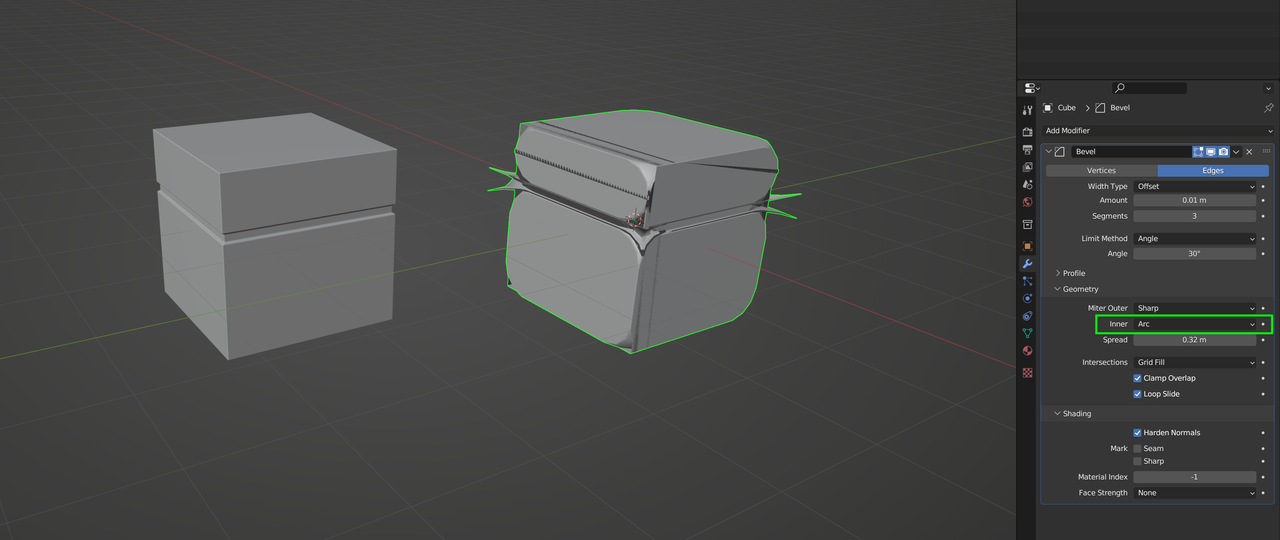
                It’s just, that aprt from Geometry, there are so many combinations of settings in the Bevel Modifier, that can easily mess things up: like in the right Cube I changed one setting only:

                Bevel_Arc.png

                #79599
                Martin Bergwerf
                Participant

                  Oh, I see,

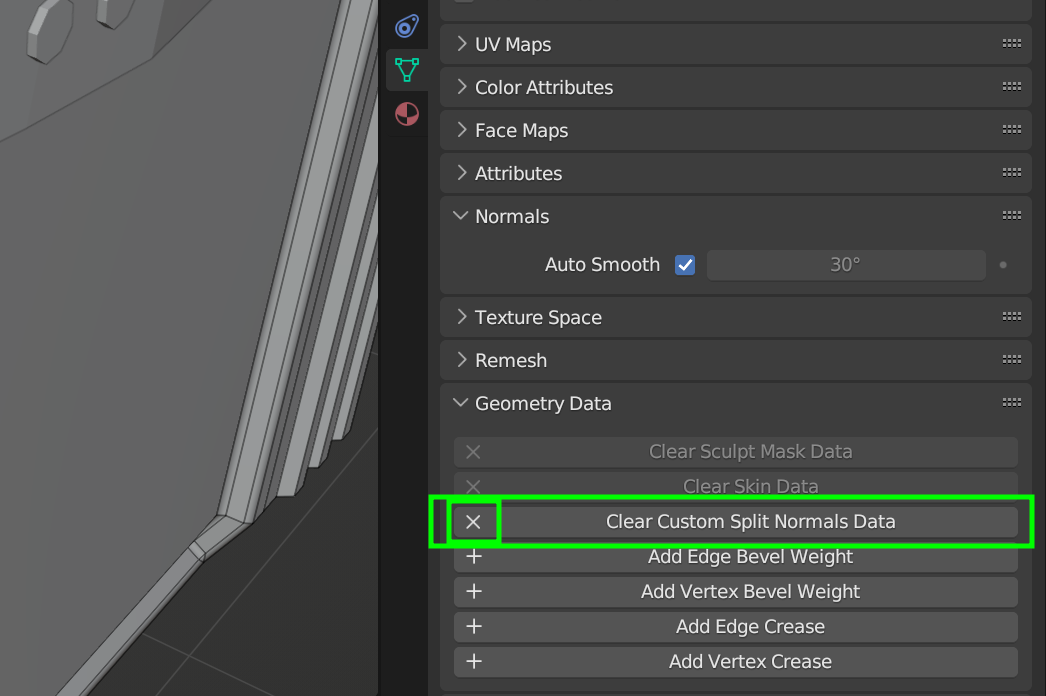
                  in your Auto Smooth, the Angle is greyed out; this usually means you have Custom Split Normals. Just click on the X to remove them:

                  Custom_Normals.png

                  #79600
                  Roxana Moise-Dan
                  Participant

                    Oh, great! That fixed it! Could you explain a little bit what it does?

                    #79601
                    Omar Domenech
                    Participant

                      Yeah Martin, if you know what’s the deal with that, we’ll slip you ten bucks if you tell us. I normally am like yeah, custom split normals, I always clear them, but I never know why or what is that supposed to do. 

                      #79602
                      Martin Bergwerf
                      Participant

                        I think Jonathan Lampel does a far better job than I can in: https://cgcookie.com/lessons/smooth-flat-and-custom-normals

                        You’ve probably seen it already, but now is the time to re-watch it and understand better what it means.

                        There was a question on the forum some time ago, about why the Auto Smooth Angle field was greyed out and it took me over an hour to figure it out…now, I know where to look and I also had to revisit mentioned Lesson, because I didn’t know exactly what was happening.

                        But of course, feel free to ask, if you want more information, after watching Jonathan’s explanation.

                        #79603
                        Omar Domenech
                        Participant

                          I’ll be re-watching that. Blender is such a big beast you often forget so many stuff. 

                          #79604
                          Martin Bergwerf
                          Participant

                            There is a fun little-known shortcut;

                            if you are in Edit Mode and press R, that will (obviously) Rotate the Selection, but if you then press N (so: R, N), Blender will Rotate the Normals of the Selection…you’ll see nothing happening, but you’ll have created Custom Split Normals!

                            #79605
                            Omar Domenech
                            Participant

                              Holy smokes, yeah just tried it, never ever had I remotely heard about that one. I can see the shininess changing on the default cube. It’s kinda mesmerizing almost. I know how I’m spending the next hour. 

                            Viewing 13 posts - 1 through 13 (of 13 total)
                            • The topic ‘Shading issue’ is closed to new replies.