Constant detail doesn’t work properly for me!!!

Forum Archive Constant detail doesn’t work properly for me!!!

Viewing 7 posts - 1 through 7 (of 7 total)
  • Author
    Posts
  • #16361
    Nourhan Naim
    Participant

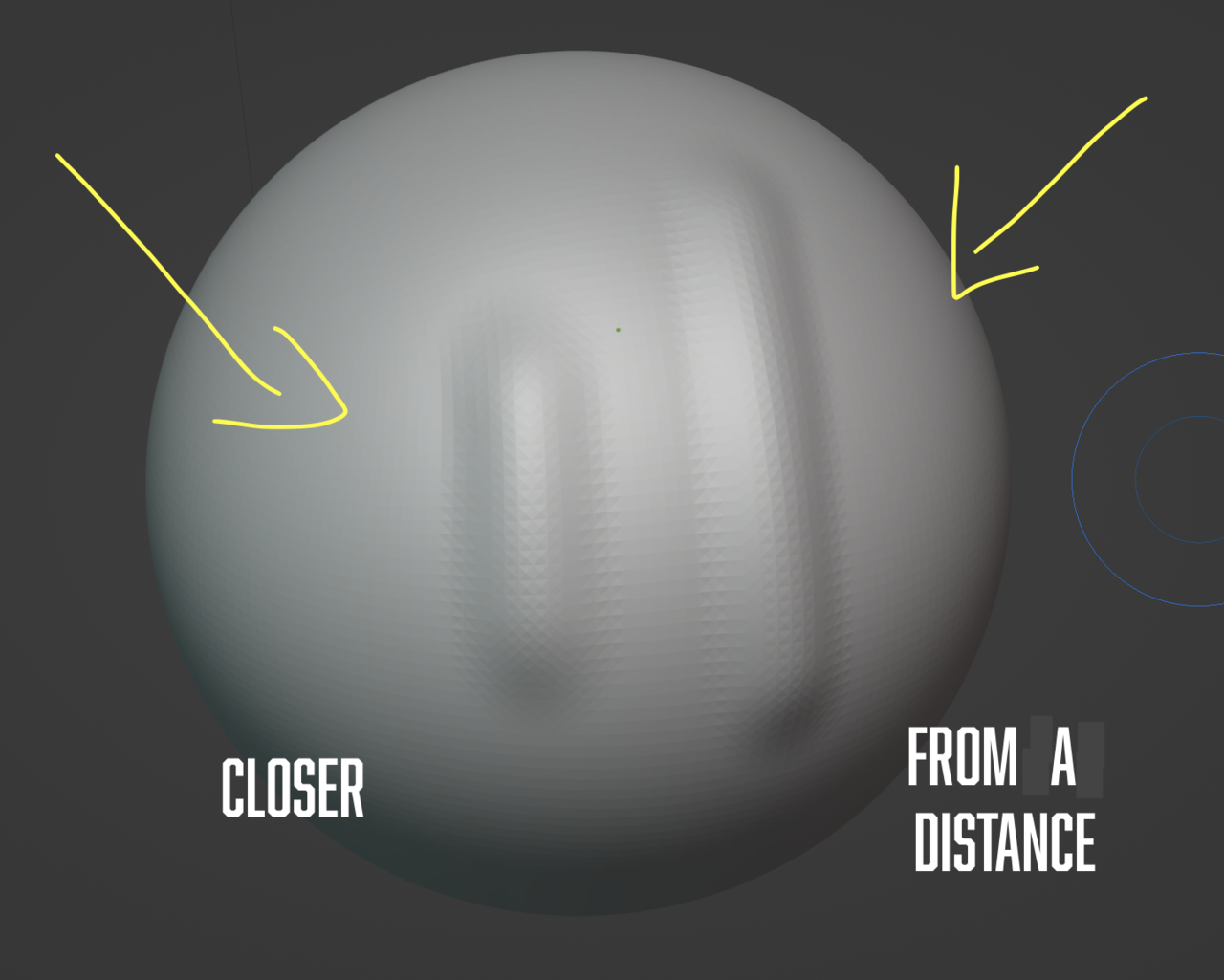
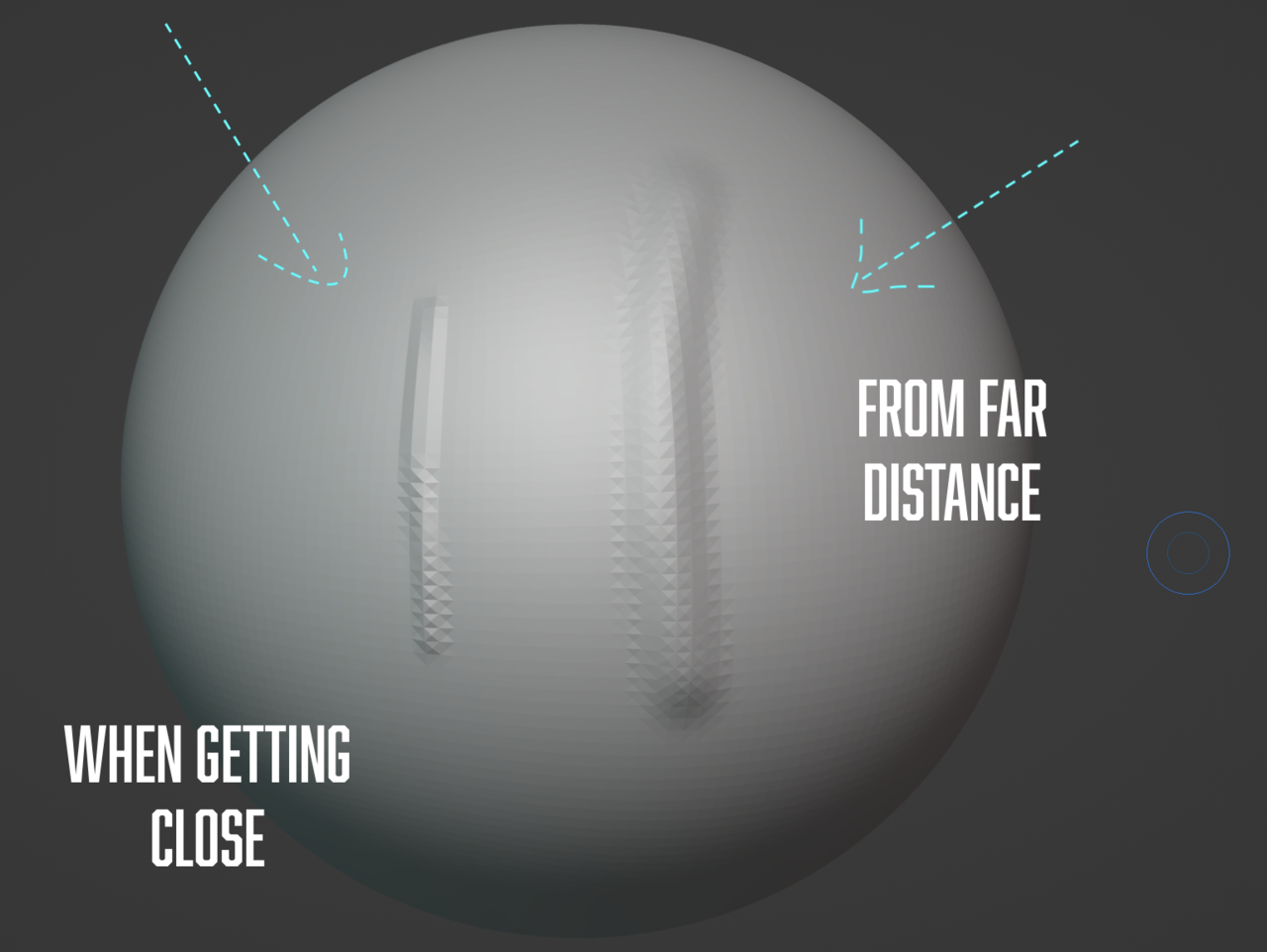
      When I use constant detail, I don’t know why the brush size always changes depending on the distance from the object, I learned in the lesson that the detail size doesn’t change in constant detail whether I’m close or far from the object, but that’s not the case for me, when I’m far the brush size (the size effect of the brush when I’m sculpting) is bigger and the details are more, when I get close, the size shrinks and the details are less, and if I understood what the instructor said right, this is what happens with relative detail, but the opposite is happening with me, I tried multiple times the same thing and it’s always the same, I even tried that in blender 3.5.0 and 3.3.1, and the result is the same I don’t know why?5 at 11.22.15 PM.png
      #79189
      Nourhan Naim
      Participant

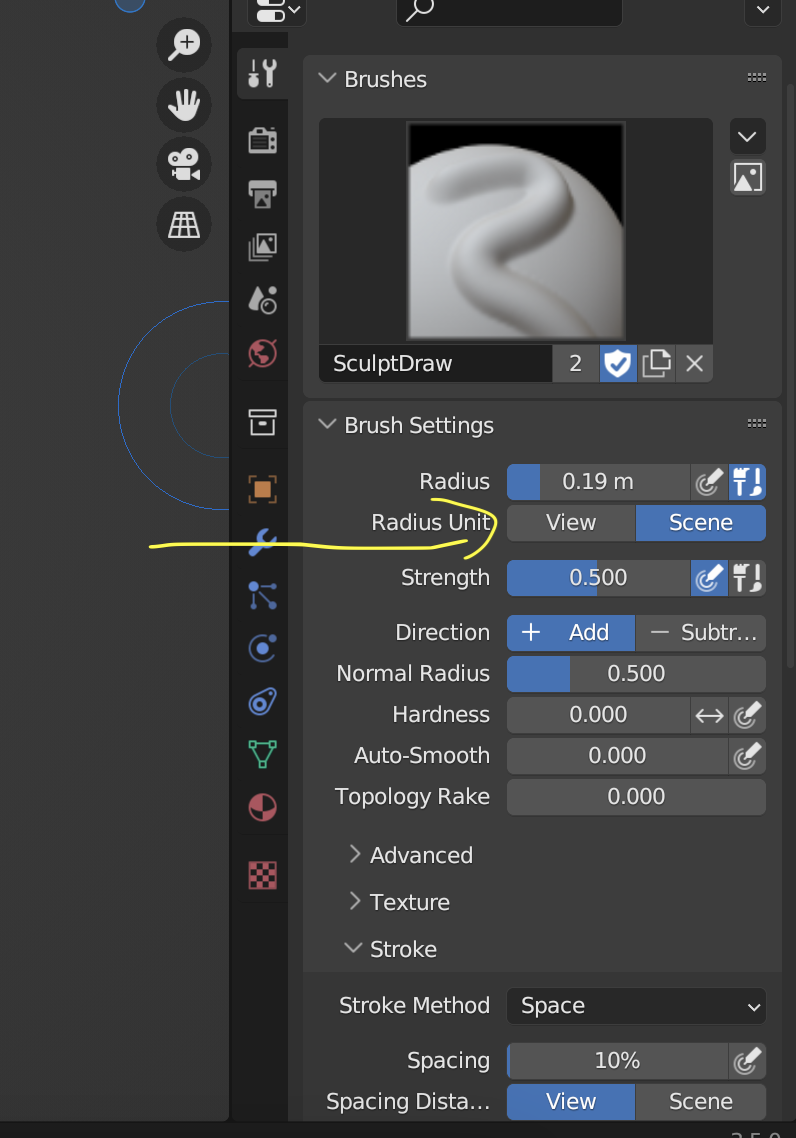
        I think I figured out why by chance, when I changed the radius unit from view to scene, the brush size doesn’t change, and the radius changed from px to m. (in blender 3.5)5 at 11.59.41 PM.png

        #79190
        Nourhan Naim
        Participant

          6 at 12.09.34 AM.png

          #79191
          Omar Domenech
          Participant

            Be it relative or constant, the level of detail is all about the object. When you are in relative detail, it will be relative to how zoomed in or zoomed out you are from your object. If you are very zoomed in, you will have finer detail when you lay a stroke with your brush than if you are zoomed out, because it’s relative to your distance according to screen pixel size. But then this creates the problem that you have to be zooming in and out depending of the level of detail you want in your object. So that’s when constant details comes in, now it doesn’t take into account how zoomed in or out you are to the object, when you lay a stroke the detail will remain the same no matter your distant to your object in the viewport. So remember, it’s all about the resolution on the count of polygons that will be created each time you lay a stroke on your object, not your brush size in the screen.

            #79192
            Kent Trammell
            Participant

              Thanks for following up your question with what you figured out @nourhan_naim. No doubt this will help someone in the future 👍

              #79193
              Nourhan Naim
              Participant

                Thanks a lot, Kent .. I hope it will be useful to anyone will see it in the future.

                #79194
                Nourhan Naim
                Participant

                  Omar, The problem that happened to me is, even when I’m using Constant Detail, the size doesn’t remain the same when I’m zoomed in and out, so I got frustrated because what’s happening with me isn’t what’s happening with the teacher in the lesson, at the end I didn’t find any solution to it but that one.

                Viewing 7 posts - 1 through 7 (of 7 total)
                • The topic ‘Constant detail doesn’t work properly for me!!!’ is closed to new replies.