I can’t edit properties of multiple objects with ‘Alt’ selected

Forum Archive I can’t edit properties of multiple objects with ‘Alt’ selected

Viewing 15 posts - 1 through 15 (of 16 total)
  • Author
    Posts
  • #16297
    steveeger
    Participant

      Aroung the 8 minute mark you say to press the ‘Alt’ key to change multiple values. ‘Alt’ key prevents any value from being changed instead of allowing multiple values to change. Without the ‘Alt’ key being pressed only the active element is affected. With ‘Alt’ nothing can be changed.

      #78882
      Omar Domenech
      Participant

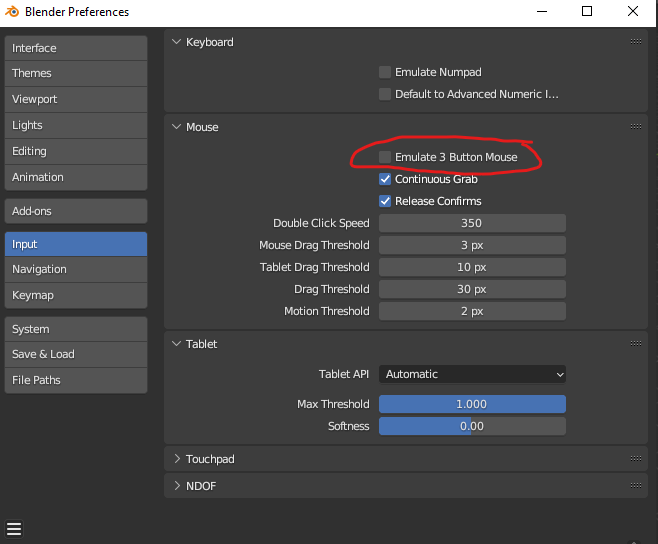
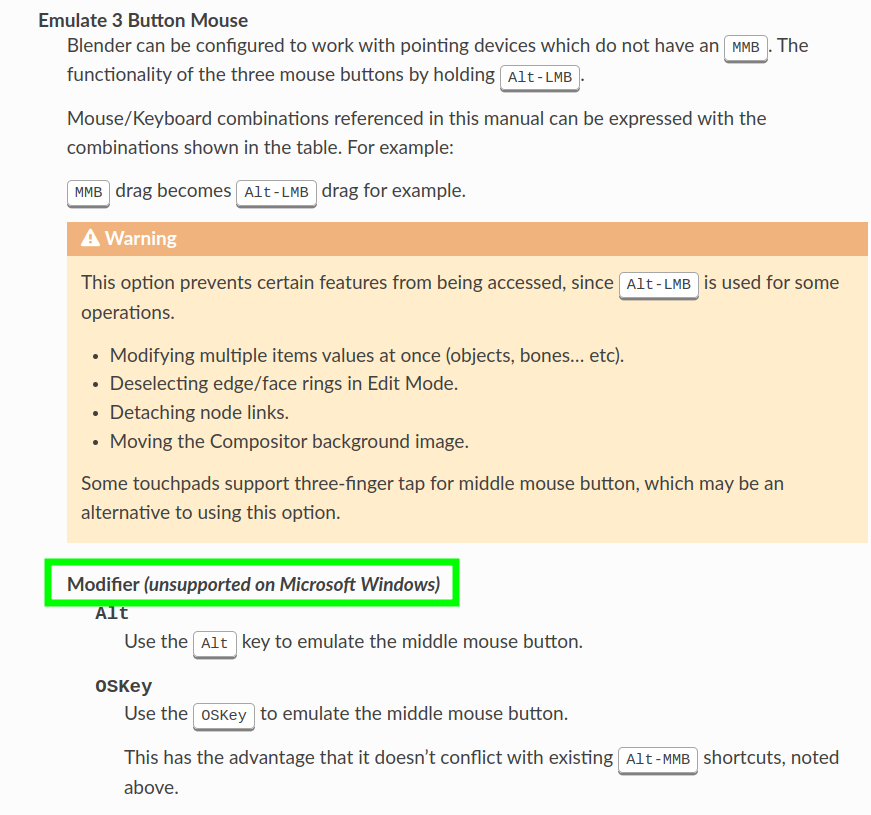
        You may be using Emulate 3 Button Mouse, that basically gets a hold of the Alt key. Try turning it off and see if Alt works after that:

        mulate 3 B Mouse.png

        #78883
        steveeger
        Participant

          Yes! That’s it, thank you!

          #78884
          Martin Bergwerf
          Participant

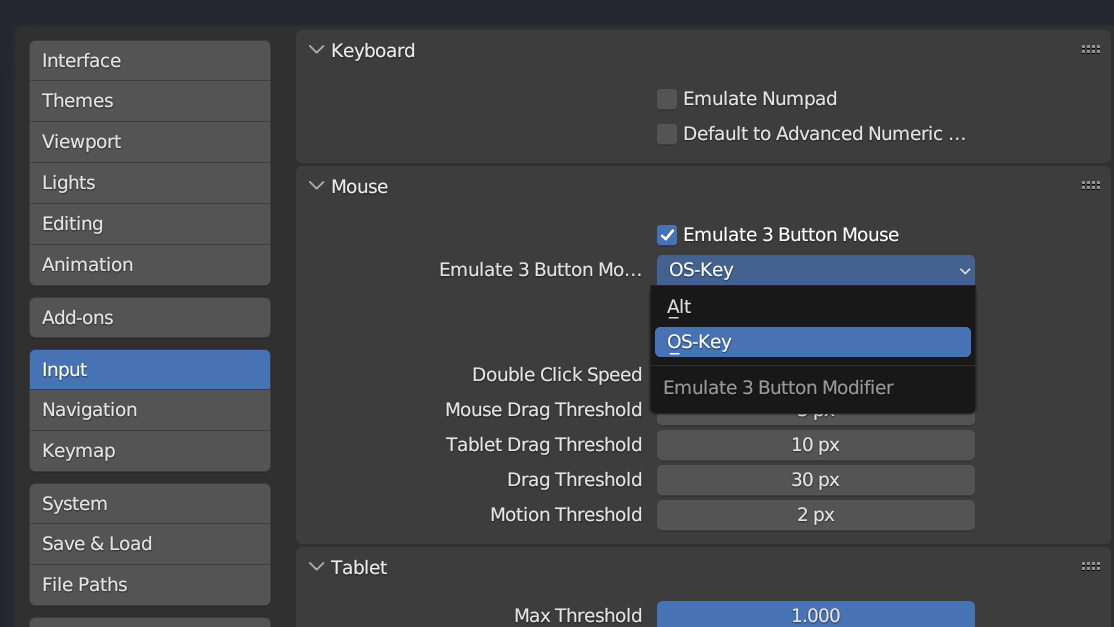
            …and, if you want both, you can use the OS key, to emulate and have the ALT key free:

            Emulate.png

            #78885
            Omar Domenech
            Participant

              Oh nice, I didn’t know that. That should be the default.

              #78886
              steveeger
              Participant

                Which version of Blender are you using? 3.5 doesn’t seem to have that OS-Key option.

                #78887
                Omar Domenech
                Participant

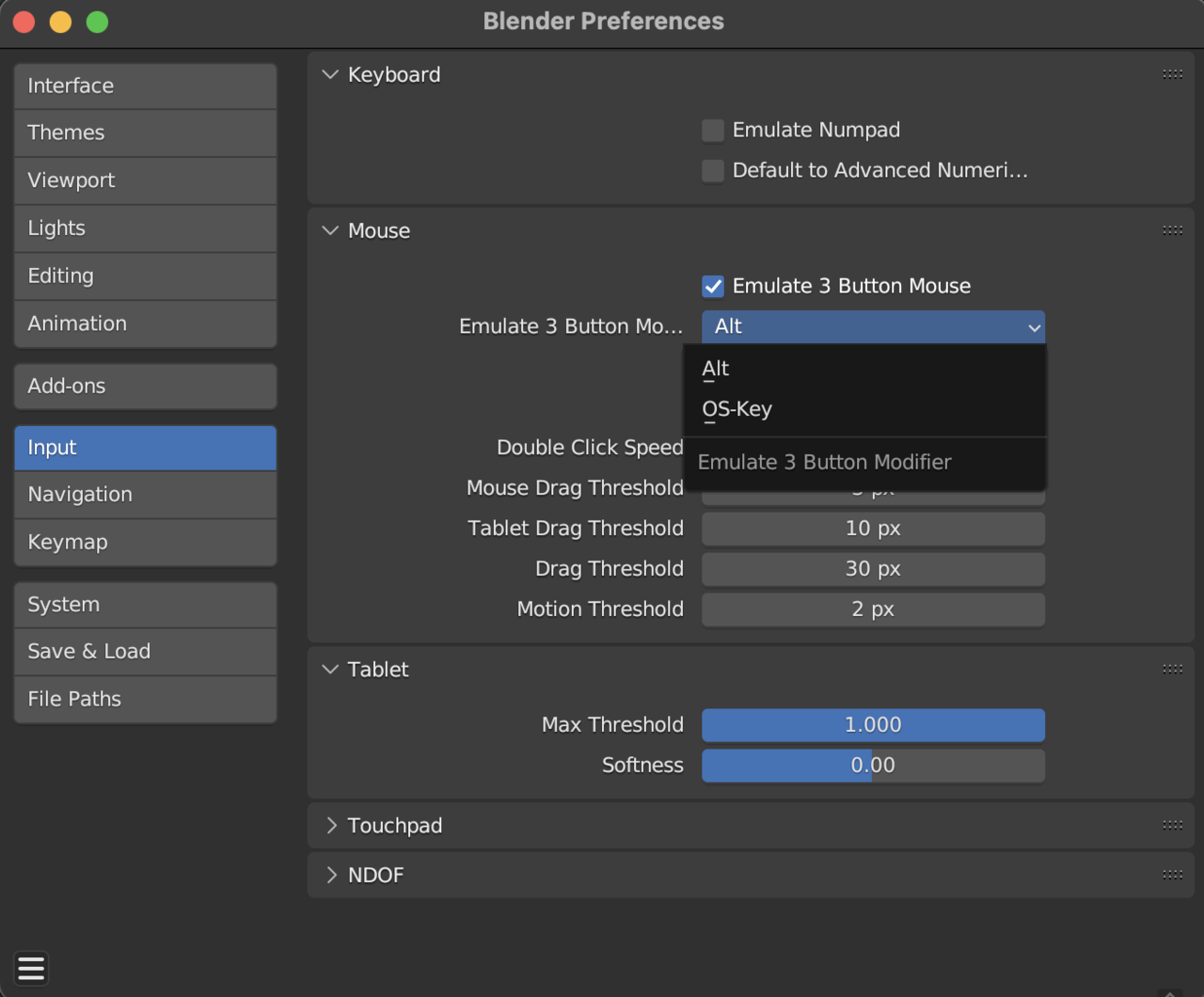
                  I’m using 3.5.0 and I can see it in this one:

                  Alt OS Key.png

                  #78888
                  Martin Bergwerf
                  Participant

                    @steveeger ,

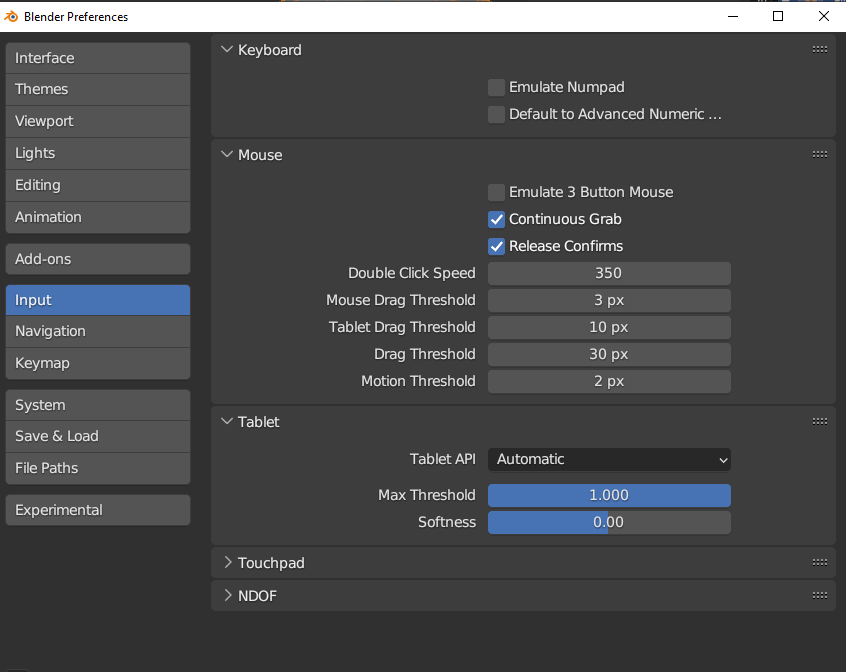
                    Maybe you can’t see it, because you need to enable the Emulate 3 Button Mouse first…???

                    The feature has been around for quite a while now; in the earlier versions it was visible at all times, like in 2.83, but maybe in more recent versions they changed that…

                    As you can see in Omar’s first screenshot, it wasn’t there, but in his second one, it was…

                    …Or wait, the first one was from Windows and the second from MacOS….

                    #78889
                    Martin Bergwerf
                    Participant

                      Okay, found it:

                      Emulation.png

                      #78890
                      Omar Domenech
                      Participant

                        Nice catch Martin. Now we know. Another tiny thing Mac users get for a better user experience.

                        #78891
                        Nathi Tappan
                        Participant

                          But we don’t get the extra juicy graphics card… 😉

                          Unfortunately the OS key is too far off the way for my small hand with bad tendons,  so I found another way around it (in case it can be used to someone): apply the change once, then select all others, right click and copy to selected.

                          #78892
                          Ethan ⚡️
                          Participant

                            @nathitappan Excellent suggestion. This legit might be the best approach outright — in lieu of having to commit a shortcut trick to memory, haha.

                            #78893
                            Nathi Tappan
                            Participant

                              @CypherPoet fair! Though I’ll be honest… That was a real long time ago and I ended up forcing myself to get used to the OS Key instead and freeing up my option key. Far too many uses for opt in Blender and I was missing them all. Particularly in rigging. I think that’s when I decided I had to get used to it.

                              So both work, but a year later I changed my mind: OS key for the win. 

                              #78894
                              Ethan ⚡️
                              Participant

                                @nathitappan Nice! Sometimes, I like the explicit and declarative nature on context menus — but fair enough, indeed 😀

                                #78895
                                Dwayne Savage
                                Participant

                                  Additional information for Y’all. Select the The fields like normal(Single is click, multiple is click drag) Then enter value and press alt+enter. This work in both emulate middle mouse button and no emulation.

                                Viewing 15 posts - 1 through 15 (of 16 total)
                                • The topic ‘I can’t edit properties of multiple objects with ‘Alt’ selected’ is closed to new replies.