Help copying material properties please! ๐Ÿ™๐Ÿป

Forum Archive Help copying material properties please! ๐Ÿ™๐Ÿป

Viewing 5 posts - 1 through 5 (of 5 total)
  • Author
    Posts
  • #16224
    Rich Taylor
    Participant

      Hey folks, can anyone explain what I’m doing wrong here please? I didn’t create any of these assets, I’m merely trying to get this piece to match the properties of the main model. See video, thanks! ๐Ÿ™‚

      #78633
      Omar Domenech
      Participant

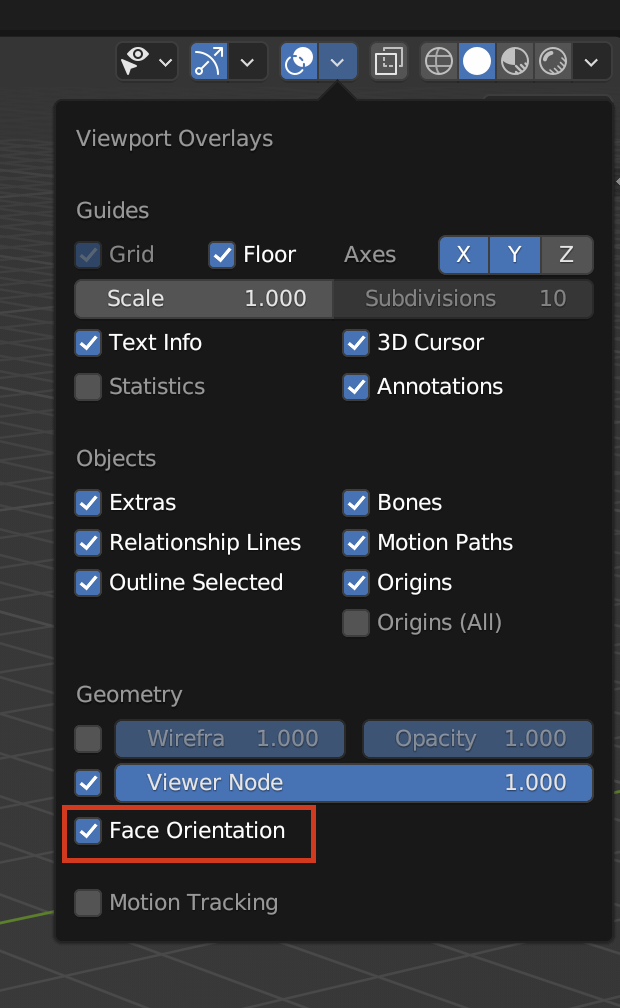
        You might have flipped normals. Turn on Face Orientation in the Overlays and see if it’s red. If it is then in Edit Mode select everything and then Shift + N to recalculate the normals

        Face Orientation.png

        #78634
        Rich Taylor
        Participant

          Thanks, they were flipped. I’ve fixed that now but the shading still seems inverse somehow? Dark side on top, light on the bottom. Opposite to the main model?? Is it somehow locally set upside down? Sorry if these are simple questions!

          ๐Ÿ˜ฉ

          #78635
          Martin Bergwerf
          Participant

            Hi Rich @CGDad ,

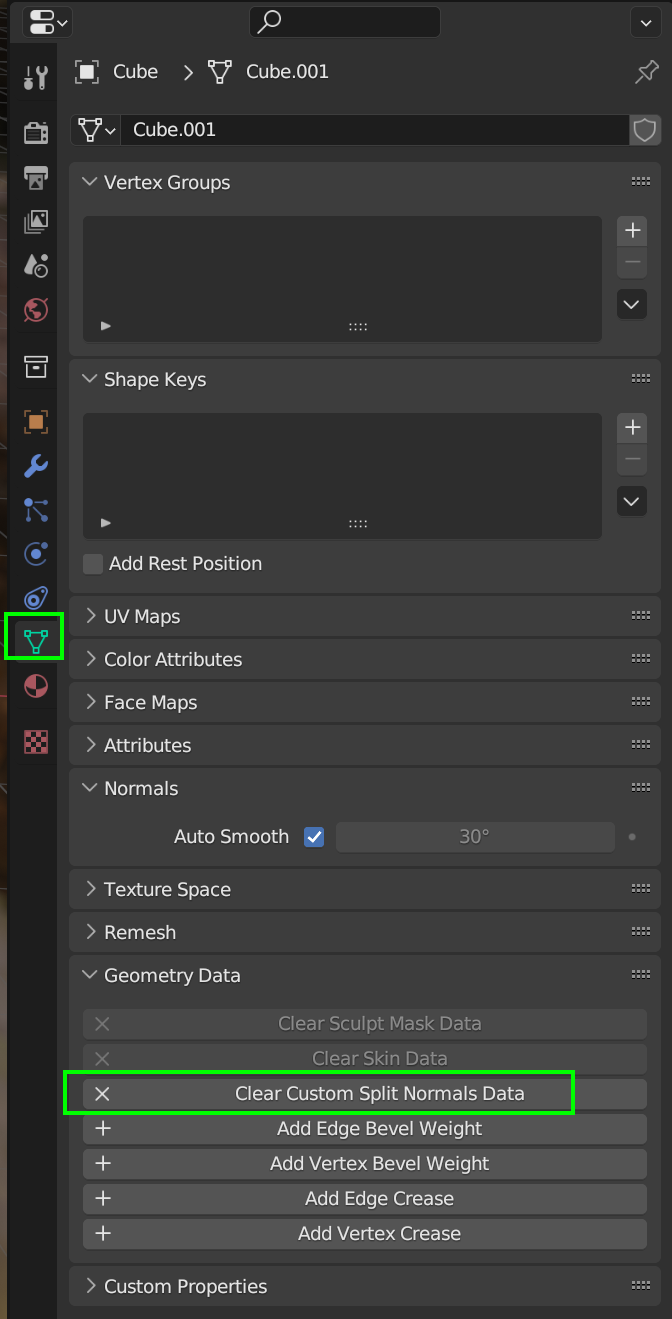
            you might have Custom Normals on one or both of the Objects. You can clear them here:

            CustomNormal.png

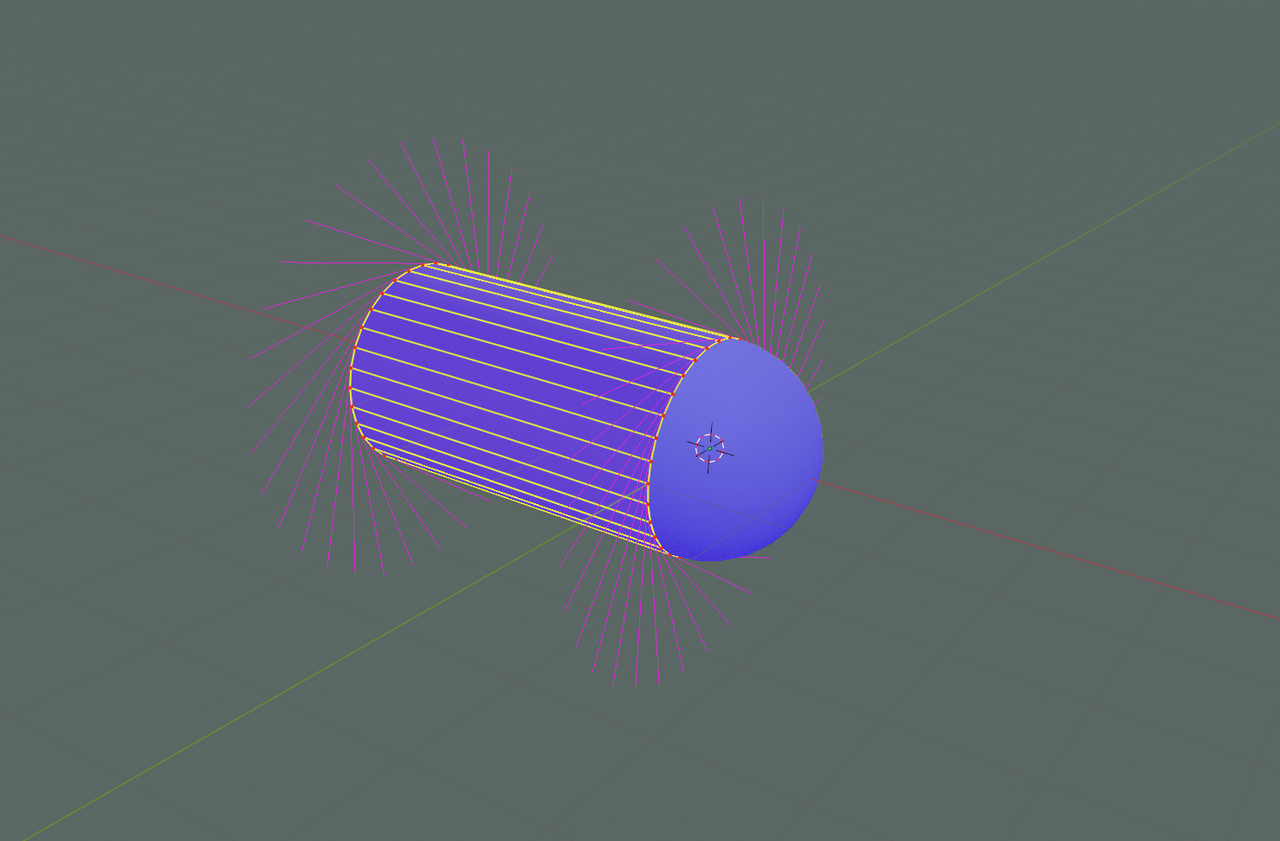
            This might look something like this, the Normals are all facing outwards, but on the Cylinder, they are rotated:

            RotateNormal.png

            #78636
            Rich Taylor
            Participant

              Boom!! ๐Ÿ”ฅ Thanks Martin!! Didn’t even know that was a thing. Far too advanced for me at the moment so appreciate the help! I imported is as a .dae file so not sure if that’s “normal” (wasn’t an intented pun, but I’ll take it!) but I’ll know what to do in future now. I owe you a beer! ๐Ÿป

              Rich

            Viewing 5 posts - 1 through 5 (of 5 total)
            • The topic ‘Help copying material properties please! ๐Ÿ™๐Ÿป’ is closed to new replies.