My Light Keeps Moving On It’s Own?

Forum Archive My Light Keeps Moving On It’s Own?

Viewing 8 posts - 1 through 8 (of 8 total)
  • Author
    Posts
  • #16011
    Alex S
    Participant

      Okay, this is a really weird issue I’m having.

      I’m working on the low poly room exercise from the Fundamentals of 3D Mesh Modelling in Blender course, and I keep doing quick renders to check how an object is coming out and have started having a bizarre issue where my light keeps moving on its own when I render?

      I will have the light set up like this while working (I tried locking the transform options in hopes that it would fix the problem, but it has not).
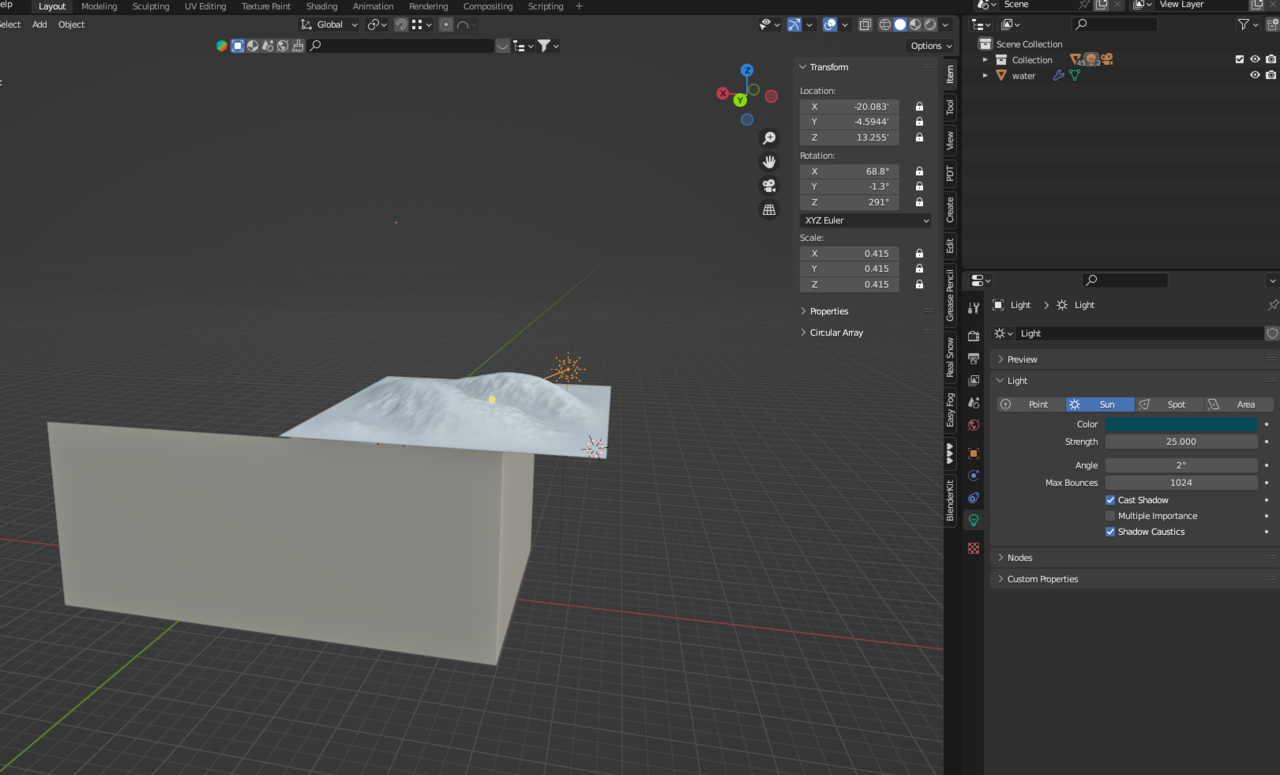
      Screenshot_1.png

      Then I will do nothing but hit render image in the render menu and the lighting in the render will look wrong, so I’ll swap from the image preview that pops up as it renders to the main Blender window and
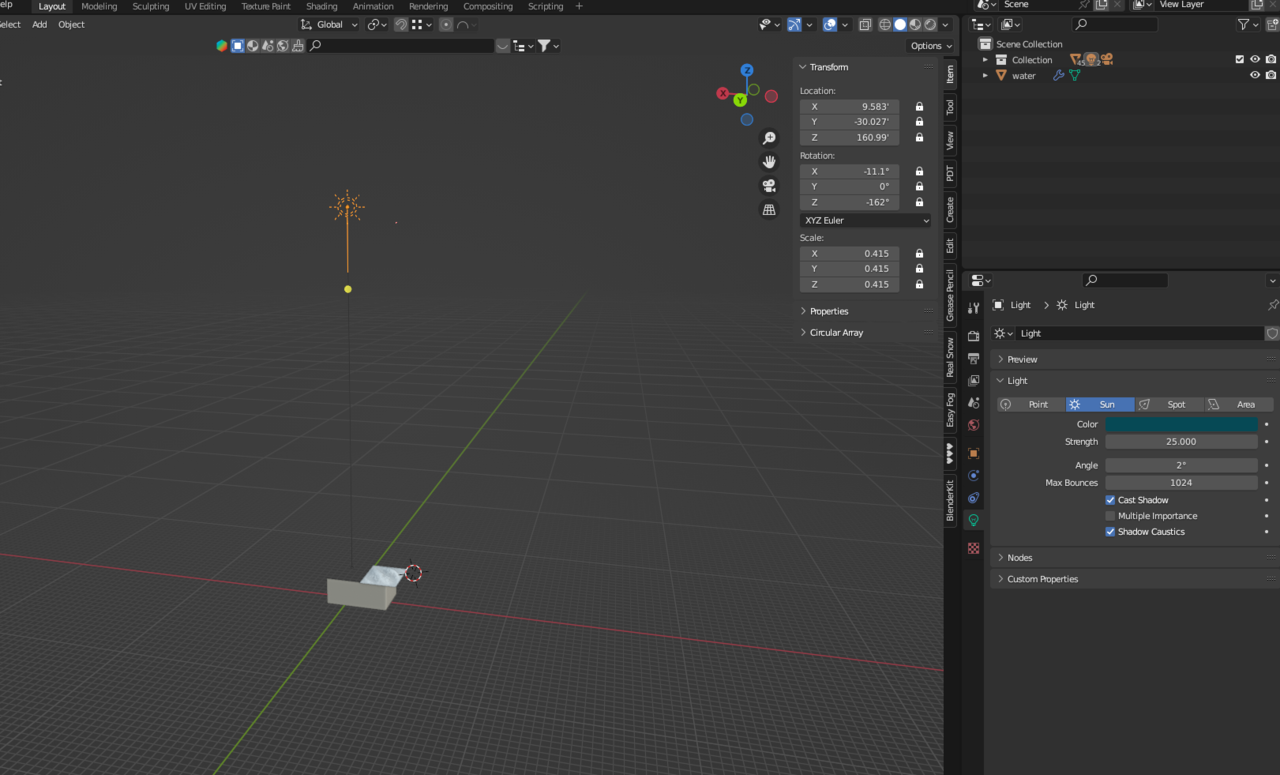
      Screenshot_2.png

      The light is way out there now?

      I don’t get what is happening here? Why is it moving? How do I make it stop and stay where I wanted it? It wasn’t happening earlier either, I don’t think, but I don’t recall doing anything that would mess with it.

      #77843
      Craig Wieland
      Participant

        Because the sun is (effectively) infinitely far away, the position of this lamp does not matter, only its direction. I do find it strange that it is moving. have you checked to see if it has animated keys? 

        #77844
        Alex S
        Participant

          Yeah, I had it close so I could fiddle with the angle as needed without having to zoom about looking for it (after doing exactly that for a while).

          I hope it doesn’t have animated keys because I don’t know what that means or how to even check.

          #77845
          Martin Bergwerf
          Participant

            Hi Alex @mksam4242@yahoo.com ,

            What?! An object with it’s Location locked is moving????

            Weird, or even impossible (well, it’s happening, so it’s not truely impossible). My only guess is, that one of your Addons is doing that…

            It doesn’t have any animation keys on it (that would show in the N-panel).

            #77846
            Omar Domenech
            Participant

              How about if you just delete the sun and add a new one? That sounds like how Gods would speak to one another.

              I’m guessing the new sun will not have that problem, so give that a try. But if that solves it, still I would love to have an answer though, my inquisitive mind demands to know what was behind this crazy situation. It has to be animation keys and as Martin says, possible due to an addon.

              #77847
              Craig Wieland
              Participant

                If possible can I get a copy of the blend file. or may I suggest opening the file in a different blender without all the add-ons.

                #77848
                Martin Bergwerf
                Participant

                  The easiest way to disable all Addons is to go to File > Defaults > Load Factory Settings and then open your problematic .blend file.

                  At least we’ll know in which direction to look for the culprit. (I’m really curious as to why this is happening 🤔)

                  #77849
                  Alex S
                  Participant

                    It was an add-on! I completely forgot I had the sun position add-on from using it in a tutorial a while ago, which was moving the sun back to a normal position for a sun to be!

                  Viewing 8 posts - 1 through 8 (of 8 total)
                  • The topic ‘My Light Keeps Moving On It’s Own?’ is closed to new replies.