messed up a cylinder origin and left at world center after added cylinder was moved elsewhere

Forum Archive messed up a cylinder origin and left at world center after added cylinder was moved elsewhere

Viewing 3 posts - 1 through 3 (of 3 total)
  • Author
    Posts
  • #15967
    Andy Grogan
    Participant

      Hey all,

      I messed up a cylinder origin and left it at world center after added cylinder was moved elsewhere.

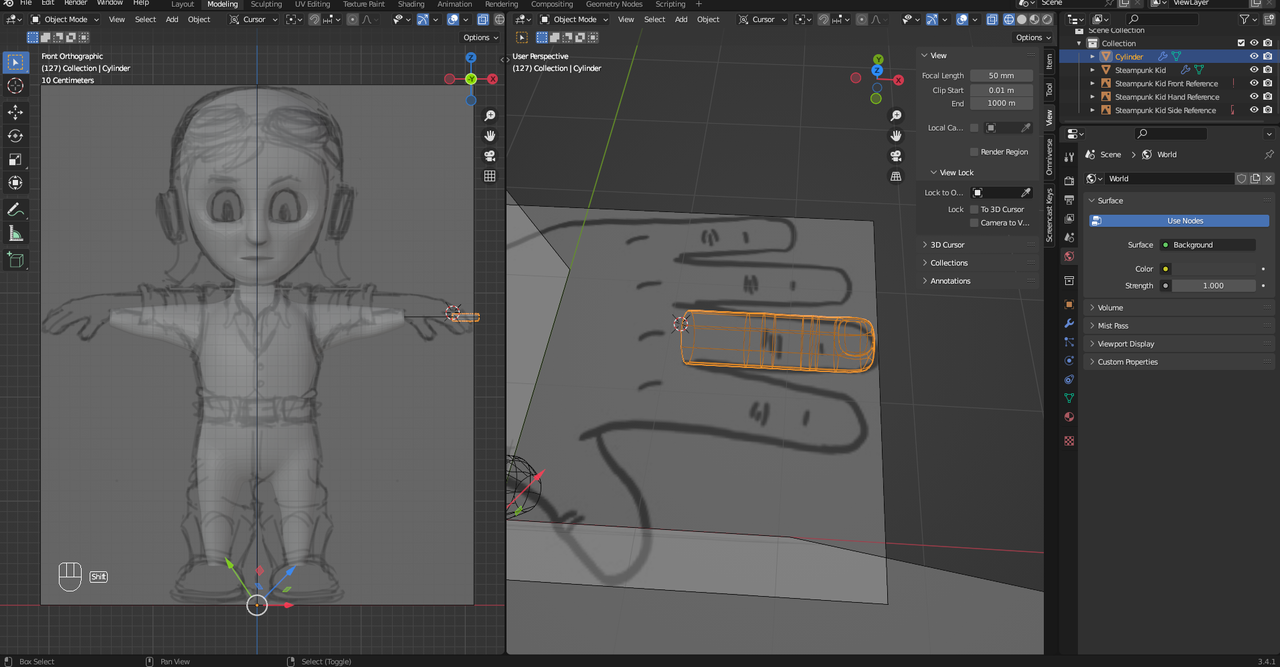
      If you look at the image of the selected cylinder edited into a finger you can see the gizmo that show the location of the finger/cylinder is still at the world origin while the finger/cylinder itself is in the location of where the hand will be. I need to move the origin of the cylinder to the bottom top vertex on the finger/cylinder because that finger/cylinder is going to be duplicated 4 times and moved/scaled into place for the other 4 fingers.

      How do I do that? Thanks! 

       after moving it.png

      #77679
      Omar Domenech
      Participant

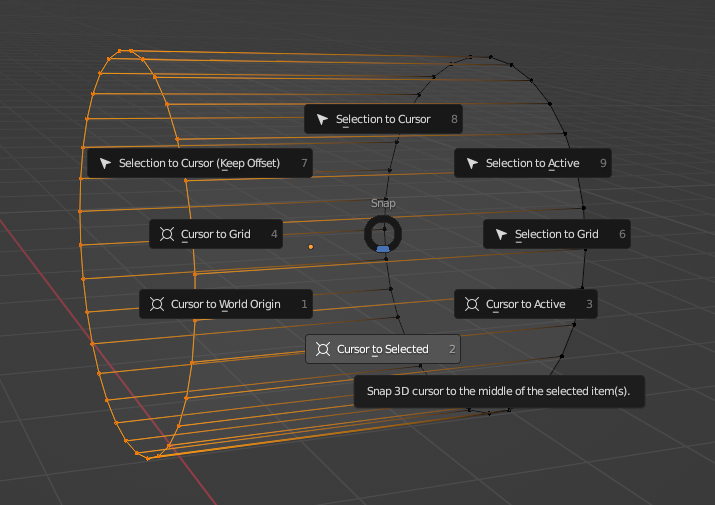
        There’s a couple of ways. First you can go into edit mode, select the loop of vertices, Shift + S and cursor to selected and then in object mode, right click, set origin and to 3d cursor. 

        Cursor selected.png

        Origin 3d.png

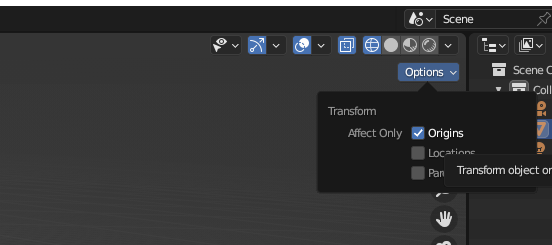
        You can also just move your origin manually by turning on Origins in the Options menu:

        Origins.png

        #77680
        Andy Grogan
        Participant

          Thanks very much. That got it.

        Viewing 3 posts - 1 through 3 (of 3 total)
        • The topic ‘messed up a cylinder origin and left at world center after added cylinder was moved elsewhere’ is closed to new replies.