
Are faces that cover other faces BAD?
Forum Archive › Are faces that cover other faces BAD?
- This topic has 15 replies, 3 voices, and was last updated 3 years, 9 months ago by
Omar Domenech.
-
AuthorPosts
-
November 30, 2022 at 1:43 pm #15682
Hi
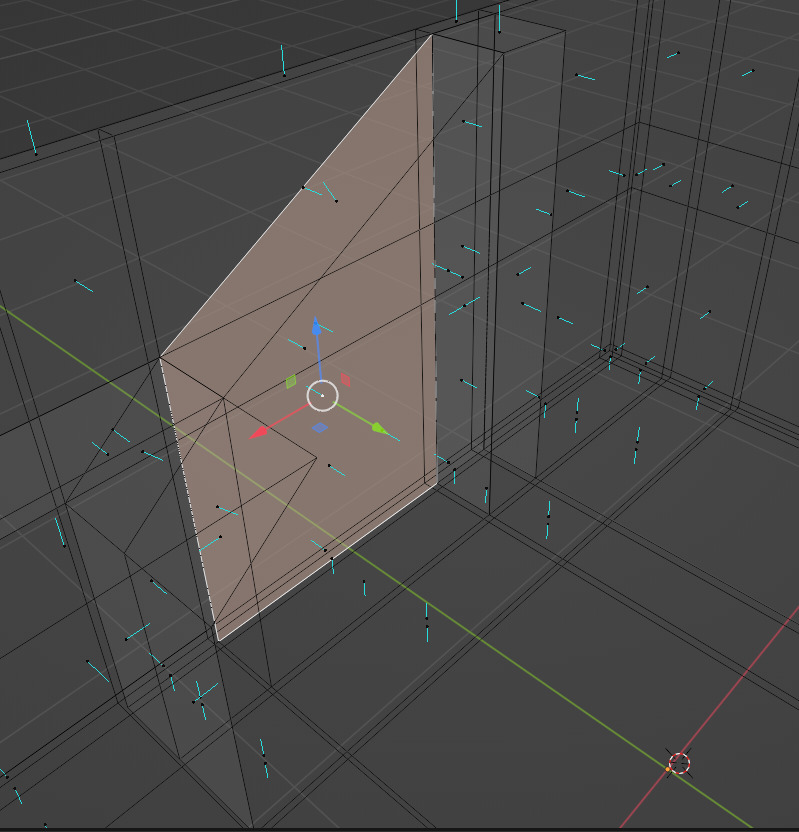
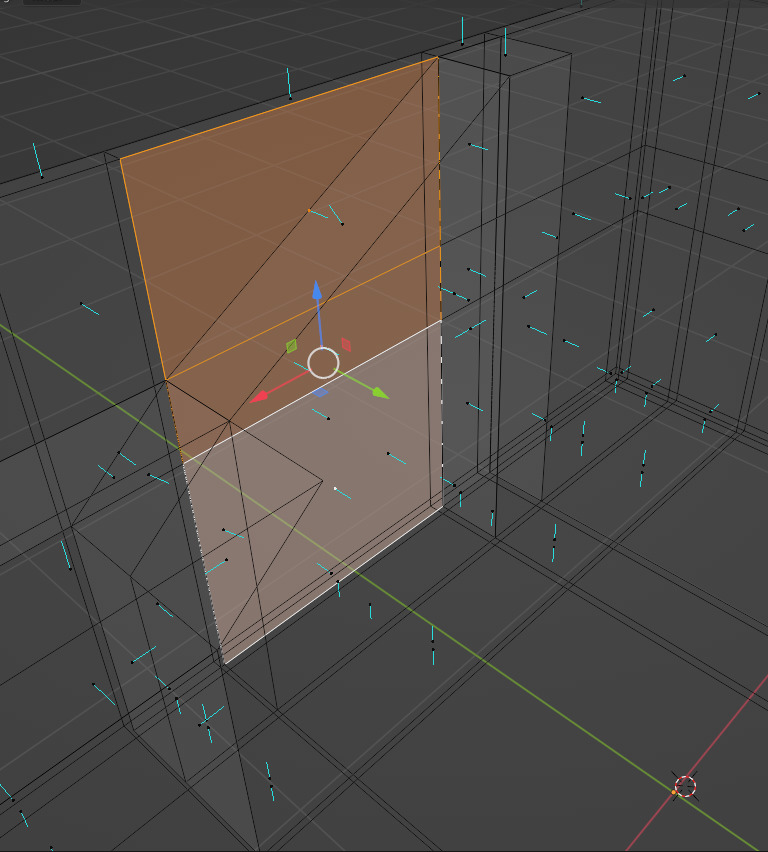
Trying to build my room in blender. I am making this slanted wall where the fireplace sits. I have extruded from the floor to the top as you can see. However, the slanted back face of the extruded wall covers 3 faces behind it.
Is this problematic? Ie for rendering or exporting to other programs such as Unreal?
Or do I want to avoid ‘doubling’ faces for a cleaner mesh?

 November 30, 2022 at 1:56 pm #76533
Answered my own question. It is. I can’t (obviously) bevel that edge ffs. How would I go about joining this extrusion to the normal walls of the room without creating non-manifold geometry?
November 30, 2022 at 3:57 pm #76534Hi @neishy ,
I’d probably make it something like:

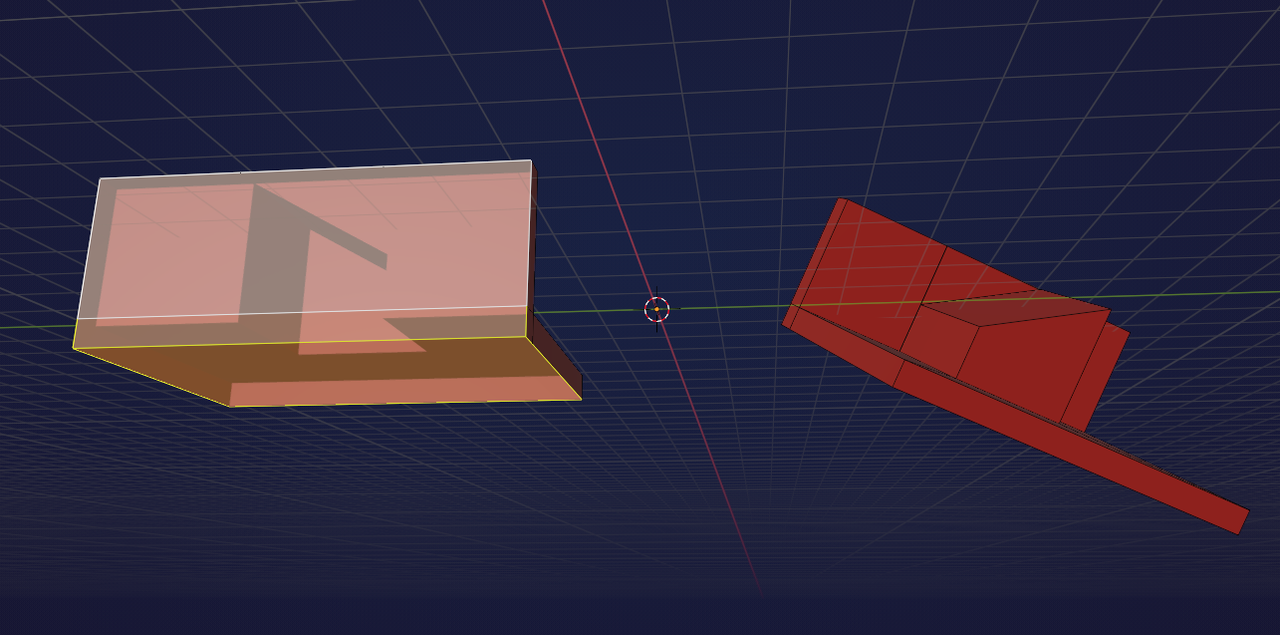
The left one is for better seeing what is happening, in the middle one the ‘hole’ is filled with that Face. This way the wall has thickness, which is good.
You can fill the bottom as well if you want, but don’t worry about making it non-manifold, if you’re not going to 3d print it, use Booleans or use a Subsurface Scattering on the walls or floor.
November 30, 2022 at 4:20 pm #76535Thanks. If you fill it with a face surely that creates an n-gon?
November 30, 2022 at 4:23 pm #76536And also, I can see a tri where the slanted wall is. Surely quads are preferable over tri?
November 30, 2022 at 4:24 pm #76537Yes, that’s an N-gon.
That is not a problem, unless you want to add a Subdivision Surface Modifier on your model.
November 30, 2022 at 4:26 pm #76538Same for the triangle. You can make it all quad, if you want to, but there is absolutely no reason for that in this case.
November 30, 2022 at 5:57 pm #76539Thanks. I see, I see. So non-manifold geometry isn’t really a problem, unless you’re 3D printing? Are you sure it won’t cause issues in other render engines?
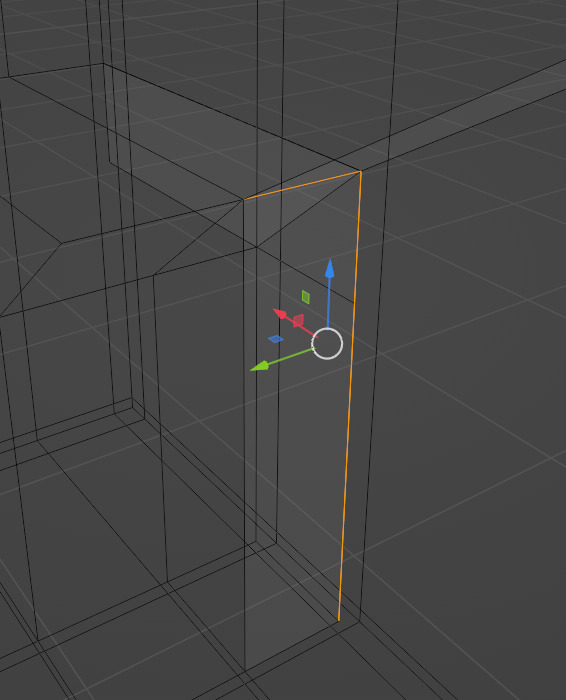
But if I did I want to get rid of non-manifold geometry, like in the instance above, how would you suggest fixing it? Thanks.
November 30, 2022 at 6:34 pm #76540Also, side question. Do you know what’s causing this weird shading ‘bloom’ artefact on my mesh? Worried it could be something to do with topology. Thanks
 December 1, 2022 at 3:05 am #76541
I am pretty sure that no Renderer has a problem with non-manifold geometry, after all, a Plane is non-manifold.
But you can give the floor some thickness, if you want to:
I don’t know what is causing that shading. Maybe try changing the Viewport Lighting to see if it’s persistent (try the different options, Shadow and Cavity are also fun to play with):
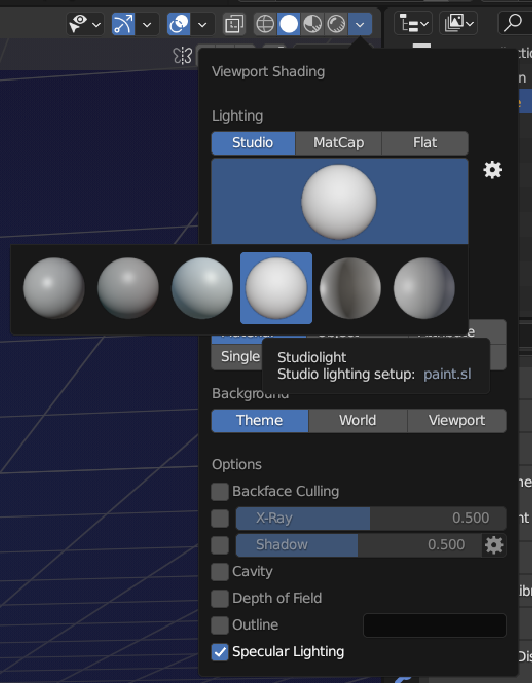
It could be a topology problem; with the whole Mesh selected, try M > Merge by Distance, followed by SHIFT+N.
December 1, 2022 at 10:18 am #76542Ok, I won’t worry about non-manifolds for now.
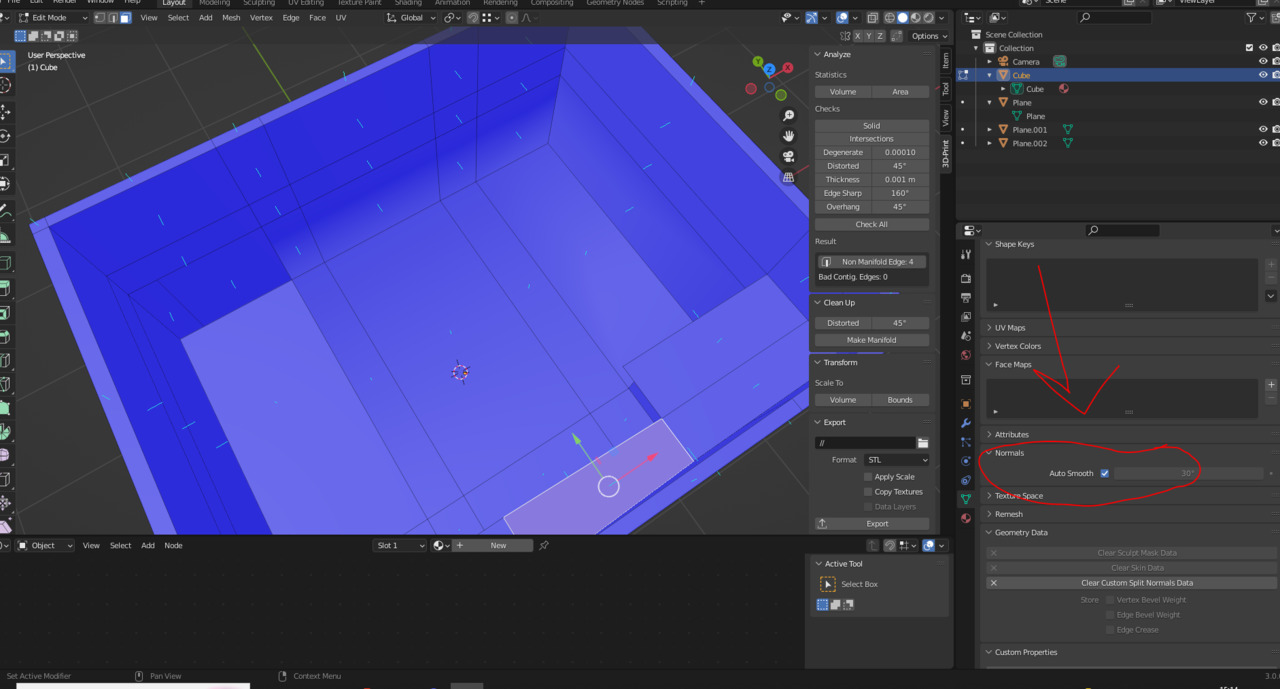
By chance, I found the fix for the weird shading. I had auto-smooth for normals turned on. Unchecking the box fixes it.
Do you have any idea why? And what does auto-smooth do?
 December 1, 2022 at 11:12 am #76543
Hey @neishy ,
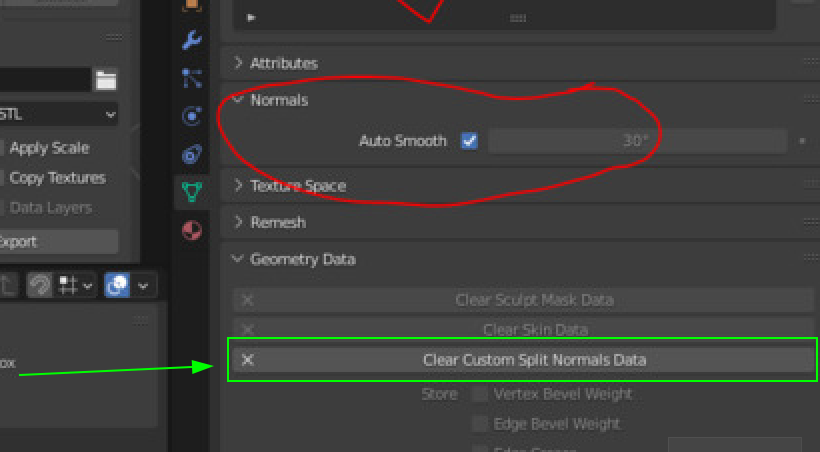
it was not so much the Autosmooth per se, as the fact that you have Custom Split Normals (and no, I have no idea how you got them).
You should clear them here:
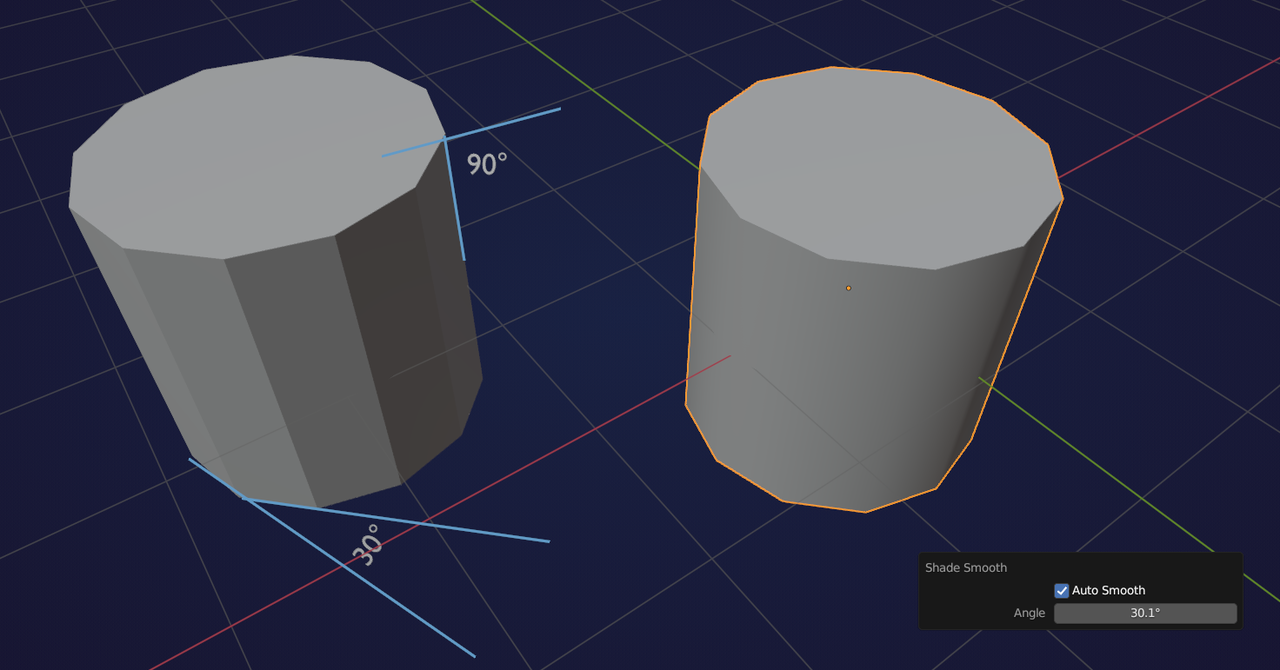
Auto Smooth shades angles below the given Treshold Smooth and the others Flat. Mind how the angles are measured though:
 December 1, 2022 at 11:33 am #76544
And I highly recommend that you take this fundamentals of mesh modeling course:
https://cgcookie.com/courses/fundamentals-of-3d-mesh-modeling-in-blender
December 2, 2022 at 8:14 am #76545The old school simple way of checking to see if you have errors is by seeing if an edge loops goes all the way. If you see it stop, you know there is a problem.
If you’re suspicious that something is wrong with your mesh, there are various mesh analyzers on the Blender Market. They are very useful and point out any errors in your topology. Here’s a link for one of those:
December 2, 2022 at 11:22 am #76546Thanks guys. Well, I did follow that course about a 1 yr ago haha. And since then I’ve been focusing on other aspects (texturing, nodes, sculpting, animation, lighting etc.), which resulted in me forgotting some pretty basic and important things. But I’ll check it out again.
I was playing around with the normals when trying to the get the bevel tool to work, before realising I need to apply scale first. That’s why I set custom split normals data.
Thanks for the mesh analyser addon suggestion. Are there are other addons you recommend for modeling?
Is there an addon that fixes polygons, for example?
-
AuthorPosts


- The topic ‘Are faces that cover other faces BAD?’ is closed to new replies.