Why is my render image looked so different than viewport shading?

Forum Archive Why is my render image looked so different than viewport shading?

Viewing 7 posts - 1 through 7 (of 7 total)
  • Author
    Posts
  • #15567
    garyhohk
    Participant

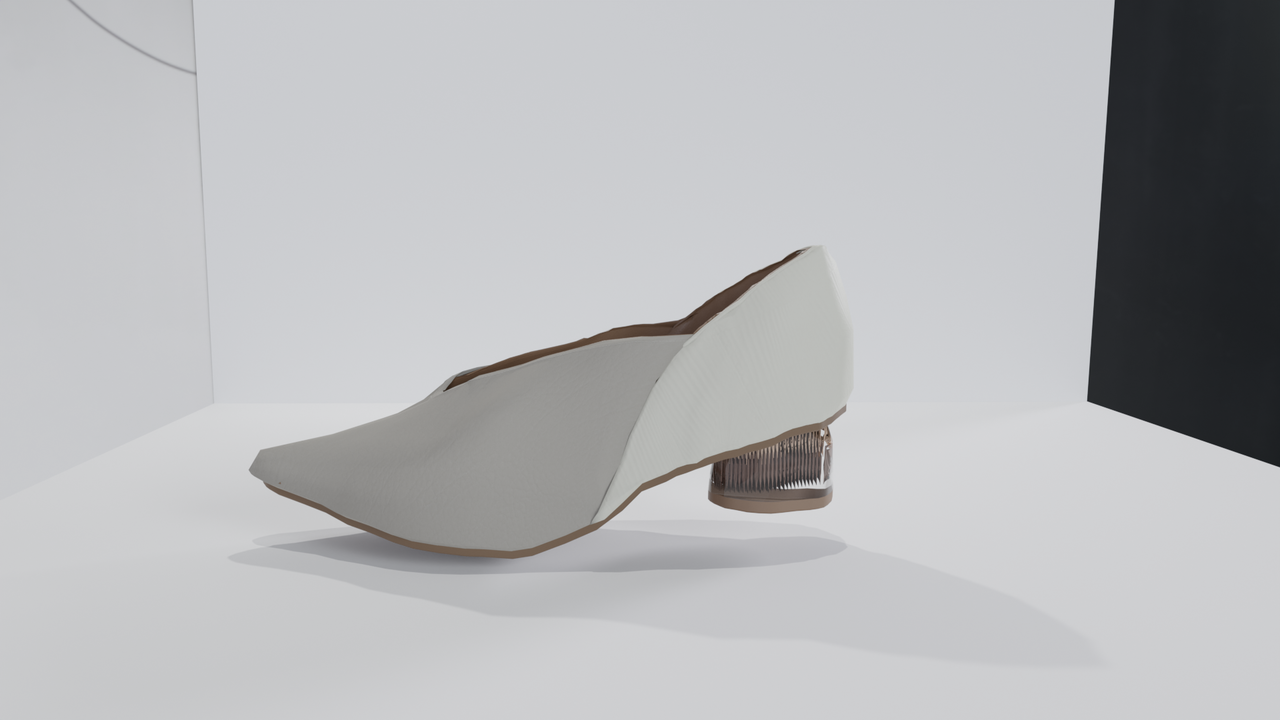
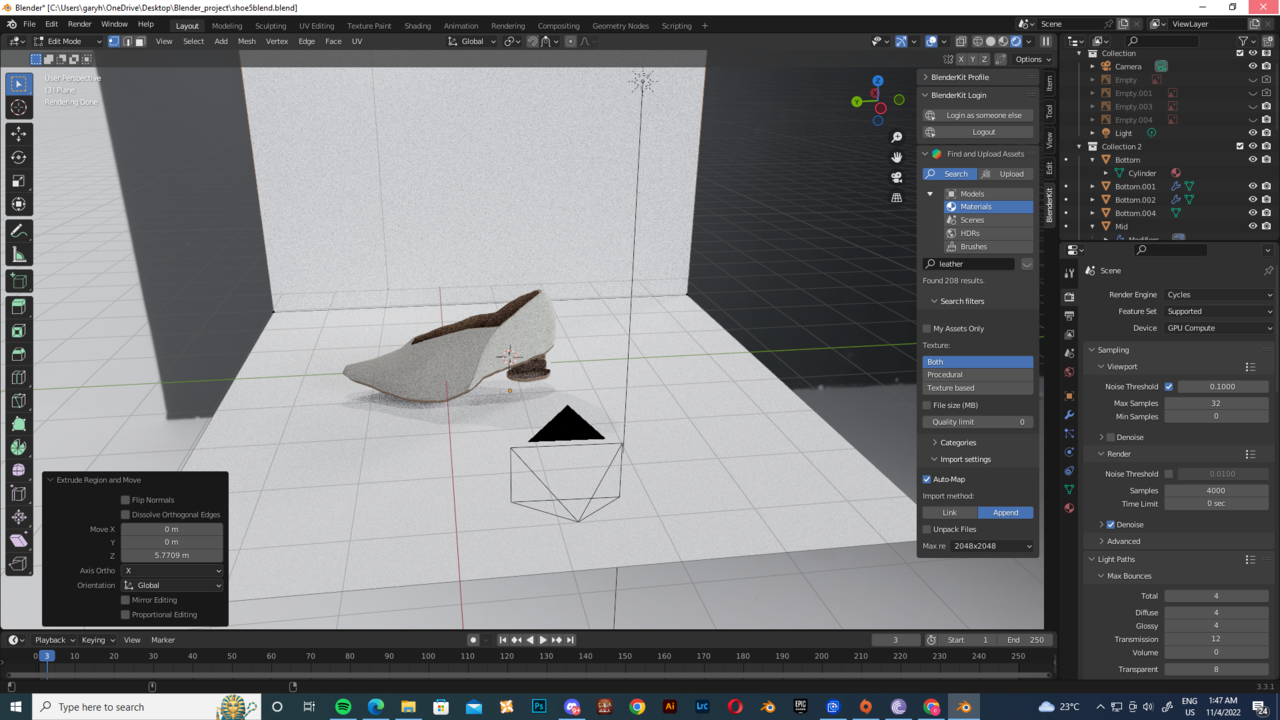
      Would love to have some tips on improving my work and here are the image and file.Sampling.pngScreenshot (70).png

      Here is the link for my file. https://drive.google.com/file/d/1tV65wnzs0h6Hv0KP9uKvC4Z7yOaDvLS1/view?usp=sharing

      Thank you!!!!

      #76024
      Omar Domenech
      Participant

        The render and the screenshot of the viewport look very alike, hard to spot some difference. What do you feel needs improving? The lighting is good, the model looks very jagged and low poly. You could alter the composition, find a better camera angle. Try getting a little bit of depth of field if you can. Let some shadows in, so you get some gradient in your shoe. The shadows it’s casting only by the lights is very harsh, you could make the radius bigger so you get some soft shadows. 

        #76025
        garyhohk
        Participant

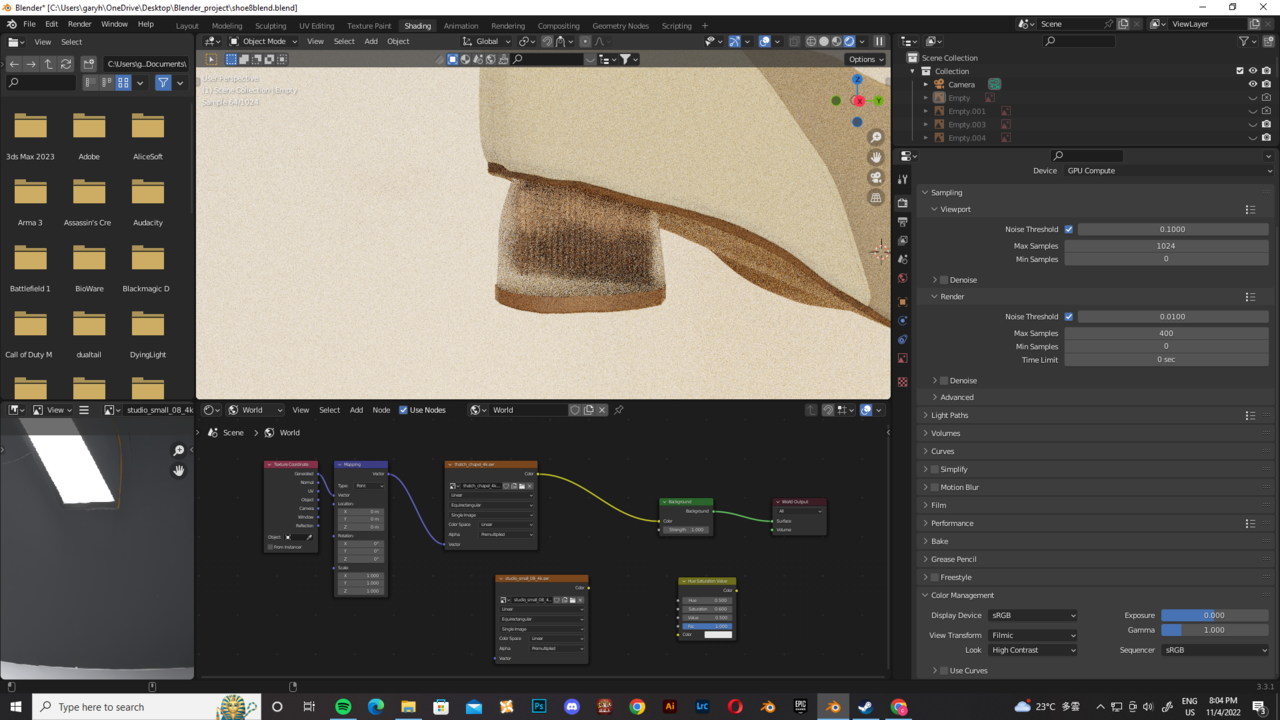
          Screenshot (71).png

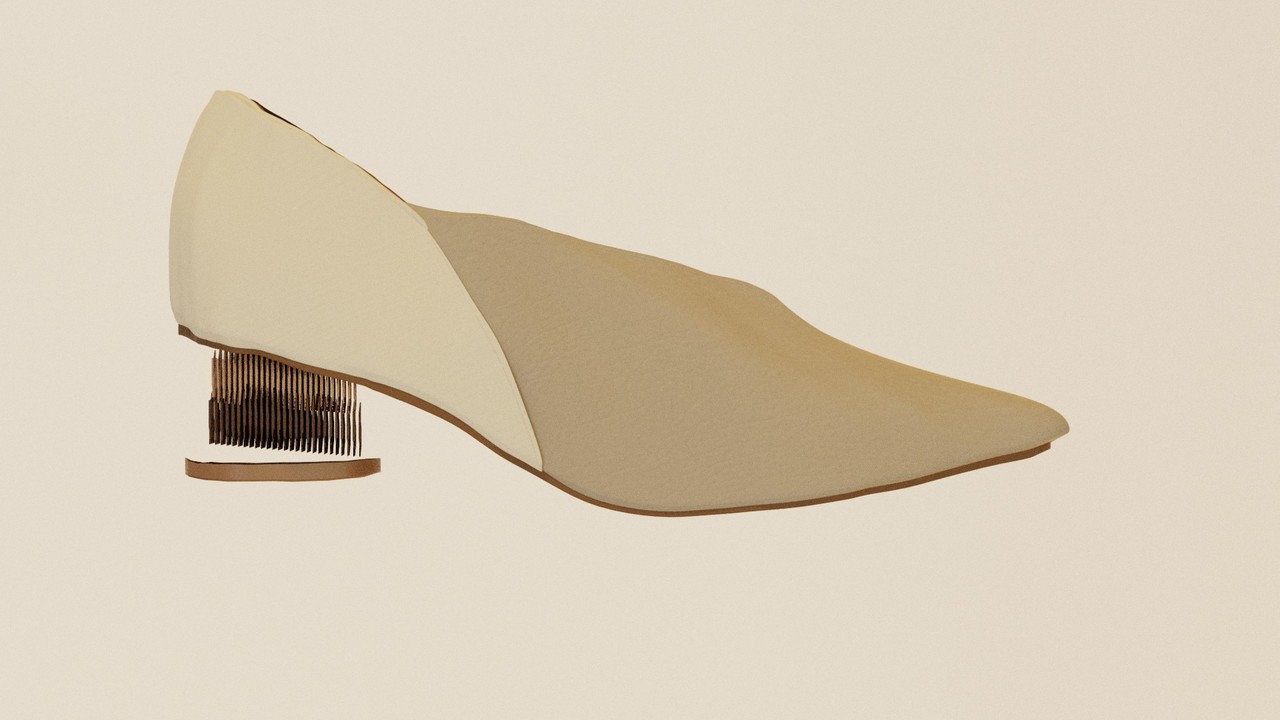
          1142022.jpg

          The roughness is gone in final render

          #76026
          Omar Domenech
          Participant

            Check if that’s a separate object and if so, it may have the camera render icon disabled. Also that seems to be a transparent or translucent material, check your bounces in the render settings, they might be low.

            #76027
            Martin Bergwerf
            Participant

              Hi @garyhohk ,

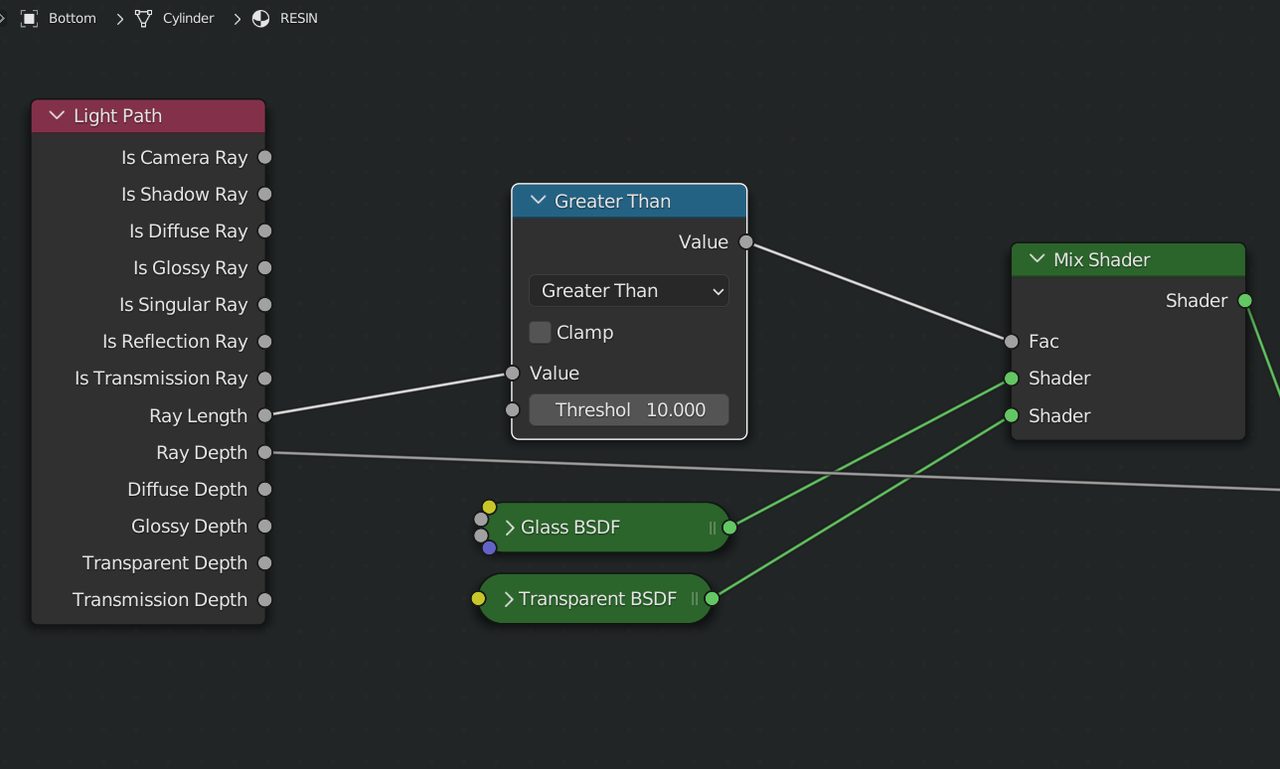
              I think that the problem is in your Material; you are using the Ray Length output of the Light Path Node and that gives different values for the Viewport and the Camera View, so the Render (using the Camera) might give a value higher than 10, meaning, in your set up the greater than 10 Math Node gives a result of 1 and the Mix then uses the Transparent BSDF, while the Viewport might give a Ray Length of less than 10, resulting in the use of the Glass BSDF:
              RayLength.png

              May I invite you to join us on the Discord Q&A Livestream tomorrow, where I am planning to explain the Light Path Node in detail (and, if time allows) give a fun modeling demo…My colleagues will also have some interesting talks and questions can be asked during the stream and (hopefully) will be answered.

              #76028
              garyhohk
              Participant

                That will be great. This is a project I working on for a client as my freelance work. It will be great if we can keep this as low key even though I don’t do this against anything with my client.

                #76029
                garyhohk
                Participant

                  It works if I turn the value to 20. Thank you!!!

                Viewing 7 posts - 1 through 7 (of 7 total)
                • The topic ‘Why is my render image looked so different than viewport shading?’ is closed to new replies.