Not Getting a smooth/similar false color result

Forum Archive Not Getting a smooth/similar false color result

Viewing 6 posts - 1 through 6 (of 6 total)
  • Author
    Posts
  • #15453
    Oscigator
    Participant

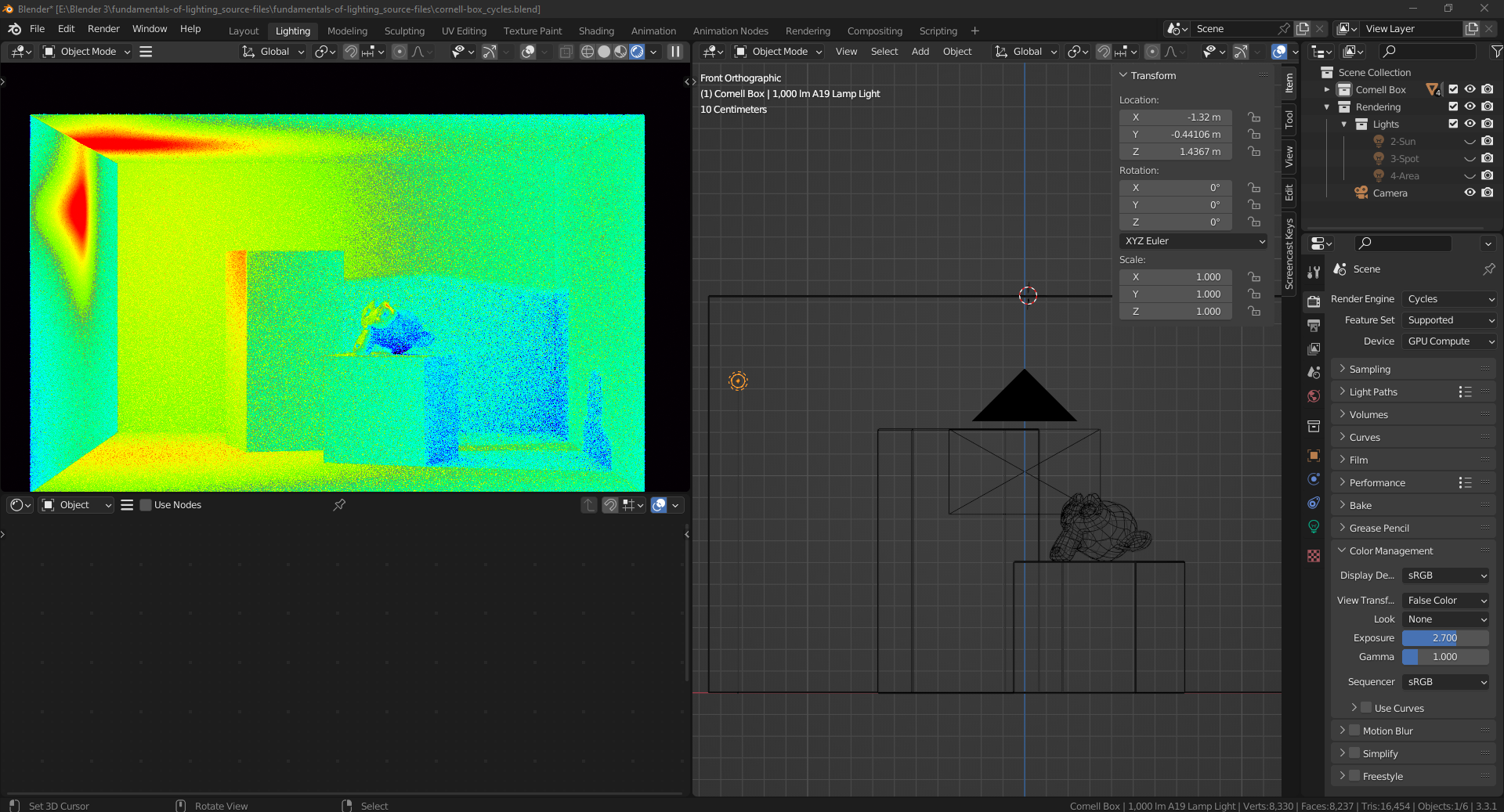
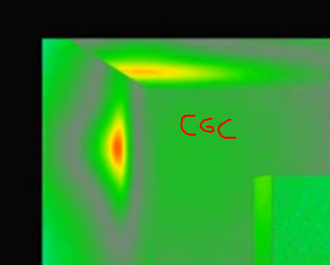
      Seems even with the same color management settings and bulb placement @2:37 my results dont seem to have a similar red area and the gradation between colors seems soother in the video than mine as well. Also feel like the noise I am getting is a lot more intense on my render view port than in the video and don’t know what can be done for that. Any help would be appreciated.

      #75568
      Martin Bergwerf
      Participant

        Hi @doxr ,

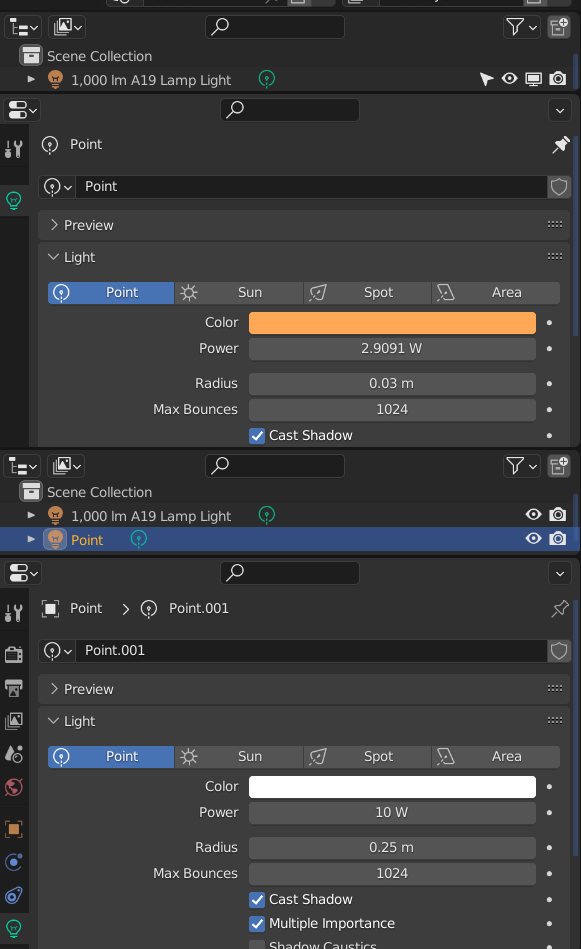
        That might have something to do with the fact that you are using a completely different Light than Jonathan uses in this lesson:

        FalseColor.png

        The bottom (default Point Light) is what is used in the video.

        #75569
        Martin Bergwerf
        Participant

          If there still is a difference when using the same Light, that might be because the Cycles code has been re-written. It is a lot faster now, but some of that speed is due to some shortcuts that are being taken…shouldn’t be to much of a difference in how your Renders look, but False Color might show some.

          #75570
          Omar Domenech
          Participant

            Yes don’t worry too much about it, there’s a lot of little things that come into play when messing around with render settings. In the video there could’ve been lots of tweaking that wasn’t shown, like light bounces or light portals, not to mention updates on Blender itself.  The power of your light, how close it is to the wall, etc., it all plays a part. For the noise in your scene it also depends on various things, you’d have to have an exact replica of the scene shown in the video to get the exact same results. In the end, the important thing is that you learn what it all means, to read the information the viewport shows you, know about color management and how it can affect your final results so you can apply it all to your own renders. 

            #75571
            Oscigator
            Participant

              Apolagies, for some reason I could’ve sworn I had the same light settings but it appears I’ve made a mistake. But yeah maybe with the code re-written makes it still looks a bit different since the green area seems a bit harsher, didn’t know about this, thank you for informing!

              #75572
              Martin Bergwerf
              Participant

                @doxr ,

                Also, the False Color is very sensitive (which is actually the whole point) and a slight change in position of the light or Exposure value or so can make a lot of difference…

              Viewing 6 posts - 1 through 6 (of 6 total)
              • The topic ‘Not Getting a smooth/similar false color result’ is closed to new replies.