Help with Lava and Mixing Shaders

Forum Archive Help with Lava and Mixing Shaders

Viewing 15 posts - 1 through 15 (of 16 total)
  • Author
    Posts
  • #15414
    neishy
    Participant

      Hi

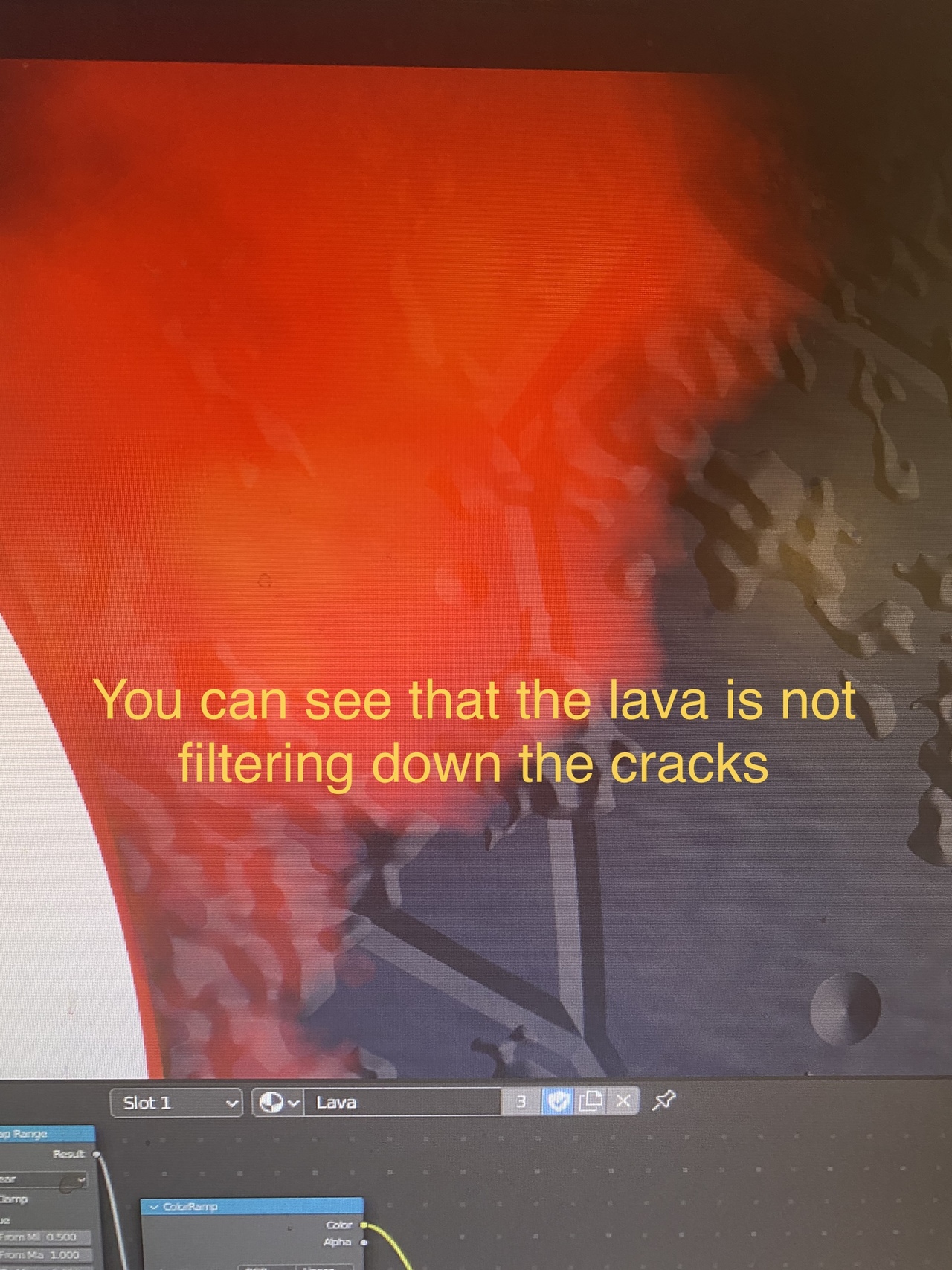
      I’m struggling mixing my lava shader with the base rock principled bsdf shader.

      The lava is not responding to the cracks. It doesn’t look like the lava is emanating from the rocks.

      Let me work out how to add a photo on my phone so I can show you what’s happening.

      I’d appreciate any help, thanks. Or even seeing someone’s file so I can work out how to improve.

      I’ve basically followed the procedual dirt video’s way of structuring the nodes with the node frames. I am happy with it to an extent, though I could always improve.

      #75379
      neishy
      Participant

        image.jpg

        #75380
        neishy
        Participant

          47-3E0665504D76.jpeg

          #75381
          Martin Bergwerf
          Participant

            Hi @neishy ,

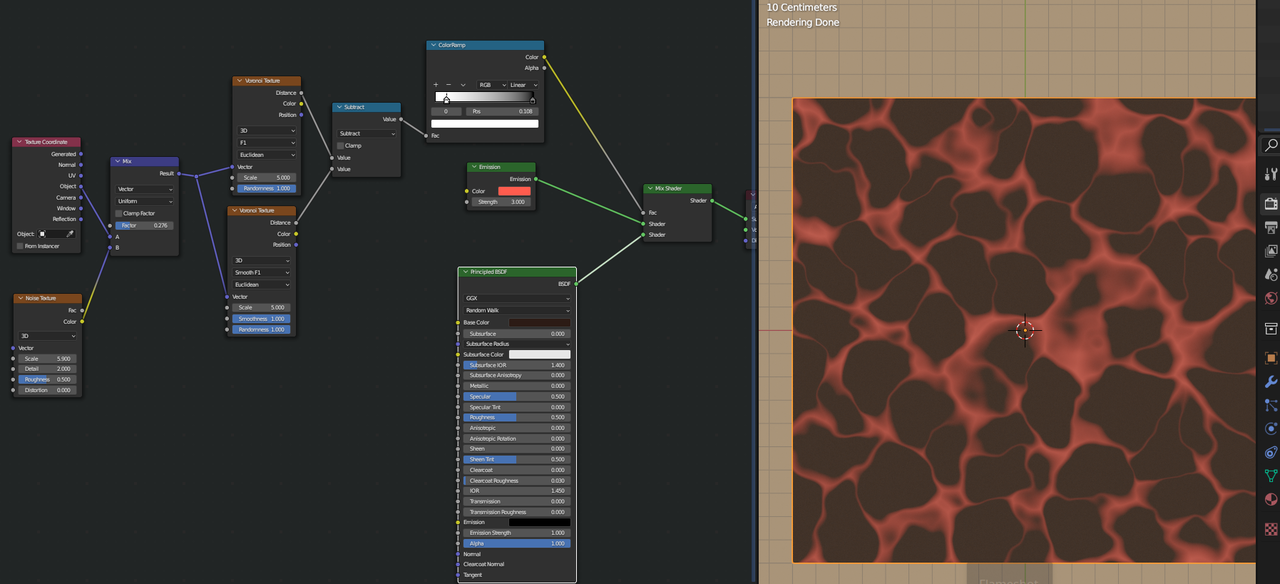
            I’d need to see the complete Shader Node Tree, but your Mix Shader just uses a constant Factor to mix between Lava and Rock.

            You’d want to use a ‘Cracks Mask’ as the Factor, so the Mix Shader knows where to put Lava and where to put Rocks.

            Basically (and don’t use these exact Nodes, they are just to show how to use a ‘Mask’):

            Lava.png

            #75382
            neishy
            Participant

              I see. Thanks for the advice. Let me send a phot of the full node tree.44-2A1255180D63.jpeg

              #75383
              neishy
              Participant

                I guess what wasn’t really explained was how to create this emission effect. It’s proving quite challenging for me. 

                #75384
                Martin Bergwerf
                Participant

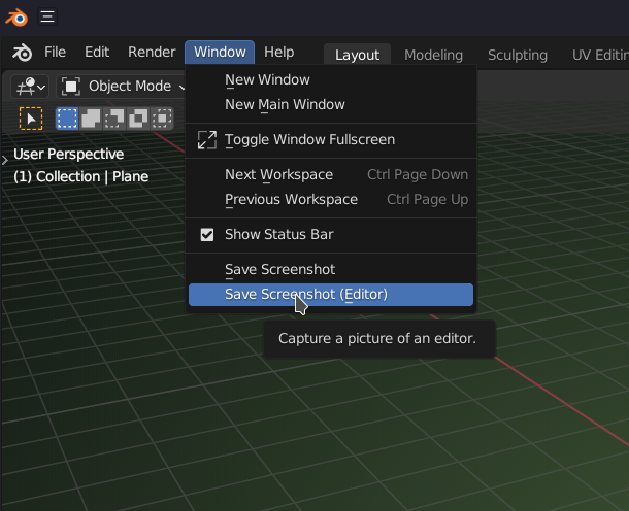
                  Sorry, the photo isn’t helping, I can’t read that; a proper screenshot of the Shader Editor would be needed there…

                  If using 3.0 +:

                  Screen.png

                  And yes, it is supposed to challenging…that way you learn a lot more and better.

                  #75385
                  neishy
                  Participant

                    Ok I will do, currently I have no internet, so no way of getting uploading a screenshot. Let me try again a big later. Thanks

                    #75386
                    Omar Domenech
                    Participant

                      Hmmm, maybe this will be one of those times where we’re going to need the file to take a look around and troubleshoot. It’s kinda hard to figure out what’s going on with only screenshots. But lets see what happens.

                      #75387
                      neishy
                      Participant

                        Ok. I’ll upload some screenshots in a sec. If you also need the file, I can upload it here as well, though I’m not exactly sure how. Thanks for the support by the way — I really appreciate it!

                        #75388
                        neishy
                        Participant

                          screenshot 1.png

                          #75389
                          neishy
                          Participant

                            screenshot 2.png

                            #75390
                            neishy
                            Participant

                              screenshot 3.png

                              #75391
                              neishy
                              Participant

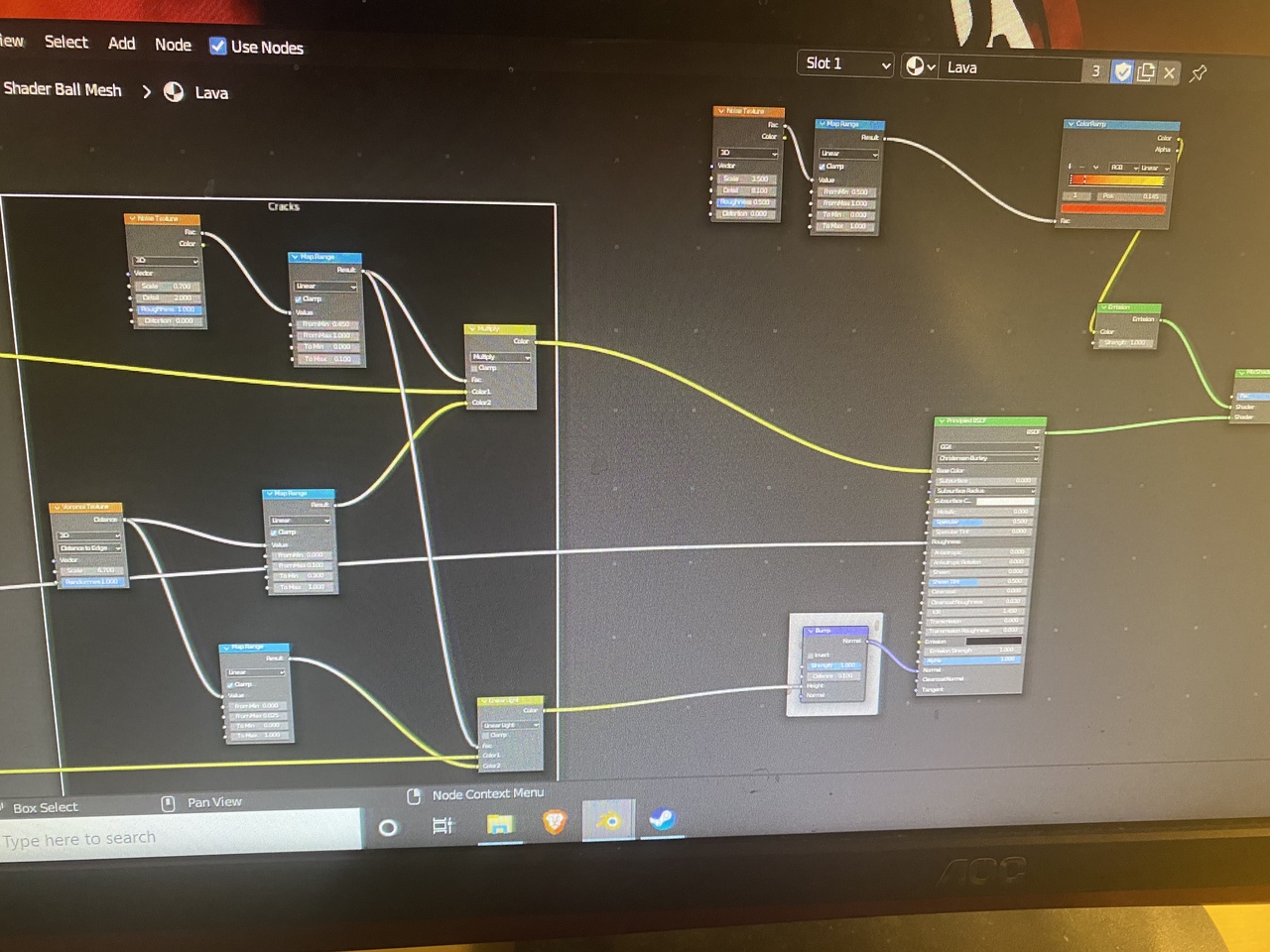
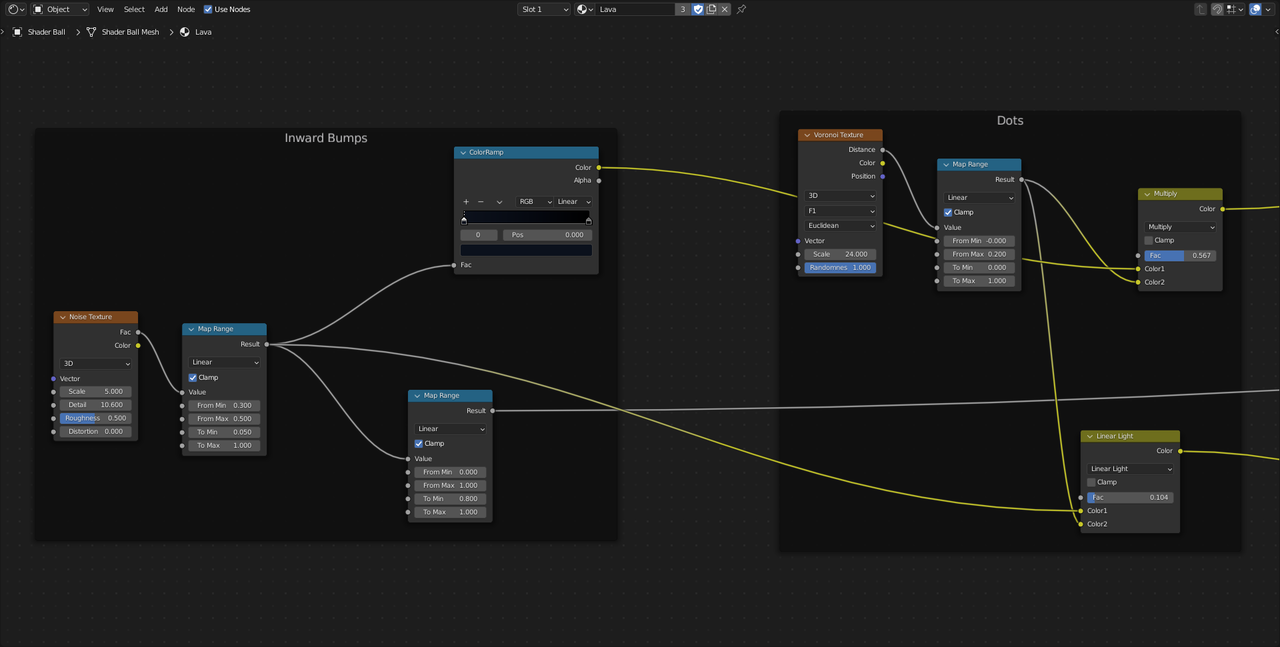
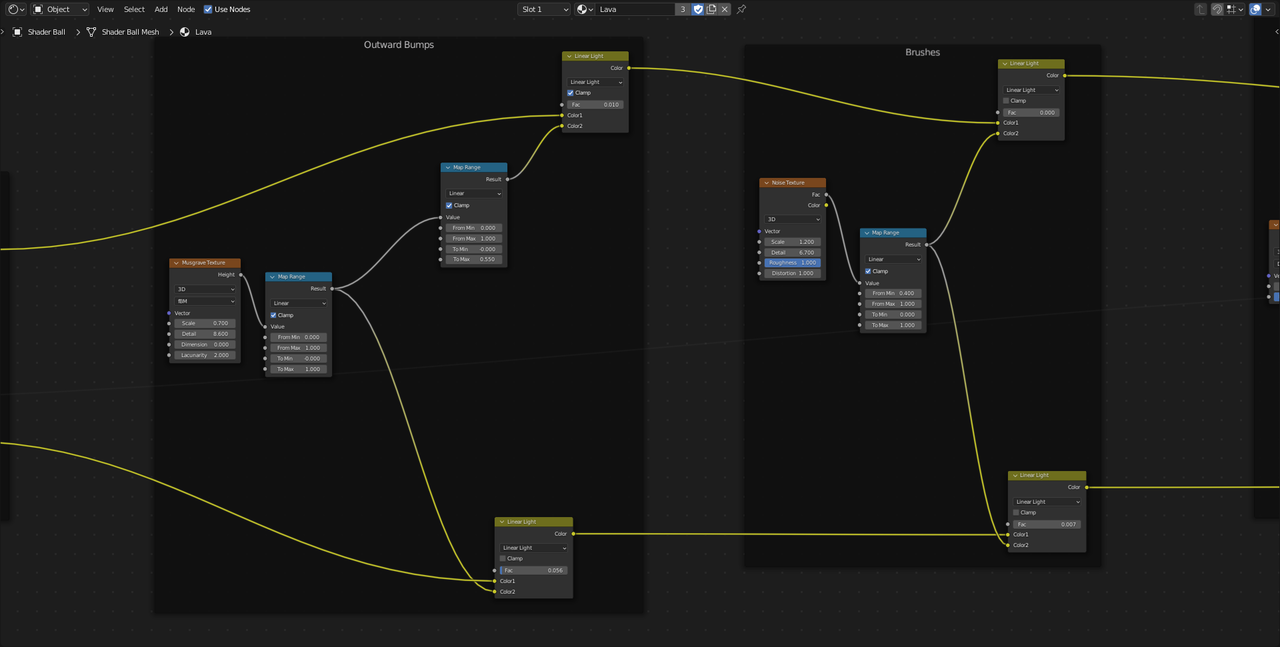
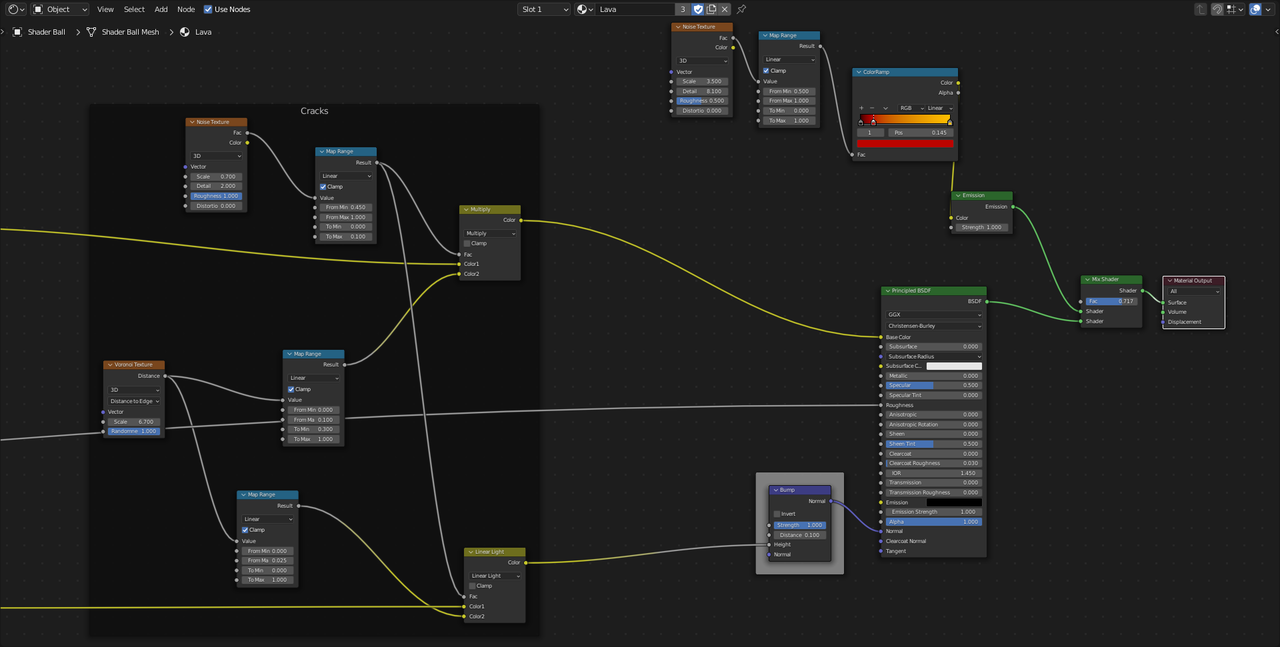
                                I’ve had to upload the node tree in 3 photos as it’s quite long. I’ve posted them in order, starting from left of the node tree.

                                One solution I’ve thought of is copying the node frame called ‘Cracks’ and linking it with the factor of the emission shader’s Colour Ramp, so the lava only appears where the cracks are. Could this work?

                                #75392
                                Martin Bergwerf
                                Participant

                                  Hi neishy, no need to copy the Node Frame, but I’d try to use the Output of one of those Multiply Nodes (of those Cracks) and plug it into the Factor of the Mix Shader, You might need a Colorramp or Map Range Node in between, to control the values.

                                  You can of course try your idea and see what happens. It’s always good to experiment a bit, but if that doesn’t give you the resul;t you want, try my suggestion.

                                Viewing 15 posts - 1 through 15 (of 16 total)
                                • The topic ‘Help with Lava and Mixing Shaders’ is closed to new replies.