Extrude,Alt-S vs Extrude,S,Locking an axis

Forum Archive Extrude,Alt-S vs Extrude,S,Locking an axis

Viewing 8 posts - 1 through 8 (of 8 total)
  • Author
    Posts
  • #15339

    In the video, Jonathan is using a lot the combo Extrude+Alt-S (which extrudes along normals).

    I didn’t know this existed and I was using a lot this: Extrude, S (without alt), then locking some axis to achieve exactly the same.

    What is the difference between these? I guess Extrude+Alt-S is a lot more reliable for achieving what is shown in the video?

    For example, scaling using S (no-alt) with the transform orientation set to normal, and locking the Z axis would achieve the exact result as Alt-S? What I would like to know is whether I should use one or the other (or it depends).

    Thank you in advance.

    #75021
    Martin Bergwerf
    Participant

      Hi Cristian,

      ALT+S uses Face Normals to decide the direction of the Scaling….

      If you try ALT+S on an Edgeloop, Blender won’t know where to go…

      Try a Cylinder, without a top Face, and Extrude and ALT+S the top Edgering…

      #75022

      Hi Martin, yeah in that case Alt+S works really bad.

      So Extrude+S and playing with the axis is more reliable? Or it just depends on what you want to achieve?

      Thank you!

      #75023
      Omar Domenech
      Participant

        Yes, it depends on the use cases, in other words what you want to achieve. I normally don’t pay much attention and see what works best very easily. Meaning I’m not always mindful on where the normals are pointing, I just try ALT + S and if the things becomes a mess then I extrude and scale locking an axis.

        In other cases I can clearly see the direction of the normals and I go oh, I can scale along thse normals and is going to work fine. So you just develop a sense of just trying it out and not being way too mindful of it, you’re just trying to reach the goal of modeling what you’re after.

        #75024
        Martin Bergwerf
        Participant

          It depends.

          ALT+S Scales along the Normals of the Faces…Those are usually not aligned to some axis.

          I suggest you play with Suzanne a bit and Extrude some Faces, Extrude and Scale and Extrude and Shrink/Fatten ( ALT+S)…see what happens…

          #75025

          In that case I will rely on testing a bit each time I need it, thank you for the replies!

          #75026
          Jonathan Lampel
          Participant

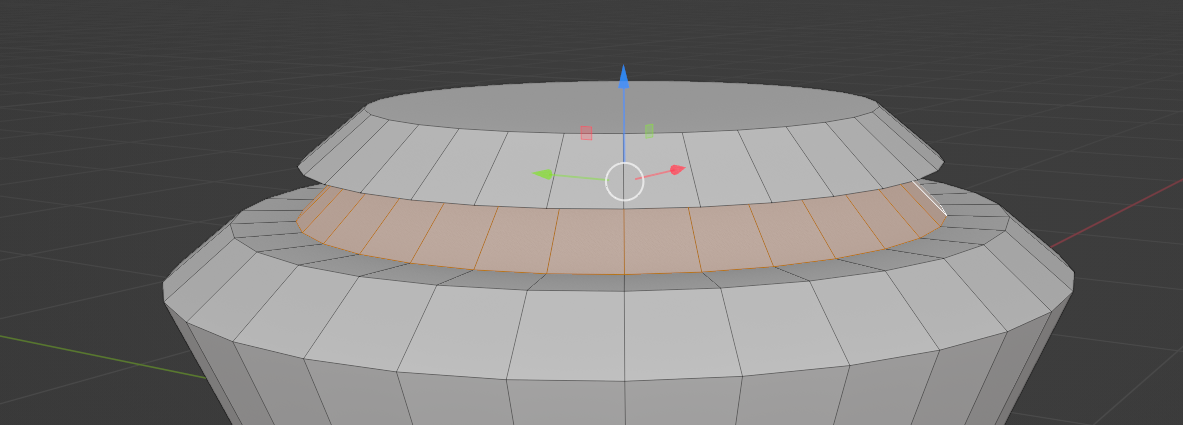
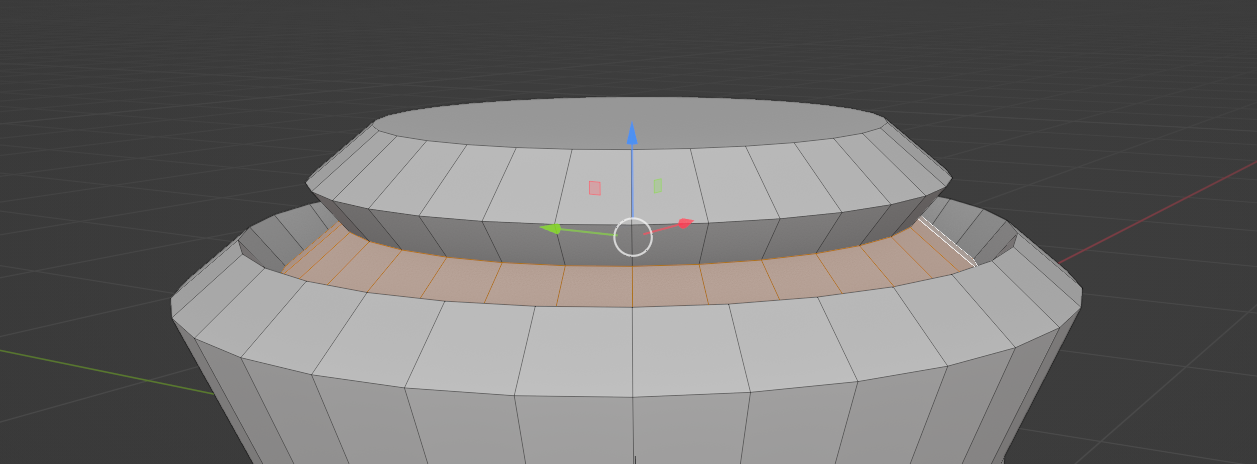
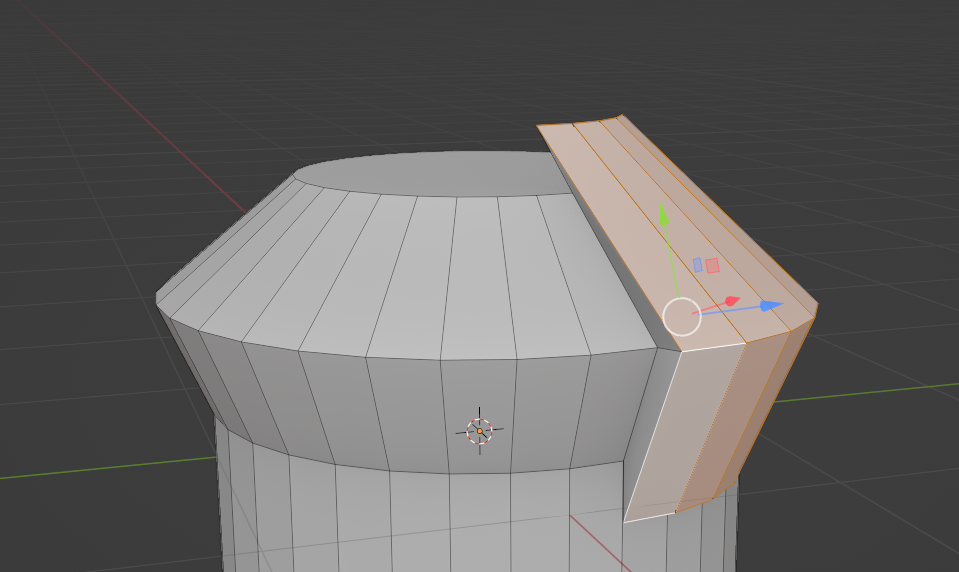
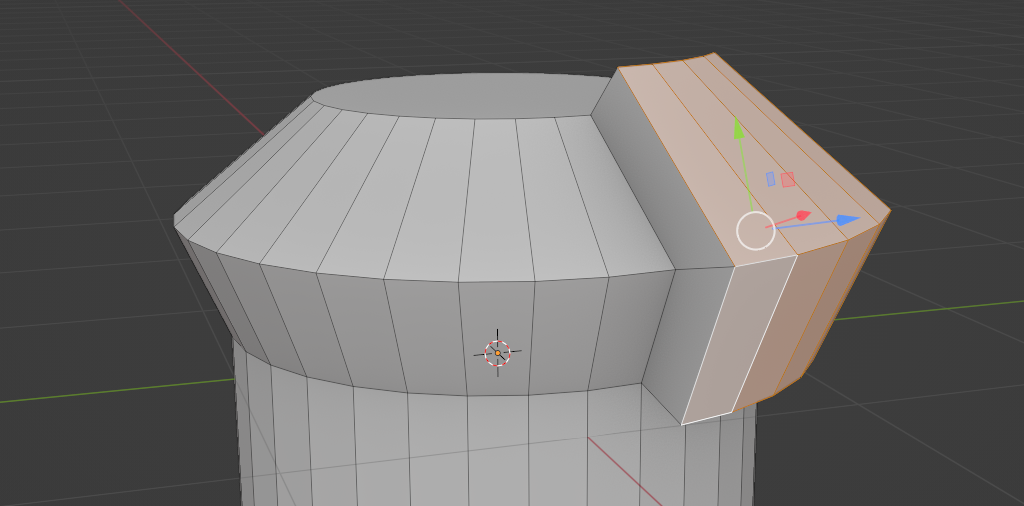
            Yep! Like they mentioned above, it just depends on what you need. They’ll work the same in some situations, but if the faces are angled at all or not all aligned to their average normal, you’ll get a very different result:

            vs. 

            Or 

            vs. 

            #75027

            That is very illustrative, thanks for the reply Jonathan!

          Viewing 8 posts - 1 through 8 (of 8 total)
          • The topic ‘Extrude,Alt-S vs Extrude,S,Locking an axis’ is closed to new replies.