
Masks with Blender 3.2 – Cannot Select Faces – Turn off GPU Subdivision to Resolve
Forum Archive › Masks with Blender 3.2 – Cannot Select Faces – Turn off GPU Subdivision to Resolve
- This topic has 16 replies, 3 voices, and was last updated 4 years, 2 months ago by
Martin Bergwerf.
-
AuthorPosts
-
June 11, 2022 at 5:27 pm #15207
Hi all,
I have Ubuntu Linux and just upgraded to blender 3.2.
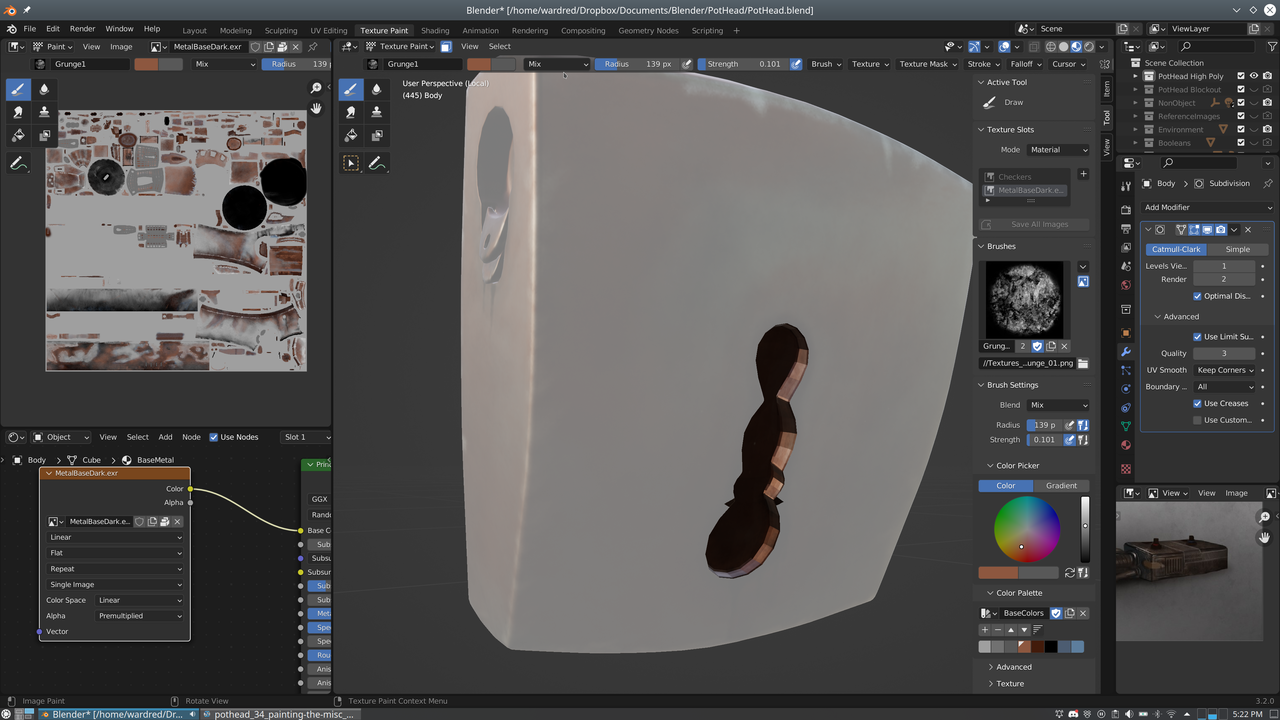
I’m having trouble with texture painting masks.
For instance, the back of “Pot Head”. For some reason I can select the socketed surfaces when turning masks on, but no other surfaces.
There are other objects I can’t select anything at all.
This seems distinctly different than the previous version of Blender. Has anybody else encountered and/or found a way around this?
Thanks!
 June 11, 2022 at 11:24 pm #74517
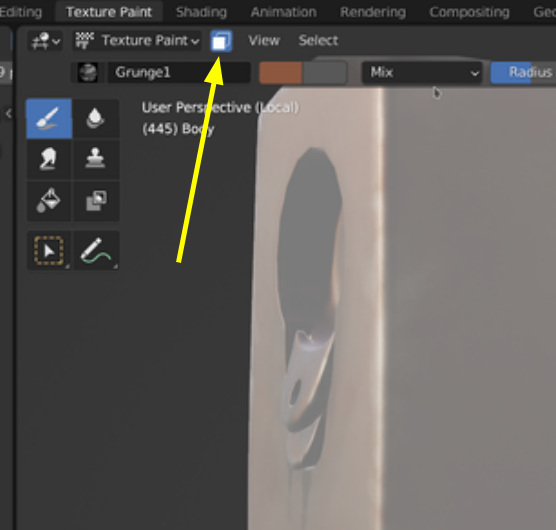
I’m not sure I understand what you mean by turning masks on, but you have the Face Selection Masking button turned on, meaning that you can only paint on Faces that are Selected in Edit Mode:
 June 12, 2022 at 12:31 pm #74518
@spikeyxxx – In the previous version of blender I could shift click on a face in texture paint mode to select it, then press <ctrl+l> to select linked. Or select “All” or “None” and select all of the faces, or none of them.
Now, on this object, I can only select those surfaces that aren’t highlighted. If I select “all” or “none” it only selects and deselects them. Other objects I can’ select or deselect anything.
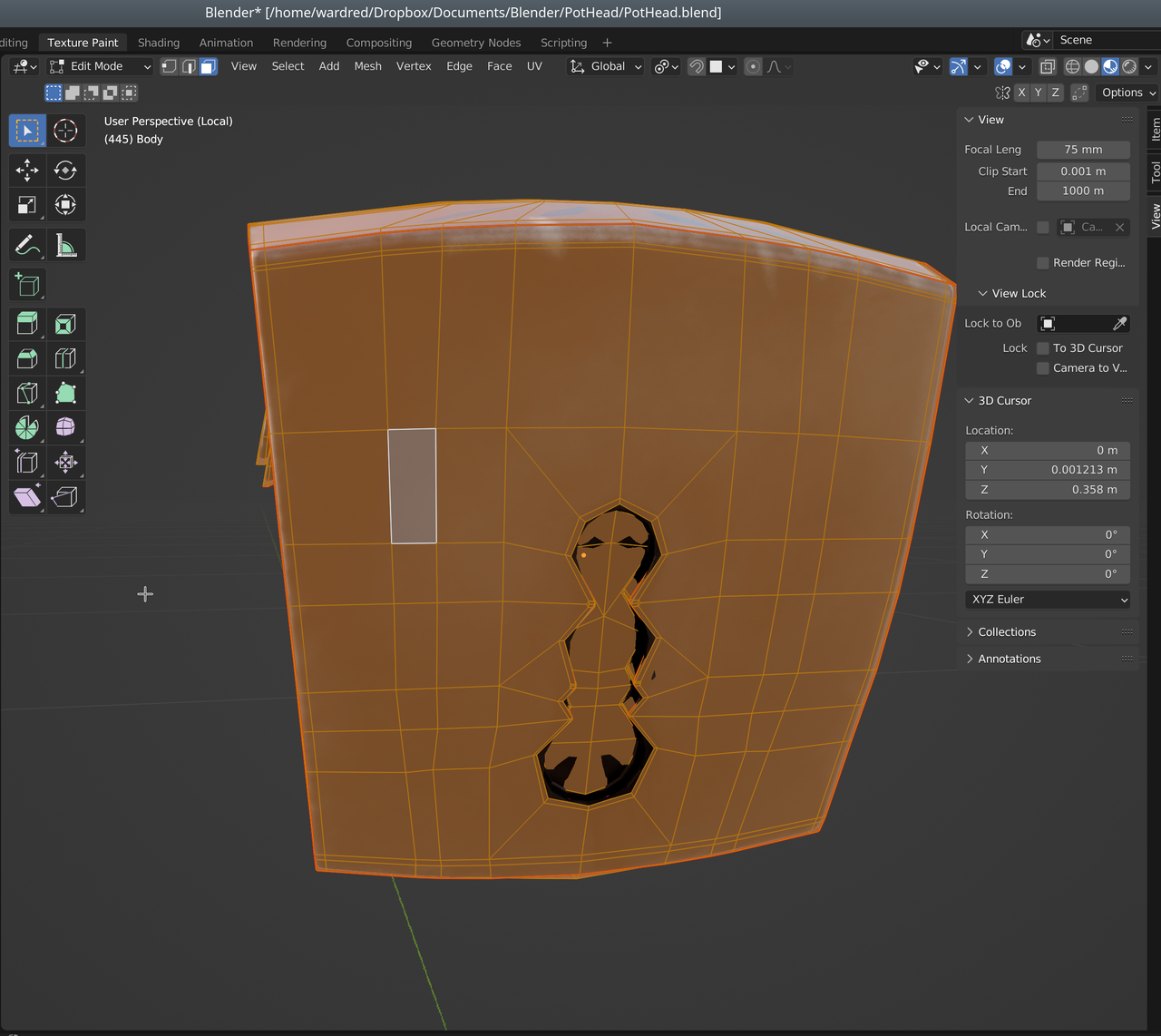
I hopped over to edit mode to ensure all faces on the object are selected, and they are, as you can see in this screen shot. In texture paint mode I can still only select the faces that are in the round sockets. I can’t select any other faces.
 June 12, 2022 at 2:16 pm #74519
Cool! I didn’t know you could do that.
But…I can’t find any difference in that behavior between 3.1 and 3.2. Could you provide a link to your .blend?
June 14, 2022 at 7:04 pm #74520Thanks, for looking at this @spikeyxxx. Sorry I didn’t get back to you sooner. It’s my last week at work and between training the new guy, coordinating on a vacation, and some house repairs before looking for roommates it’s been busy.
I’m going to download a previous version of Blender and try it out myself.
You should be able to see the blend file at:
June 14, 2022 at 7:31 pm #74521Linking does work the way I expect in 3.1.
I probably won’t have a chance to really dive into it for a short bit.
I have some things that need to be addressed first, but I definitely want to get to the bottom of it.
For complex or overlapping shapes, like the crescents at the armpits, being able to mask with shift+click and ctrl+l is way too handy to give up. (If you have your edges done right, the linked faces it selects go by the UV islands, which is super handy.)
June 15, 2022 at 3:05 am #74522@wardred unfortunately the link to your .blend isn’t working (tried on Firefox and Chromium)
June 17, 2022 at 4:22 pm #74523@spikeyxxx – I see the problem. The link was https:// instead of http://.
I edited the link. I don’t know if it will open directly from the website or not. I had to copy and paste the link using my phone.
Still going to be a minute before I can get back to this. Just finished my last day at work. Now I need to. . . drop a bit of money on the house to get it ready for roommates, move myself to the basement, fix whatever is going on with the Split AC, actually get the roommates. . . and, assuming I’m not on my vacation in July, then I can hop back into blender. Otherwise it might be towards the end of July before I’m free. :-/
Thank you again for looking at it, and it seems like the whole of the CGCookie community’s problems. You’ve been an invaluable resource.
Cheers!
June 18, 2022 at 2:43 am #74524@wardred ,
the link is working now, thanks!
The selection is actually working (which you can see if you switch to Edit Mode after selecting a Face, or even select linked), but you don’t get any visual clues that it is working, so pretty useless this way. This suggests, however that it is an Overlays problem…but also, the Texture Slots are greyed out…don’t know why, doesn’t appear to have any consequences for paint abillity…
I highly suspect it’s a bug…there has been some work done on Texture Painting (mostly ‘internal workings’), so that’s totally possible.
Will do some more tests later (a bit busy at the moment), and maybe repeat the problem in a simpler file, so it can be reported as a bug (if I don’t find some setting that needs to be changed, or so).
June 18, 2022 at 2:47 am #74525Sorry, this account doesn’t seem to want to update my diplay name, but It’s spikey, as you will probably have guessed 🙂
June 18, 2022 at 1:48 pm #74526@spikeyxxx, that’s interesting that the selection is actually working, but not updating the selected faces.
I hadn’t tried switching between paint mode and edit mode after making the selections in paint mode.
It wouldn’t surprise me if it were a bug, or if there’s some additional overly or something similar I’m missing that got introduced in 3.2.
If I can duplicate it on a simpler model that’d be better. I’d like to get clarification from the Blender guys if I’m running into a bug or some new feature I’m not using right. If I can’t duplicate it on something simpler I may submit it as is.
Thanks!
June 18, 2022 at 2:06 pm #74527The other thing that doesn’t seem to be working, which is more annoying, is when hiding selections in older versions, you couldn’t paint on them.
In the current version you can. Take the “medium cable” cluster connecting Pot Head’s torso to the controller. It’s really, really handy to have one cable at a time visible and editable. It really doesn’t help to have one visible, but ALL of them editable.
June 18, 2022 at 4:28 pm #74528That is indeed very annoying and I don’t think that’s intentional.
June 19, 2022 at 3:16 pm #74529@spikeyxxx – I wasn’t able to recreate the issue in 3.2 using just a simple cube.
I went ahead and created 2 bugs using just Pot Head’s torso.
T98998: Faces Hidden in Edit Mode May be Painted in Texture Paint.
T98996: Texture Paint Mask Not Visibly Updating in Viewport.
They may end up being the same issue, but in case they aren’t I reported them separately. We’ll see what the Blender Team says.
June 20, 2022 at 1:41 pm #74530@spikeyxxx – Turns out this is another victim of GPU Subdivision.
In Blender 3.1 I had turned that off, and I guess when I re-downloaded it it remembered that setting.
In Blender 3.2 GPU Subdivision was back on by default, giving these weird results.
Turning off GPU Subdivision resolved the issue. The Blender guys confirmed the bug(s). Not sure if the two are actually separate bugs, or different manifestations of the same bug.
EDIT:
To Turn Off GPU Subdivision
- Edit->preferences
- Viewport
- Expand Subdivision
- Uncheck GPU Subdivision
- On the bottom left select the triple line “hamburger” menu
- Save Preferences
-
AuthorPosts


- The topic ‘Masks with Blender 3.2 – Cannot Select Faces – Turn off GPU Subdivision to Resolve’ is closed to new replies.