When I mirror the planes, the mirrored side isn’t on schematic

Forum Archive When I mirror the planes, the mirrored side isn’t on schematic

Viewing 5 posts - 1 through 5 (of 5 total)
  • Author
    Posts
  • #14944
    Kendrick Granville
    Participant

      Is there any way i can fix this or will i have to do both of them individually? I don’t know if the fact that we mirrored here will be a factor later so i am hesitate to do them separately.

      #73733
      spikeyxxx
      Participant

        Did you accidentally disable this:

        Mirror.png

        ?

        The Mirror Modifier will be applied before joining the speakers with the console, so you could model one side and duplicate it to the other side manually, but why bother…

        #73734
        Kendrick Granville
        Participant

          Hey, I don’t know and I’m not sure where to find Mirror.png if i did disable it. Yeah, it would be less efficient doing them separately but i can’t along them properly while in mirror mode because if i move one over the other is off schematic so duplicating probably the best move.

          #73735
          spikeyxxx
          Participant

            @KreativeKendrick the site has some quirks since moving to Mavenseed. Mirror.png is just an image and it does show up for me, but it isn’t important, because now I understand what you mean (I think). The Mirror Modifier mirrors around the Object’s Origin. You probably don’t have it at X = 0.

            The following instructions assume that your Console is modelled at the center of the World.

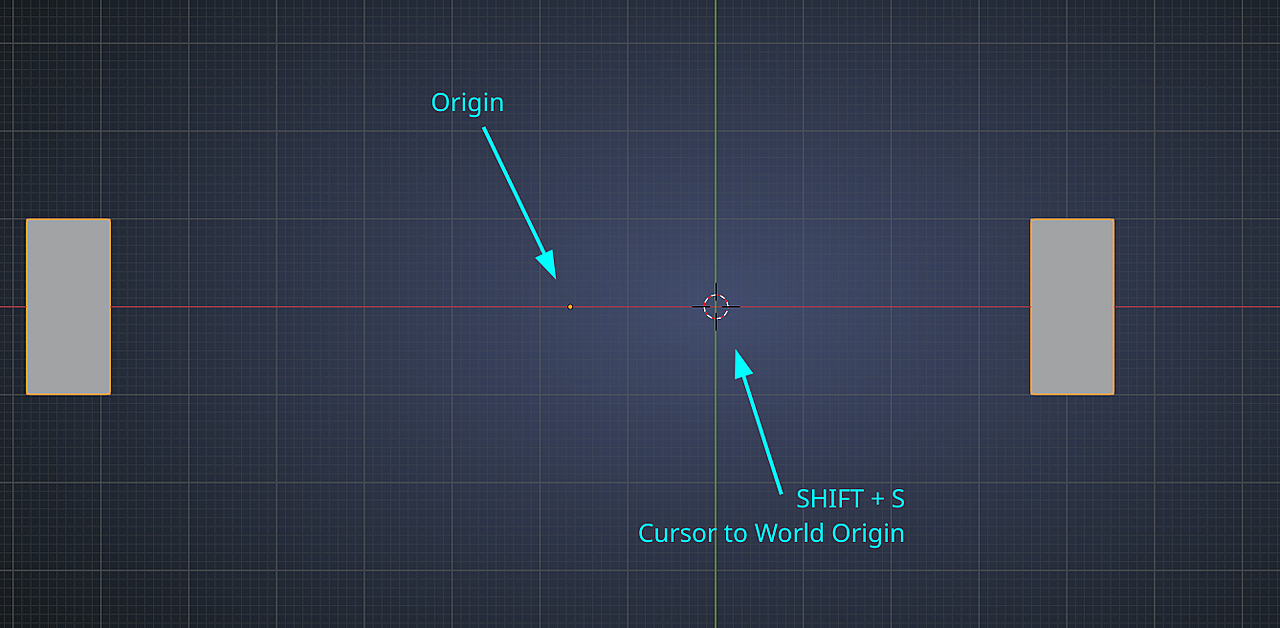
            To place the Object’s Origin back at the center, you can press SHIFT+S > Cursor to World Origin:

            Cursor.png

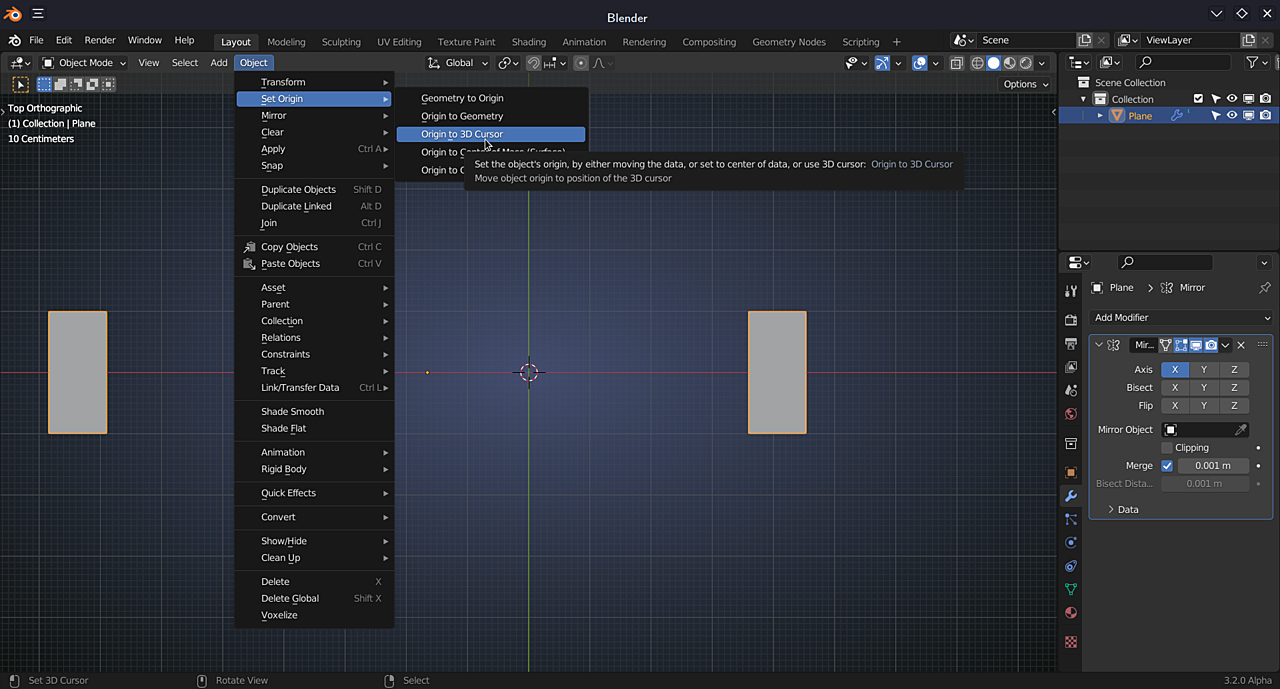
            Then:

            Origin.png

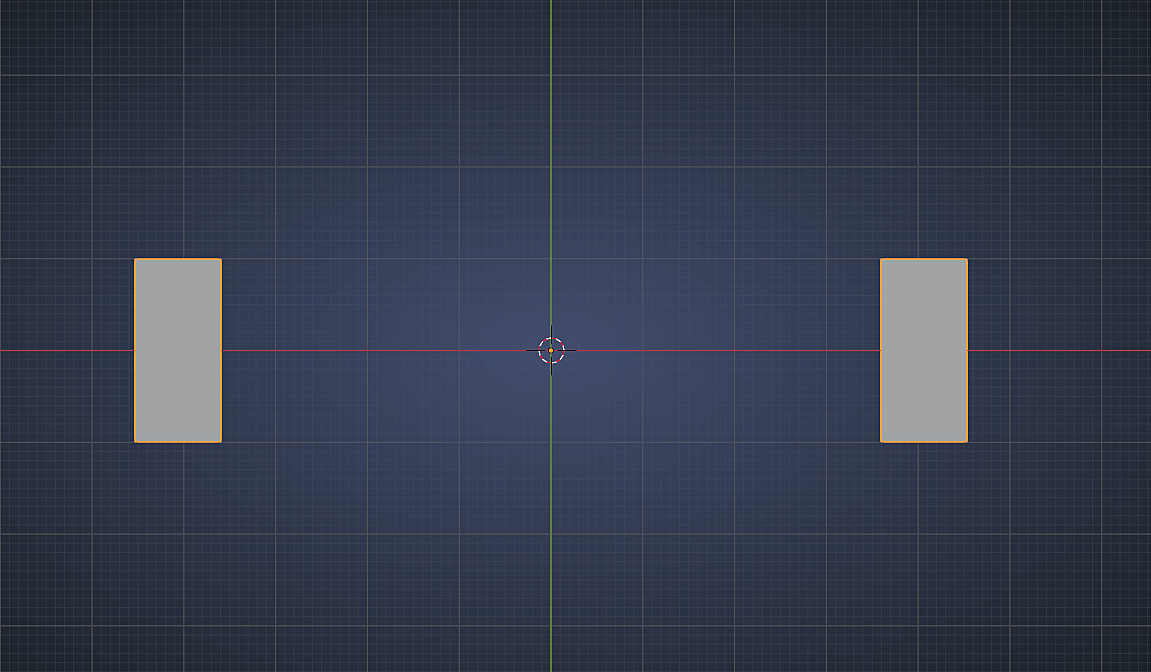
            That should give the desired result:

            Symmetry.png

            #73736
            Kendrick Granville
            Participant

              Ahhhh I see, my origin is at the world center but that center is inbetween my buttons and the Dpad, the tutorial has it in the middle of the screen lol. I will just try to place it there in the middle and then when I’m done Shift+S it back to the world origin.

              *edit* Welp that didn’t work either haha ill just duplicate and place because i want to move forward.

              *edit 2* Okay so i figured out i can just place a 3D cursor in the middle of the screen, select the object and then set object origin to 3D Cursor and it should be about right. I’m so proud of myself LOL

            Viewing 5 posts - 1 through 5 (of 5 total)
            • The topic ‘When I mirror the planes, the mirrored side isn’t on schematic’ is closed to new replies.