Vertecis not always connecting with F

Forum Archive Vertecis not always connecting with F

Viewing 10 posts - 1 through 10 (of 10 total)
  • Author
    Posts
  • #14694
    Tomas Engström
    Participant

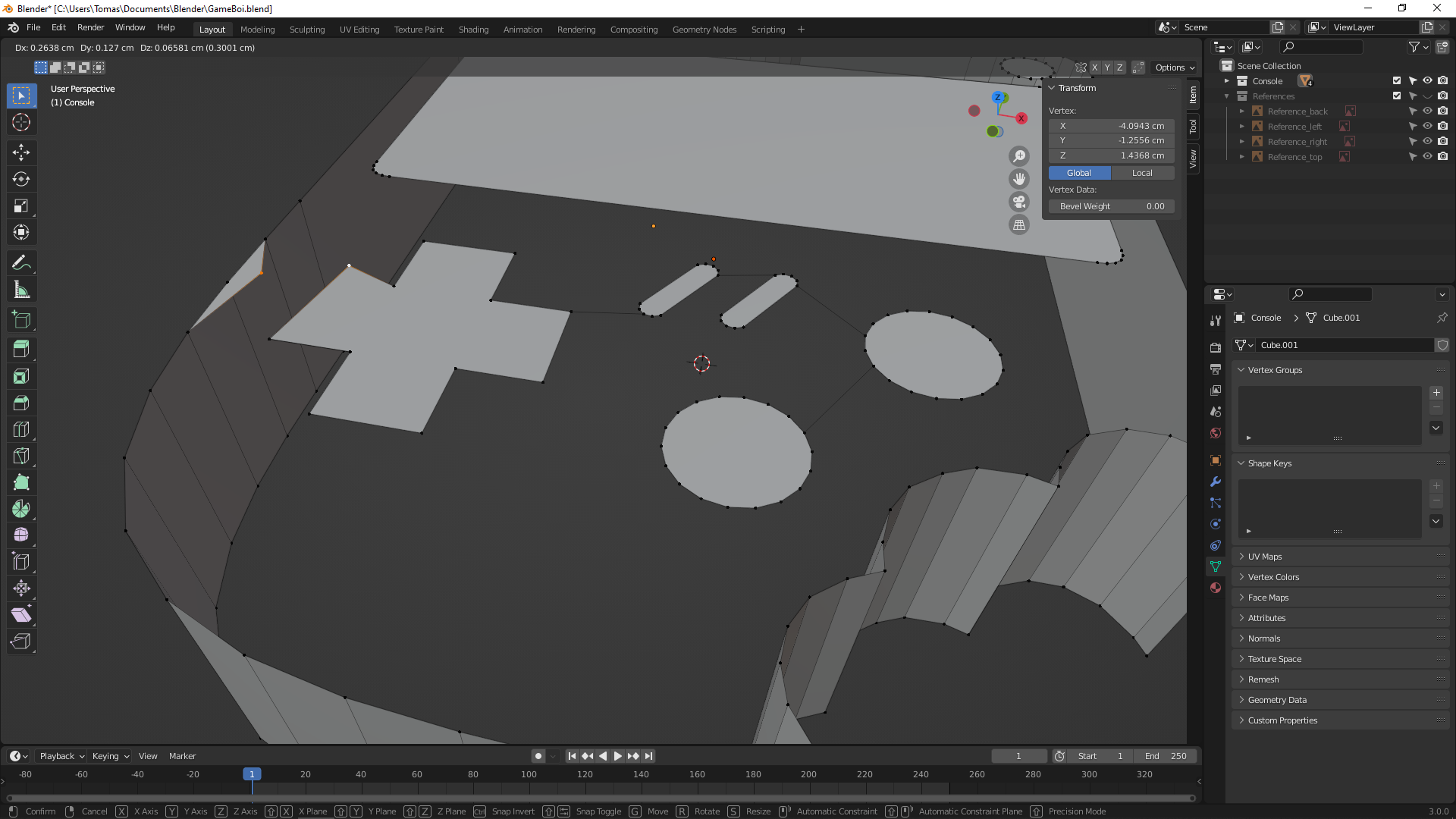
      Most of the vertices will indeed connect with F, but some of them just won’t! Instead it’s almost as if I had accidentally hit G instead; they start to move and stretch as I move the mouse around and in some cases, like with the edge of the console shell, another vertex has been created – spawned from the vertex that I selected for connecting with! o_O

      Connecting the vertices from the “chewed out” part of the console works perfectly fine, but as soon as I try to connect one of them with a “button” vertex then the same error happens: it’s as if Blender is suddenly trying to stretch the vertices rather than connect them.

      (look to the left where I’m trying to connect a vertex from the D-pad with a vertex of the console’s shell.)

      #72217
      Sébastien Lenaerts
      Participant

        That’s odd… Not sure what’s cooking there, but I do see some snap references at bottom of your screenshot, would it be possible that you might have a lock on a function key ? I’d not, ‘d be interested to know what the issue is.

        #72218
        Tomas Engström
        Participant

          Oh god you’re right, that’s it – I know what’s going on now! It’s because in the previous project/course that I worked on (the Treasure Chest), the author wanted to use an add-on called “Mesh: F2” for a way of snapping faces! Now that I disabled the add-on everything works perfectly fine!

          Thanks for pointing it out or I never would’ve thought about it!

          #72219
          Tomas Engström
          Participant

            Wow it seems that I was way too quick to reply without properly testing it out, because now I’m back at square one again for some reason, even though the settings have been saved X)

            And I’ve even tried to remake all the buttons but then things got even worse; now I can’t even connect any vertices between the buttons, like I did before! The only vertices that’ll connect are the ones within the same object, but not between different objects >__>

            I’m positive that I’ve accidentally activated something weird and “smart”, but I don’t know what it is… I think I’ll just reinstall Blender, making sure that nothing remains from my current install.

            #72220
            Tomas Engström
            Participant

              Huh, uninstalled and reinstalled but still have the same problem… oh well, I’m just gonna sleep on it now, hoping that tomorrow someone will have a good idea of what to do here ;__;

              #72221
              Tomas Engström
              Participant

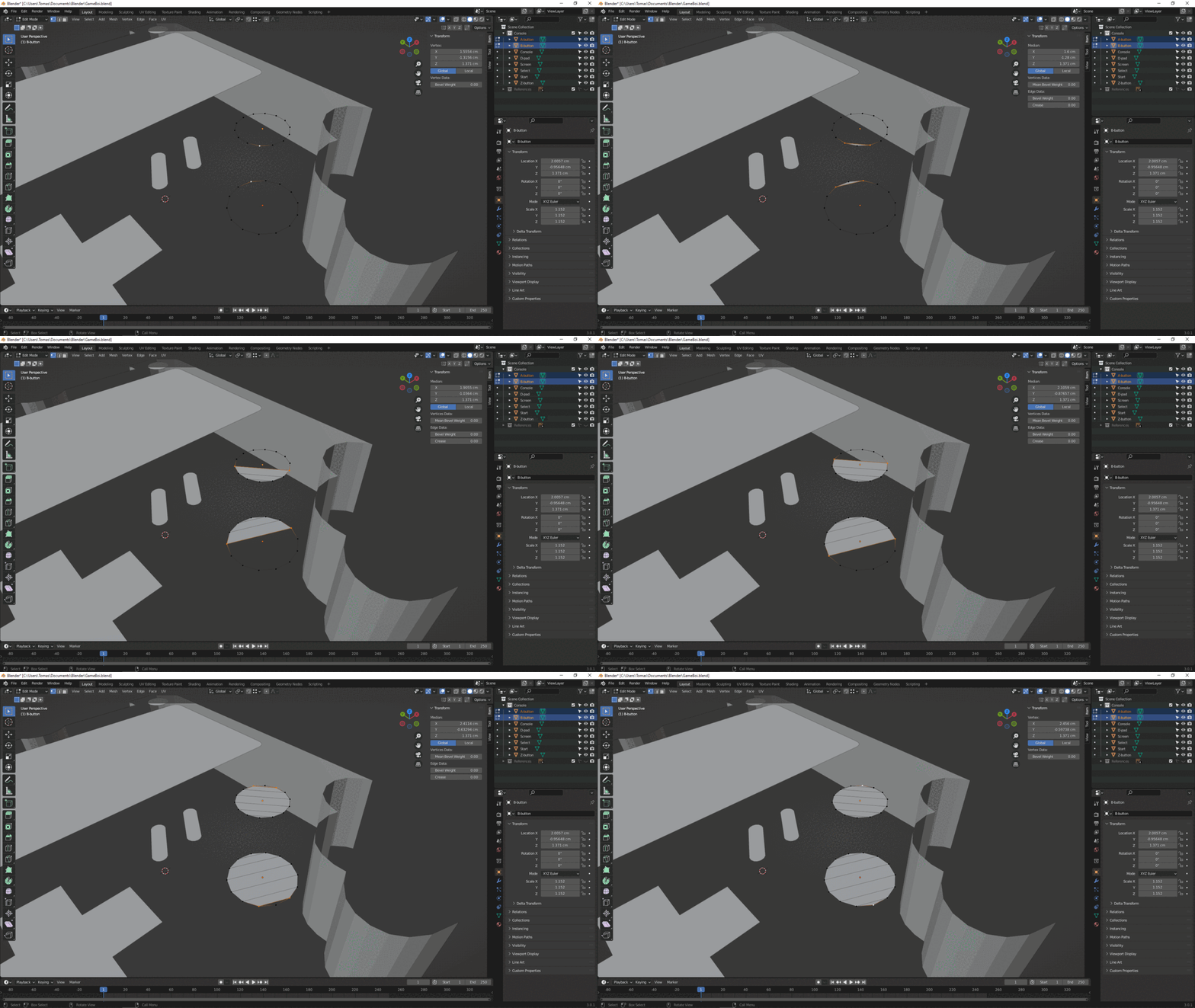
                Some kind of weird autofill going on here for sure, that I believe is messing things up…? Like if I have accidentally enabled something, an add-on or a setting of some sort. Because this is what happens when I try to connect two vertices, and what continues to happen every time I press F after that first failed time.

                #72222
                Jonathan Lampel
                Participant

                  Aha! I see what’s happening. If you look at the outliner you’ll notice that the A and B buttons are separate objects, so the operations are doing what they would do if only a single vertex was selected (auto-filling a face) but for both objects. Join everything to one mesh and you should be fine. F2 shouldn’t cause any problems here so feel free to re-enable it if you want. 

                  #72223
                  Tomas Engström
                  Participant

                    Ooooh and here I thought that I had to keep them as separate objects or something would definitely screw up for sure! I even spent some time extra on it XD

                    It all works as a charm now, thanks!!

                    #72224
                    Sébastien Lenaerts
                    Participant

                      Glad you got a solution, sorry I wasn’t of any help.  Hope to see your finalized render soon! Enjoy!

                      #72225
                      Tomas Engström
                      Participant

                        Thank you for reaching out and trying to help!! I much appreciate it, and you still did help me remember about an add-on that I’m not so sure of if I really needs ^^

                      Viewing 10 posts - 1 through 10 (of 10 total)
                      • The topic ‘Vertecis not always connecting with F’ is closed to new replies.