Is there a sculpting tool/tool setup that pushes without grabbing the mesh?

Forum Archive Is there a sculpting tool/tool setup that pushes without grabbing the mesh?

Viewing 8 posts - 1 through 8 (of 8 total)
  • Author
    Posts
  • #14644
    fearguyq
    Participant

      Throughout this exercise when I was using the grab tool I wished it would not grab onto a specific verticie but rather just push the edge of the mesh out of the way of the cursor — that way I could just “draw” the path that I wanted and the mesh would displace accordingly.

      For example, If I’m shaping the outline of a tooth, I could start drawing in empty space, move my pen into the mesh a little, and then draw the curved path I want downward and the rest of the mesh would displace away from the cursor accordingly. Basically, you could make one stroke vs multiple grab adjustments when shaping the outline/silhouette of a mesh.

      #72056
      Vue Thao
      Participant

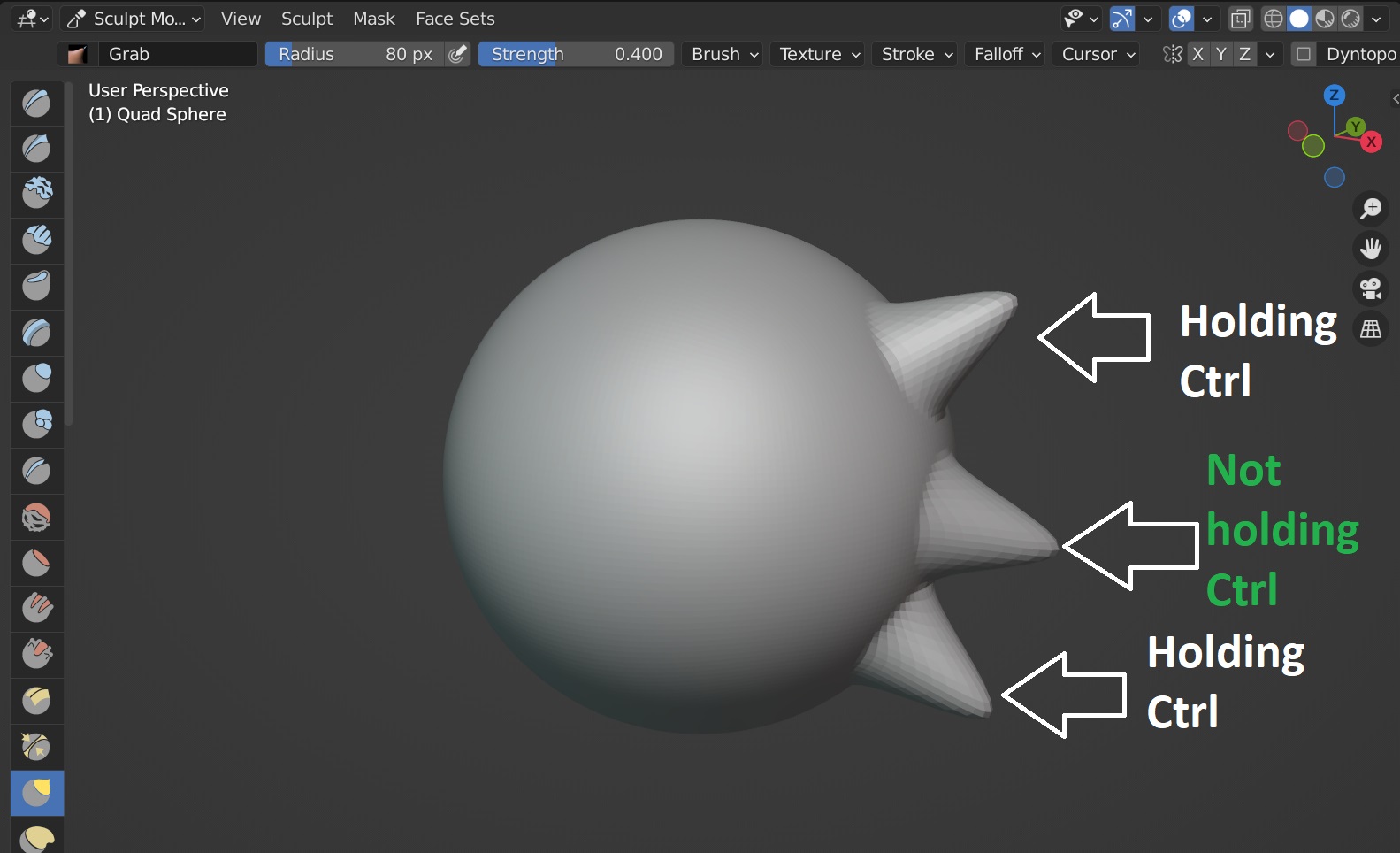
        Hold CTRL + any tool, that’ll push the vertices inward instead of outward. 

        #72057
        spikeyxxx
        Participant

          There is no such Brush (at the moment, at least). 

          You could start with a Mesh that is closer to the shape you want to make…

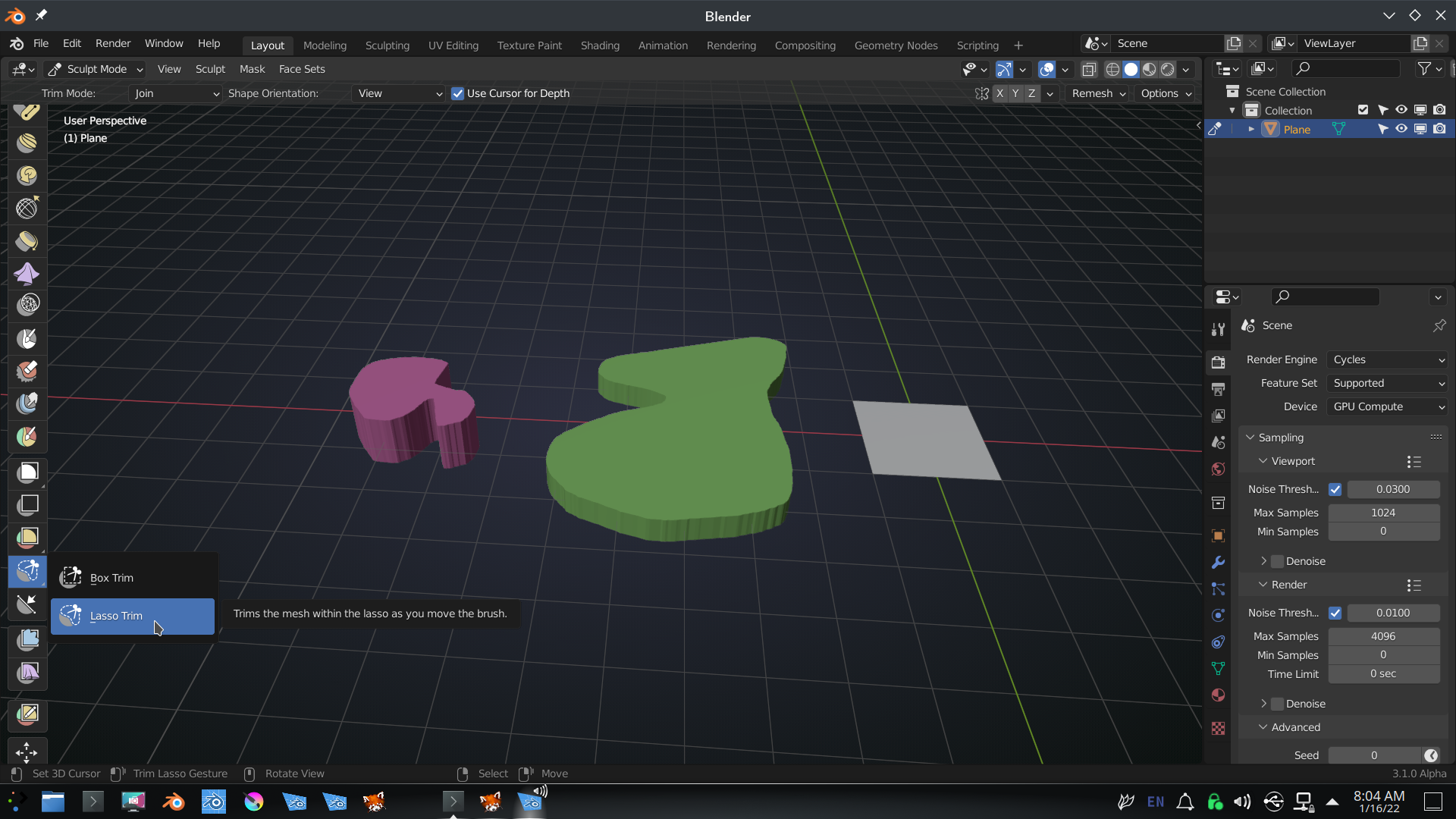
          Maybe play with the Lasso Trim to draw (2 dimensional, with thickness) shapes in the air:

          #72058
          fearguyq
          Participant

            I’ll look into lasso trim!

            #72059
            naiad
            Participant

              I am confused. In sculpt mode, holding CTRL + Grab seems nothing happen to me.  

              #72060
              Vue Thao
              Participant

                @naiadReally?

                It works for me.

                 ¯\_(ツ)_/

                #72061
                naiad
                Participant

                  I am using Blender 3.0. Holding or not holding Ctrl key makes no difference to me. Did I do anything wrong?

                  #72062
                  Vue Thao
                  Participant

                    @naiad I’m just playing with you. 😊

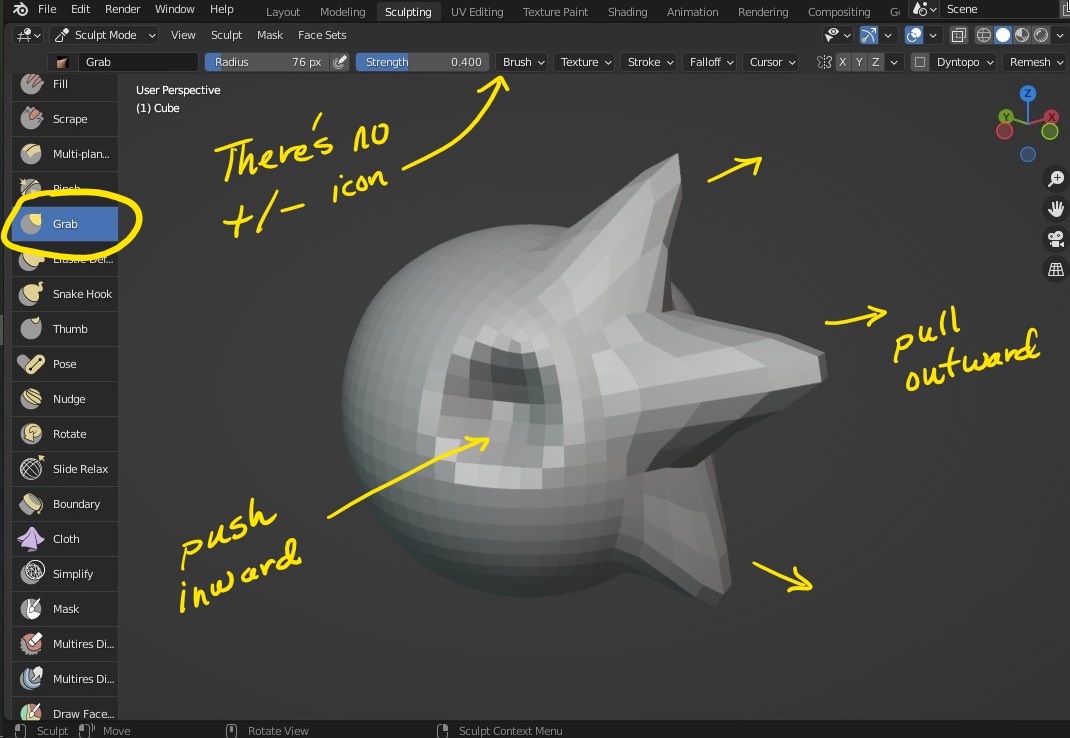
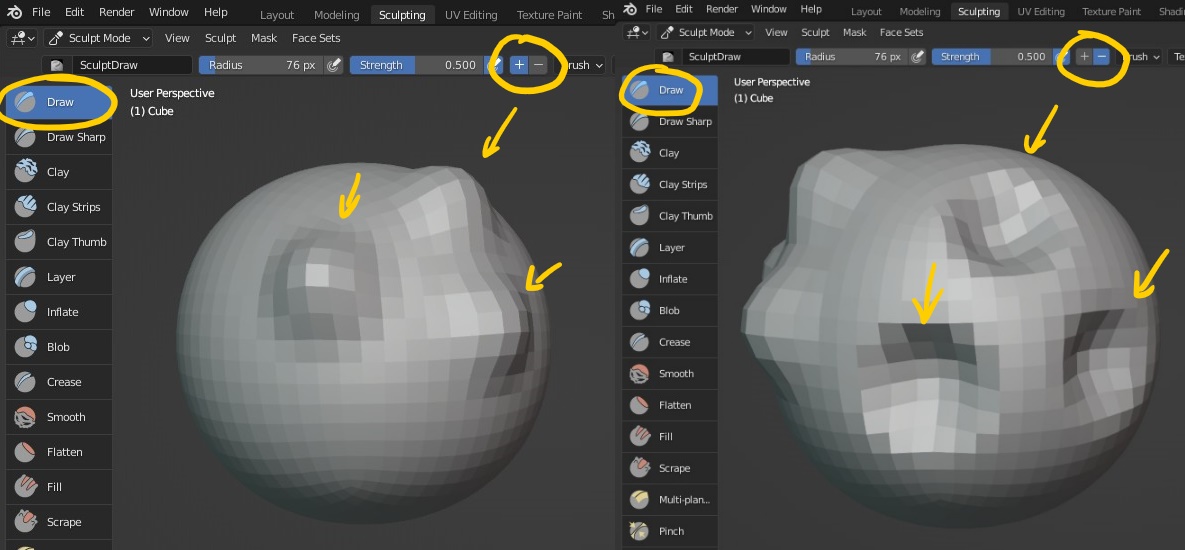
                    If you have good eyes you may notice there’s no plus or minus icon at the top. Even you hold CTRL and use the grab tool to make a mark on the mesh, it doesn’t make the difference. 

                    Other tools may have plus/minus icon. CTRL works on them as well. 

                  Viewing 8 posts - 1 through 8 (of 8 total)
                  • The topic ‘Is there a sculpting tool/tool setup that pushes without grabbing the mesh?’ is closed to new replies.