
Why can’t I mirror my vertices?
Forum Archive › Why can’t I mirror my vertices?
- This topic has 19 replies, 6 voices, and was last updated 2 years, 10 months ago by
Adrian Bellworthy.
-
AuthorPosts
-
January 12, 2022 at 8:03 am #14633
I tried as the instructor did to select all the vertices of one side of the switch in wireframe view and mirror along the x-axis, but only the side that I selected moves; not the other side. Is this a bug? I will note that I have replicated what I seen the instructor do.
January 12, 2022 at 10:31 am #72008Can you post a screenshot of when you try and move the Vertices on one side? (Full UI, please)
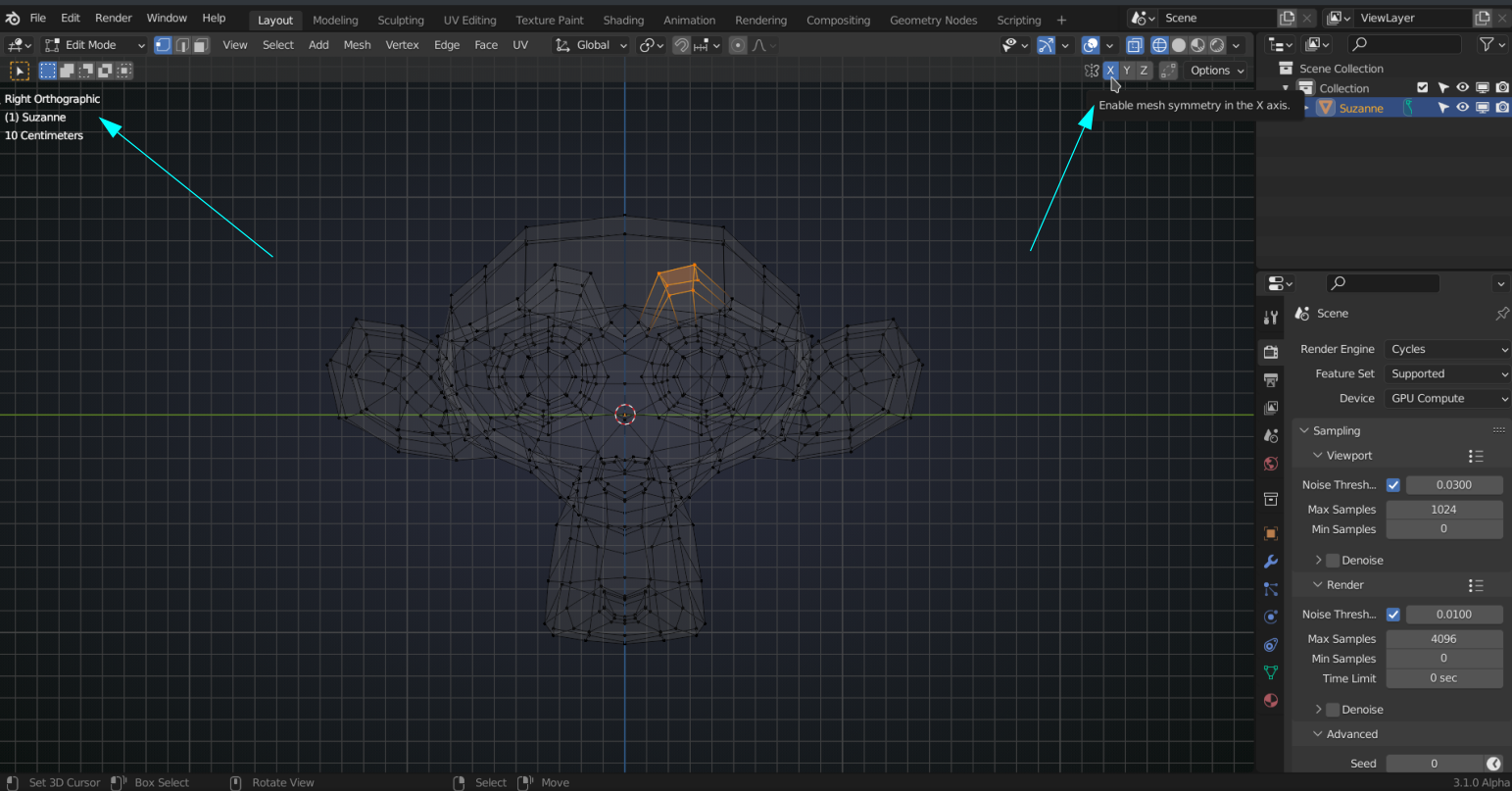
If it is not one of these two things:
 January 12, 2022 at 11:34 am #72009
Steps:
1. Make sure the origin is in the center
2. Delete the other half of vertices.
3. Make sure the symmetry is on the Y axis. Look on the viewport, Suzanne is facing on the X axis however her ears facing on the Y axis.
January 16, 2022 at 8:35 pm #72010So after trying to get my screen capture to work(and failing) I have decided that instead of using mirror for both sides, to instead just select all the vertices for the switch and scaling along the x-axis. I appreciate you guys wanting to help.
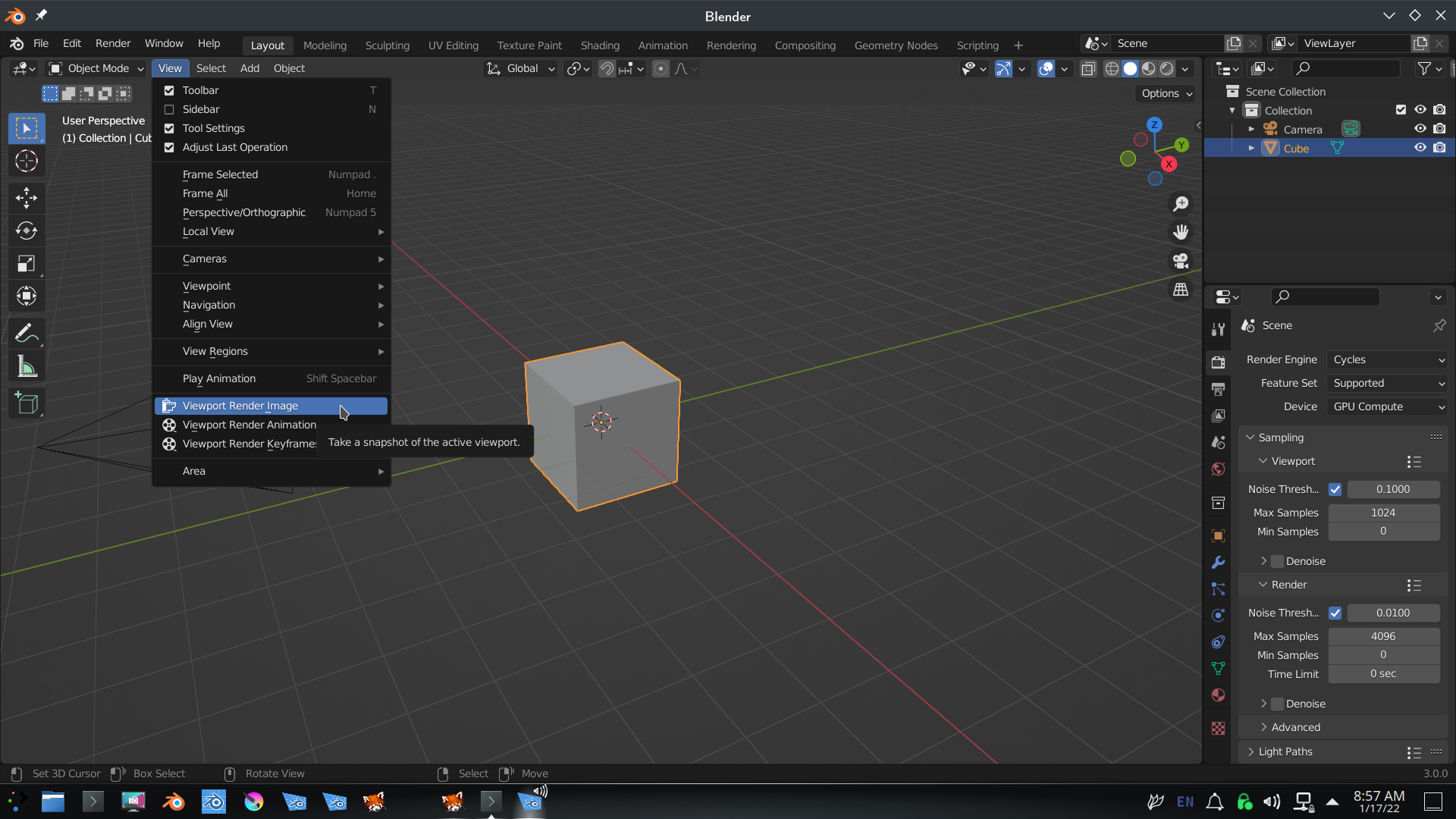
January 17, 2022 at 2:59 am #72011You can use Blender itself for the screenshot:
 January 18, 2022 at 7:59 am #72012
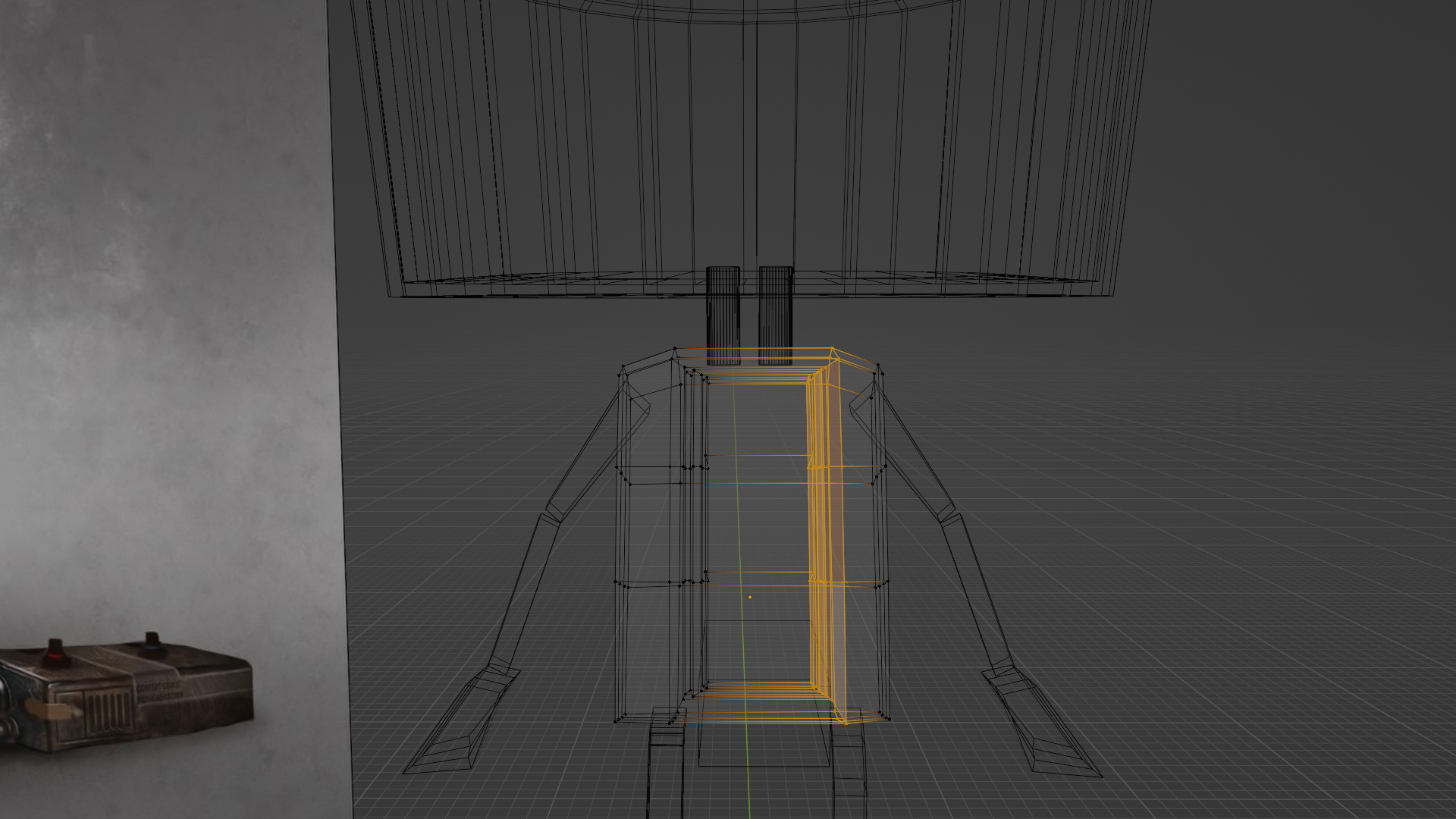 So this is the image. As you can see I moved the right side but the left side didn’t move, even though I had the X-axis mirror enabled above the viewpoint rotator.January 18, 2022 at 8:26 am #72013
That is weird. There is one thing I found: when you have Topology Mirror enabled, that might cause this:
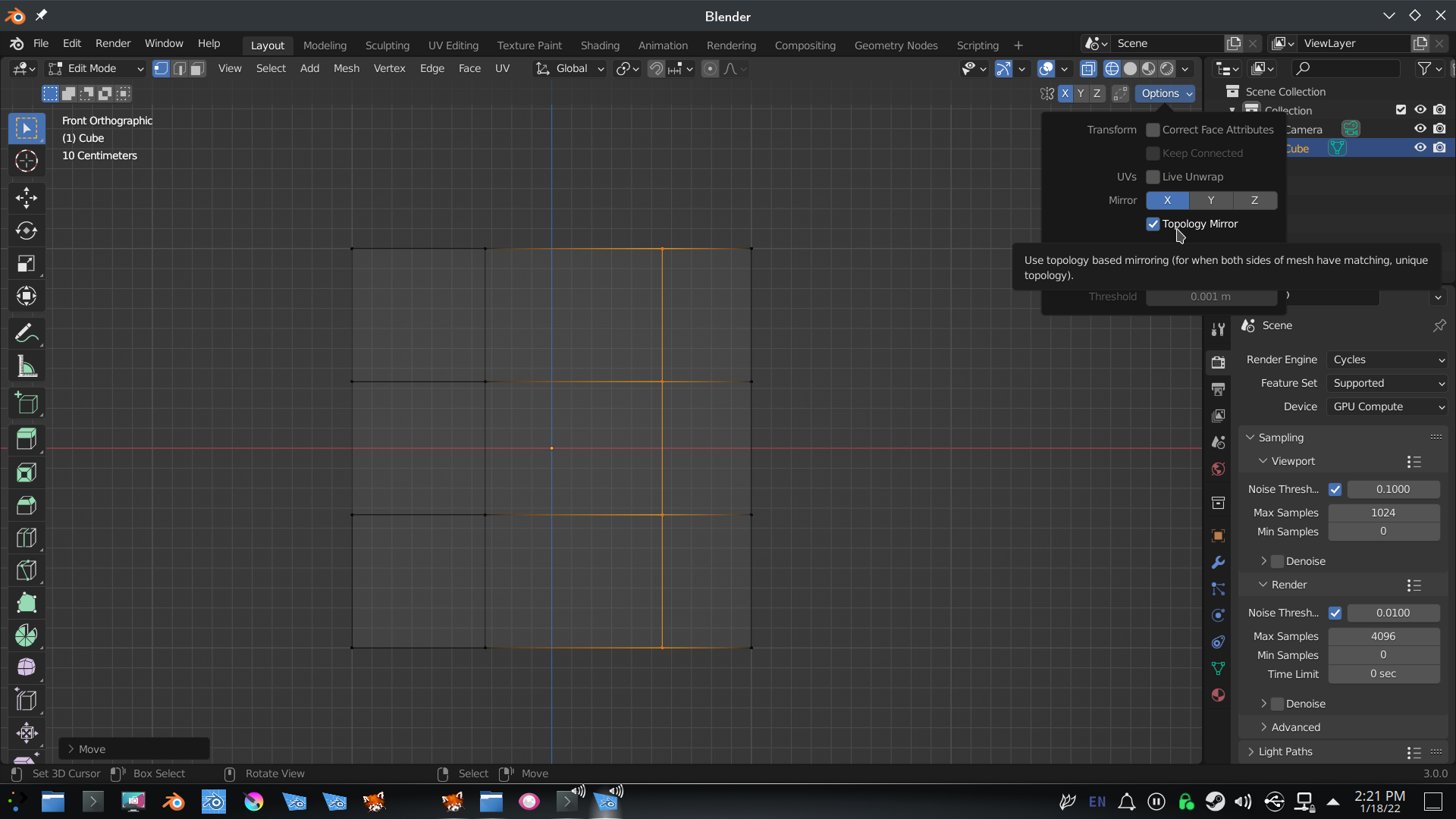 (Don’t ask me what that is for…)
Otherwise I have no idea what could be causing it.
As long as the Body is symmetricall, you could also use a Mirror Modifier in stead, like @euv mentions above.
January 19, 2022 at 7:25 am #72014Yeah, it must be a bug or something because even if I don’t have topology mirror checked it still doesn’t mirror properly.
January 19, 2022 at 8:45 am #72015Did you try this on just the default Cube? (New file.)
Are you using any third party Addons? Try it with: File > Defaults > Load Factory Settings.
Also make sure that your graphics driver is up to date.
January 19, 2022 at 7:05 pm #72016@frankfriesen I don’t think there’s a bug. There’s no loop cut in the center of your object. That’s why Blender doesn’t have a clue what you want to do.
Here’s my example you should do with the mirror.
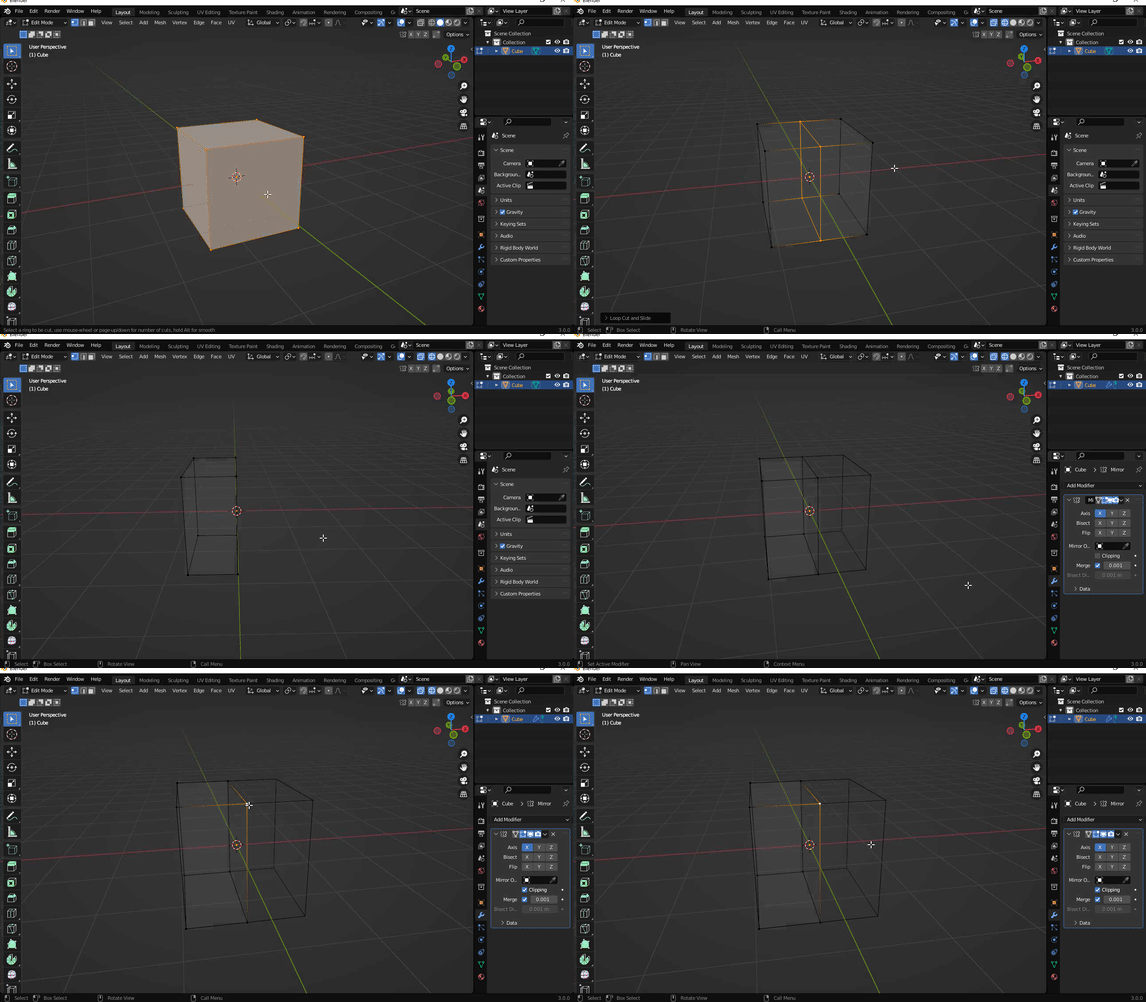
Another way to mirror an object:
1. Make sure its transform pivot point set Median point (default) to 3d cursor (align with the origin).
2. Turn on the mirror modifier and choose the desired axis.
3. Go to edit mode and press A to select all. Move the object in the same position as the axis portrayed on the mirror modifier.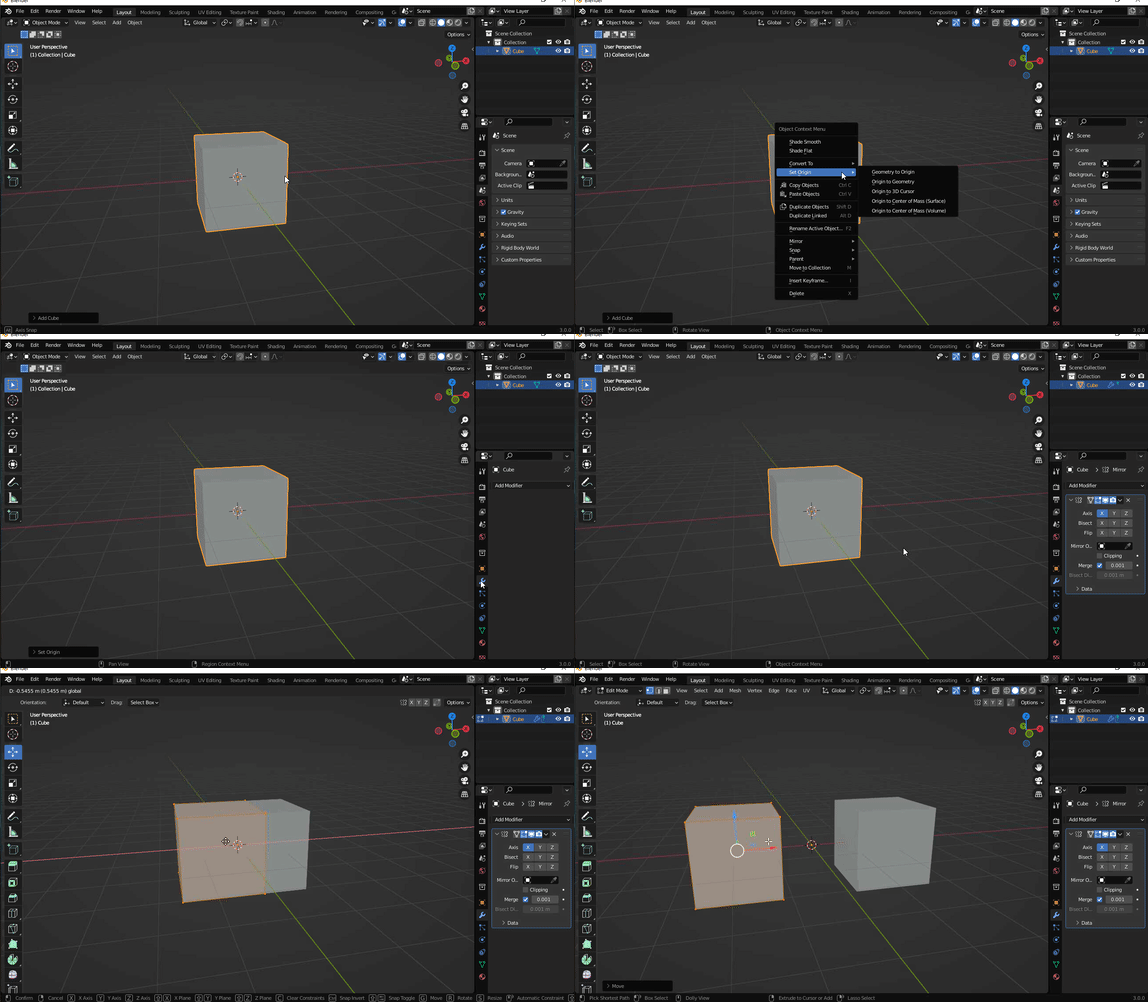 January 20, 2022 at 2:46 am #72017
@euv I agree with you that it’s probably not a bug, but there seems to be a slight misunderstanding here; it is not the Mirror Modifier that is giving us sleepless nights, but the Edit Mode Symmetry/Mirror (which is used in this tutorial).
January 20, 2022 at 4:56 am #72018Hey all,
It looks to me as only 2 things will cause this issue,
1, The origin is not in the centre of the object, on the mirror axis, in this case the x axis.
2, The geometry is not symmetrical on the x axis. If you moved the verts, even a fraction then turned on x mirror, it will not work.
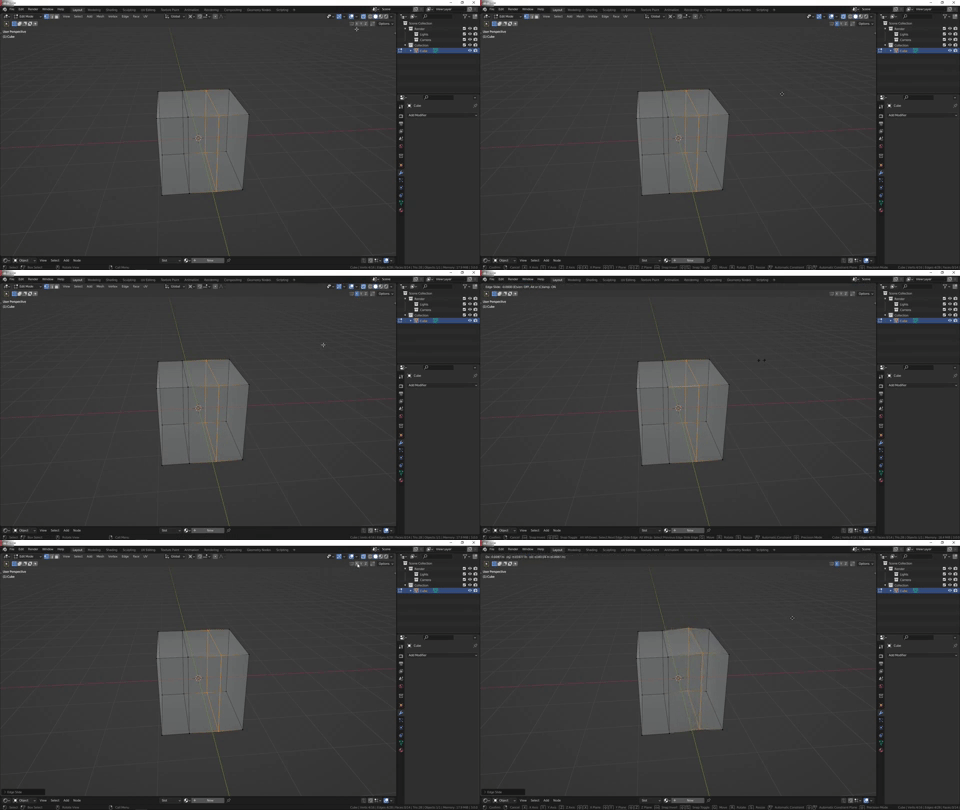
To solve this I suggest add an edge loop in the centre, delete one side of the mesh, add a mirror modifier, enable clipping on the modifier, move the edge loop you added in the x direction until they stick in the centre, apply the mirror modifier, delete the edge loop and continue.
January 20, 2022 at 8:22 am #72019Excellent points @adrian2301 !
Although it looks as if the Mesh is symmetrical and the Origin is in the center, there might be something slightly off…
Sounds very likely, actually.
January 24, 2022 at 7:55 am #72020Alright. Thanks for all your responses! I will keep this in mind for my next project!
December 13, 2022 at 3:40 pm #72021I had the same problem and found that it was the Vertex in the X axes that was not symmetrical. thankful for frankfriesen Q&A.
-
AuthorPosts


- The topic ‘Why can’t I mirror my vertices?’ is closed to new replies.