Can’t get the eyes right

Forum Archive Can’t get the eyes right

Viewing 5 posts - 1 through 5 (of 5 total)
  • Author
    Posts
  • #14585
    madwebster
    Participant

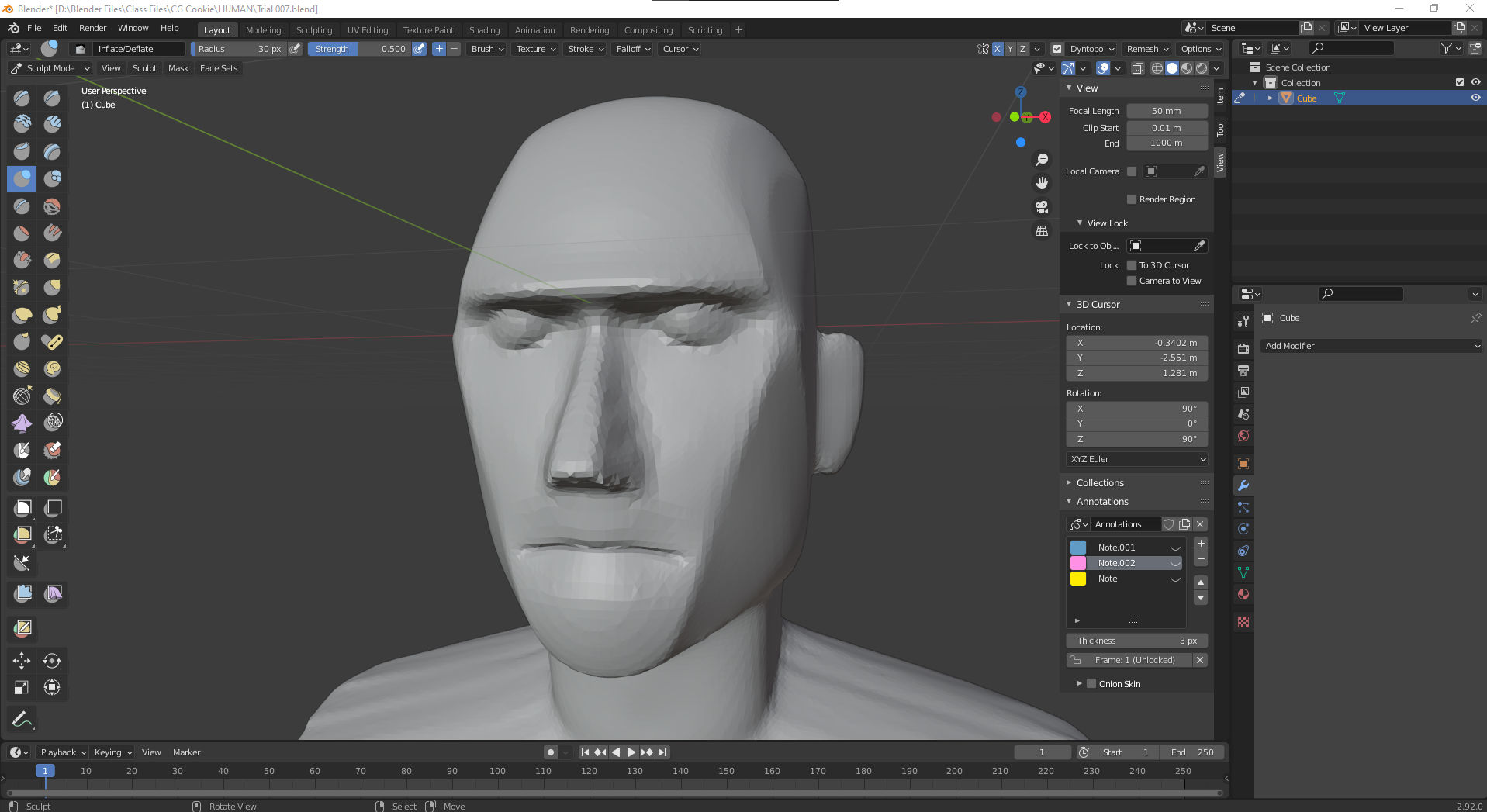
      I’ve followed everything step by step, yet no matter what I try I can’t seem to get the eyes right, mainly that they seem much smoother on the tutorial than what I can create. Does anyone know where I’m going wrong?

      #71826
      Kent Trammell
      Participant

        For blocking in the eyes at this stage, they seem good to me. As a block-in the bar is pretty low. You just need to get close which I think you have for sure. I say continue on 👍

        #71827
        Adrian Bellworthy
        Participant

          I agree with the master sculptor,

          The position looks good, the almond shape looks good.

          Continue on, you will come back to the eyes in a later lesson.

          #71828
          madwebster
          Participant

            Ok awesome, thank you!

            #71829
            Avi Rozenboim
            Participant

              Hi 

              I had a similar issue, where the resolution of the eyes was just too low.

              They looked just liked your eyes, very pixelated and not smooth.

              I noticed that my simplify brush (or any other) does not add new resolution to the mesh.

              I ended up moving to object mode, adding decimate modifier 50% and when I went back to sculpt mode I was able to add new resolution to the mesh and create eyes that are as smooth as the one on the tutorials.

              Not sure how I ended up in this situation, this is the second time I am trying out these lessons, first time round had no issue with the mesh (a part for the fact it looked awful lol) 

              Avi 

            Viewing 5 posts - 1 through 5 (of 5 total)
            • The topic ‘Can’t get the eyes right’ is closed to new replies.