Grime, Grunge, Dirt is Misbehaving

Forum Archive Grime, Grunge, Dirt is Misbehaving

Viewing 7 posts - 1 through 7 (of 7 total)
  • Author
    Posts
  • #14493
    squidring
    Participant

      Hi,

      Just finished the whole of this course and have thoroughly enjoyed it and have learned a lot, thanks.

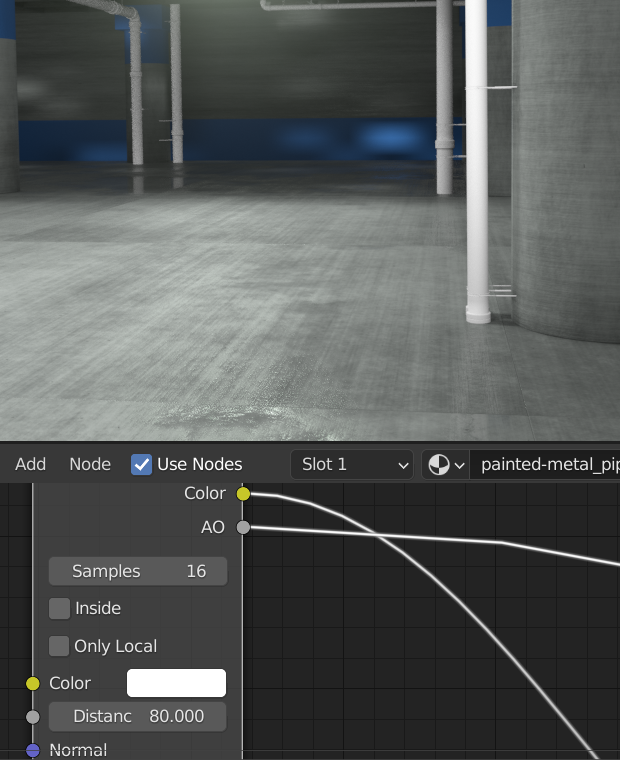
      One problem I have got is that the dirt/grime/grunge, on the pipes and handrails particularly is behaving surprisingly and not in a good way!

      I think Kent mentioned it when doing the handrail, but didn’t investigate further.

      My problem is that when I’m close up to the object it looks good, a little bit of grunge, but not excessive, if I move my viewpoint away from the object the grunge/grime/dirt seems to increase dramatically, the same problem is happening with renders, objects close to the camera are fine and those further away from the camera aren’t.

      I’ve attached a picture which I hope gives the idea, both of these pipes have the same material.

      Any help would be appreciated.

      Thanks

      #71269
      spikeyxxx
      Participant

        Hi @squidring 

        could you at least provide a sreenshot of your Material (Shader Editor), or even better a link to your .blend file (via Googledrive or Dropbox or…)

        #71270
        squidring
        Participant

          Hi Spikey,

          Thanks for quick response, here’s a link to the .blend file

          https://www.dropbox.com/s/fs2tlj4xuag8n3g/Industrial%20Environment.blend?dl=0

          #71271
          spikeyxxx
          Participant

            Okay, thanks!

            The only thing I can find is, that you have the AO set to a ridiculously high 80:

            I am not an expert on the AO node, but when you set it to 1 for instance, the difference between far and near objects seems to disappear:

            The Distance is a multiplier for the global AO I think, which is 0.2 m by default. That would mean that objects within 16 m will contribute to the AO when it is set to 80 in the Node…
            How Eevee calculates this (in Screen space) must have something to do with the fact that close objects get a different result, but I don’t understand how that works exactly… maybe @jlampel can tell.

            #71272
            squidring
            Participant

              Hi Spikey,

              Not sure what you mean by ‘ridiculously high’, I personally think that with AO too much is never enough!

              Only joking, great spot.  Have made that change and my renders now look much better.

              Although it was a mistake on my part setting the AO that high, it would be good to understand the process of AO in Eevee as it was a really weird result.

              Thanks again.

              #71273
              Jonathan Lampel
              Participant

                Although it was a mistake on my part setting the AO that high, it would be good to understand the process of AO in Eevee as it was a really weird result.

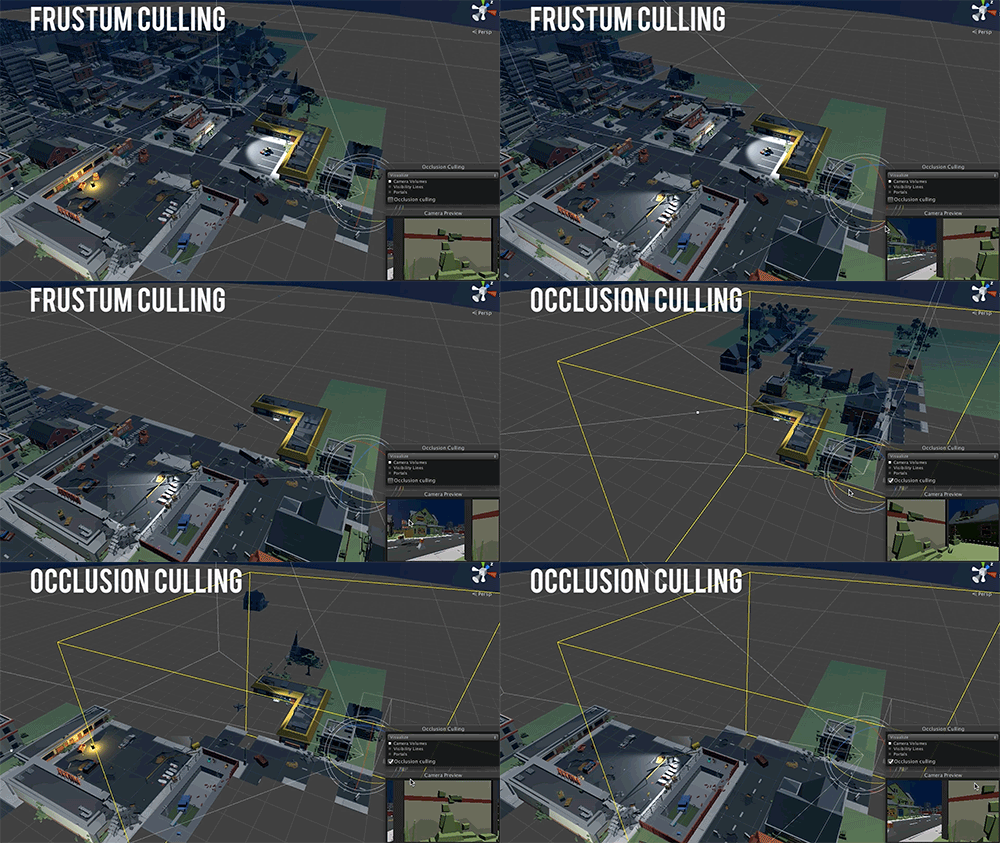
                AO in Cycles is really solid because it’s calculated from the actual distance between two surfaces, and that info comes basically for free during path tracing. Eevee, on the other hand, doesn’t have path tracing so it tries to approximate the AO based on the distance between surfaces and the normals according to the camera/viewport. 

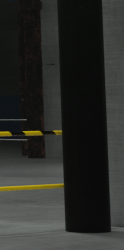
                By setting the AO distance so high, it’s essentially telling Eevee that an object should be occluded by everything within 80 meters of it. The reason the camera’s closeness had an effect is that screen space AO can’t take anything behind or outside of the camera into account, so the closer something was to the camera the fewer things Eevee would see around it to occlude it. Check out this gif and notice how, the closer something is to the camera, the less an engine like Eevee will naturally see around it:

                Hope that helps!

                #71274
                spikeyxxx
                Participant

                  Thank you very much @jlampel for this clear explanation! That makes so much sense 🙂

                Viewing 7 posts - 1 through 7 (of 7 total)
                • The topic ‘Grime, Grunge, Dirt is Misbehaving’ is closed to new replies.