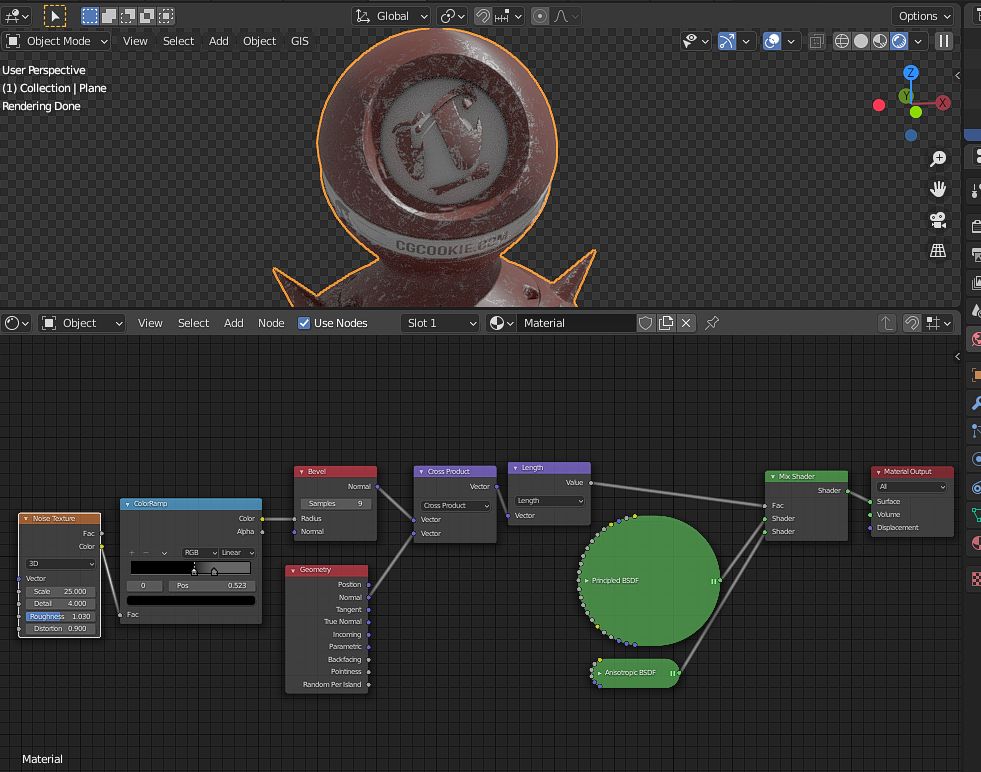
The noise texture doen’t work at all since it’s not applied to the bevel and I use the exact same value!

Forum Archive The noise texture doen’t work at all since it’s not applied to the bevel and I use the exact same value!

Viewing 5 posts - 1 through 5 (of 5 total)
  • Author
    Posts
  • #14007
    maxcady
    Participant

      Take a look. I need help. It’s cycles.

      #68824
      Thibaut Bourbon
      Participant

        Hi @maxcady, I think this has to do with the fact that this tutorial was done in an earlier version of blender.

        Now you need to add an extra node between the Cross Product and the Mix Shader nodes so the dimensions between the output and the inputs are consistents:

        Add a Length node (You will find in a  Converter > Vector Maths and pick Length in the dropdown). That way it converts the Vector (blue dot) output, which is three dimensionnal into a one dimensional input (grey dot) by taking the “length” of the cross product output (the norm of the vector would be more mathematically appropriate).

        Hope this helps,

        /Thibaut.

        #68825
        maxcady
        Participant

          mmmmmm…. interesting…. But still doesn’t work. I take the same value and it’s Cycles rendered. 🙁 

          Can you help? It drives me nuts.

          #68826
          Adrian Bellworthy
          Participant

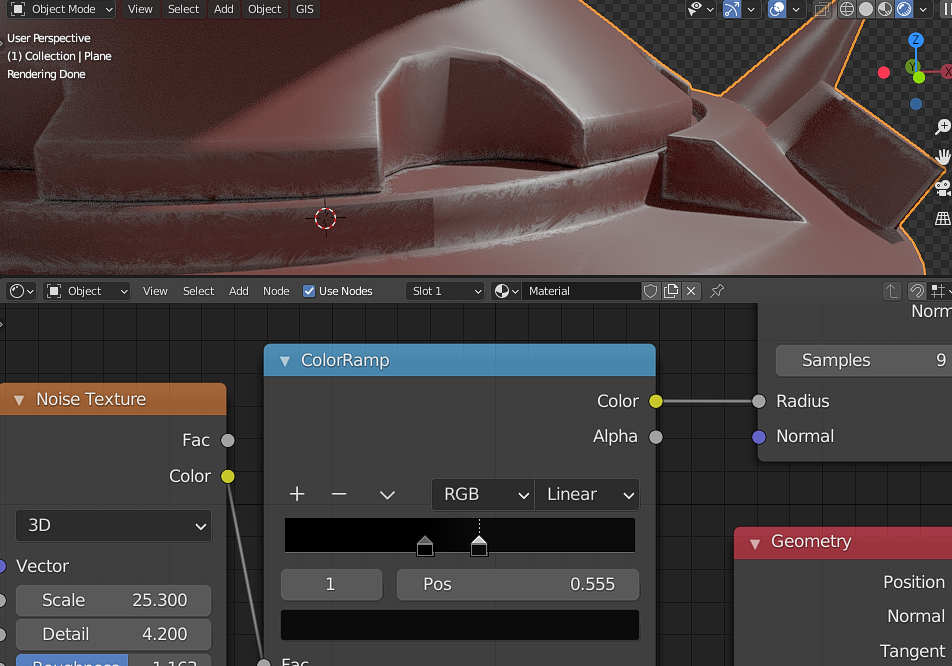
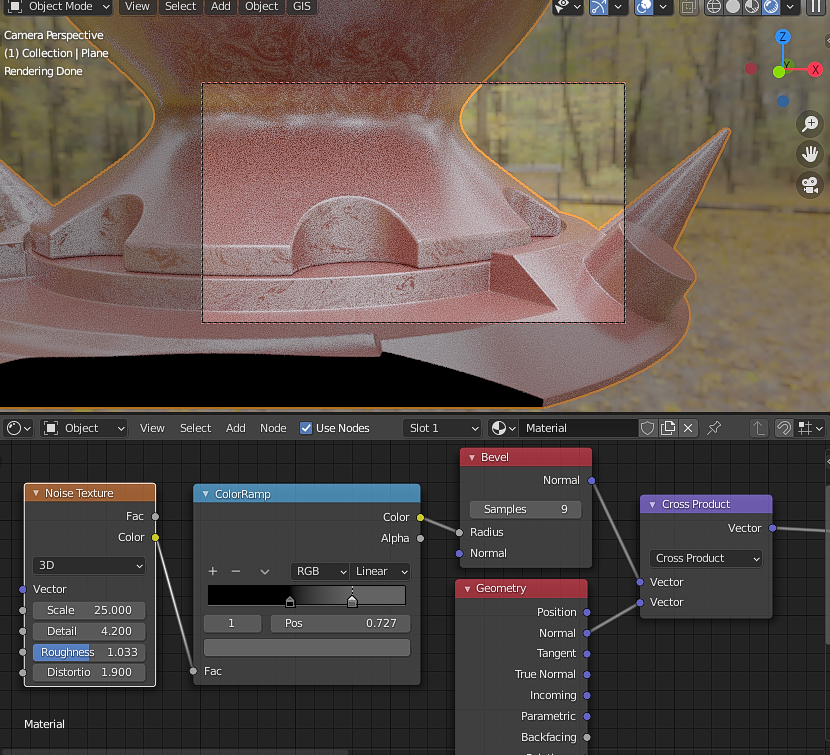
            I think you need to adjust your colour ramp node   @maxcady 

            #68827
            maxcady
            Participant

              I changed the ramp values. It’s kind of working. Thx!

            Viewing 5 posts - 1 through 5 (of 5 total)
            • The topic ‘The noise texture doen’t work at all since it’s not applied to the bevel and I use the exact same value!’ is closed to new replies.