
Origin of a wind blown object does not move with its geometry
Forum Archive › Origin of a wind blown object does not move with its geometry
- This topic has 15 replies, 3 voices, and was last updated 5 years, 4 months ago by
spikeyxxx.
-
AuthorPosts
-
April 7, 2021 at 7:21 am #13784
Just set up a nice scene in which I use a wind force to push a ball given cloth physics down a tube. The end result is great apart from one thing. The origin of the ball seems to stay right where it started. This wouldn’t normally matter, but I wanted to use a camera to stay focused on it as it travels. When I tell the canmera to focus on the ball it naturally focuses on its origin rather than where it actually is. I can get around this by moving an empty to where the ball moved to in the scene and getting the camera to focus on that, but I’m assuming there is a setting somewhere that causes the origin of an object to move with its geometry as it is moved by forces such as wind.
April 8, 2021 at 12:01 am #67146It looks like that is a Cloth thing. My guess is that that is because Cloth has Pinning and that would be very hard to calculate when the Object (Origin) was moving during a Cloth Sim.
April 8, 2021 at 4:04 am #67147OK, thanks for the reply. So it looks like there is no easy solution then. I only used ‘cloth’ on the recommendation in a video suggesting this was more accurate than ‘soft body’. Maybe I’ll try with the latter. I’ve jumped straight from 2.79 to 2.92 and there are a lot of changes to take on board! I’ve never used ‘cloth’ before, even in 2.79, so I have no clue about the subtleties of things like pinning. So unless there is a ‘don’t use pinning’ option, (can’t see anything in the Physics section), I’m sunk on that way forward.
April 8, 2021 at 5:52 am #67148Cloth doesn’t use Pinning by default, but you can enable it and then ‘pin’ a Vertex Group. Like when you want to make a flag on a pole,blowing in the wind, or a piece of cloth hanging to dry from a washing line.
When Blender (or any software probably) had to calculate those ‘fixed’ Vertices when the cloth (Origin) would be moving, that would be complicated and unnecessary, while they (pinned Vertices) are not moving, but they would be in a different position compared to the Origin…
I hope that makes a bit of sense (at least intuitively).
April 8, 2021 at 6:53 am #67149I think I understand what pinning is for, (some deja vu is kicking in here). Presumably though if I haven’t applied it this won’t be the reason why the origin doesn’t move when a force is applied? I guess I could look at parenting my ‘cloth’ ball to a very small rigid or soft object whose origin would move in wind?
April 8, 2021 at 8:23 am #67150I think it would not be practical (from a programming point of view) to have two different ways of calculating the cloth sims, depending on whether you have pinning enabled or not…
April 9, 2021 at 6:28 am #67151@jimcoote I was thinking about your ‘problem’ when I was taking a walk outside and you might not know this (I learned this after about 6 years of using Blender..):
At frame 1, with your Cloth Object selected: SHIFT+S > Cursor to Selected.
Add an Empty. SHIFT + Select the Cloth Object.
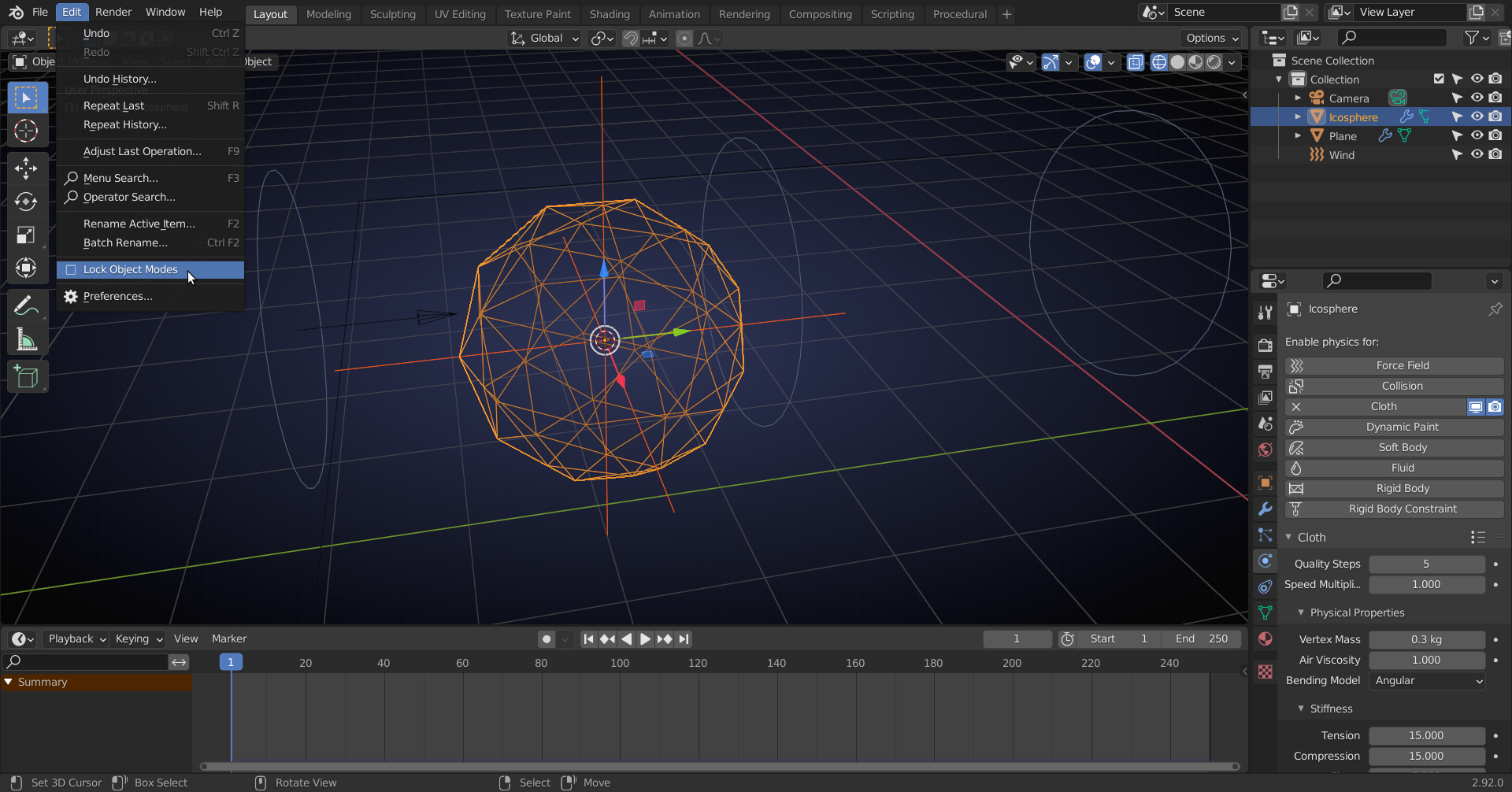
Now is a good time to disable Lock Object Modes (which is only there to not confuse Blender babys, but you are an adult now!):
Switch to Edit Mode and select 1 or three Vertices of your Cloth Object:
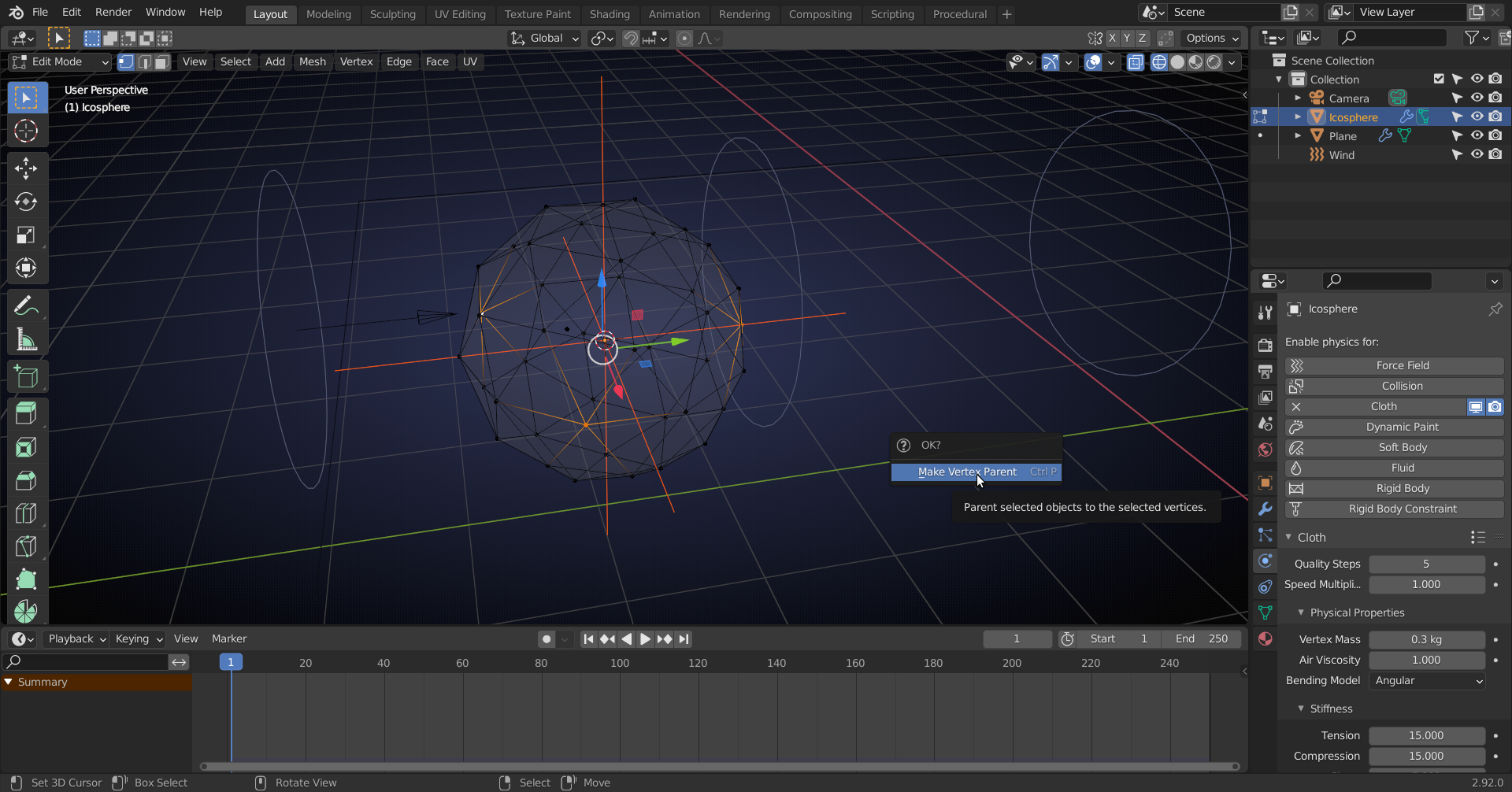
Then press CTRL+P > Vertex Parent.
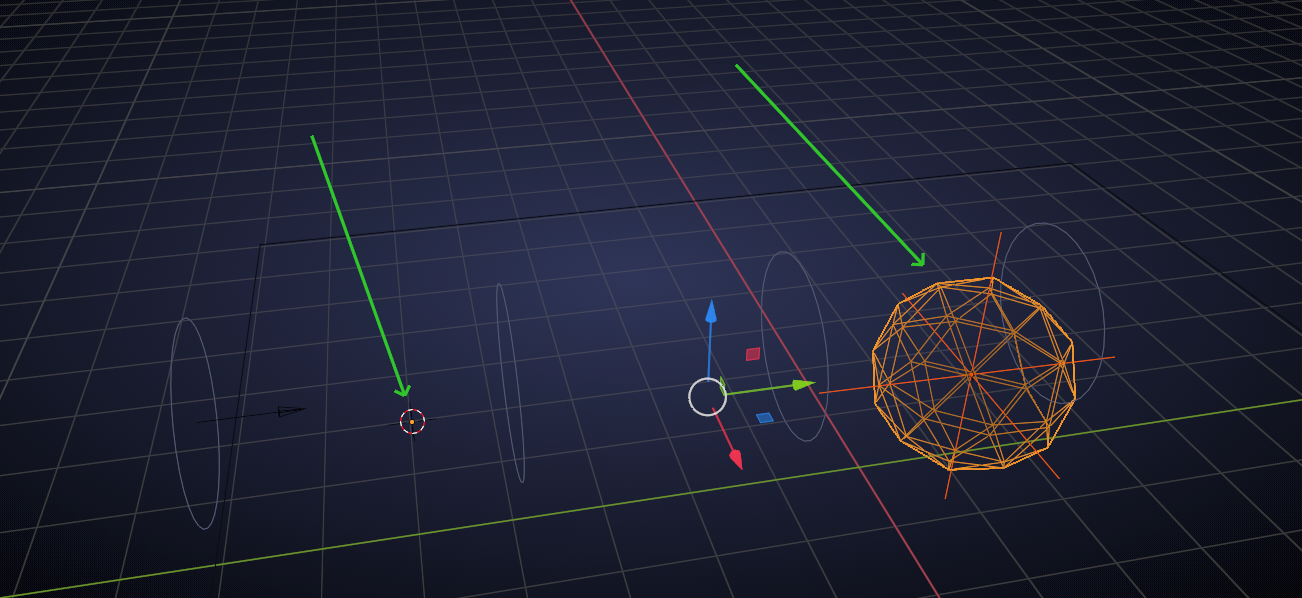
Play the Animation/ Simulation:
 April 12, 2021 at 11:28 am #67152
That is indeed interesting. Thanks a great deal. So basically the empty is parented to the cloth. Parenting part of the latter to the empty ensures its origin matches that of the empty, which is forced to follow the cloth. Sweet…I like it!
April 12, 2021 at 11:47 am #67153The Empty is parented to 1 or 3 Vertices of the cloth. The Cloth Object doesn’t move, So , the Empty follows the visual cloth, which is exactly what you want 😉
April 12, 2021 at 5:21 pm #67154The cloth object isn’t moving!!….I’ll take your word for it….even though both the mesh and the origin of the cloth object seem to be moving.
April 12, 2021 at 5:51 pm #67155The end result is great apart from one thing. The origin of the ball seems to stay right where it started
April 12, 2021 at 6:36 pm #67156too keep movement calculations in world space to a simple level
almost all aspects of animation keep origin points in one place (if I am remembering correctly)
everything then becomes the simplicity of movement in local space for the object
and the placement of the object in world space in relationship to the origin (0, 0, 0)
so a walk cycle along a path is 2 parts the walk movement in local space
and the path movement in world space,
accomplished by moving the object by it’s root bone (the relationship to world origin)
and arms and legs according to their relationship to the root bone (local space)
hope I remembered this correctly and that it helps
April 13, 2021 at 12:13 am #67157@me1958424 thanks!
For Simulations, this is true for Cloth and Soft Body, but Rigid Bodies (understandably) do not keep their Origin fixed in Global Space.
April 13, 2021 at 3:33 am #67158Quite right spikeyxxx, my mistake. The origin of the ball stays right where it is, I was looking at the empty. The centre of that moves in the animation, although its co-ordinates do not change. I believe that’s tied up with the breakdown Mark Smith provided. Thanks to both of you.
April 13, 2021 at 5:12 am #67159PS: Although the XYZ co-ordinates of the empty do not change, despite it cheerfully getting blown forward by the wind, the camera seems perfectly happy to use it’s apparent location in the viewport as a focus point, (my original goal). With the camera positioned so the ball bounces towards it, it clearly focuses on the empty when I select it within the depth of field settings. Perfect. Weird, but perfect!
-
AuthorPosts


- The topic ‘Origin of a wind blown object does not move with its geometry’ is closed to new replies.