
Collab2021 – WIP – wardred
Forum Archive › Collab2021 – WIP – wardred
- This topic has 42 replies, 7 voices, and was last updated 5 years, 4 months ago by
Kent Trammell.
-
AuthorPosts
-
April 6, 2021 at 2:59 pm #13737
This is my project thread for the April 2021 collaboration.
April 10, 2021 at 1:33 pm #65483 April 10, 2021 at 1:35 pm #65484
I like where that was going, but I ran into some problems with it.
It was really tricky for me to get the leave alignment right with the sapling tree generator.
Also, when I zoomed in on the project image the leaves aren’t maple leaves, they’re just hexagonal leaves. I should honor that, and it’ll save a fair number of vertexes.
I’m going to play with the geometry nodes and see if I can’t come up with something I like better.
April 10, 2021 at 1:55 pm #65485i really like the tree , those leaves are looking amazing too , nice work
April 11, 2021 at 12:26 am #65486Thank you @yukinoh1989.
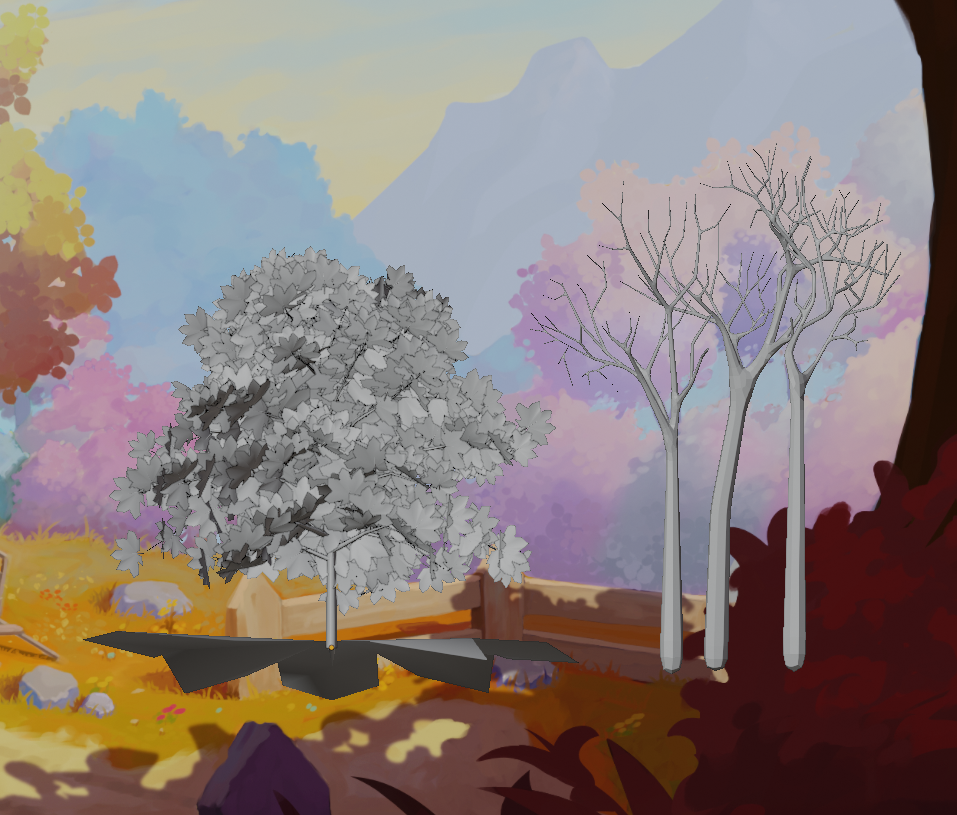
As much as I like what was going on with the sapling tree generator, it’s a little too random.
Compare the sapling generated tree on the left to ones on the right.
The ones on the right are hand modeled with the skin modifier. They’re much easier to control.
Now I just need to get leaves applied. (Not sure if I’ll need a lot of smaller branches or not.)
 April 11, 2021 at 1:35 am #65487
@wardred I’d say that (at a guess) the trees on the right wouldn’t really need any more branches because of how far away they are from the camera, but check in with you Team Leader to be sure about that hypothesis.
Other than that it’s all looking good to me. 👍
April 11, 2021 at 2:06 am #65488wow i would not have thinked about modeling a tree trough a skin modifier , great idea , and its paying off 🙂
April 11, 2021 at 12:17 pm #65489@yukinoh1989 Thank you, I’m pretty happy with the results.
Somewhere out there is a tutorial I think Kent did on creating a spooky tree that went over creating the tree with the skin modifier, and a single subsurf modifier to make it a bit rounded.
The only downside is once the modifiers are applied the branches alone are 80k vertexes! It’s relatively easy to slide the redundant loops into each other then merge by distance, but that’ll take me a minute to do.
Still exploring the best way to get leaves onto these beasts.
April 11, 2021 at 12:20 pm #65490@vincav81 – I need to go back to the project guidelines a little. You’re correct, from the perspective of the photo, I could probably reduce the number of limbs significantly and have leaves floating with no attachment to branches at all, and one wouldn’t be able to tell because they’re so far away.
If the goal is to be able to “fly” through the model, and be able to take good photos of it from other perspectives, it’s possible one of the mid ground trees could become in focus, in which case having leaves obviously floating away from the limbs would be problematic.
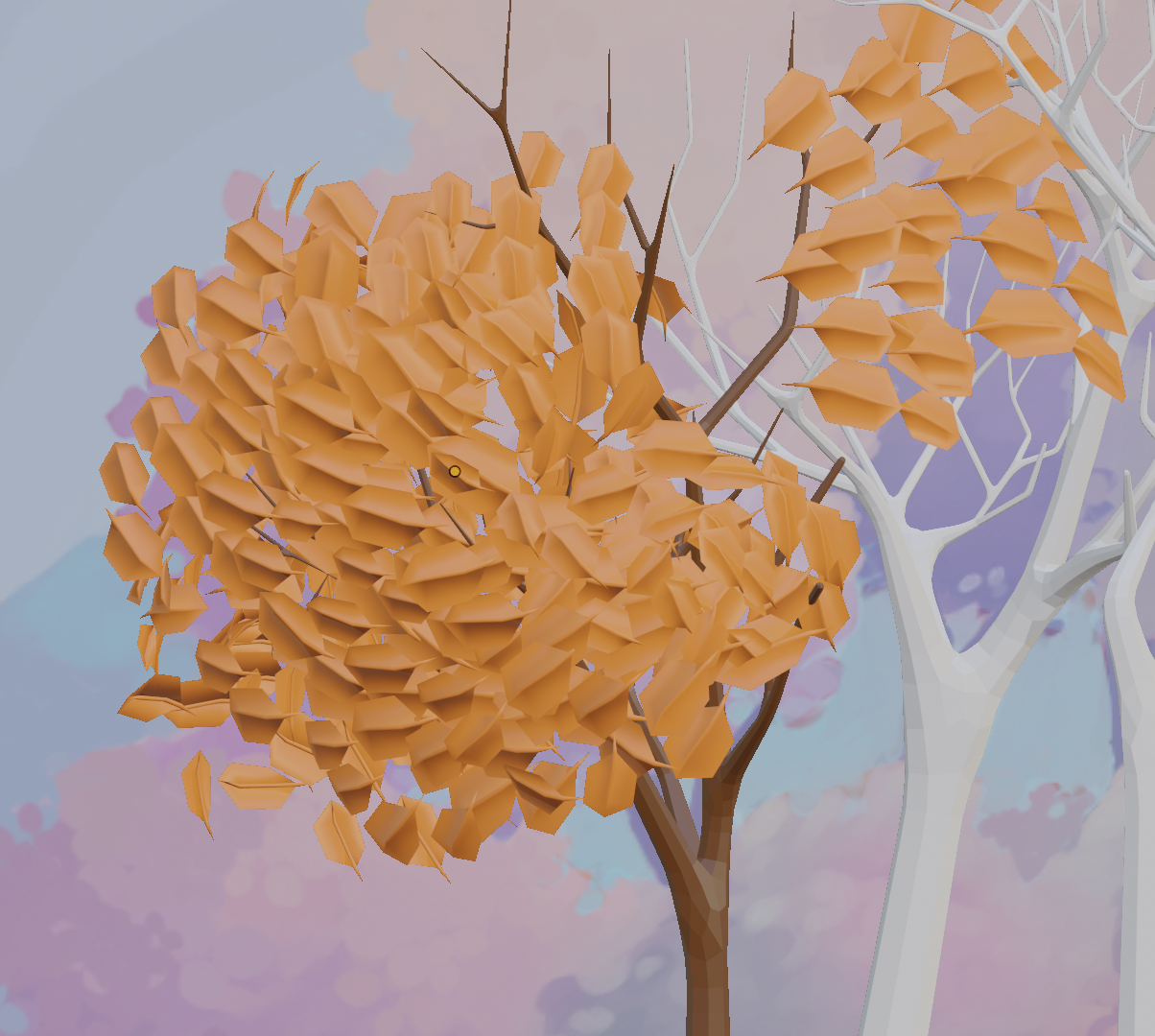
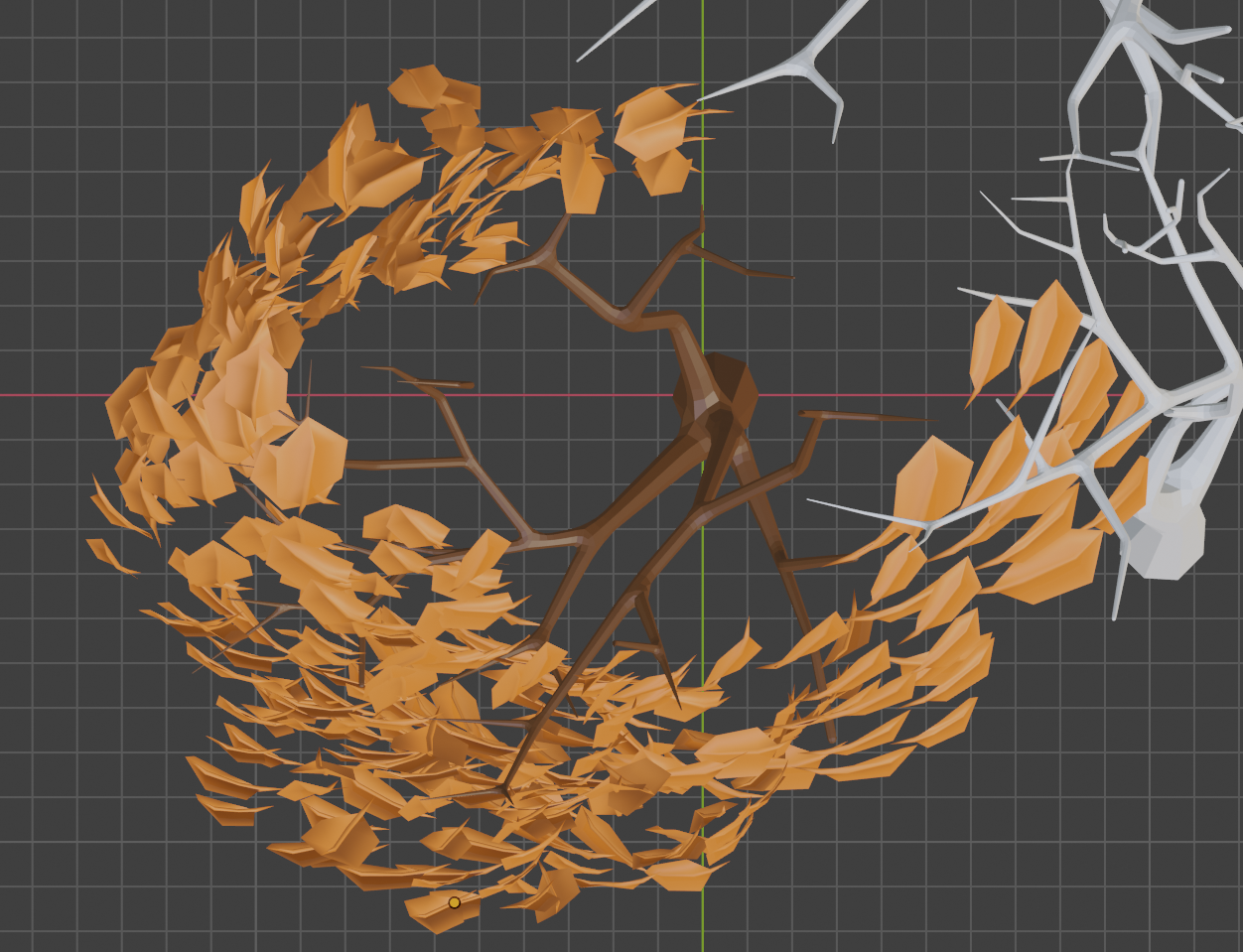
April 11, 2021 at 4:12 pm #65491Just messing with floaty leaves. I actually gave the stem some depth. . . but I think having a stem may have been a mistake.
I like the trunk form the skin modifier more, but I actually like the shadows from the sapling generator more.
Man, sapling generator, particles and the hair generator, geometry nodes. . . I never realized their were so many ways to try to model a tree.
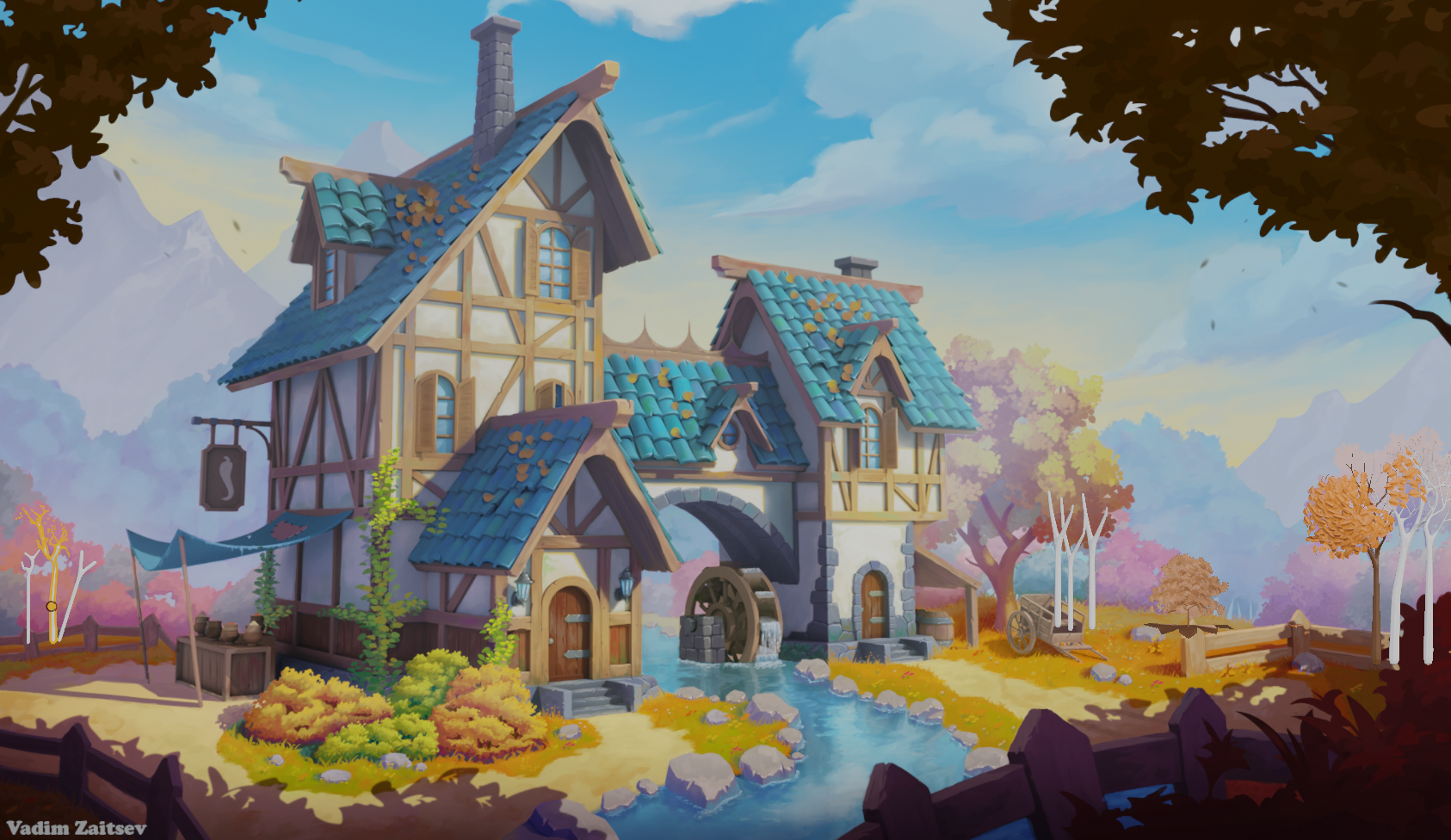
Edit: On the last photo the trees in question are on the right.
 April 11, 2021 at 11:37 pm #65492
Homework Submission – Week 1 – MG Trees
@theluthier – Finally got to a spot where I could link you directly to this homework assignment.
The trees in the first image on the right are the most complete. I really like their branching. I’m still not quite as happy as I could be with the leaves themselves.
The tree in the middle with the huge maple leaf under it was the sapling generated tree. I like the shadows from that tree better than what’s happening with the leaves on the right.
In the first image on the far right and left are some skeletal trees. Not sure if I should actually be doing anything with those or not, but it kinda looks like they’d be there from the reference photo.
I asked a question about the second image. I wasn’t sure if I should be trying to recreate something that would look good if you walked up to it, which would end up being the middle tree, or if I should focus on just what one can see from the photo, like the two outer trees.

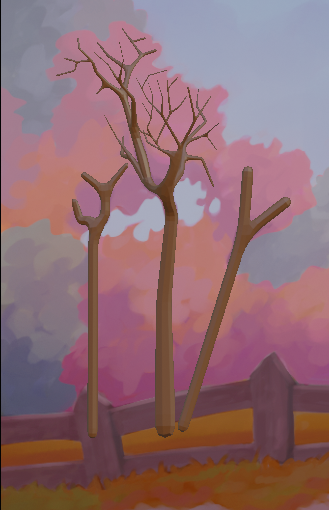 April 12, 2021 at 12:15 am #65493
Hi @wardred Seems you might’ve forgotten to tag Kent with “@theluthier” under the homework submission title to send him a notification. Otherwise, great job on the trees! 👍
April 12, 2021 at 4:28 pm #65494@artifact – Thanks for pointing that out. I emailed Kent earlier while I was at work, and finally got to a spot where I could actually add him to the specific homework post.
The dangers of turning things in so close to Midnight!
April 16, 2021 at 2:01 pm #65495Wonderful week 1 work @wardred! Very promising to see how far you’ve come already. You’ve earned full points from me 👍
I stand beside the same feedback I gave you elsewhere about removing the small branches for MG trees. It’s worth saving the geometry the further we get from the foreground zone. Therefore these MG trees will lean on the leaf volume hiding the missing small branches.
I want to offer 2 stylistic notes: The leafy feel good and “leafy”; clearly individual leaves are in use to good effect. However right now they feel a bit sparse and lacking a more solid core. I’ve been recommending foliage artists try the approach from this video:
It’s not created with Blender and it’s a bush instead of a tree, but the concept is what’s important: A solid chunk of geometry representing the “core” of a leaf volume with a layer of alpha-mapped leaf cards making up the outter surface. When done well it’s an effective illusion.
April 16, 2021 at 5:33 pm #65496Hi Kent,
Thank you!
I agree. The shell I created. . . feels like a shell. There isn’t enough interior volume which makes it look like a balloon with a loose covering of leaves and doesn’t create any interesting shadows.
Leaves are definitely something I’ll be working on for this week.
-
AuthorPosts


- The topic ‘Collab2021 – WIP – wardred’ is closed to new replies.