Why is the histogram displayed for the image in Blender & Photoshop so different ?

Forum Archive Why is the histogram displayed for the image in Blender & Photoshop so different ?

Viewing 7 posts - 1 through 7 (of 7 total)
  • Author
    Posts
  • #13445
    syboots
    Participant

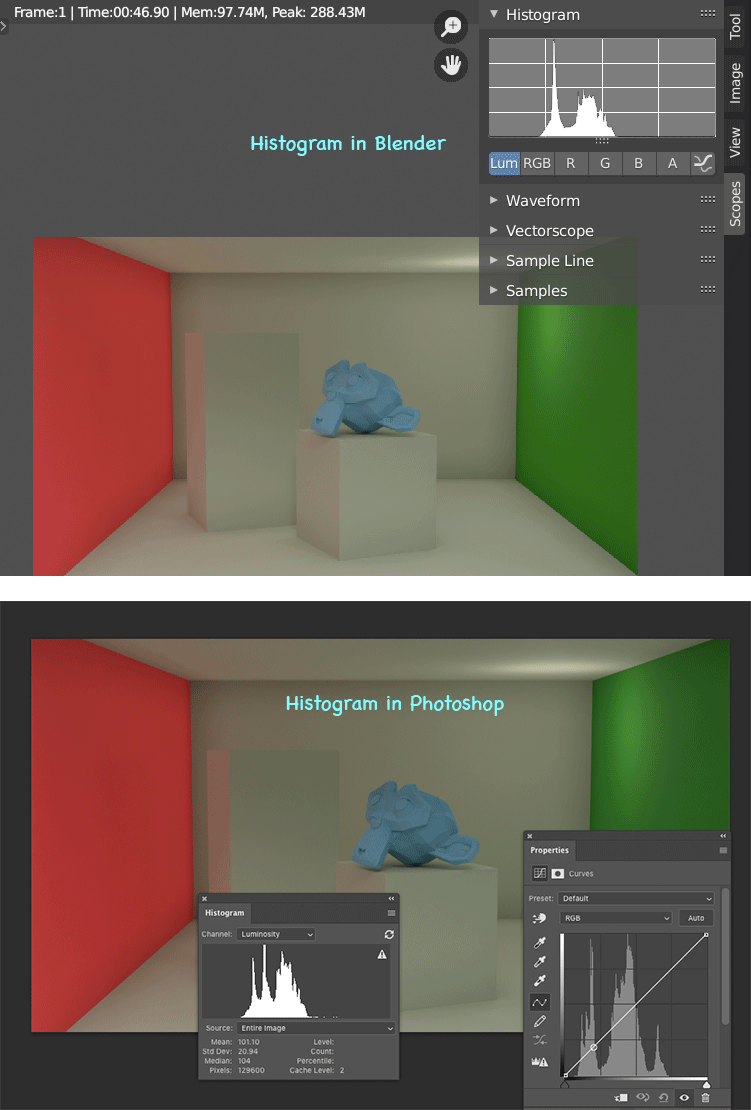
      The histogram in Blender shows only 1 peak in the shadows region, where as photoshop shows 2 peaks.

      How did that happen ?

      Also, in photoshop moving the cursor over the image (the screen cap didn’t capture the cursor in photoshop), shows which pixel corresponds to which peak in the histogram, Is there a way to do the same in Blender ?

      #62759
      spikeyxxx
      Participant

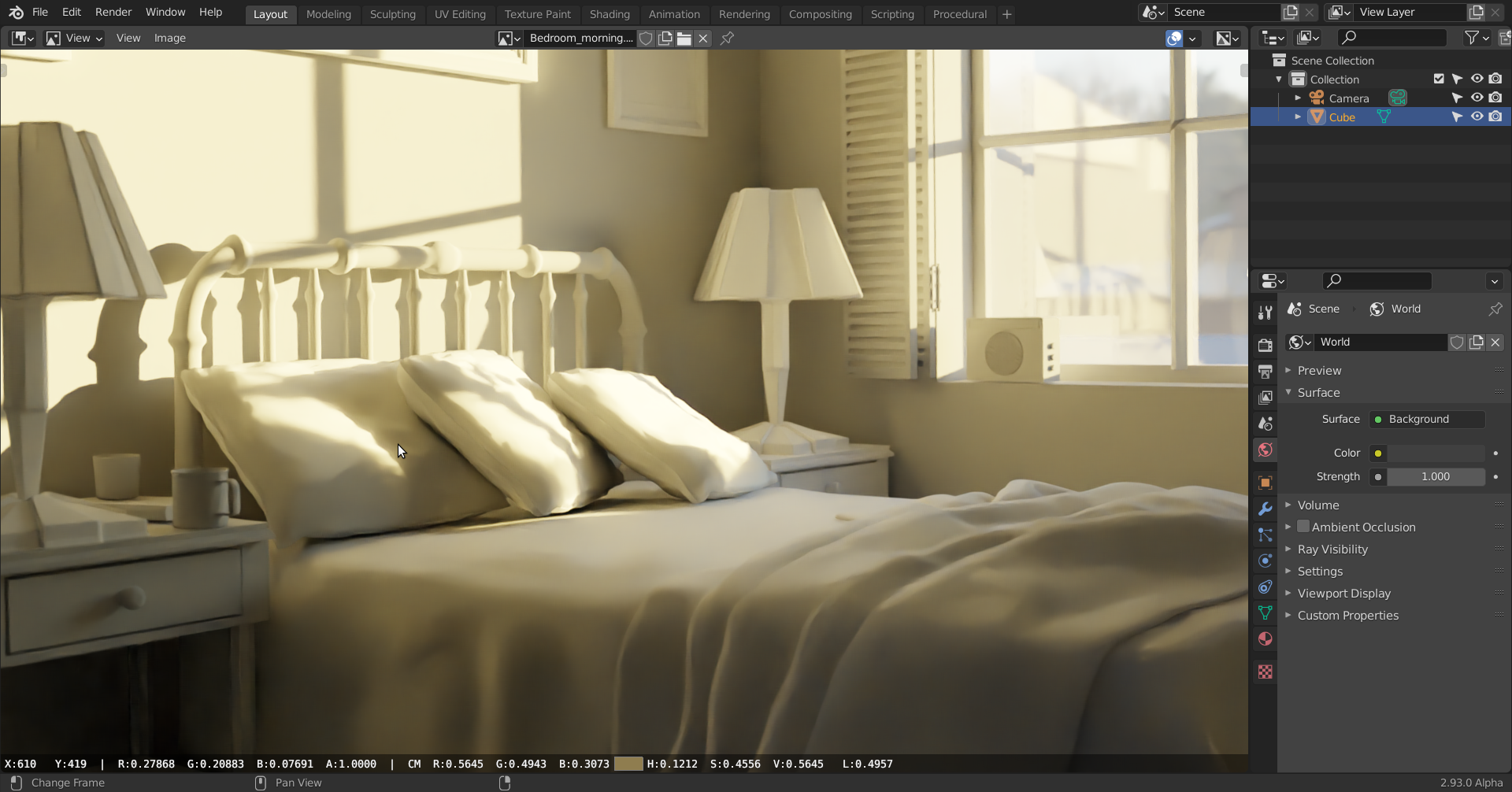
        I know nothing about PS, but in Blender, when you hover over a pixel and hold the LMB down, it shows a lot of values of that pixel at the bottom of the Image Editor:

        #62760
        syboots
        Participant

          I would like to hate photoshop, but unfortunately I learnt image editing during the reign of photoshop 7 (student version)

          On second thought, I’m thinking I should have used EXR format in photoshop instead of the 8 bit PNG for comparisons with the blender image viewer. Dunno, may be its got something to do with the export file format. 

          #62761
          spikeyxxx
          Participant

            If the terminology is used correct in both programs, then PS measures Luminosity in your screenshot, while Blender measures Luma.

            Luminosity is (loosely said, this is not the exact definition) an absolute value of the amount of light emitted, while Luma is calculated from the RGB values (like Luminance) and there are even more than one standard formulas for Luma,

            So, they do not measure the same thing, hence the difference.

            #62762
            spikeyxxx
            Participant

              Another example:

              these colors have the same Luminosity, but the yellow is perceived as brighter, which means it has a higher (Luminance and) Luma.

              The difference between Luminance and Luma btw. is, that Luma is calculated from ‘Gamma corrected’ RGB values.

              #62763
              syboots
              Participant

                Thanks for the reply. 

                But the technical stuff about [Vasco De] Gamma conversions & Photoshop goes weee above my head.

                #62764
                spikeyxxx
                Participant

                  There are only very few people that understand (digital) color well and I’m not one of them 😉

                Viewing 7 posts - 1 through 7 (of 7 total)
                • The topic ‘Why is the histogram displayed for the image in Blender & Photoshop so different ?’ is closed to new replies.