Bevel smoothes the inner edge

Forum Archive Bevel smoothes the inner edge

Viewing 4 posts - 1 through 4 (of 4 total)
  • Author
    Posts
  • #13419
    schunja
    Participant

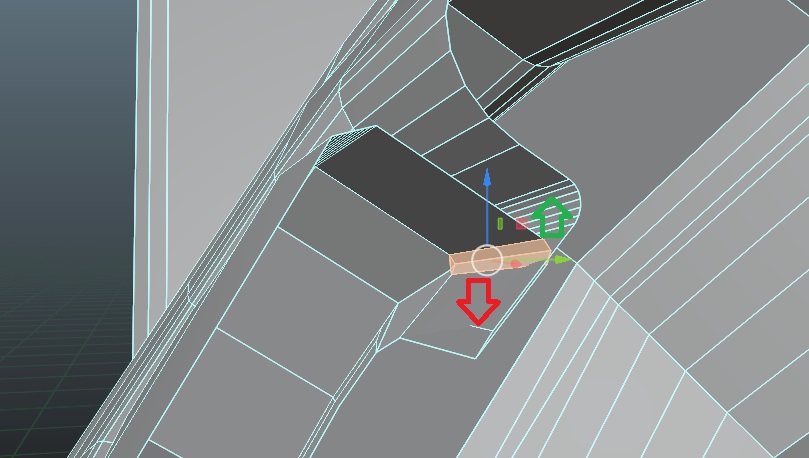
      Hi! Sometimes the bevel tool smoothes the edge on the inner side, what could be the reason? On the screenshot: when I wanted to smooth the edge towards the green arrow (outside), the bevel rounded the edge from the inside (red arrow). Thanks! 🙂

      #62708
      Cannon Raymond
      Participant

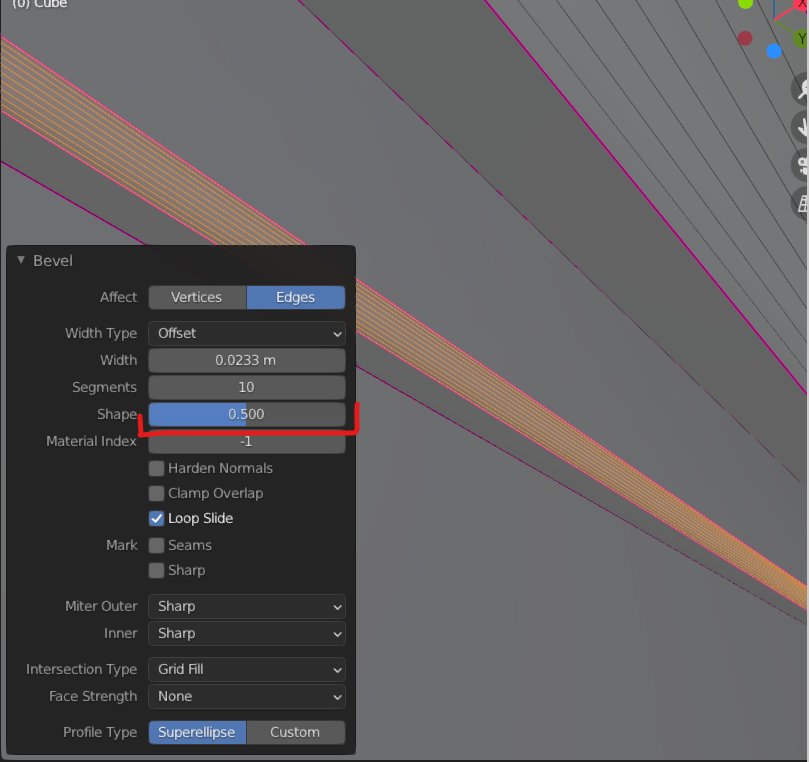
        When you bevel something (With CTRL – B) a popup shows up in the bottom left of the screen. Click the little arrow to maximize it (If it isn’t already) now if you click or drag on the shape slide you can easily change the angle of your bevel!

        #62709
        spikeyxxx
        Participant

          Hi schunja,

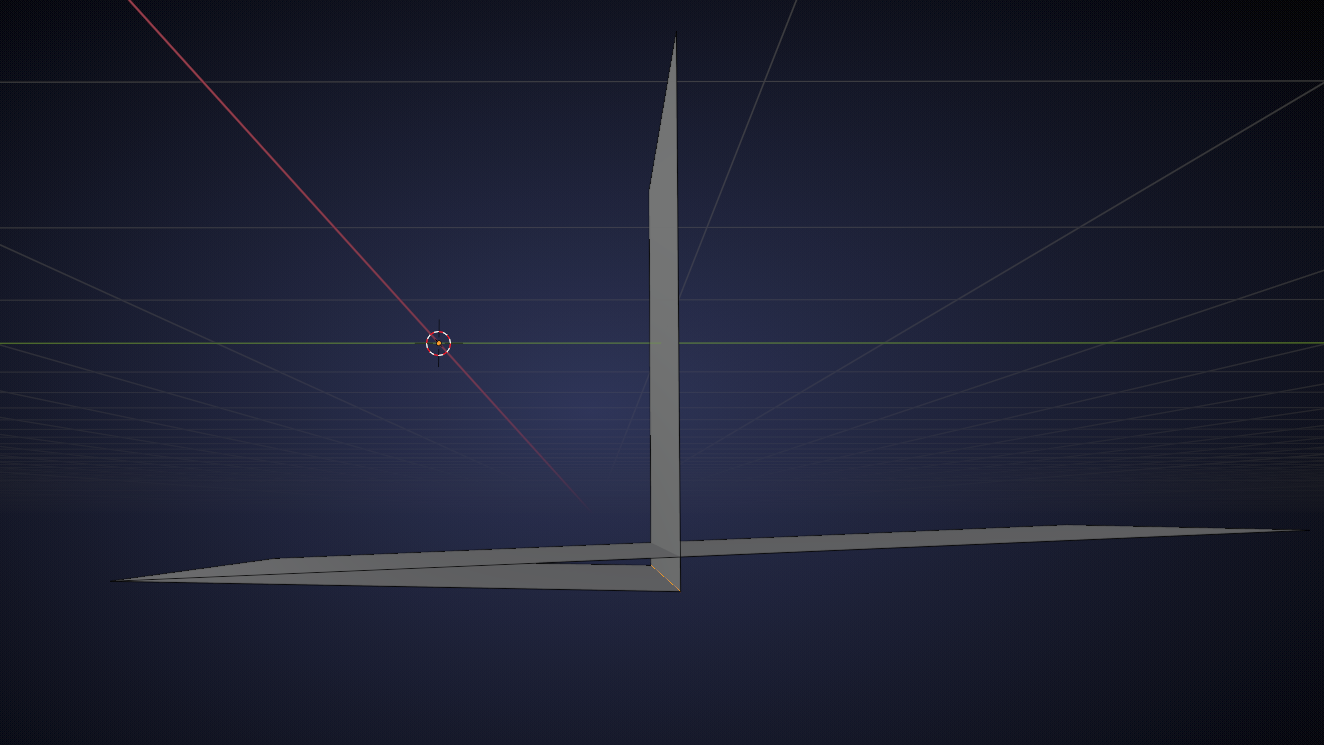
          it’s really hard to tell from your screenshot, but to me it looks like (exaggerated!) you are trying to bevel an Edge like in this picture:

          I hope you can see why this can only go in one direction 😉

          If it would have been modeled like a ‘T’, it wouldn’t bevel at all, because Blender wouldn’t know in which direction to go.

          #62710
          schunja
          Participant

            spikeyxxx  You’re right 🙂 I got a little confused and didn’t see that I had mixed everything. Thanks)

          Viewing 4 posts - 1 through 4 (of 4 total)
          • The topic ‘Bevel smoothes the inner edge’ is closed to new replies.