
Bad resolution after baking
Forum Archive › Bad resolution after baking
- This topic has 9 replies, 3 voices, and was last updated 5 years, 7 months ago by
Adrian Bellworthy.
-
AuthorPosts
-
January 18, 2021 at 6:42 pm #13356
Hi Jonathan,
thanks for this interesting course,
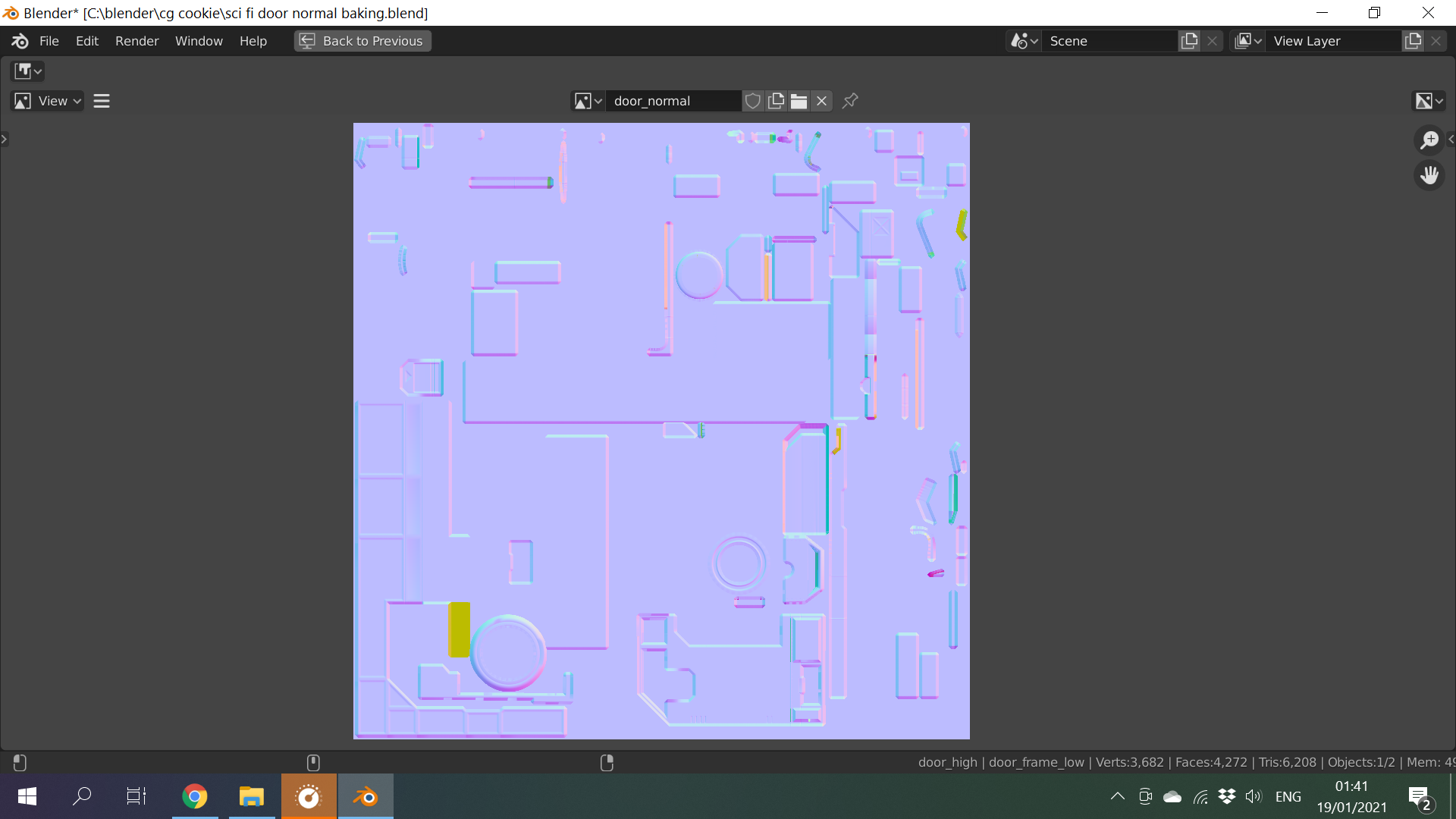
until the baking part all was going smooth, after 10 min bake I found that the overall resoulution was not so great although i followed all steps and details,you can see at picture that the bolts came out as blury dots instead of crisp details, what could hav gone wrong?
I added the normal texture bake as well,
Dani
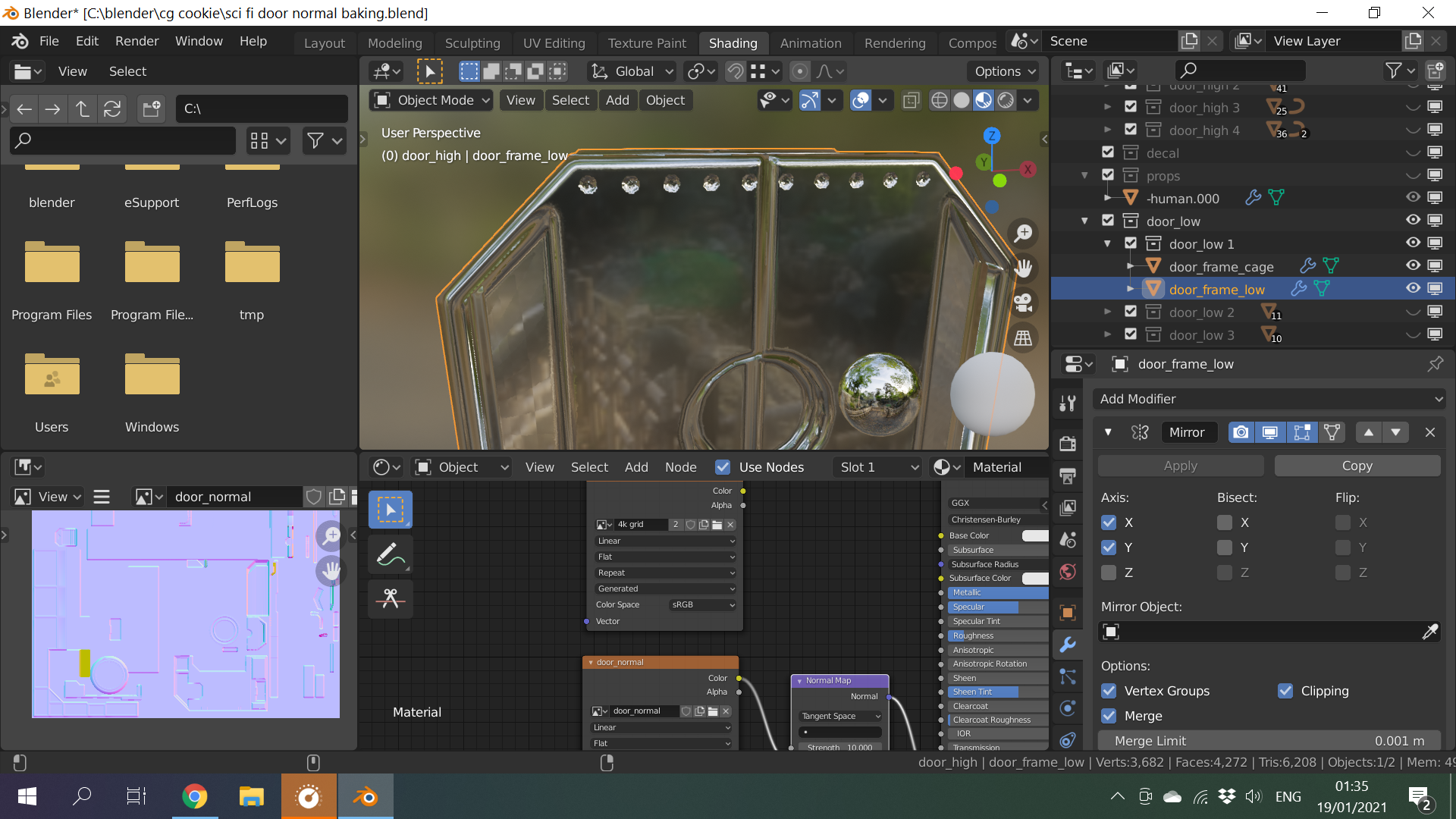 January 19, 2021 at 11:58 am #62513
Hi Dani, thanks for showing both the result and the texture. I couldn’t find where on the texture map those dots are located though. Perhaps that area is too small in relation to the other pieces? I’d also recommend saving the image as a 16 bit PNG or a full float EXR after baking if you haven’t already.
January 20, 2021 at 12:24 am #62514Hi jonathan,
thanks for replaying,I guess they are too small, If I will scale them up individually on the UV map it should solve it?
I saved the file as full float EXR as you mentioned in the course.Now, another problem during baking is that the first bake took 10 min, the bake for the second part (without clearing rhe image) took 1 hour, the thinrd part more then 5 hours, I had to stop it in the middle, and I am only half way there, am I doing something wrong?
January 20, 2021 at 9:04 am #62515when modelling the dots did you make sure you had a flat surface along the edge and parallel with the door?
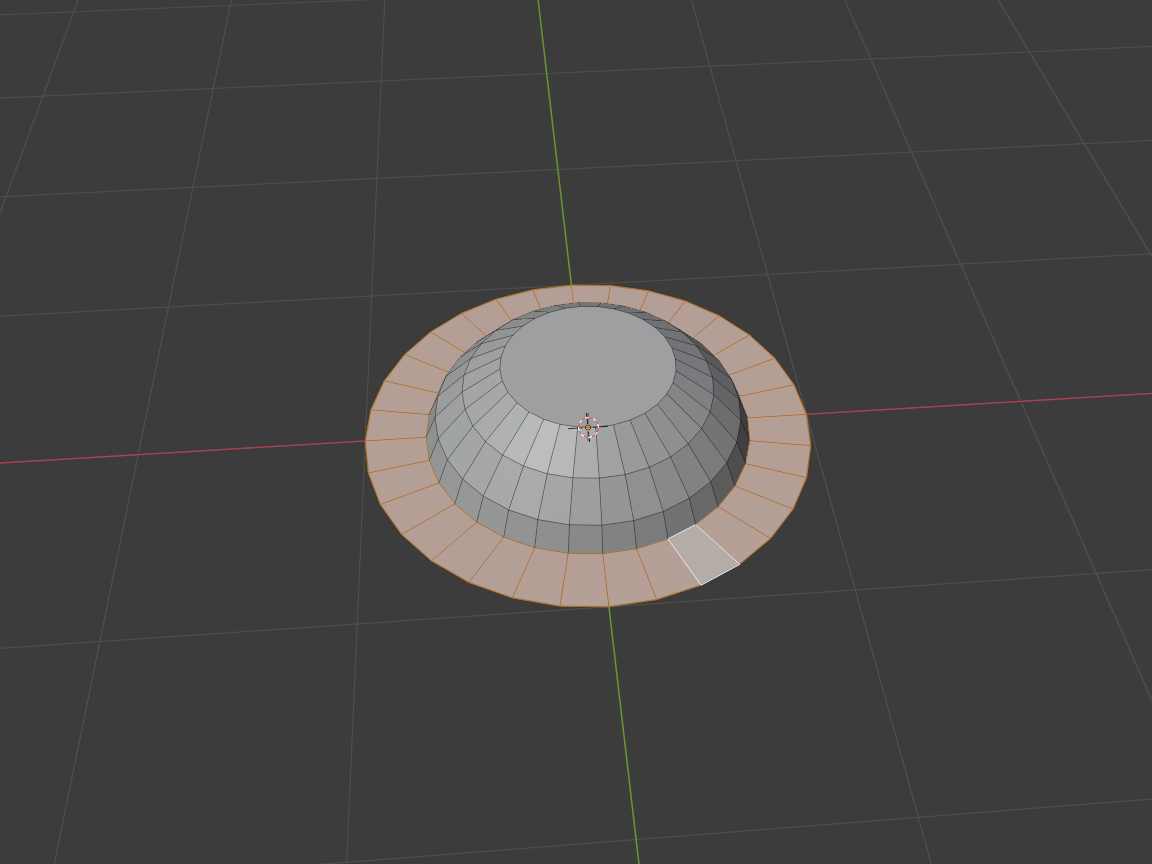
and enough verts. High poly.
The texture map I assume you have is 4K and no alpha channel and 32 bit float enabled. and in the UV editor window N panel change the color space to non color.
With the performance issue I don’t know your hardware. but in the render settings CPU is best for baking I find, bring the render samples way down you don’t need high number of samples when baking I go with 64 but 32 is probably enough, under the performance tab select auto detect for No. of threads this will speed things up immensely, my CPU uses 4 threads per core, basically 4 times faster than if it is set to 1 in blender. and save the image after every bake otherwise that previous bake image is held in memory and will slow you down because you have less memory available to process the next bake. and save the file as well.
I could help you further if you want to post a link to the file via google drive.
January 20, 2021 at 11:05 am #62516I guess they are too small, If I will scale them up individually on the UV map it should solve it?
It should! The larger they are on the UV map, the more pixels they’ll have to work with.
Now, another problem during baking is that the first bake took 10 min, the bake for the second part (without clearing the image) took 1 hour, the third part more then 5 hours, I had to stop it in the middle, and I am only half way there, am I doing something wrong?
Shoot, it sounds like this bug is still a big issue!
You can chime in on that thread if you’d like to hopefully bring more attention to this bug, or read through it for more information. I really thought it would have been fixed by now!
January 20, 2021 at 12:59 pm #62517Thanks a lot,
For the replay, I will check it out
January 20, 2021 at 1:02 pm #62518Thank you Adrian!!
I doubled check all setting as you wrote, all the same, might be a bug after all,
I manged to bake again for “only 20 min”
But the bake afterwards stock again.
Might be because i am using an older version of blender 2.8
January 20, 2021 at 1:13 pm #62519Jonathan,
I read the thread, and all thst you wrote,
If I am finished baking with one part, I can basicly can remove the sub surf and delete the cage object, is that correct?
This might help me solve the issue temporarly, no?
January 20, 2021 at 1:28 pm #62520That is correct! Or to save it for later you could put it in a collection that is disabled.
January 20, 2021 at 2:09 pm #62521Ok, I did this tutorial recently with 2.91 and no longer than minute or two on each bake except for the first for the door frame the largest about 5 minutes
Maybe worth trying on 2.91 see if the bug has been fixed
-
AuthorPosts


- The topic ‘Bad resolution after baking’ is closed to new replies.