
Pinch/Magnify brush missing from my sculpt options. Any way to recover it?

Forum Archive Pinch/Magnify brush missing from my sculpt options. Any way to recover it?

Viewing 2 posts - 1 through 2 (of 2 total)
  • Author
    Posts
  • #13339
    Jonathan Nunez
    Participant

      I was working on it yesterday and suddenly today I can’t seem to find it. Is there a way to recover this? 

      #62463
      spikeyxxx
      Participant

        Hi Jonathan!

        You can recover that Brush by going to File > Load Factory Settings:

        Then you can save this as your Startup File (CTRL+U).

        If you have a lot of Settings changed (User Preferences), you can also  just Save this File as ‘filename’

        Then open Blender, Got to File > Append > ‘filename’ > Brush > Pinch/Magnify

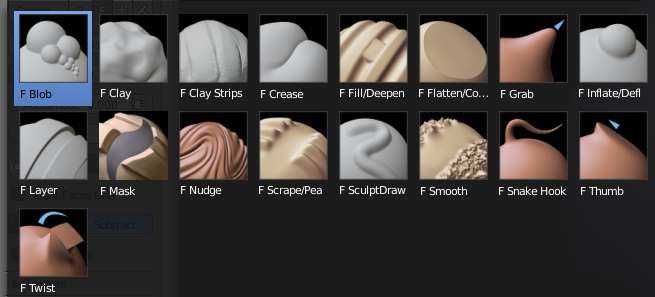
        Look for the Brush and Click the F:

        Go back to Object Mode and Save Startup File.

        Your Brush is back 🙂

      Viewing 2 posts - 1 through 2 (of 2 total)
      • The topic ‘Pinch/Magnify brush missing from my sculpt options. Any way to recover it?’ is closed to new replies.