
[in Using Light Textures] switching to Spot light produces odd gibbous-moon like result

Forum Archive [in Using Light Textures] switching to Spot light produces odd gibbous-moon like result

Viewing 3 posts - 1 through 3 (of 3 total)
  • Author
    Posts
  • #13321
    Julian Darley
    Participant

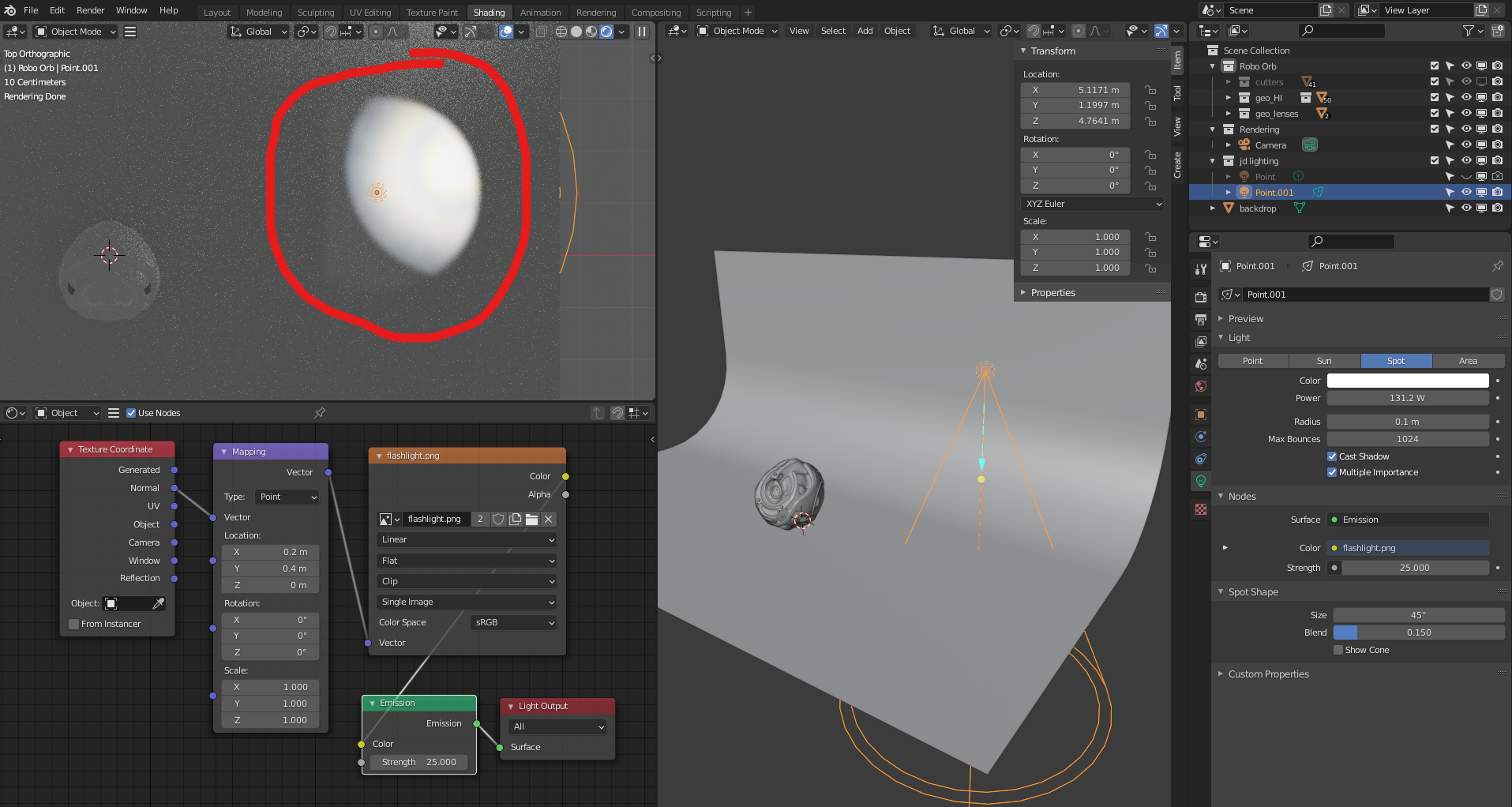
      around 4:20 JL switches to Spot light. when i try this i get the following:

      as usual, i have tried to copy all the parameters i can see. 

      #62392
      Jonathan Lampel
      Participant

        I believe that has to do with the location of the mapping of the texture – in the video it’s set to 0.5x and 0.5y, which I believe should work for all spotlight textures. For whatever reason 0,0,0 in Blender places the corner of the texture in the middle rather than the center of the texture. Hope that helps!

        #62393
        Julian Darley
        Participant

          yes, mapping definitely seems to matter. with some adjustment of which along with rotation, i seem to be getting there.

          thanks, julian

        Viewing 3 posts - 1 through 3 (of 3 total)
        • The topic ‘[in Using Light Textures] switching to Spot light produces odd gibbous-moon like result’ is closed to new replies.