subdivision surface does not work as in video

Forum Archive subdivision surface does not work as in video

Viewing 15 posts - 1 through 15 (of 18 total)
  • Author
    Posts
  • #13000
    almo101
    Participant

      subdivision surface does not work as in video, need some help. using blender 2.9

      #61215
      Jonathan Lampel
      Participant

        Hi, nothing has changed about the subdiv modifier since the video came out, so I’m not sure how to help. Could you please post a screenshot of your result and explain how it’s not working? 

        #61216
        spikeyxxx
        Participant

          @jlampel actually there has been a change (I think since 2.91), but it’s rather hidden and not likely to be causing the problem in this case.

          Indeed a screenshot would be helpful @almo101 .

          #61217
          almo101
          Participant

            this is what i see.
              i am at 3:50 in video & can’t match what i see in it.

            #61218
            spikeyxxx
            Participant

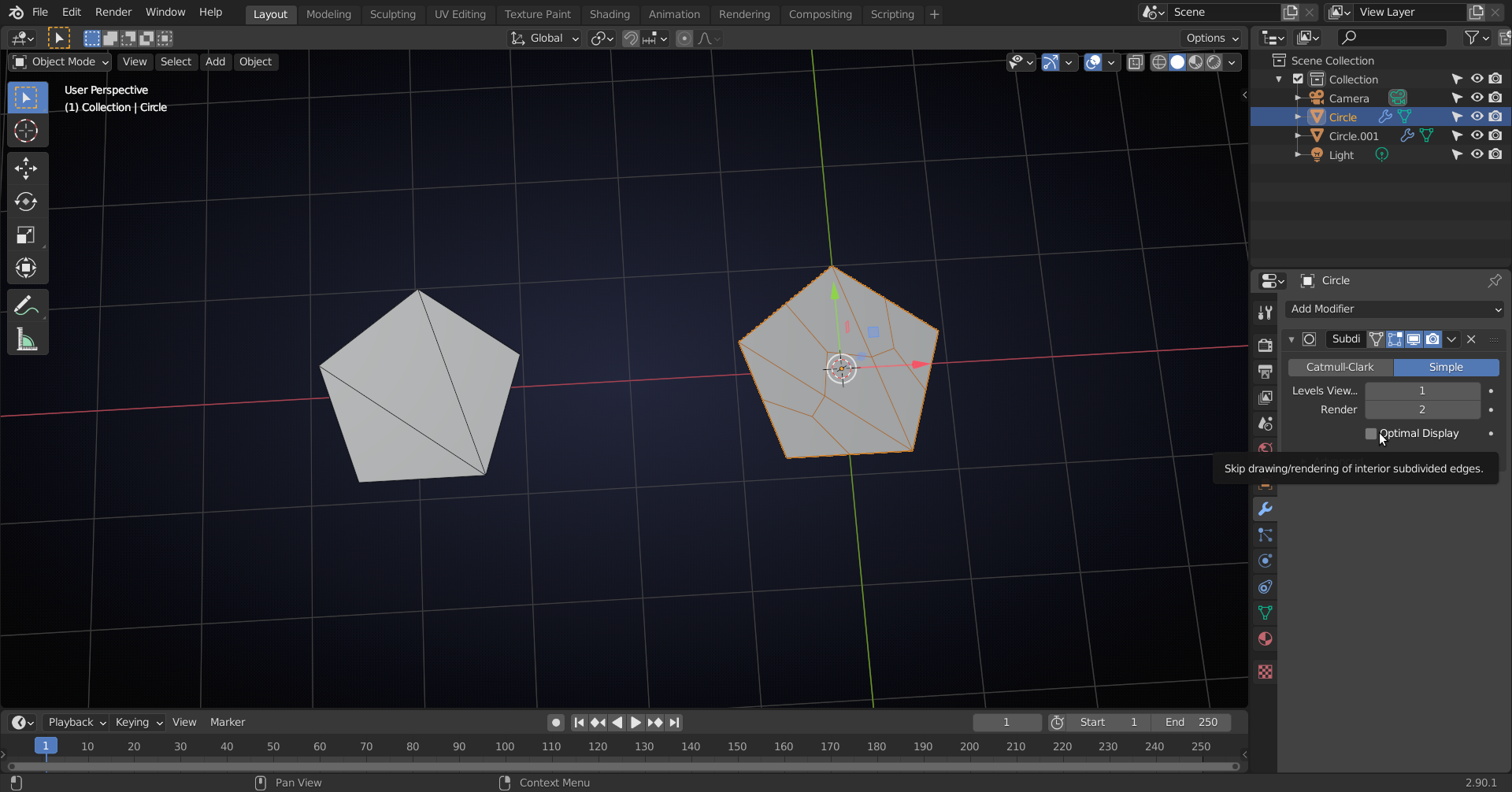
              That is because you have Optimal Display turned on in the Modifier:

              #61219
              spikeyxxx
              Participant

                O.k., I just checked and in 2.80 (the Blender version used in the video), Optimal Display was un-checked by default. Now it is checked by default, so that is why the instructor didn’t mention it in the video.

                #61220
                Mark Smith
                Participant

                  you would have to go and mention a little detail like that, wouldn’t you?!?!   😀

                  #61221
                  almo101
                  Participant

                    thank you for the assistance, much appreciated.

                    #61222
                    hochelf
                    Participant

                      Jup such things should be worth a “Revision” intermission I believe. 

                      There are quite a few subtle changes between 2.9 and 2.8.  As examples, I can use loop selection with a pen and the emulated 3-Button-Mouse. Also, the modifier-options have now a different design, with the “Apply” button hidden beneath a drop-down menu etc.

                      #61223
                      Mark Manno
                      Participant

                        Thanks for the help spikeyxxx

                        O.k., I just checked and in 2.80 (the Blender version used in the video), Optimal Display was un-checked by default. Now it is checked by default, so that is why the instructor didn’t mention it in the video.

                        This was great to see right away. 

                        #61224
                        beacon
                        Participant

                          Following the video with 2.91 and disabling Optimal Display shows the subdivision modifier working as in the video. Thanks to those who noted this!

                          #61225
                          Amrik Harnam
                          Participant

                            Thanks for the help again spikeyxxx

                            #61226
                            brails101
                            Participant

                              It was the first time on the course where something didn’t work as expected, so a revision could be useful. However thank you for providiing the answer on here

                              #61227
                              christopherward
                              Participant

                                I’m in the same boat with the same problem, except unchecking “optimal display” doesn’t seem to solve it.

                                #61228
                                spikeyxxx
                                Participant

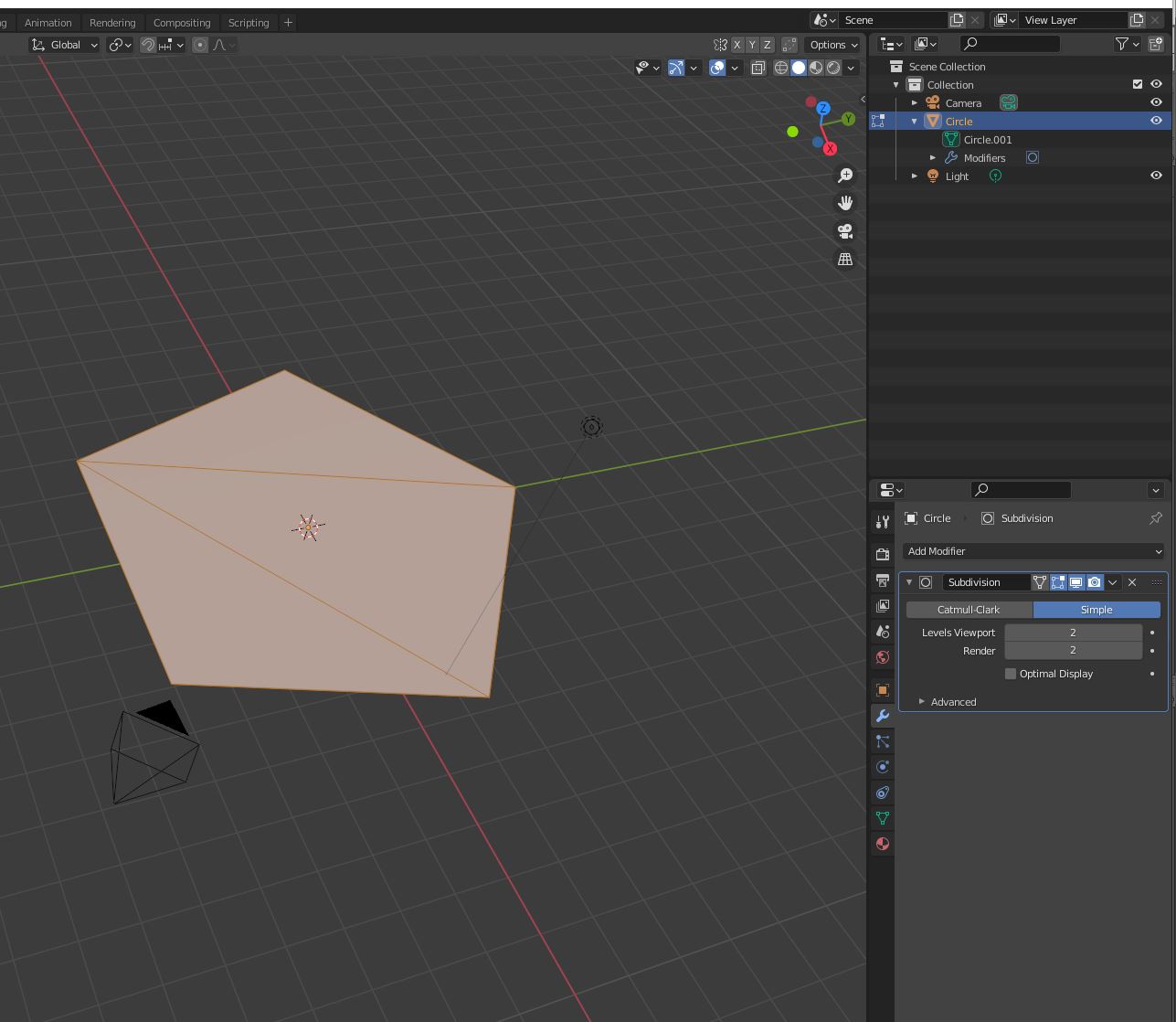
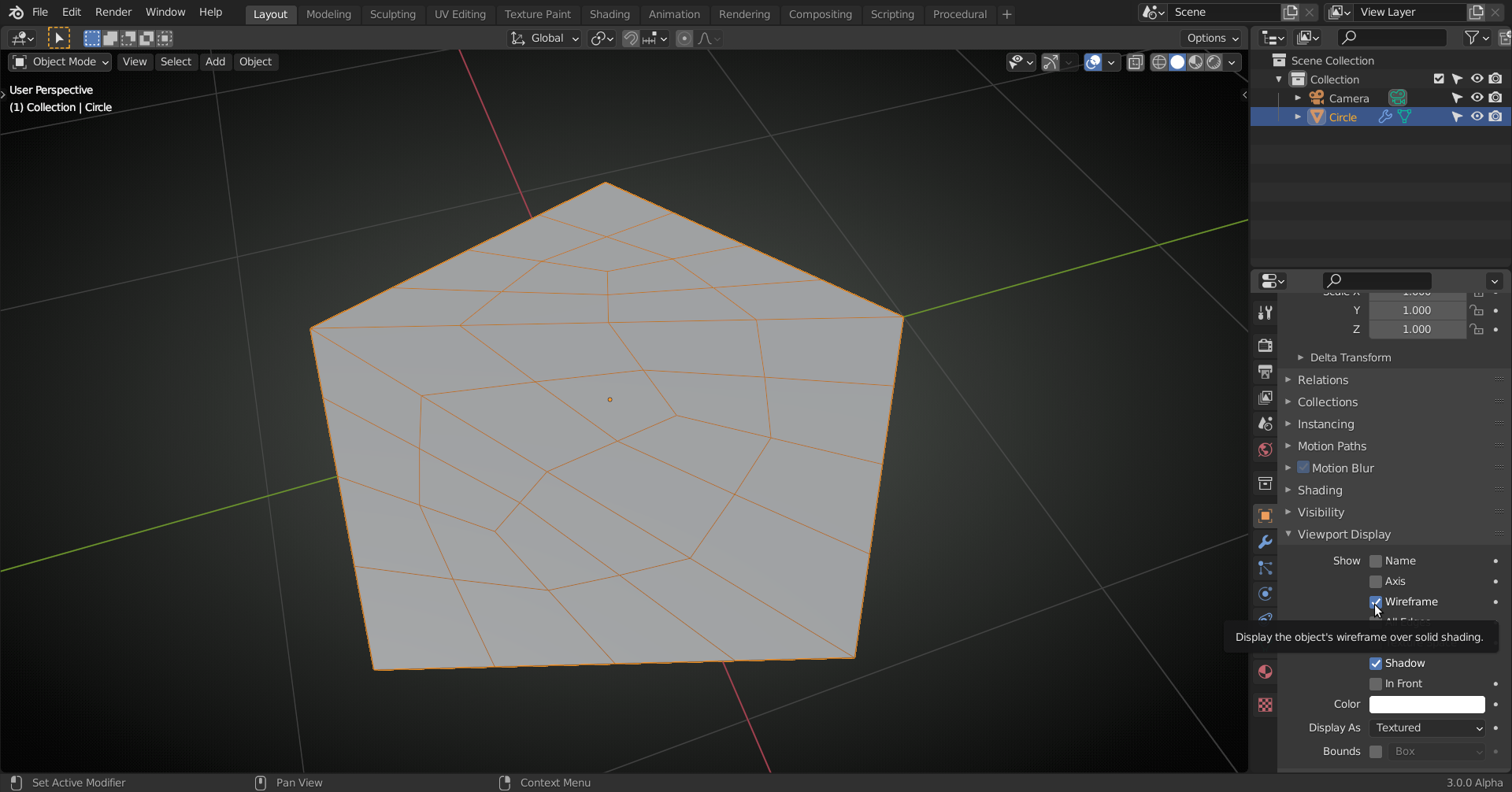
                                  @christopherward you also need to enable the Wireframe. Either here:

                                  which is a ‘per Object’ setting, so it will only show the Wireframe in the Objects where you have this enabled.
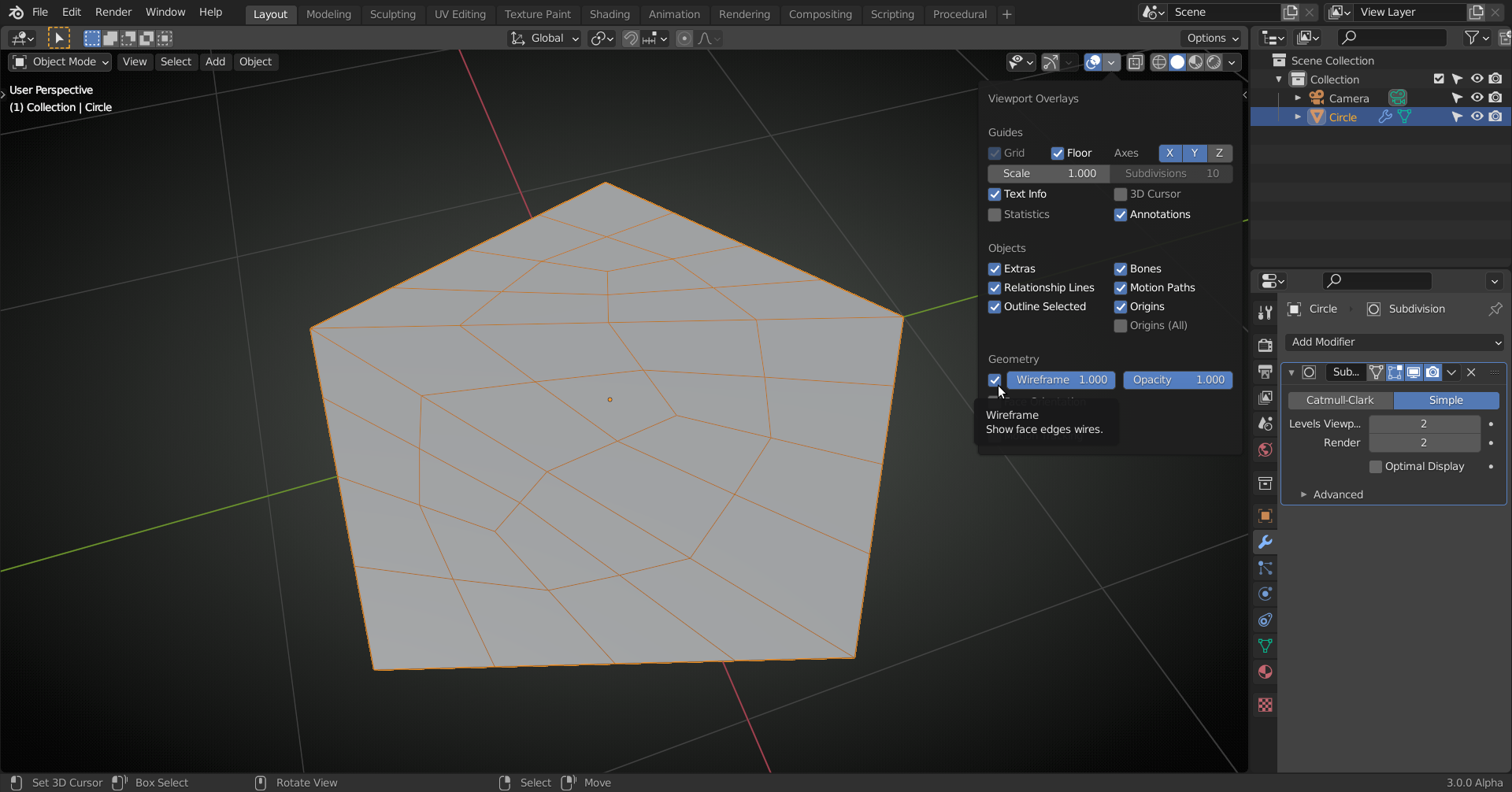
                                  Or enable the Wireframe Overlay here:

                                Viewing 15 posts - 1 through 15 (of 18 total)
                                • The topic ‘subdivision surface does not work as in video’ is closed to new replies.