A lot of subdivision points

Forum Archive A lot of subdivision points

Viewing 9 posts - 1 through 9 (of 9 total)
  • Author
    Posts
  • #12863
    Martijn Somhorst
    Participant

      Hello, I wanted to disturbed the web, with the random  proportional edit mode. But i tend to have a lot of points in the straight lines that are point radial outward. So when i do what you show in you video, these lines become very spike. Can i reduce these points in an easy manner?

      #60748
      Louis du Mont
      Participant

        You could isolate them by selecting the straight lines, then shift-h, then merge by distance. ‘M’ and select ‘merge by distance’. A tooltip appears at the bottom left of the viewport where you can adjust the threshold to reduce the vertices.

        #60749
        Martijn Somhorst
        Participant

          mm well something different occurs here, when i open a new part, the vertex/face/edge selection with the icons top left is visible, and hitting m just works fine . when i open my spider file, these buttons are gone, and hitting m doesn’t do anything…where did i go wrong.. ? thanks in advance again!

          #60750
          spikeyxxx
          Participant

            Are you sure you’re in Edit Mode?

            #60751
            Martijn Somhorst
            Participant

              yes. i opened a new part and then they are back and the m-key does what it normally does. So not sure where to look…

              #60752
              spikeyxxx
              Participant

                Could you post a link to your problematic spider file? (Dropbox, Google drive or something like that…)

                #60753
                Martijn Somhorst
                Participant
                  #60754
                  spikeyxxx
                  Participant

                    Yes, thank you.

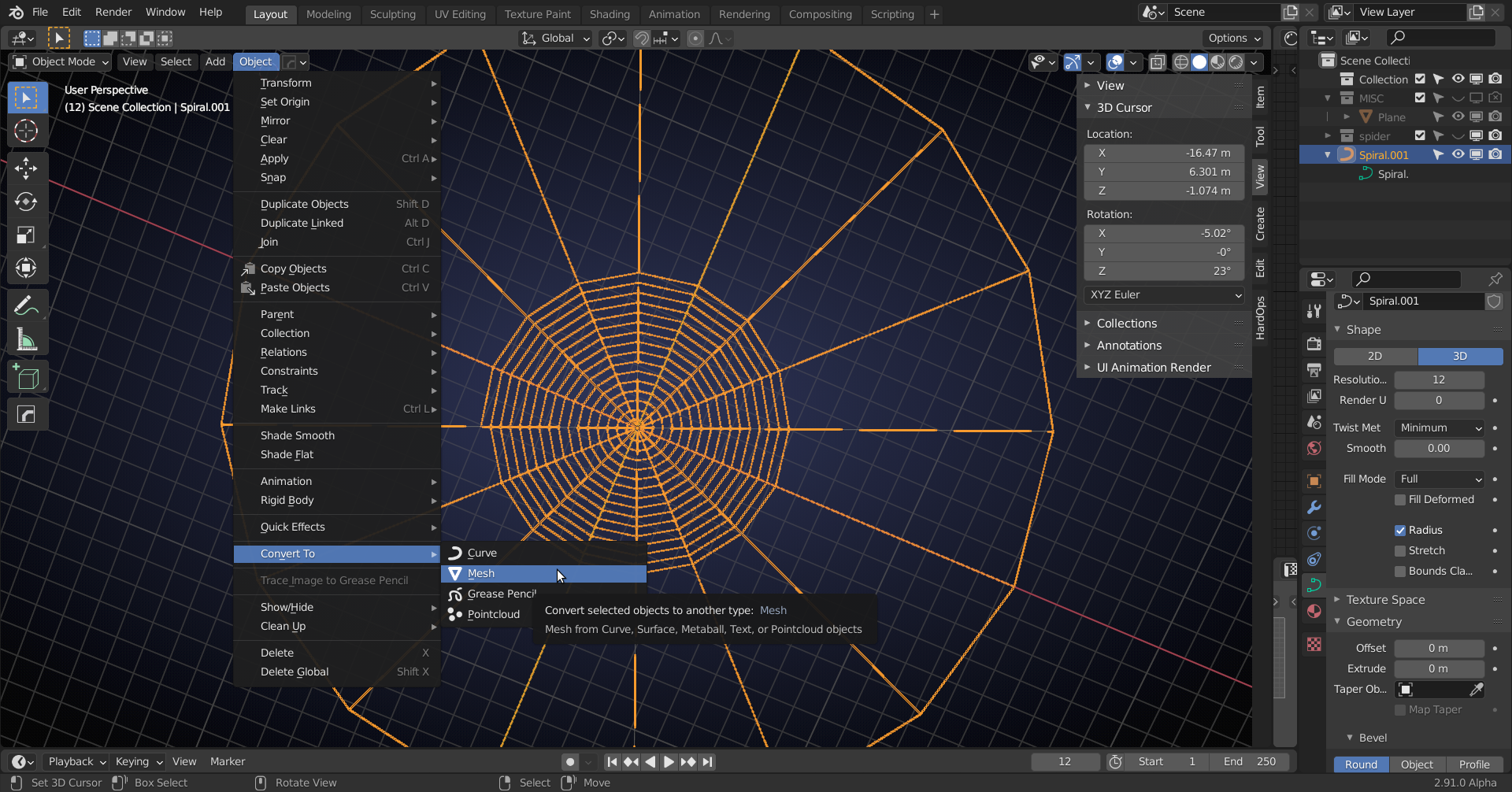
                    You don’t see Vertex, Edge and Face Select modes, because your “Spiral” is a Curve, not a Mesh.

                    Maybe use Convert to Mesh?

                    I haven’t taken this course yet, so I don’t know why what is done… there is a decimate option for Curves, but that only works for Bezier Curves…

                    #60755
                    Martijn Somhorst
                    Participant

                      thank you! I think where to look now. The thing was made from edges / extruded points and a skin modifier was added. So as i have applied that, converting to mesh does work and gives back the options, however it turn the skin into a tubular mesh so not quite the thing i was expecting. Learned something, thanks again! 

                    Viewing 9 posts - 1 through 9 (of 9 total)
                    • The topic ‘A lot of subdivision points’ is closed to new replies.