I am having problem with the hotkeys for midpoint snap and angle constraint

Forum Archive I am having problem with the hotkeys for midpoint snap and angle constraint

Viewing 6 posts - 1 through 6 (of 6 total)
  • Author
    Posts
  • #12846
    yogendraa
    Participant

      I cant use them, when I try to confirm them, those lines are just disappearing…

      #60684
      Jason Finney
      Participant

        Are you right clicking?
        Pretty sure rich clicks escapes any tool being used

        #60685
        yogendraa
        Participant

          Nope, left clicking

          #60686
          Jonathan Lampel
          Participant

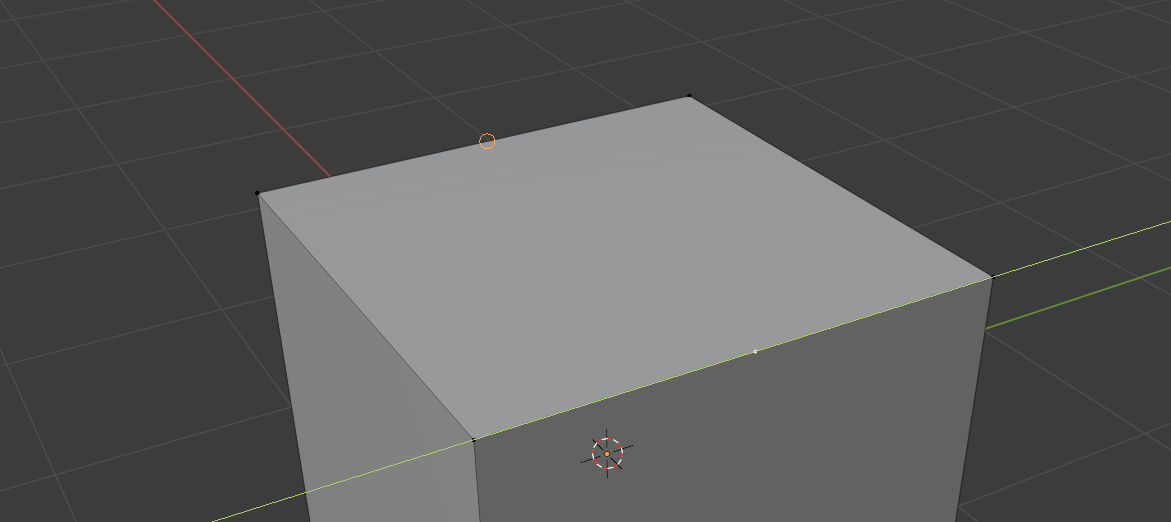
            Try a super simple example like this: 

            Are you able to subdivide one edge, move it along the Y axis, and then snap that to the center of the edge in the back? Hold Ctrl if you don’t currently have snapping enabled. 

            For Edge Perpendicular, try the same test but moving the vertex along the Z axis. 

            #60687
            LJ Simpson
            Participant

              It appears some default hot keys for knife tool are updated for 3.1?

              Shift – center of edge snap
              Ctrl – ignore snap
              A – angle contraint
              C – cut through
              rmb – for new cut, but not “e”

              #60688
              Jonathan Lampel
              Participant

                Yeah, the newer knife tool has a lot more snapping options and should make things easier overall though it may take a minute to get used to. Thanks for updating this thread! 

              Viewing 6 posts - 1 through 6 (of 6 total)
              • The topic ‘I am having problem with the hotkeys for midpoint snap and angle constraint’ is closed to new replies.