My metal panels on the body disappear on edit mode when I tab into them?

Forum Archive My metal panels on the body disappear on edit mode when I tab into them?

Viewing 8 posts - 1 through 8 (of 8 total)
  • Author
    Posts
  • #12729
    dougieladd
    Participant

      I have an issue with the metal brackets on the front when attempting to add detail. I’ve managed to remove the backside lock and tabbed into edit mode so I could edit my other metal panels. But as soon as I do they all disappear and I have nothing to edit? I also turn off all of the mirror axes leaving only one object… but as soon as I tab into edit mode… again… gone! Nothing to edit! Any ideas what is happening here?

      Thanks

      Doug

      #60325
      kroneborge
      Participant

        I would expect that they are being created by a modifier and when going into edit mode that modifier is not active so they don’t show up.

        You could try saving a new version of the file, apply your modifiers and then try.

        #60326
        dougieladd
        Participant

          Thanks for your reply however I have already tried applying the modifiers (so that I can edit the geometry). As soon as I do… it all disappears.  And I just left with an origin point and that’s it… no geo at all. ๐Ÿ™‚ Gotta laugh ๐Ÿ™‚ I think I might have to just try a different wy… but it’s late now here so I’ll try tomorrow… thanks. 

          #60327
          kroneborge
          Participant

            I think I had something similiar once.  I had moved the geometry a long ways away from the origin.  You might try putting the orgin to geometry, and then hitting numpad  ”  .  ” to go to it

            #60328
            spikeyxxx
            Participant

              @dougieladd :try ALT+H in Edit Mode.

              If you hide something in Edit Mode, it will still be visible in Object Mode. Whether that is a whole Mesh or only part of it.

              This can sometimes really trip you up ๐Ÿ˜‰

              #60329
              dougieladd
              Participant

                Let me see if I can upload images….

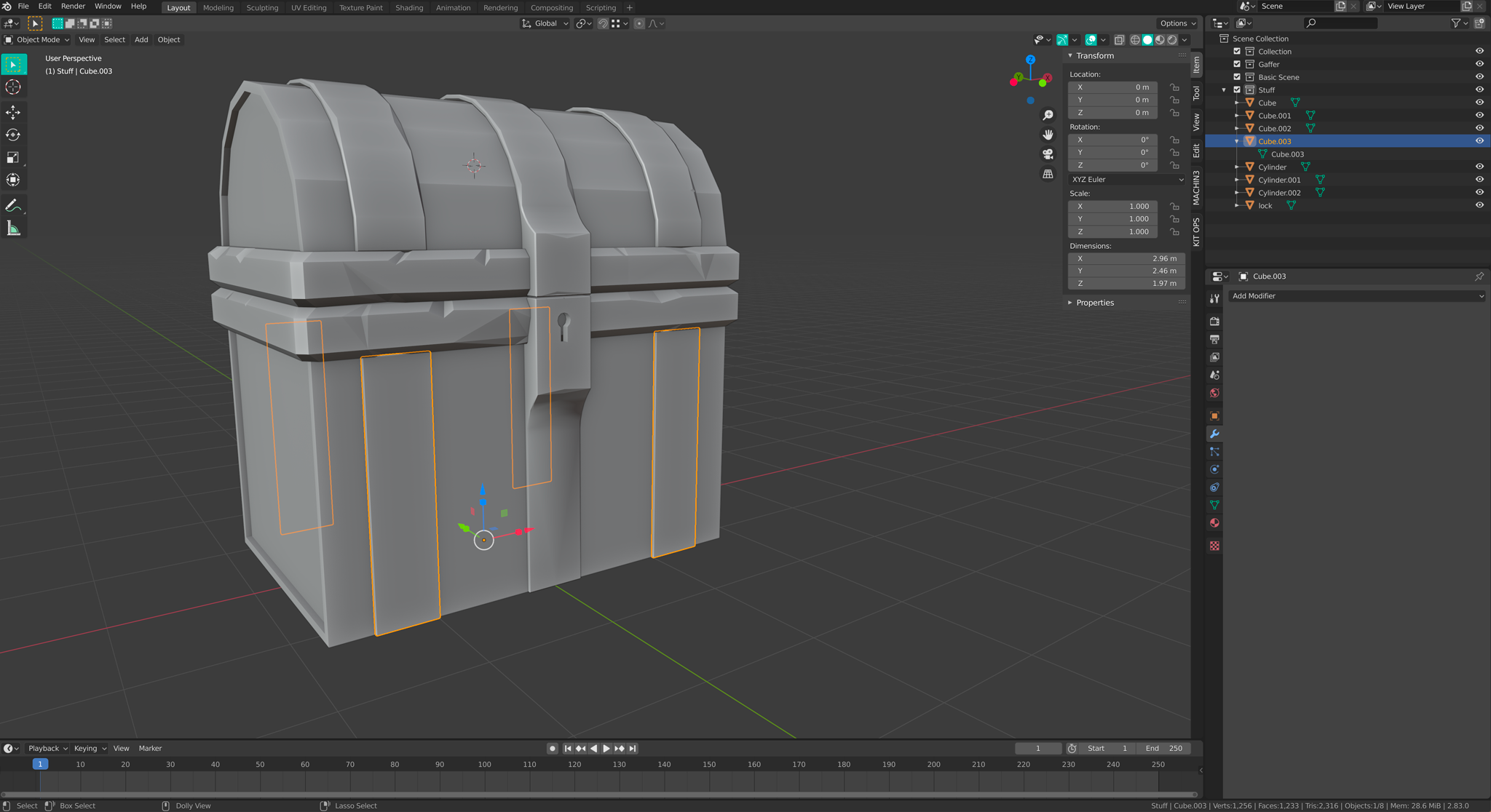
                One – As you can see I’ve applied modifiers…

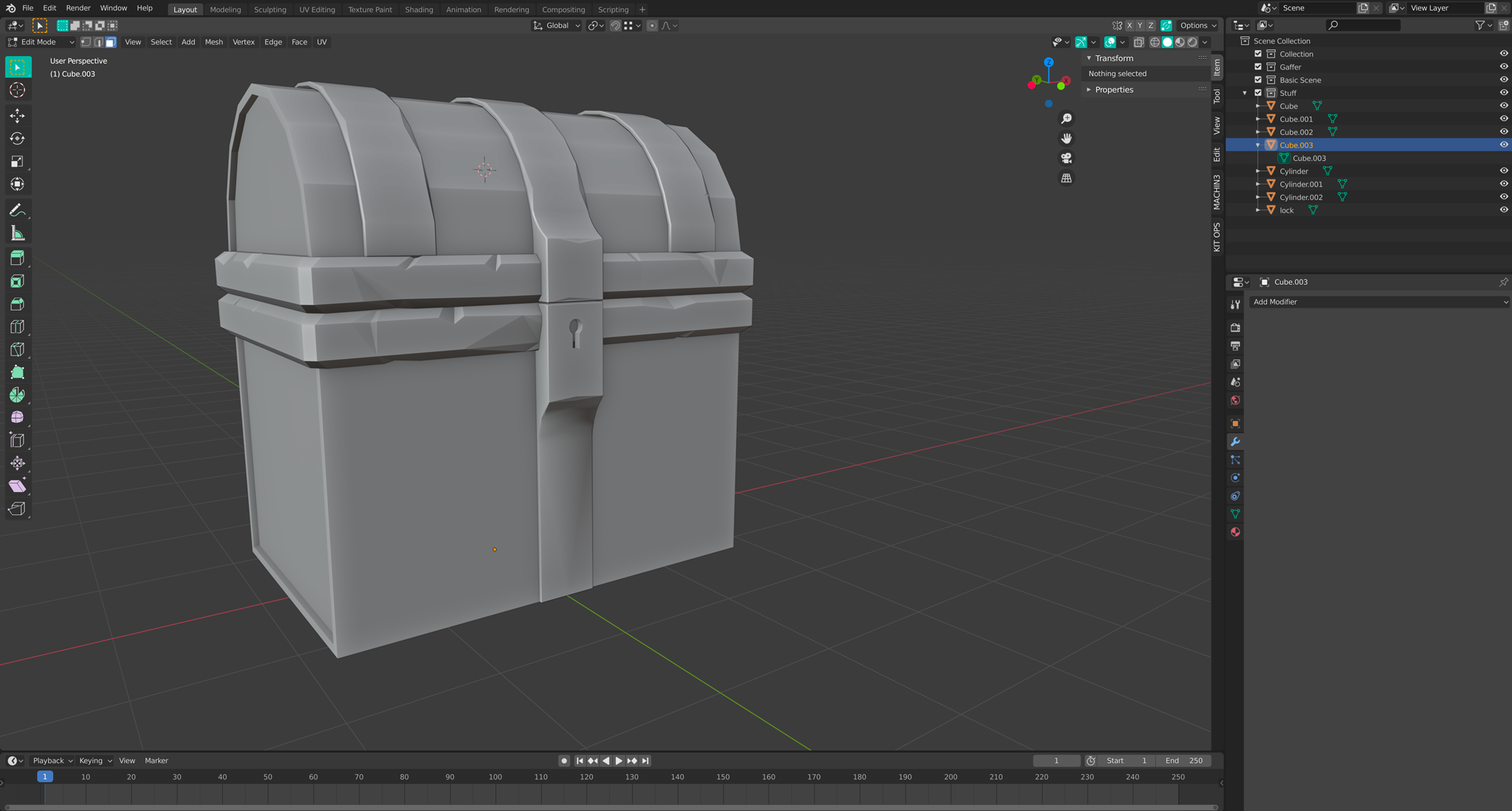
                Two – When I Tab into Edit Mode… Gone!

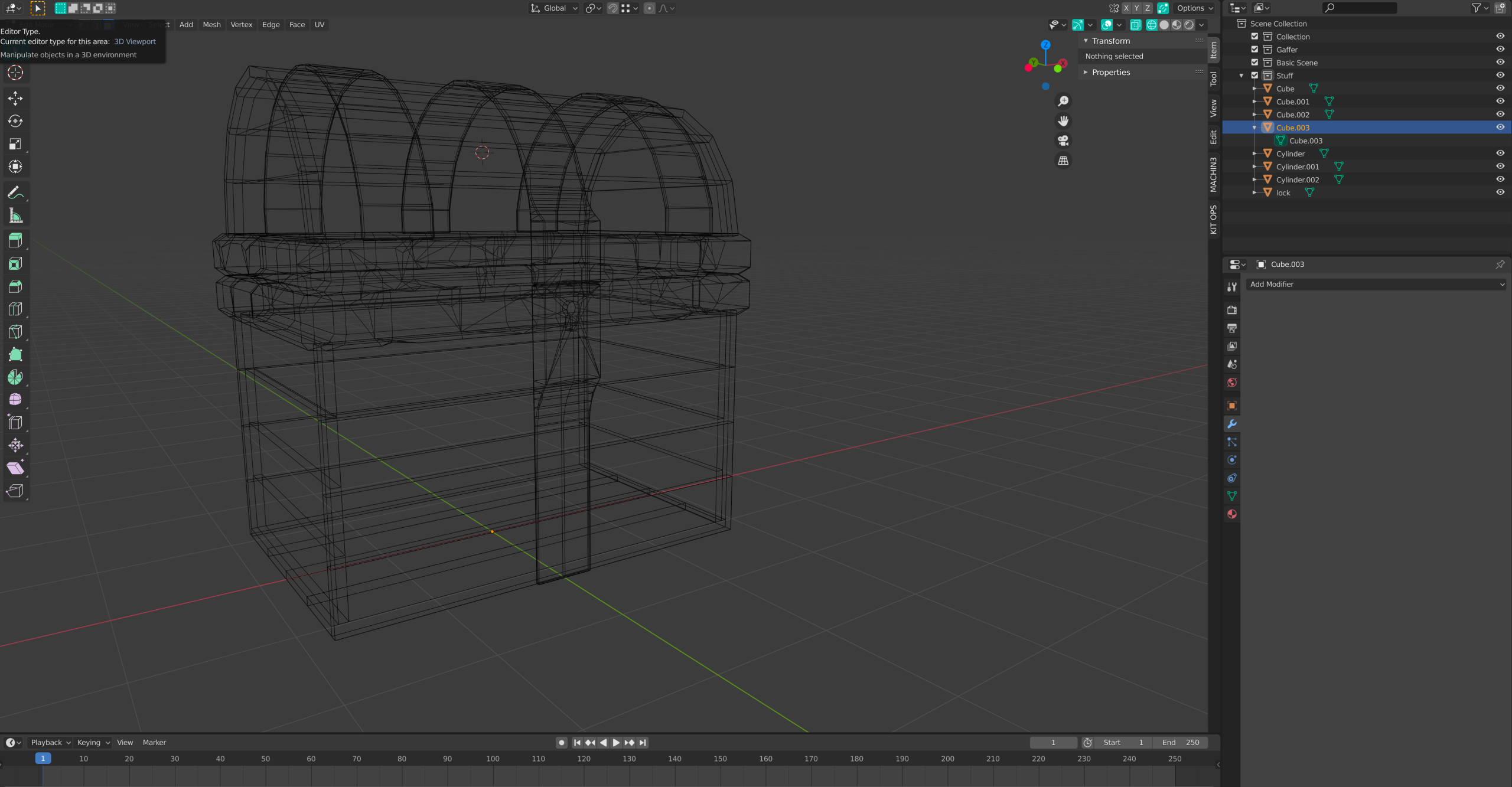
                Three – no geo anywhere… even when I zoom right out…. even checked Local Mode in case it was that.

                I think if no one is able to spot the issue I’m just going to do this without mirror modifier.

                Thanks

                Doug

                #60330
                Kent Trammell
                Participant

                  I’m with Spikey, this must to be the issue. Still trips me up after nearly 10 years of working with Blender!

                  #60331
                  dougieladd
                  Participant

                    Ha ha well I never!! Thanks guys…. that’s the first time I’ve done that… and no doubt won’t be my last ๐Ÿ™‚ ๐Ÿ˜‰ It’s so easy to do !! (I’ve made a mental note lol )Thanks Spikeyxxx / Kent – Bang on the money… ha ha ha

                  Viewing 8 posts - 1 through 8 (of 8 total)
                  • The topic ‘My metal panels on the body disappear on edit mode when I tab into them?’ is closed to new replies.