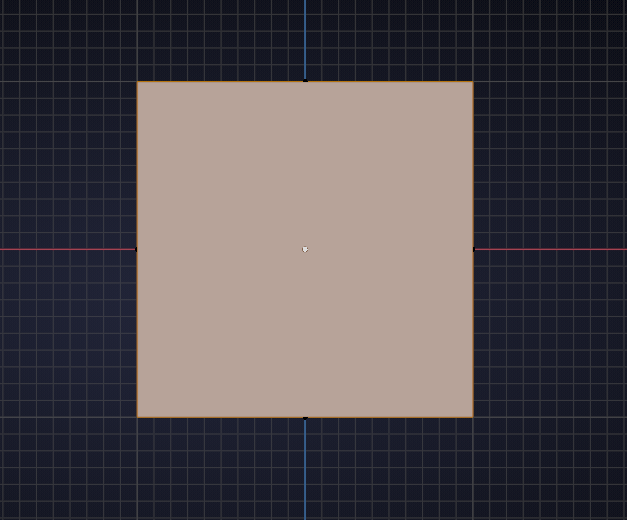
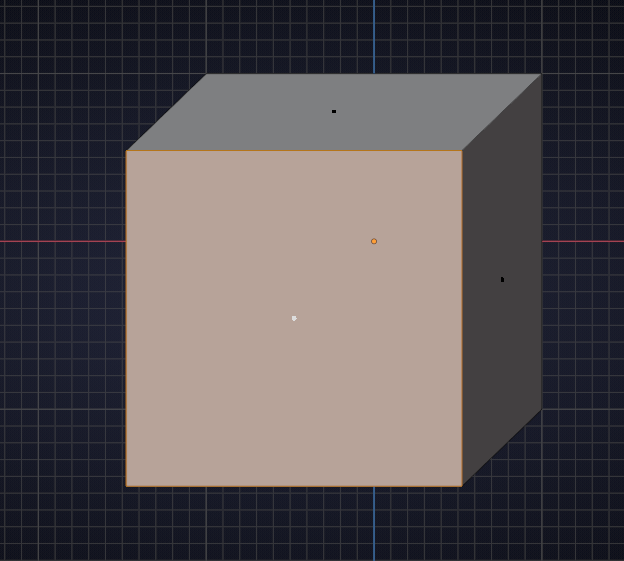
all my faces are 3d what happened?

Forum Archive all my faces are 3d what happened?

Viewing 5 posts - 1 through 5 (of 5 total)
  • Author
    Posts
  • #12719
    sonicsuperior26
    Participant

      #60291
      spikeyxxx
      Participant

        Could it be that you weren’t in Wireframe Mode when you selected (maybe with Box Select), what looked like all the Faces:

        but that way you only selected the ‘front’/visible Faces and whebn you then moved them, some were left behind:

        I have done this sooo often and sometimes it still happens to me 😉 When I’m in luck I notice it immediately, but sometimes….

        The opposite also happens: there is something (out of view) still selected when you move some part of your mesh and that gets moved with it unintentionally.

        #60292
        sonicsuperior26
        Participant

          but thank you for posting this. But i do not  get how to revert it back

          #60293
          spikeyxxx
          Participant

            You asked what happened 😉

            To revert use Undo (CTRL+Z) a few times. If that doesn’t take you back far enough:

            Go to Front View and with Vertex Select  and in Wireframe Mode select one half and delete it and the select the rest and extrude on X-axis.

            Can’t see what your X Mirror is doing though, but the trick should work anyway, just don’t delete the ‘mirror-line’ vertices.

            #60294
            sonicsuperior26
            Participant

              Ok thank you for helping me 🙂

            Viewing 5 posts - 1 through 5 (of 5 total)
            • The topic ‘all my faces are 3d what happened?’ is closed to new replies.