
Symmetry X for the extrusion of Piero’s legs

Forum Archive Symmetry X for the extrusion of Piero’s legs

Viewing 2 posts - 1 through 2 (of 2 total)
  • Author
    Posts
  • #12700
    Ingmar Franz
    Participant

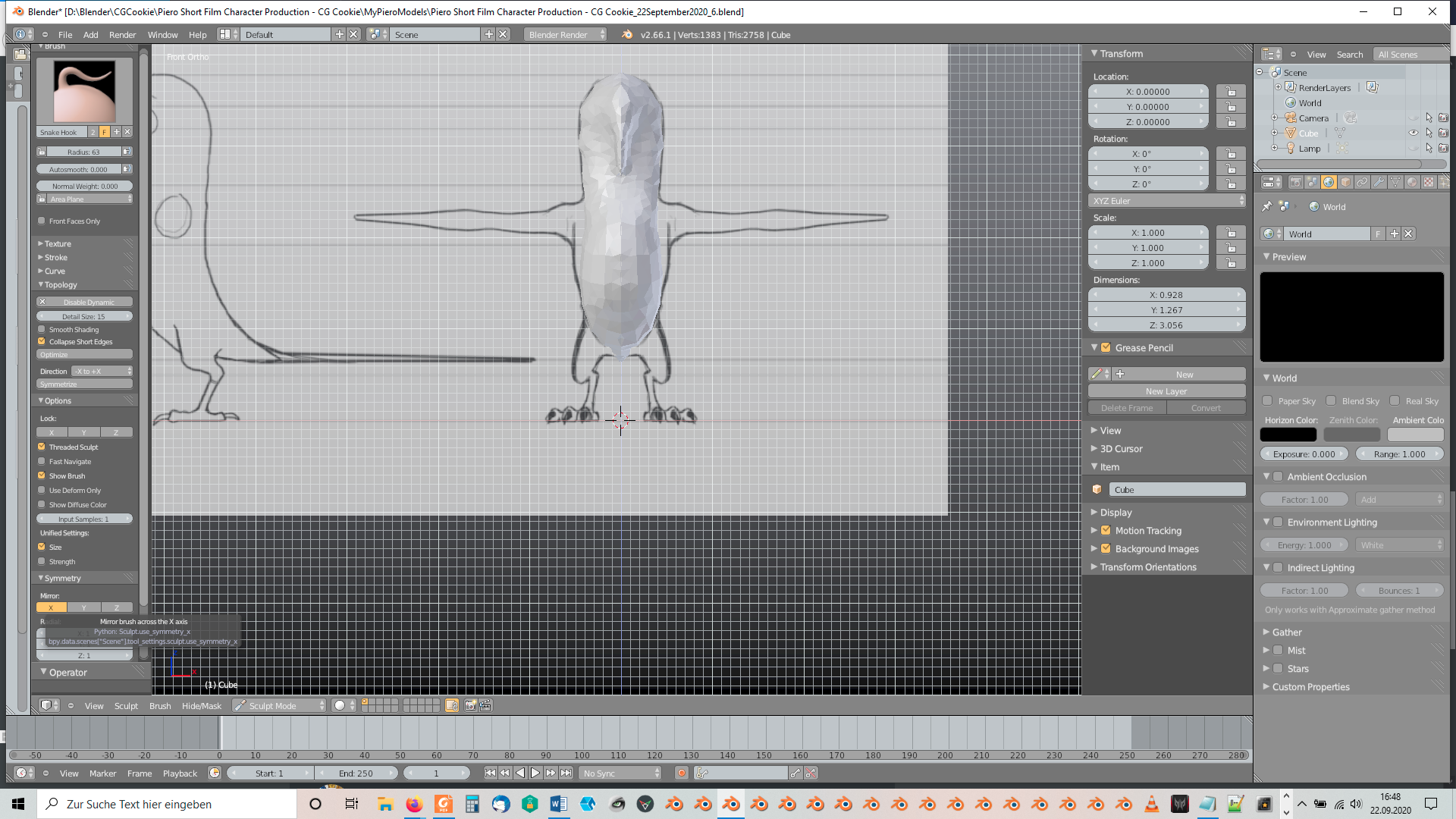
      The symmetry for the extrusion of Piero’s legs should be turned on by clicking “X” in the “Symmetry” panel of the “Toolshelf”:

      Maybe it’s the default setting and I’ve turned it off some time ago. But you can also symmetrize it with the “Symmetrize” button of the “Topology” panel of the “Toolshelf”.

      #60223
      Kent Trammell
      Participant

        Seeing a Blender 2.66 screenshot in 2020 is neat! I approve of your choice to use the version recorded in the course.

        Uh oh, did I fail to mention X-symmetry and the symmetrize button in the video? My apologies. By default (Blender factory settings) X-symmetry should be enabled in Sculpt mode. Pretty sure it’s been that way as long as I’ve been using Blender (still true with 2.9)

        Thanks for posting this for others to see! No doubt more will be in the same situation wondering about symmetry.

      Viewing 2 posts - 1 through 2 (of 2 total)
      • The topic ‘Symmetry X for the extrusion of Piero’s legs’ is closed to new replies.